IT, Cloud & Cybersecurity • Certification
Microsoft Office Specialist: PowerPoint Associate
Microsoft Office Specialist: PowerPoint Associate — Technology credential from Microsoft
Researched and maintained by TestPrepPilot Editorial BoardOffice productivity & desktop-applications desk · Figures last verified August 2026
The short version
What is the Microsoft Office Specialist: PowerPoint Associate and is it worth it?
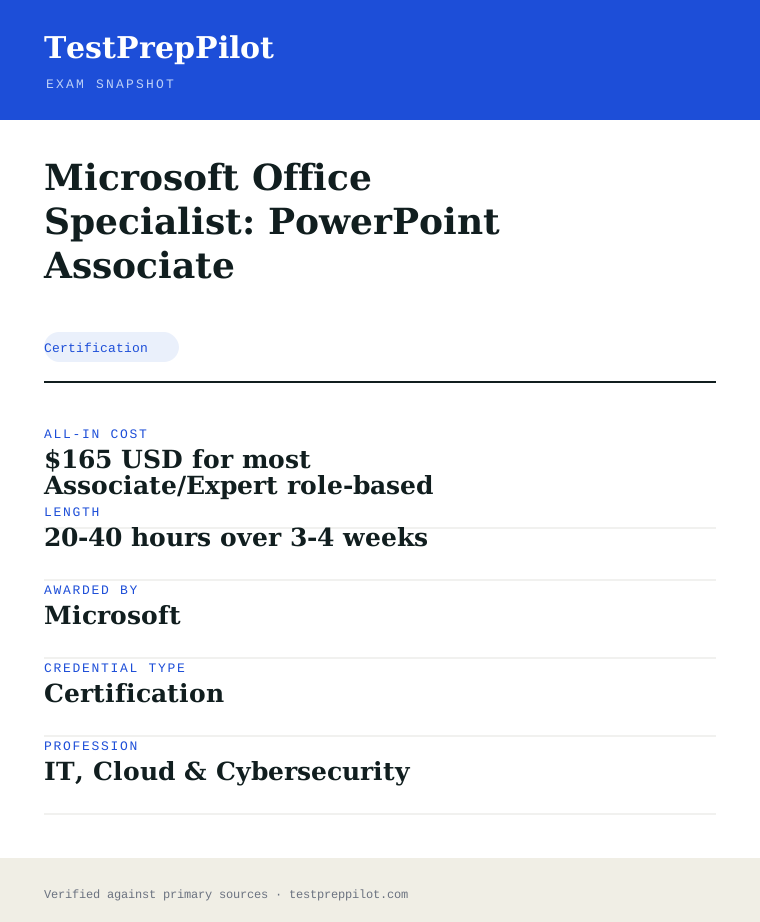
Microsoft Office Specialist: PowerPoint Associate is a Microsoft credential in the Technology field. It validates job-ready competence and is used for career entry, advancement, or compliance. Exam fee: $165 USD for most Associate/Expert role-based exams; Fundamentals-tier exams (e.
- Recognized Microsoft credential
- Demonstrates verified Technology competence
- Supports career advancement and may satisfy employer or regulatory requirements
What is it?
What exactly is the Microsoft Office Specialist: PowerPoint Associate?
Microsoft Office Specialist: PowerPoint Associate — Technology credential from Microsoft
Performance-based Office Specialist exam covering slide management, text and shapes, tables and charts, transitions and presentation delivery. Offered by Microsoft, it validates job-ready Technology competence. Exam fee: $165 USD for most Associate/Expert role-based exams; Fundamentals-tier exams (e. Review the official program page for eligibility, format, and scoring before registering.
The path in brief
- Confirm eligibility and any prerequisites
- Review the official exam guide and study materials
- Purchase and schedule the exam via Pearson VUE
- Take the exam (test center, online proctoring, or assessment)
- Receive results and your credential if passed
Before you book
Who is eligible to sit the Microsoft Office Specialist: PowerPoint Associate?
Eligibility varies; many exams are open to all, while others require coursework, experience, or sponsorship.
Who it is for: Professionals and candidates seeking to validate Technology competence with a Microsoft credential.
The test itself
What is the format of the Microsoft Office Specialist: PowerPoint Associate?
The Microsoft Office Specialist: PowerPoint Associate is administered by Pearson VUE and runs 50 minutes.
| Administered by | Pearson VUE |
|---|---|
| Questions | Project-based (~50-60 tasks) |
| Time limit | 50 minutes |
| Pass mark | Passing score set by the awarding body; see the official score report |
| Exam fee | $165 USD for most Associate/Expert role-based exams; Fundamentals-tier exams (e.g., AZ-900) are $99 USD. Priced per attempt in USD, billed in local currency; regional tax may apply. |
| Format | Proctored, computer-based — Pearson VUE test center or online remote proctoring. Price is the same either way. |
Content outline
What topics are on the Microsoft Office Specialist: PowerPoint Associate?
The Microsoft Office Specialist: PowerPoint Associate covers 4 content domains.
Weightings come from the official exam outline. Study time is best allocated in roughly these proportions rather than evenly across domains.
- Cloud / platform fundamentals
Topic area for this credential; see the official blueprint for the detailed breakdown.
- Configuration & implementation
Topic area for this credential; see the official blueprint for the detailed breakdown.
- Security & compliance
Topic area for this credential; see the official blueprint for the detailed breakdown.
- Operations & troubleshooting
Topic area for this credential; see the official blueprint for the detailed breakdown.
The path
How do you register for the Microsoft Office Specialist: PowerPoint Associate?
- 1
Prepare with Microsoft Learn1–10 weeks depending on exam and experience
Work through the free official self-paced learning paths and, optionally, instructor-led courses for your exam. Microsoft Learn is the primary, no-cost study source and maps directly to the exam skills outline.
- 2
Schedule through Pearson VUEabout 15 minutes
Sign in with a personal Microsoft account (MSA) and schedule the exam on the Pearson VUE portal. Choose an in-person test center or online proctoring (OnVUE). Students and educators can use Certiport for Fundamentals exams.
Microsoft recommends a personal MSA account; a work or school account can lose exam records if you leave the organization.
- 3
Take the exam45–120 minutes depending on the exam
Arrive at the test center or launch the online proctoring session. Exams are computer-based and may include multiple-choice, drag-and-drop, case studies, and performance-based lab tasks in a live environment.
- 4
Receive results and badgescore at end; badge within a few days
You see a pass/fail result on screen immediately. A detailed score report is emailed within about 24 hours and posted to your Microsoft certification profile. On passing, your digital badge is issued via Credly.
- 5
Renew annuallyabout 45 minutes, once a year
Most Microsoft role-based, specialty, and fundamentals certifications expire after 12 months. Renew for free by passing a shorter online renewal assessment on Microsoft Learn before the expiry date — no need to retake the full exam.
The fine print
What are the retake and renewal rules for the Microsoft Office Specialist: PowerPoint Associate?
- Proctoring & delivery
- Delivered by Pearson VUE. You can sit the exam at a Pearson VUE test center or take it online through OnVUE remote proctoring; the fee is the same for both. Online proctoring requires a quiet, private space, a working webcam, and a system check beforehand.
- Retake policy
- If you do not pass, you may retake the exam after 24 hours. A second failed attempt requires a 14-day waiting period, and any further attempts also require a 14-day wait between them, up to a maximum of five attempts in a 12-month period.
- Score reporting
- A pass/fail result is shown immediately after the exam. The official score report is emailed within about 24 hours and is also available in your Microsoft certification profile, with section-level feedback on how you performed.
- Recertification
- Microsoft role-based, specialty, and fundamentals certifications are valid for 12 months from the date earned. Renew at no cost by passing the shorter online renewal assessment on Microsoft Learn before the credential expires. Retired certifications cannot be renewed and must be re-earned through the active successor if one exists.
- Refunds & rescheduling
- Exam fees are generally non-refundable once a seat is purchased, but you can cancel or reschedule through Pearson VUE at no charge if you do so at least 24–48 hours before the appointment (exact window varies by region).
Context
Microsoft Azure / AI certifications compared
| Credential | Level | Focus | Exam fee | Validity | |
|---|---|---|---|---|---|
| AZ-900 Azure Fundamentals | Fundamentals | Cloud concepts | $99 | 1 year | |
| AI-900 Azure AI Fundamentals | Fundamentals | AI concepts | $99 | 1 year (retired Jun 30 2026) | |
| AI-901 Azure AI Fundamentals | Fundamentals | AI + Microsoft Foundry | $99 | 1 year | |
| AZ-104 Azure Administrator | Associate | Administer Azure | $165 | 1 year | |
| AZ-204 Azure Developer | Associate | Build cloud apps | $165 | 1 year (retired 2026) | |
| AZ-500 Azure Security Engineer | Associate | Security operations | $165 | 1 year (retires Aug 31 2026) | |
| AZ-700 Azure Network Engineer | Associate | Networking | $165 | 1 year | |
| AZ-140 Azure Virtual Desktop | Specialty | Virtual desktop (AVD) | $165 | 1 year | |
| AZ-305 Azure Solutions Architect | Expert | Solution design | $165 | 1 year |
What it pays
How much does this credential pay?
MOS PowerPoint Associate evidences presentation-production skill: computer support specialists earned a $61,550 median in May 2024 (BLS)
The Microsoft Office Specialist (MOS) PowerPoint Associate certification evidences hands-on proficiency with PowerPoint — creating and managing presentations, inserting and formatting content, and applying transitions and animations — which is a core skill across office, administrative and business-communication roles. It is a vendor certification, not a job license, so no single BLS SOC code attaches to it; the salary story belongs to the office occupations that use PowerPoint daily. BLS reported that computer support specialists (SOC 15-1231) earned a median of $61,550 in May 2024, that office and administrative support occupations as a group carried a $46,320 median, and that the all-occupation median was $49,500; roles that list presentation and document-production proficiency — administrative staff, business analysts, coordinators, trainers and communications staff — span these ranges. The structural point is that the certification is a verifiable signal of a skill most employers assume but few can test, and it is commonly completed by students and entry-level workers to strengthen applications for administrative, support and business roles; it also feeds job-readiness and workforce programs and pairs with the Word and Excel Associate exams toward the full MOS Associate certification. BLS classifies workers by occupation, not certifications, so no certificate maps to a precise wage; the value is the hireability signal in a market where presentation and document-production skill is a near-universal requirement. The exam is performance-based — candidates complete tasks inside the actual PowerPoint application — costs about $100, and the MOS credential does not expire. The salary context is worth reading with precision: the $61,550 computer-support median and the $46,320 office-support median bracket the broad middle where presentation-skill roles sit, but the certification itself is best understood as a skills signal that adds employability at the entry level rather than a credential that moves a specific wage. Employers rarely pay a premium for the certificate by name; they use it to verify a skill that is otherwise hard to evidence, which matters most in competitive entry-level hiring, student job-readiness programmes and administrative career ladders. The certification also has a credential-ladder function: passing PowerPoint Associate alongside Word and Excel Associate earns the full MOS Associate certification, which is the version employers and workforce programmes recognise by name. Because BLS does not classify workers by certification, the wage figures above are occupational context rather than a certificate-specific number, and the practical value of the exam is the verifiable, versioned proof of a skill that nearly every office job assumes — the hireability signal, not the salary line.
| Measure | Figure | Source / note |
|---|---|---|
| Computer support specialists median, May 2024 | $61,550 | BLS OEWS, SOC 15-1231 |
| Office and administrative support median, May 2024 | $46,320 | BLS OEWS occupational group |
| All-occupation median, May 2024 | $49,500 | BLS OEWS |
| MOS exam delivery | Performance-based in PowerPoint | Certiport/Microsoft |
Job growth.Office-support employment is projected to change modestly through 2034; verifiable software skill remains a hiring differentiator.
Source: BLS Occupational Outlook Handbook - Computer Support Specialists
Your odds
What are the pass rates?
MOS PowerPoint Associate requires 700 on a 1000-point scale; Microsoft and Certiport publish no pass rates
Microsoft and Certiport do not publish pass rates for MOS exams, but the assessment mechanics are public, and on the current version — MO-310, the Microsoft 365 Apps edition that replaced the Office 2019 MO-300 — the exam is a performance-based test of about 50 minutes in which candidates complete projects inside the actual PowerPoint application while the exam software records their actions. The format is a multi-project simulation: roughly five to seven projects built from approximately 25 to 35 individual tasks in total (the exact count is stated in the exam objectives and varies by form), and the passing score is 700 on a 1000-point scale. The exam covers five objective groups Microsoft publishes: manage presentations; manage slides; insert and format text, shapes and images; insert tables, charts, SmartArt, 3D models and media; and apply transitions and animations. Because the exam is performance-based, candidates must know where features live in the PowerPoint ribbon and complete the actions, not merely recall concepts from a list. The exam is delivered by Certiport through authorized testing centers and online in many regions, typically costs about $100, and retakes follow the Certiport schedule — 24 hours after a first failed attempt, with longer intervals for subsequent attempts. The honest summary is that the passing bar is 700/1000 on a performance-based, roughly 50-minute exam, and the published objectives document is the authoritative preparation blueprint. Two format facts follow from the performance-based design and change how candidates should read any pass-rate discussion. First, the exam does not have questions you can guess on in the usual sense: every item is a task completed in the application, so there is no chance to eliminate distractors — a candidate either knows where the feature lives or does not, which is why hands-on practice in the desktop app is the entire preparation. Second, because the recorded actions are compared against the expected result, partially completing a task can earn partial credit while skipping it earns none, which makes the strategy of moving through projects and returning to difficult tasks more than a pacing preference — it is how the scoring works. The number of tasks can vary by exam form within the published range, so candidates should rehearse to the time budget rather than to a fixed task count. The absence of a published pass rate is therefore less informative than these mechanics: 700/1000 on a performance test is the number, and practice performance in the desktop app is the closest predictor of it.
Read this before quoting the number.Microsoft publishes no pass rates; the exam requires 700/1000 and is performance-based in PowerPoint with a 50-minute allowance.
Your schedule
How long should I study for it?
15-35 hours over 2-4 weeks of focused study
A realistic MOS PowerPoint Associate plan runs 15 to 35 hours over two to four weeks for someone with everyday PowerPoint experience, and more for a beginner; the exam is performance-based, so preparation is about completing tasks in the real application, and the version to study is the current MO-310 (Microsoft 365 Apps), not the retired Office 2019 MO-300 material still on sale. Week 1 is baseline: review the published objectives document for the five groups and complete a practice project to find the gaps — most candidates discover weaknesses in features they rarely touch, such as slide masters and layouts, custom slide shows, sections, 3D models, media controls and the Morph transition. Weeks 2-3 are hands-on objective practice: build practice presentations that exercise each group in the desktop PowerPoint application, since the exam uses the desktop app and feature locations differ from the web app; drill slide masters and layouts, sections and reordering, text, shapes and image formatting, tables, charts, SmartArt and media, and transitions and animations including the animation pane and triggers. Week 4 is the rehearsal week: complete a Certiport practice test (GMetrix, roughly $20-30) under timed conditions to experience the multi-project performance format, drill the exposed gaps, and take the real exam. Because tasks are scored as completed actions, the highest-yield habit is working through the objectives checklist systematically so the obscure-but-tested features are not left to luck, and managing the 50-minute clock by skipping difficult tasks and returning to them. A note on the version question, which is the fastest way to waste this preparation: the current exam is MO-310 for PowerPoint in Microsoft 365 Apps, and the older Office 2019 MO-300 material is still on sale but covers a superseded exam, so any book, course or question bank used in the plan should state MO-310 or list the current objective groups. The five objective groups anchor the whole plan — manage presentations, manage slides, insert and format text/shapes/images, insert tables/charts/SmartArt/3D/media, and apply transitions and animations — and a candidate who can complete a practice project in each group unaided is ready for the format, because the exam is essentially a timed version of exactly that.
- Week 15
Baseline and objectives
- Review the published MO-310 objectives document
- Complete a practice project to find the gaps
- Confirm you are studying the Microsoft 365 Apps version, not MO-300
- Weeks 2-318
Hands-on objective practice
- Practice presentations per objective group in the desktop app
- Drill slide masters, sections, media, and the animation pane
- Repeat tasks until the actions are reflex, not recollection
- Week 48
Practice test and real exam
- GMetrix practice test under timed conditions
- Drill the exposed gaps
- Take the real exam
Adjusting the pace
Beginner path.Add two weeks of daily PowerPoint practice before the formal plan if the baseline is weak.
MOS Associate bundle.Pass Word, Excel and PowerPoint Associate to earn the full MOS Associate certification.
How to study
How do I prepare most effectively?
The most effective MOS PowerPoint strategies are hands-on and objective-driven. Strategy one: practice in the real PowerPoint desktop application, because the exam records your actions in the app and rewards knowing exactly where every feature lives; candidates who study screenshots without doing the actions underperform on the timed projects, and the web app will not do because feature locations differ. Strategy two: use the published objectives as the checklist — every exam task maps to an objective, and candidates who work the five groups systematically cover the obscure-but-tested features such as slide masters and layouts, custom slide shows, sections, 3D models and the Morph transition that daily users rarely touch. Strategy three: master the slide-master and layout system, because it is the most common gap for self-taught users and a distinct, testable cluster of tasks. Strategy four: learn the media and animation depth — tables, charts, SmartArt, 3D models, audio and video trimming and bookmarks, and the animation pane with triggers and the four animation categories — because these are precise task clusters that distinguish prepared candidates. Strategy five: use the Certiport practice tests (GMetrix) in the final week, because they replicate the multi-project performance format and the 50-minute timing. Strategy six: manage the clock by skipping difficult tasks and returning to them, since the exam scores completed tasks and finishing the projects beats perfecting one. A further strategy specific to PowerPoint is to rehearse the task sequences that recur across the objective groups — building a presentation from an outline, modifying a slide master, applying a theme, setting up a slide show — as full workflows rather than isolated clicks, because the exam’s projects chain tasks together and candidates who have performed the chains in order handle them faster. Learn where the ribbon and dialog controls live for the frequently tested but rarely used features: custom slide shows, section management, the animation pane with triggers, and media playback controls, because the exam records whether the action was completed and interface fluency is the difference between finishing and running out of time. Finally, calibrate against the GMetrix practice score: because the exam is performance-based, a practice score in the 800s predicts a pass in a way that a percentage on a knowledge quiz never could, and candidates should schedule the real exam only when timed practice clears the 700 line with margin.
Practice in the real desktop app
The exam records your actions in PowerPoint; interface fluency is the score, and the web app differs.
Work the objectives checklist
Every task maps to a published objective; cover all five groups systematically.
Master slide masters and layouts
The most common gap for self-taught users and a distinct task cluster.
Learn the media and animation depth
3D models, audio and video, and the animation pane with triggers are precise clusters.
Use GMetrix for the final week
It replicates the multi-project performance format and the 50-minute timing.
Manage the 50-minute clock
Skip difficult tasks and return; finishing the projects beats perfecting one.
What to buy
Which study resources are worth paying for?
The MOS PowerPoint resource market has a clear official core. The Microsoft Learn training material for MO-310 and the published objectives document are free and map to the exam; hands-on practice requires only the PowerPoint desktop application, which is the exact surface the exam uses. The Certiport practice tests (GMetrix) cost about $20-30 and are the closest match to the multi-project performance format; they are the standard paid purchase. Commercial MOS prep books ($15-40) and courses ($50-500) add structure and practice volume, and their value is practice rather than unique content. The exam fee is about $100, with frequent discounts through schools, libraries and workforce programs — check for free or discounted vouchers before paying full price, since many candidates sit it through an academic institution. The honest ranking: free Microsoft Learn modules and the objectives document, desktop PowerPoint practice, the GMetrix practice test, and a course only for structure. Prices here are current as of 2025-26 and change annually; we rank nothing by commission. The comparison has a clear ordering for most candidates: the free official material and the desktop application are non-negotiable, the GMetrix practice test is the one paid item that reliably pays for itself, and the commercial course is optional. The most common buying error is paying for a course before using the free material, when the free Microsoft Learn modules and objectives document already define the scope; the course’s value is practice volume and structure, not content that the free material lacks. Another consideration is the voucher: MOS exams are frequently available at reduced or free cost through schools, libraries and workforce programmes, so a candidate who checks for a voucher before paying full price can cut the $100 exam fee significantly, and the discounted voucher should be purchased before scheduling because some have expiry dates. Finally, because the exam uses the desktop PowerPoint application, candidates should confirm they have access to it for practice — a Microsoft 365 subscription or a student copy — since the web version is a different surface and does not prepare for the exam interface.
| Resource | Price | Format | Best for |
|---|---|---|---|
| Microsoft Learn MO-310 training and objectives | Free | Online | Objectives-aligned instruction and the exam blueprint |
| PowerPoint desktop practice | Subscription or existing | Desktop app | The practice surface (the exam uses the desktop app) |
| Certiport GMetrix practice tests | $20-30 | Online | Performance-format rehearsal |
| Commercial prep book/course | $15-500 | Print/online | Practice volume and structure |
| MO-310 exam registration | ~$100 (vouchers often discounted) | Certiport testing centre or online | The certification itself |
Prices dated 2025-26; the MOS exam fee is ~$100 with frequent school and workforce discounts. No commission-based ranking.
Avoid these
What mistakes do candidates most often make?
The most common MOS PowerPoint mistakes come from studying instead of doing. Mistake one: reading about PowerPoint or watching videos without completing tasks in the application; the exam is performance-based, and candidates who cannot navigate the ribbon and dialog boxes quickly run out of time. Mistake two: skipping the published objectives; candidates who practice what they already know miss the tested features they rarely use — slide masters and layouts, sections, custom slide shows, 3D models, media controls and the Morph transition. Mistake three: neglecting the master-and-layout system, which is a distinct testable cluster and the most common gap for self-taught users. Mistake four: ignoring the timing; the 50-minute clock with multiple projects rewards skipping and returning, and candidates who perfect the first project fail to finish. Mistake five: practising in the web app, which does not match the desktop-application surface the exam uses. Mistake six: studying for the retired MO-300 (Office 2019) version, whose material is still on sale but no longer matches the current MO-310 (Microsoft 365 Apps) exam. Finally, candidates who assume the credential expires manage it wrong — MOS does not expire, but the current version you hold matters, so keep the Certiport record current. Two further mistakes are common specifically because the exam is performance-based. The first is working the projects in presented order and stalling on the first difficult task: the clock does not pause, and a candidate who perfects the opening project while the later projects go unfinished loses points that skipping and returning would have banked, so the habit of advancing past a hard task is a scored behaviour, not a preference. The second is treating the practice score as knowledge rather than as a format signal: a candidate who scores well on a multiple-choice knowledge quiz but never completes a timed GMetrix run is unprepared for the very different skill of performing tasks against the clock in the real interface. Candidates who rehearse the full projects, in the desktop app, under the 50-minute budget, and who use the objectives checklist as the coverage map, eliminate the categories of loss that the preparation mistakes above describe — which is the difference between studying PowerPoint and preparing for the MOS PowerPoint exam.
✕Studying without doing
✓Complete tasks in the real desktop PowerPoint application.
✕Skipping the objectives
✓Work the published objective groups as a checklist.
✕Neglecting masters and layouts
✓Slide masters and layouts are a distinct testable cluster.
✕Ignoring the clock
✓Skip difficult tasks; finishing the projects beats perfecting one.
✕Practising in the web app
✓The exam uses the desktop application; feature locations differ.
✕Studying the retired MO-300 version
✓The current exam is MO-310 (Microsoft 365 Apps); check the version on any material.
What you'll face
What question types will I see?
The MOS PowerPoint Associate exam (MO-310) is a performance-based test of about 50 minutes, with roughly five to seven projects made up of approximately 25 to 35 tasks completed inside the actual PowerPoint application, and a passing score of 700 on a 1000-point scale. There are no multiple-choice items; every question is a task the candidate performs, and the exam software records the completed actions. The published objective groups are: manage presentations (slide masters, layouts, themes, print settings, slide-show setup, and preparing for collaboration and distribution); manage slides (inserting, duplicating, hiding, reusing and ordering slides, and sections); insert and format text, shapes and images; insert tables, charts, SmartArt, 3D models and media; and apply transitions and animations. Tasks range from modifying a slide master to applying a Morph transition, adding 3D models, trimming audio or video, or creating a custom slide show. Because the exam scores completed tasks, candidates should move through the projects and return to difficult tasks rather than stalling. Samples below are editor-written illustrations of the published objectives, not live exam items; they show the task-decision style of the real performance tasks. The layout of the question section follows the task structure: a project is opened with the presentation loaded, the task is stated at the top of the screen, and the candidate performs the action in the application while the clock runs; when the task is completed, the candidate moves to the next one, and projects can be revisited within the 50-minute budget. Because the exam records completed actions, the difference between a 700 and an 800 score is typically speed and coverage — completing more of the projects fully — rather than any single task type. The five objective groups are not equally weighted in practice: manage presentations and insert-and-format tasks tend to carry a large share of the project content, while the media and animation tasks, though fewer, are where unprepared candidates stall because they rarely use 3D models, video trimming or the animation pane in daily work. Knowing which tasks are likely to appear does not substitute for knowing where every feature lives, but it does tell a candidate where rehearsal time pays the highest return.
Slide masters, layouts, themes, print and slide-show setup, and distribution preparation.
Inserting, duplicating, hiding, reusing and ordering slides; sections.
Formatting text, shapes, pictures, icons and graphic elements; alt text and hyperlinks.
Creating and formatting tables, charts, SmartArt, 3D models and audio/video.
Transitions including Morph, and animations with the animation pane and triggers.
Try these
Q1A company wants every new presentation to carry its logo and a consistent set of placeholder layouts. Which feature should be configured once so new slides inherit it?
Answer:A
The slide master and its layouts define the default placeholders, backgrounds and objects that new slides inherit, which is exactly the one-place configuration the requirement needs. Custom slide shows select which slides play, and the notes and handout features do not define inherited slide content.
Q2A presenter needs to present only a subset of the deck to a specific audience, without deleting the other slides. Which feature is designed for this?
Answer:A
A custom slide show defines a named subset of slides that plays without deleting anything from the deck. Sections organise slides visually, and neither the master nor the notes pane changes which slides play.
Q3A video in a presentation must start a few seconds in and skip the opening credits, without editing the source file. Which task achieves this?
Answer:A
Playback options let you trim video and choose where it starts, keeping the source file untouched. Re-importing, transitions and converting to a picture do not change where the video begins.
Q4A user wants an object to animate only after a specific previous animation finishes, using a delay. Which set of controls sets this up?
Answer:A
The animation pane controls each object’s start trigger (on click, with previous, after previous) and its delay timing — exactly the sequencing and delay the requirement describes. Transitions affect whole slides, and themes and masters do not control animation sequencing.
Samples are editor-written illustrations of the published objectives, not live exam items.
The big day
What should I expect on exam day?
The MOS PowerPoint Associate exam is delivered by Certiport through authorized testing centers and, in many regions, online with proctoring. At a test center, arrive about 30 minutes early with a valid government-issued photo ID matching your registration; the exam runs about 50 minutes on the center’s computer with the PowerPoint desktop application installed, and you complete the multi-project performance tasks in the real application while the exam software records your actions. For online delivery, complete the Certiport system check ahead of time on the same machine and network you will use, sit in a quiet private room with a clear desk, and follow the proctor’s rules, including unplugging second monitors and removing phones. The passing score is 700/1000, and the result appears on screen at the end. Pace the 50-minute clock by working through the projects and returning to difficult tasks rather than stalling. The exam fee is about $100, with frequent school, library and workforce vouchers. After passing, the certification is recorded in your Certiport/Microsoft Learn profile with a badge; the MOS credential does not expire, so the record is what you keep for resumes and employer verification. The practical rhythm of the day is worth rehearsing in advance: the exam software presents a project, states the task, and records your actions, so the skills that matter are reading the task precisely, locating the feature in the desktop application quickly, and moving on when a task is difficult rather than stalling the clock. Candidates should expect roughly 50 minutes of continuous task work with no pause, so the pre-exam routine is minimal — use the restroom, silence notifications, and confirm the centre or proctor rules on water and break before starting. If a task is completed incorrectly, the exam software does not prompt or correct; the recorded result is compared against the expected outcome, so candidates should review their own work briefly before moving on where the interface allows. On a result of 700 or above the pass is recorded immediately, and the afterwards is straightforward: claim the badge, note the version on your profiles, and keep the Certiport transcript for employer and programme verification, since the credential’s value is the verifiable record it leaves.
Bring
- Valid government-issued photo ID matching your registration
- Appointment confirmation
- For online delivery: verified system, webcam and a quiet room
- Voucher code if using a discounted voucher
Leave at home
- Phone, smartwatch and personal electronics
- Notes or study materials — the exam is closed book
- Second monitors and other devices for online delivery
- Any assumption that the retired Office 2019 version is the current exam
How the day runs
Rules in the room
- Valid ID is mandatory; personal electronics are prohibited.
- The exam is performance-based in the desktop PowerPoint application.
- The passing score is 700/1000 in ~50 minutes.
- Retakes follow the Certiport schedule: 24 hours after a first failed attempt.
- The MOS credential does not expire.
Afterwards.The MOS PowerPoint Associate result appears on screen the moment you submit, with 700/1000 as the pass line, and a pass records the certification in your Certiport and Microsoft Learn profiles with a digital badge. The MOS credential does not expire, so the immediate follow-up is visibility rather than renewal: download the badge, add it to your resume and LinkedIn, and keep the Certiport record handy for employer verification — schools and workforce programmes frequently ask for the transcript as well as the badge. Because the certification is versioned, note which version you hold (MO-310, Microsoft 365 Apps) and plan to update it if you move to a future Office cycle, since employers hire on the current product. On a fail, the retake window opens 24 hours after the attempt, but the better play is to use the GMetrix practice test in the gap and retake once the missing objective groups — often masters and layouts, media, or animations — are drilled; the performance format rewards a targeted retake over an immediate one. Then consider the Word and Excel Associate exams, since passing all three earns the full MOS Associate certification, and the skills reinforce across the Office suite.
Reference
What are the key facts about the Microsoft Office Specialist: PowerPoint Associate?
Microsoft Office Specialist: PowerPoint Associate is a certification credential; awarded by Microsoft; the exam fee is $165 USD for most Associate/Expert role-based exams; Fundamentals-tier exams (e.g., AZ-900) are $99 USD. Priced per attempt in USD, billed in local currency; regional tax may apply.; typical preparation is 20-40 hours over 3-4 weeks; holders typically earn $38,000-$70,000 (15-1231 median $61,550).
| Credential | Microsoft Office Specialist: PowerPoint Associate |
|---|---|
| Abbreviation | MOS PowerPoint |
| Type | Certification |
| Profession | IT, Cloud & Cybersecurity |
| Specialty | Microsoft |
| Awarded by | Microsoft |
| Difficulty | Mixed |
| Typical prep time | 20-40 hours over 3-4 weeks |
| All-in cost | $165 USD for most Associate/Expert role-based exams; Fundamentals-tier exams (e |
| Typical salary range | $38,000-$70,000 (15-1231 median $61,550) |
| Credential | Microsoft Office Specialist: PowerPoint Associate |
| Awarding body | Microsoft |
| Exam fee | $165 USD for most Associate/Expert role-based exams; Fundamentals-tier exams (e |
| Delivery | Proctored, computer-based — Pearson VUE test center or online remote proctoring. Price is the same either way. |
| Validity | Renewable annually via free online assessment |
| Scope | National / Multi-state |
| Also known as | MO-310 |
Real questions
Frequently asked questions about the Microsoft Office Specialist: PowerPoint Associate
How much does the Microsoft Office Specialist: PowerPoint Associate exam cost?
$165 USD for most Associate/Expert role-based exams; Fundamentals-tier exams (e.g., AZ-900) are $99 USD. Priced per attempt in USD, billed in local currency; regional tax may apply.
How do I register and schedule?
Register and schedule through Pearson VUE. Create an account, purchase the exam, and pick a date (test center, online proctoring, or assessment as applicable).
How long is the credential valid, and how do I renew?
Free online renewal assessment on Microsoft Learn (role-based and specialty certs renew this way; effectively no recurring fee).
What is the retake policy?
Full fee per attempt. First retake after 24 hours; subsequent retakes after a 14-day wait; maximum 5 attempts in 12 months.
Can I take a Microsoft exam online from home?
Yes. Exams are delivered by Pearson VUE with two options: an in-person test center or OnVUE online proctoring from a private space with a webcam. The fee is identical for both.
Do Microsoft certifications expire?
Most role-based, specialty, and fundamentals certifications are valid for 12 months. You renew for free by passing a shorter online assessment on Microsoft Learn before the expiry date.
What happens if my certification is retired?
You keep the credential until its current expiry date, but you can no longer earn or renew it. Microsoft typically points candidates to the active successor exam or certification.
In short
Is the Microsoft Office Specialist: PowerPoint Associate worth it?
- Microsoft Office Specialist: PowerPoint Associate is awarded by Microsoft.
- Validates Technology competence.
- Exam fee: $165 USD for most Associate/Expert role-based exams; Fundamentals-tier exams (e.
- Renewal: Free online renewal assessment on Microsoft Learn (role-based and specialty certs renew this way; effectively no recurring fee).
Same awarding body
What other credentials does Microsoft award?
Worth comparing
How does the Microsoft Office Specialist: PowerPoint Associate compare with similar credentials?
Trust
Where does this information come from?
Everything above is taken from the awarding body's own published material. Fees, question counts and domain weights are revised regularly — check the official page before you pay.
- Microsoft Awarding body
- Microsoft certification programme Programme rules
Research confidence: medium · Last reviewed 2026-08