IT, Cloud & Cybersecurity • Certification
Microsoft Office Specialist: Word Expert
Microsoft Office Specialist: Word Expert — Technology credential from Microsoft
Researched and maintained by TestPrepPilot Editorial BoardProductivity & office-software certifications desk · Figures last verified August 2026
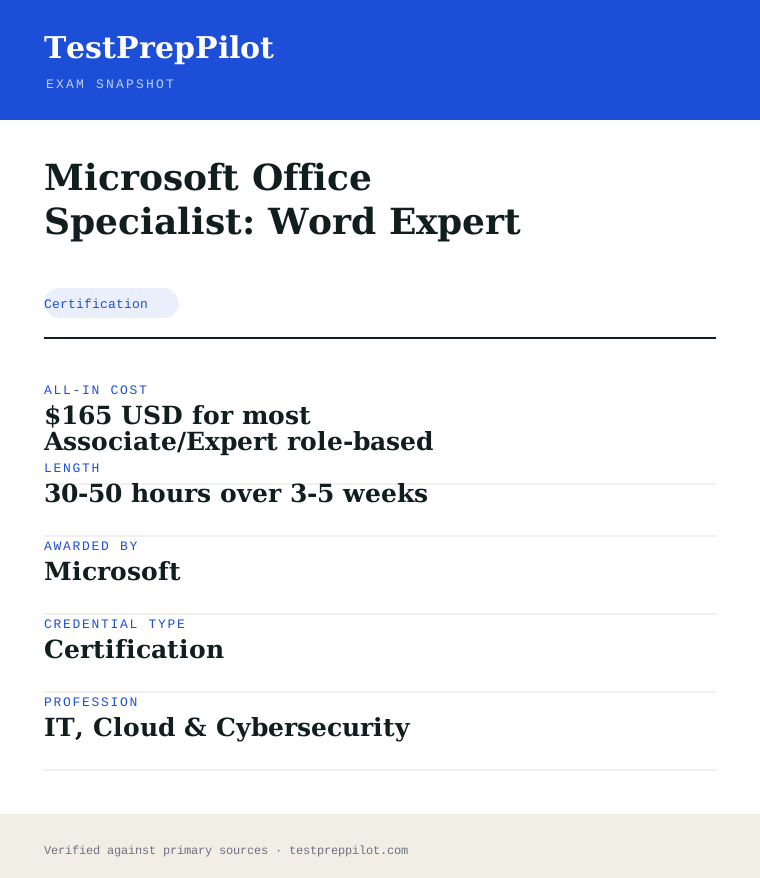
The short version
What is the Microsoft Office Specialist: Word Expert and is it worth it?
Microsoft Office Specialist: Word Expert is a Microsoft credential in the Technology field. It validates job-ready competence and is used for career entry, advancement, or compliance. Exam fee: $165 USD for most Associate/Expert role-based exams; Fundamentals-tier exams (e.
- Recognized Microsoft credential
- Demonstrates verified Technology competence
- Supports career advancement and may satisfy employer or regulatory requirements
What is it?
What exactly is the Microsoft Office Specialist: Word Expert?
Microsoft Office Specialist: Word Expert — Technology credential from Microsoft
Expert-level Office Specialist exam covering advanced Word features such as styles, templates, mail merge, forms and document review workflows. Offered by Microsoft, it validates job-ready Technology competence. Exam fee: $165 USD for most Associate/Expert role-based exams; Fundamentals-tier exams (e. Review the official program page for eligibility, format, and scoring before registering.
The path in brief
- Confirm eligibility and any prerequisites
- Review the official exam guide and study materials
- Purchase and schedule the exam via Pearson VUE
- Take the exam (test center, online proctoring, or assessment)
- Receive results and your credential if passed
Before you book
Who is eligible to sit the Microsoft Office Specialist: Word Expert?
Eligibility varies; many exams are open to all, while others require coursework, experience, or sponsorship.
Who it is for: Professionals and candidates seeking to validate Technology competence with a Microsoft credential.
The test itself
What is the format of the Microsoft Office Specialist: Word Expert?
The Microsoft Office Specialist: Word Expert is administered by Pearson VUE and runs 50 minutes.
| Administered by | Pearson VUE |
|---|---|
| Questions | Project-based (~50-60 tasks) |
| Time limit | 50 minutes |
| Pass mark | Passing score set by the awarding body; see the official score report |
| Exam fee | $165 USD for most Associate/Expert role-based exams; Fundamentals-tier exams (e.g., AZ-900) are $99 USD. Priced per attempt in USD, billed in local currency; regional tax may apply. |
| Format | Proctored, computer-based — Pearson VUE test center or online remote proctoring. Price is the same either way. |
Content outline
What topics are on the Microsoft Office Specialist: Word Expert?
The Microsoft Office Specialist: Word Expert covers 4 content domains.
Weightings come from the official exam outline. Study time is best allocated in roughly these proportions rather than evenly across domains.
- Cloud / platform fundamentals
Topic area for this credential; see the official blueprint for the detailed breakdown.
- Configuration & implementation
Topic area for this credential; see the official blueprint for the detailed breakdown.
- Security & compliance
Topic area for this credential; see the official blueprint for the detailed breakdown.
- Operations & troubleshooting
Topic area for this credential; see the official blueprint for the detailed breakdown.
The path
How do you register for the Microsoft Office Specialist: Word Expert?
- 1
Prepare with Microsoft Learn1–10 weeks depending on exam and experience
Work through the free official self-paced learning paths and, optionally, instructor-led courses for your exam. Microsoft Learn is the primary, no-cost study source and maps directly to the exam skills outline.
- 2
Schedule through Pearson VUEabout 15 minutes
Sign in with a personal Microsoft account (MSA) and schedule the exam on the Pearson VUE portal. Choose an in-person test center or online proctoring (OnVUE). Students and educators can use Certiport for Fundamentals exams.
Microsoft recommends a personal MSA account; a work or school account can lose exam records if you leave the organization.
- 3
Take the exam45–120 minutes depending on the exam
Arrive at the test center or launch the online proctoring session. Exams are computer-based and may include multiple-choice, drag-and-drop, case studies, and performance-based lab tasks in a live environment.
- 4
Receive results and badgescore at end; badge within a few days
You see a pass/fail result on screen immediately. A detailed score report is emailed within about 24 hours and posted to your Microsoft certification profile. On passing, your digital badge is issued via Credly.
- 5
Renew annuallyabout 45 minutes, once a year
Most Microsoft role-based, specialty, and fundamentals certifications expire after 12 months. Renew for free by passing a shorter online renewal assessment on Microsoft Learn before the expiry date — no need to retake the full exam.
The fine print
What are the retake and renewal rules for the Microsoft Office Specialist: Word Expert?
- Proctoring & delivery
- Delivered by Pearson VUE. You can sit the exam at a Pearson VUE test center or take it online through OnVUE remote proctoring; the fee is the same for both. Online proctoring requires a quiet, private space, a working webcam, and a system check beforehand.
- Retake policy
- If you do not pass, you may retake the exam after 24 hours. A second failed attempt requires a 14-day waiting period, and any further attempts also require a 14-day wait between them, up to a maximum of five attempts in a 12-month period.
- Score reporting
- A pass/fail result is shown immediately after the exam. The official score report is emailed within about 24 hours and is also available in your Microsoft certification profile, with section-level feedback on how you performed.
- Recertification
- Microsoft role-based, specialty, and fundamentals certifications are valid for 12 months from the date earned. Renew at no cost by passing the shorter online renewal assessment on Microsoft Learn before the credential expires. Retired certifications cannot be renewed and must be re-earned through the active successor if one exists.
- Refunds & rescheduling
- Exam fees are generally non-refundable once a seat is purchased, but you can cancel or reschedule through Pearson VUE at no charge if you do so at least 24–48 hours before the appointment (exact window varies by region).
Context
Microsoft Azure / AI certifications compared
| Credential | Level | Focus | Exam fee | Validity | |
|---|---|---|---|---|---|
| AZ-900 Azure Fundamentals | Fundamentals | Cloud concepts | $99 | 1 year | |
| AI-900 Azure AI Fundamentals | Fundamentals | AI concepts | $99 | 1 year (retired Jun 30 2026) | |
| AI-901 Azure AI Fundamentals | Fundamentals | AI + Microsoft Foundry | $99 | 1 year | |
| AZ-104 Azure Administrator | Associate | Administer Azure | $165 | 1 year | |
| AZ-204 Azure Developer | Associate | Build cloud apps | $165 | 1 year (retired 2026) | |
| AZ-500 Azure Security Engineer | Associate | Security operations | $165 | 1 year (retires Aug 31 2026) | |
| AZ-700 Azure Network Engineer | Associate | Networking | $165 | 1 year | |
| AZ-140 Azure Virtual Desktop | Specialty | Virtual desktop (AVD) | $165 | 1 year | |
| AZ-305 Azure Solutions Architect | Expert | Solution design | $165 | 1 year |
What it pays
How much does this credential pay?
No direct occupation — the reference is computer support specialists at a $61,550 median (BLS, May 2024), and the real payoff is a portable, verifiable proof of advanced Office skill
There is no Bureau of Labor Statistics occupation called "Microsoft Word expert", so the salary story is indirect and should be stated honestly. The closest official reference is Computer Support Specialists (SOC 15-1231), the occupational series most commonly associated with credential-bearing office and support work, which had a May 2024 median of $61,550, with network support specialists earning a median of $73,340 and user support specialists $60,340. But the more accurate framing is that MOS Word Expert is not a gate to any one job title — it is a verifiable signal of advanced document-production skill that attaches to office professionals, executive assistants, paralegals, technical writers, legal and medical document specialists, and support staff in nearly every industry. BLS projects a 3 percent employment decline for computer support specialists from 2024 to 2034, driven largely by automation and self-service support, but that projection does not describe the broad office-worker population the certification actually serves. The honest economic case is that the credential is cheap, fast, and evergreen: the exam costs roughly $100, requires a few weeks of practice, never expires if earned before September 2025, and after that date carries a five-year validity that is straightforward to renew. Candidates typically hold it as one credential in a stack — pairing it with other MOS Expert exams, project-management or bookkeeping certificates, or a degree — rather than relying on it alone. The value sits in the verification: a project-based exam that requires actually performing the tasks under a clock is harder to bluff than a multiple-choice test, which is why employers and staffing agencies treat MOS results as meaningful.
| Measure | Figure | Source / note |
|---|---|---|
| Reference: median wage, computer support specialists | $61,550 | BLS Occupational Outlook Handbook, May 2024 |
| Reference: computer network support specialists | $73,340 | BLS OOH Pay tab, May 2024 |
| Reference: computer user support specialists | $60,340 | BLS OOH Pay tab, May 2024 |
| The certification itself | No direct occupation | A portable proof of advanced Word skill, not a job-title gate |
Job growth.BLS projects a 3% decline for computer support specialists 2024-34; the certification serves a broader office-worker population that BLS does not isolate.
Source: BLS Occupational Outlook Handbook — Computer Support Specialists
Your odds
What are the pass rates?
Microsoft publishes no pass rate — but it does publish the bar: 700 out of 1,000 on a project-based exam, and the retake policy is 24 hours between attempts
Microsoft does not publish pass-rate statistics for the MO-101 Word Expert exam or any other MOS exam, and Certiport does not either, so any figure you see online is unverifiable. What is published and matters more is the scoring bar: the exam is scored on a 1,000-point scale and you need 700 to pass. Because the MOS exams are project-based — you perform tasks inside a real Office application rather than choosing letters — the score reflects completed tasks and the points attached to each, not a percentage of multiple-choice questions. The practical implication is that preparation is measured in hands-on task fluency: a candidate who can complete the published skill areas quickly and correctly will score; one who has merely read about the features will not. The retake policy is also published and unusually forgiving: if you fail, you may retake after 24 hours, with subsequent retake intervals that vary depending on how many attempts you have used — an improvement over the older MOS retake rules. The exam runs about 50 minutes, is proctored, and is delivered through Certiport for students and educators, with pricing of roughly $100 varying by region and testing channel. The credential math is favourable: a 50-minute, $100, hands-on exam with a 700/1,000 bar and a fast retake is one of the lowest-friction skill credentials in the Microsoft ecosystem, which is why it is a staple of office-skills credentialing in schools, workforce programs, and hiring pipelines.
Read this before quoting the number.Microsoft publishes no MOS pass rates. Published and verifiable are the 700/1,000 passing score, the ~50-minute project-based format, the ~$100 fee, and the retake policy. We have deliberately left no pass-rate percentage in this table.
Source: Microsoft Learn — MOS Word Expert (Office 2019) certification
Your schedule
How long should I study for it?
20-40 hours over 2-4 weeks of focused study
Plan for two to four weeks and 20 to 40 hours of hands-on practice for MO-101, and understand that almost none of that time should be reading. This is a project-based exam: you sit at a computer running Word and complete tasks, scored on a 1,000-point scale with a 700 pass mark, over about 50 minutes. The published skill areas are Manage Document Options and Settings, Use Advanced Editing and Formatting Features, Create Custom Document Elements, and Use Advanced Word Features — styles, building blocks, indexes, tables of figures, fields, forms, macros, and mail merge. The fastest way to baseline is to open the official skills outline, then work through each skill area in the real application rather than from a video. Week one should cover document options and settings plus advanced editing and formatting: templates, language options, find-and-replace techniques, paragraph layout, and styles. Week two should be custom document elements and advanced features: building blocks, design elements, indexes, tables of figures, fields, forms, controls, macros, and a full mail merge — the mail merge and field work is where candidates most often lose points because the steps are fiddly and sequential. Weeks three and four should be timed practice: run complete project-style tasks under the clock, then repeat the tasks you could not finish. Because the exam grades completed tasks, the difference between a 690 and a 710 is often simply finishing the last task set, so practise finishing under pressure. If you hold the Word Associate credential or have strong day-to-day Word fluency, compress the first two weeks and spend the recovered time on timed project rehearsals.
- Week 18-10 hrs
Document options, settings, and advanced editing
- Read the official MO-101 skills outline and map each skill to the application
- Practise templates, document themes, language options, and collaboration settings
- Drill find-and-replace techniques, paste options, and paragraph-layout configuration
- Rebuild your style system: create, modify, and assign styles until it is automatic
- Week 28-10 hrs
Custom elements and advanced Word features
- Create and modify building blocks and custom design elements
- Build and manage indexes and tables of figures from scratch
- Work with forms, fields, and controls; record and edit a simple macro
- Complete a full mail merge start to finish, including data source and field mapping
- Week 36-10 hrs
Timed project practice
- Run complete project-style task sets under a 50-minute clock
- Identify the tasks you cannot finish and re-drill those specific skills
- Practise moving through tasks in the most point-efficient order
- Repeat the mail merge, field, and index workflows until sequential steps are memorised
- Week 46-10 hrs
Full rehearsals and gap closing
- Take one full 50-minute timed rehearsal that mirrors the exam interface
- Score yourself against the 700/1,000 bar and review every partial task
- Re-drill the highest-point tasks you left unfinished
- Confirm scheduling, delivery method, and the retake policy before test day
Adjusting the pace
Already holding the Word Associate credential.Compress week one to a few hours of skills-outline review and spend nearly all your time on timed project rehearsals and the advanced features — fields, forms, indexes, and mail merge — that Associate-level work rarely touches.
Strong everyday Word user.You know the features but probably do not know them by exam name. Spend a half-day mapping your fluency to the official skill areas, then two weeks of timed project practice to convert familiarity into task speed.
Learning from near-zero Office experience.Add two weeks and start with the Word Associate-level fundamentals before touching Expert material. The Expert exam assumes fluent navigation and formatting control, and the clock will punish a lack of muscle memory.
How to study
How do I prepare most effectively?
The single most important study technique for MO-101 is to practise the actual tasks in the actual application, under a clock, because the exam is project-based and grades completed work — no amount of reading substitutes for performing a mail merge or building an index from scratch. Second, map every item in the official skills outline to a concrete demonstration you can perform, and treat any skill you cannot demonstrate unaided as unlearned. Third, rehearse the sequential workflows — mail merge, fields, forms, building blocks, tables of figures — until the step order is memorised, because these are where candidates lose the most points to forgotten intermediate steps. Fourth, practise finishing under pressure: the 700/1,000 bar is often decided by task completion, so learn to move through tasks in point-efficient order and to keep going when the clock is low rather than polishing an early task. Fifth, use the retake policy strategically but not as a crutch — the 24-hour retake window means a narrow miss can be corrected quickly, but only if you spend the gap drilling the specific task types you failed. Finally, be careful with third-party practice resources: the best alignment is Microsoft Learn’s official materials and Certiport practice tests, and the honest signal is a full timed rehearsal, not a question bank.
Practise in Word, not from a video
The exam runs the real application and grades completed tasks. For every skill in the outline, perform it yourself — styles, building blocks, indexes, fields, forms, macros, mail merge. If you cannot demonstrate it unaided in under a minute, it is not learned.
Memorise the sequential workflows
Mail merge, fields, forms, and tables of figures are multi-step and unforgiving: one missed intermediate step breaks the result. Repeat each workflow several times until the order is automatic, because under the clock you will not have time to rediscover it.
Rehearse finishing under the clock
The 700/1,000 bar is frequently decided by task completion. Run 50-minute project rehearsals, learn which task types earn points fastest, and practise leaving partial tasks rather than polishing an early one while later ones go untouched.
Score your rehearsals against 700/1,000
Review every incomplete or partial task in each timed rehearsal and re-drill exactly those skill areas. A rehearsal you do not score and review is just typing; the review is where the improvement happens.
Use the retake policy deliberately
You can retake after 24 hours, so a narrow miss is recoverable — but only if the gap is spent drilling the specific task types that failed. Do not book an immediate retake on the same preparation and expect a different result.
Be suspicious of question banks
MOS is project-based, so multiple-choice question banks misrepresent the exam. Prefer Microsoft Learn’s official skills outline and Certiport practice content, and treat a full timed rehearsal as the only honest readiness signal.
What to buy
Which study resources are worth paying for?
MO-101 preparation is dominated by a few cheap, high-quality resources, and the total cost of the certification — about $100 for the exam plus whatever you spend on practice — is low by certification standards. The mandatory spend is the exam itself, which is delivered through Certiport for students and educators (and through authorised test centres for others) at roughly $100, varying by region and channel. Microsoft Learn provides the official skills outline free, and that document — not any third-party book — is the authoritative syllabus. Practice options range from free skills-outline work in your own copy of Word, to Certiport’s official practice tests, to third-party MOS prep courses and books in the $20-40 range. The buying rule is simple: spend first on the official outline and your own hands-on practice in Word, add a Certiport-style practice test for format calibration, and treat expensive prep courses as optional accelerators rather than requirements. One caution: Office 2019 and Microsoft 365 App versions of the Word Expert exams cover different skill lists, and old material for prior Office versions (2016, 2013) does not match the current exam — check the exam code and version on anything you buy.
| Resource | Price | Format | Best for |
|---|---|---|---|
| MO-101 exam voucher | ~$100 (varies by region/channel) | Project-based, ~50 minutes, proctored | The required step — delivered through Certiport or an authorised centre |
| Official MO-101 skills outline (Microsoft Learn) | Free | PDF / web document | The authoritative syllabus — map every task to it first |
| Your own copy of Word + sample documents | Free if you already have Word | Hands-on practice in the real application | The core of preparation for a project-based exam |
| Certiport practice test / official prep | ~$20-50 | Timed practice in the exam interface | Format calibration and honest readiness scoring |
| Third-party MOS prep books (e.g. MOS Study Guide) | ~$25-45 | Print + companion files | Structured, ordered coverage of the skill areas |
| Video courses and instructor-led training | ~$15-60 | Online video or live class | Visual learners and those who prefer guided pacing — optional |
Prices checked 2026-08 in USD and approximate. Office 2019 and Microsoft 365 App versions are different exams with different skill outlines; confirm the version label before buying any prep material. We do not rank by commission.
Avoid these
What mistakes do candidates most often make?
The most common MO-101 mistakes come from treating a project-based exam like a multiple-choice one. Candidates study by reading and watching rather than performing, lose points to the sequential workflows like mail merge and fields, and never rehearse under the 50-minute clock, so they run out of time on tasks they could have completed with practice. A second cluster of errors is version confusion: studying material for the wrong Office version — the Microsoft 365 Apps Word Expert exam and the Office 2019 exam test different skill lists — and buying books or question banks that are not aligned to the current code. Candidates also over-rely on question banks, which misrepresent the format, and under-weight the finish discipline that actually decides the 700/1,000 bar. Finally, many people misunderstand the exam’s role in the MOS Expert credential: passing MO-101 alone does not grant the Word Expert certification, which also requires the Word Associate credential, so candidates should confirm their path before booking.
✕Studying by reading and watching instead of performing
✓Every skill in the outline must be demonstrated in the real application. Perform each task yourself — styles, building blocks, fields, forms, macros, mail merge — until it is fluent, because the exam grades completed work, not recognition.
✕Losing points on multi-step workflows
✓Mail merge, fields, indexes, and tables of figures break on missed intermediate steps. Repeat each workflow several times until the step order is memorised, then drill them under the clock.
✕Never rehearsing under the 50-minute limit
✓Run full timed project rehearsals and score them against 700/1,000. The bar is often decided by task completion, and the only way to learn to finish is to practise finishing under pressure.
✕Studying the wrong Office version
✓The Office 2019 and Microsoft 365 Apps Word Expert exams test different skill lists. Confirm the exam code and version label on any course, book, or question bank before buying, and prefer the official skills outline.
✕Relying on multiple-choice question banks
✓MOS is project-based; question banks misrepresent the format. Use official Microsoft Learn material and Certiport-style timed practice instead, and treat a full rehearsal as the real readiness signal.
✕Assuming MO-101 alone grants the Expert credential
✓The Word Expert certification requires the Word Associate credential (MO-100) in addition to MO-101 in the standard path. Confirm the certification requirements on Microsoft Learn before booking so your exam sequence is correct.
What you'll face
What question types will I see?
MO-101 is a project-based exam of about 50 minutes in which you perform tasks inside a live copy of Word, scored on a 1,000-point scale with a 700 passing mark. There is no traditional multiple-choice paper; instead, task-based items present a document and a written instruction — "apply Heading 1 style to the titles and update the table of contents," "create a building block named Q1 that inserts the standard header," "complete the mail merge so each record generates its own letter" — and the scoring engine grades the state of your document when you submit. The four published skill areas are Manage Document Options and Settings, Use Advanced Editing and Formatting Features, Create Custom Document Elements, and Use Advanced Word Features. The samples below are editor-written illustrations of the published skill areas, not live exam items. Because the exam is proctored and interactive, the practical advice is to complete every task rather than perfect one, to read each instruction for its exact requirement, and to move through the paper in the order that earns points fastest.
A document and an instruction; the grading engine checks your completed document state. Covers styles, formatting, headers, templates, and document options.
Create building blocks, design elements, indexes, and tables of figures to specification, exactly as the instruction states.
Fields, forms, controls, and mail merge — multi-step tasks that break on any missed intermediate step.
Macro creation and simple automation, plus advanced editing and formatting features applied to a live document.
Try these
Q1The active document contains a title formatted with the Normal style. Apply the Heading 1 style to the title line only, then update the table of contents so the title appears in it.
Answer:A
The instruction is precise: apply Heading 1 to the title line only, then update the existing table of contents so it reflects the change. Option A is the exact procedure — style the title, then update the field that drives the table of contents. B and D change more than the title (the whole document, or all text via Find and Replace), and C re-creates the TOC rather than updating it, which is not what the instruction asked.
Q2Create a building block that inserts a standard header reading "Confidential — Draft" in a bold font, name it "DraftHeader", and make it available to all future documents based on the current template.
Answer:A
A building block is created by saving a selection to a Quick Part Gallery with an explicit name, which is exactly what option A describes. B is wrong because unnamed building blocks defeat the purpose of a named reusable element, C does not create a reusable building block at all, and D confuses a saved document with a reusable header component. The requirement "available to all future documents based on the current template" is satisfied because the gallery is saved against the template.
Q3You must produce one personalised letter per customer from a data source. Each letter should repeat the merge fields for name and address and be placed on its own page. Which tool performs this in one operation?
Answer:A
Mail merge is the designed tool: you connect the data source, insert the merge fields for name and address, and execute the merge so each record produces its own letter on its own page. B is technically possible but is manual, slow, and error-prone — the opposite of the "one operation" the item describes. C is a different feature entirely (a reference list), and D has no role in producing per-record documents.
Samples are editor-written illustrations of the published skill areas, not live exam items. The live exam is interactive project work in the Word application.
The big day
What should I expect on exam day?
MO-101 is a proctored, project-based exam of about 50 minutes in which you perform tasks inside a live copy of Word, with a passing score of 700 out of 1,000. It is delivered through Certiport for students and educators and through authorised testing channels for others, either in person or online, and it costs roughly $100 depending on region. Bring a valid photo ID and know your testing account credentials; for online delivery you will need a quiet room, a webcam, a working microphone, and a system that passes the proctor’s pre-check. The exam is not a test of memorised shortcuts — it is a test of completing tasks correctly under a clock — so the mental prep is about procedure and pacing. Read each instruction carefully and do exactly what it asks, because the scoring engine grades your document state, not your intent; a task that asks you to update the table of contents is failed if you delete it and start over. Move through the paper in point-efficient order, completing every task you can, and keep going when the clock is low rather than polishing an early task. If you fail, the published retake policy lets you retake after 24 hours, so a narrow miss is recoverable — but only if you spend the gap drilling the exact task types you failed.
Bring
- A valid, government-issued photo ID
- Your Certiport / testing account sign-in details
- For online delivery: a quiet room, webcam, microphone, and a pre-tested system
- A clear picture of the scheduled time and delivery method
Leave at home
- Notes, cheat sheets, and printed style guides — the exam is closed-book
- Phones, smartwatches, and other devices — out of reach for online proctoring
- A second monitor and any other person in the room for online delivery
- The instinct to open Help or the web mid-task — not permitted during the exam
How the day runs
Rules in the room
- Project-based and proctored — you perform tasks in the real Word application.
- About 50 minutes, passing at 700 out of 1,000.
- Closed-book; no external references, Help lookup, or web access during the exam.
- Retake permitted after 24 hours following a failed attempt; subsequent retake intervals vary.
- The Word Expert certification in the standard path requires the Word Associate credential in addition to MO-101.
Afterwards.Your MO-101 score appears when you complete the exam, and passing at 700 or above contributes to the Microsoft Office Specialist: Word Expert credential in combination with the Word Associate credential in the standard path. Your certification is recorded in your MOS account and is verifiable digitally, which is the point — employers and staffing agencies can check it, and you can display it on LinkedIn and resumes. Validity depends on when the credential was issued: MOS certifications earned before September 2, 2025 never expire, while those issued on or after that date are valid for five years and renewable through Microsoft’s renewal process — check your certification dashboard for the current requirement. On a pass, update your verification links and profile promptly, and consider stacking the credential with related MOS Expert exams. On a narrow miss, use the 24-hour retake window strategically: review which task types went unfinished or partial, drill exactly those in Word, and retake quickly rather than letting the gap grow. The exam is cheap and fast, so the cost of a retake is low, but the preparation cost is only wasted if you repeat it on the same gaps.
Reference
What are the key facts about the Microsoft Office Specialist: Word Expert?
Microsoft Office Specialist: Word Expert is a certification credential; awarded by Microsoft; the exam fee is $165 USD for most Associate/Expert role-based exams; Fundamentals-tier exams (e.g., AZ-900) are $99 USD. Priced per attempt in USD, billed in local currency; regional tax may apply.; typical preparation is 30-50 hours over 3-5 weeks; holders typically earn $38,000-$70,000 (15-1231 median $61,550).
| Credential | Microsoft Office Specialist: Word Expert |
|---|---|
| Abbreviation | MOS Word Expert |
| Type | Certification |
| Profession | IT, Cloud & Cybersecurity |
| Specialty | Microsoft |
| Awarded by | Microsoft |
| Difficulty | Mixed |
| Typical prep time | 30-50 hours over 3-5 weeks |
| All-in cost | $165 USD for most Associate/Expert role-based exams; Fundamentals-tier exams (e |
| Typical salary range | $38,000-$70,000 (15-1231 median $61,550) |
| Credential | Microsoft Office Specialist: Word Expert |
| Awarding body | Microsoft |
| Exam fee | $165 USD for most Associate/Expert role-based exams; Fundamentals-tier exams (e |
| Delivery | Proctored, computer-based — Pearson VUE test center or online remote proctoring. Price is the same either way. |
| Validity | Renewable annually via free online assessment |
| Scope | National / Multi-state |
| Also known as | MO-111 |
Real questions
Frequently asked questions about the Microsoft Office Specialist: Word Expert
How much does the Microsoft Office Specialist: Word Expert exam cost?
$165 USD for most Associate/Expert role-based exams; Fundamentals-tier exams (e.g., AZ-900) are $99 USD. Priced per attempt in USD, billed in local currency; regional tax may apply.
How do I register and schedule?
Register and schedule through Pearson VUE. Create an account, purchase the exam, and pick a date (test center, online proctoring, or assessment as applicable).
How long is the credential valid, and how do I renew?
Free online renewal assessment on Microsoft Learn (role-based and specialty certs renew this way; effectively no recurring fee).
What is the retake policy?
Full fee per attempt. First retake after 24 hours; subsequent retakes after a 14-day wait; maximum 5 attempts in 12 months.
Can I take a Microsoft exam online from home?
Yes. Exams are delivered by Pearson VUE with two options: an in-person test center or OnVUE online proctoring from a private space with a webcam. The fee is identical for both.
Do Microsoft certifications expire?
Most role-based, specialty, and fundamentals certifications are valid for 12 months. You renew for free by passing a shorter online assessment on Microsoft Learn before the expiry date.
What happens if my certification is retired?
You keep the credential until its current expiry date, but you can no longer earn or renew it. Microsoft typically points candidates to the active successor exam or certification.
In short
Is the Microsoft Office Specialist: Word Expert worth it?
- Microsoft Office Specialist: Word Expert is awarded by Microsoft.
- Validates Technology competence.
- Exam fee: $165 USD for most Associate/Expert role-based exams; Fundamentals-tier exams (e.
- Renewal: Free online renewal assessment on Microsoft Learn (role-based and specialty certs renew this way; effectively no recurring fee).
Same awarding body
What other credentials does Microsoft award?
Worth comparing
How does the Microsoft Office Specialist: Word Expert compare with similar credentials?
Trust
Where does this information come from?
Everything above is taken from the awarding body's own published material. Fees, question counts and domain weights are revised regularly — check the official page before you pay.
- Microsoft Awarding body
- Microsoft certification programme Programme rules
Research confidence: medium · Last reviewed 2026-08