IT, Cloud & Cybersecurity • Certification
Microsoft Certified: Azure Administrator Associate
The core Azure operations certification that proves you can actually run an Azure environment day to day.
Researched and maintained by TestPrepPilot Editorial BoardCloud, IT & cybersecurity certifications desk · Figures last verified August 2026
The short version
What is the Microsoft Certified: Azure Administrator Associate and is it worth it?
AZ-104 is the Azure Administrator Associate exam. It costs $165, runs about 120 minutes, and requires a scaled score of 700/1000. Expect 40–60 questions plus hands-on lab tasks in a live Azure environment. Microsoft recommends six months of Azure administration experience, and the cert renews yearly with a free assessment.
- Validates the most-requested Azure operations skill set
- Includes real hands-on lab tasks, not just theory
- Unlocks the Expert path as the AZ-305 prerequisite
- Maps directly to Azure administrator and cloud-ops job roles
- Renews for free every 12 months via Microsoft Learn
What is it?
What exactly is the Microsoft Certified: Azure Administrator Associate?
The core Azure operations certification that proves you can actually run an Azure environment day to day.
Microsoft Certified: Azure Administrator Associate (AZ-104) is the flagship associate credential for IT professionals who implement, manage, and monitor a Microsoft Azure environment. It covers identities and governance, storage, compute, virtual networking, and monitoring and backup — the backbone of nearly every Azure deployment. Azure administrators usually work as part of a larger cloud team and coordinate with networking, security, database, application-development, and DevOps roles. Candidates should be comfortable with operating systems, networking, servers, and virtualization, and have hands-on experience with PowerShell, the Azure CLI, the Azure portal, ARM templates or Bicep, and Microsoft Entra ID. AZ-104 is the most in-demand Azure operations certification and the natural next step after AZ-900; it also serves as the associate prerequisite for the Azure Solutions Architect Expert (AZ-305).
The path in brief
- Build 6 months of hands-on Azure admin experience
- Work the free AZ-104 Microsoft Learn paths
- Practice in a real or sandbox Azure subscription
- Schedule the $165 exam via Pearson VUE
- Pass with 700/1000 and renew yearly for free
Before you book
Who is eligible to sit the Microsoft Certified: Azure Administrator Associate?
Open to all. Anyone may register and sit AZ-104; Microsoft recommends relevant experience but does not restrict eligibility.
Who it is for: Azure administrators, cloud operators, and IT pros managing Azure infrastructure.
The test itself
What is the format of the Microsoft Certified: Azure Administrator Associate?
The Microsoft Certified: Azure Administrator Associate is administered by Pearson VUE and runs 120 minutes, contains 40–60 (includes hands-on lab tasks and unscored items) questions and requires 700 / 1000 (scaled) to pass.
| Administered by | Pearson VUE |
|---|---|
| Questions | 40–60 (includes hands-on lab tasks and unscored items) |
| Time limit | 120 minutes |
| Pass mark | 700 / 1000 (scaled) |
| Exam fee | $165 USD |
| Format | Computer-based, multiple-choice, case studies, and live lab tasks |
Content outline
What topics are on the Microsoft Certified: Azure Administrator Associate?
The Microsoft Certified: Azure Administrator Associate is weighted across 5 domains; the largest are Manage Azure identities and governance (20–25%), Deploy and manage Azure compute resources (20–25%), Implement and manage storage (15–20%).
Weightings come from the official exam outline. Study time is best allocated in roughly these proportions rather than evenly across domains.
- Manage Azure identities and governance 20–25%
Microsoft Entra ID users and groups, RBAC, Azure Policy, management groups, subscriptions, tags, and cost management.
- Implement and manage storage 15–20%
Storage accounts, blob tiers and lifecycle, Azure Files and File Sync, SAS tokens, and AzCopy.
- Deploy and manage Azure compute resources 20–25%
Virtual machines, scale sets, App Service, container instances, AKS basics, and ARM/Bicep deployments.
- Implement and manage virtual networking 15–20%
VNets and subnets, NSGs and ASGs, DNS, load balancing, VPN gateway, peering, and private endpoints.
- Monitor and maintain Azure resources 10–15%
Azure Monitor, Log Analytics, alerts, backup, and Azure Site Recovery.
The path
How do you register for the Microsoft Certified: Azure Administrator Associate?
- 1
Prepare with Microsoft Learn1–10 weeks depending on exam and experience
Work through the free official self-paced learning paths and, optionally, instructor-led courses for your exam. Microsoft Learn is the primary, no-cost study source and maps directly to the exam skills outline.
- 2
Schedule through Pearson VUEabout 15 minutes
Sign in with a personal Microsoft account (MSA) and schedule the exam on the Pearson VUE portal. Choose an in-person test center or online proctoring (OnVUE). Students and educators can use Certiport for Fundamentals exams.
Microsoft recommends a personal MSA account; a work or school account can lose exam records if you leave the organization.
- 3
Take the exam45–120 minutes depending on the exam
Arrive at the test center or launch the online proctoring session. Exams are computer-based and may include multiple-choice, drag-and-drop, case studies, and performance-based lab tasks in a live environment.
- 4
Receive results and badgescore at end; badge within a few days
You see a pass/fail result on screen immediately. A detailed score report is emailed within about 24 hours and posted to your Microsoft certification profile. On passing, your digital badge is issued via Credly.
- 5
Renew annuallyabout 45 minutes, once a year
Most Microsoft role-based, specialty, and fundamentals certifications expire after 12 months. Renew for free by passing a shorter online renewal assessment on Microsoft Learn before the expiry date — no need to retake the full exam.
The fine print
What are the retake and renewal rules for the Microsoft Certified: Azure Administrator Associate?
- Proctoring & delivery
- Delivered by Pearson VUE. You can sit the exam at a Pearson VUE test center or take it online through OnVUE remote proctoring; the fee is the same for both. Online proctoring requires a quiet, private space, a working webcam, and a system check beforehand.
- Retake policy
- If you do not pass, you may retake the exam after 24 hours. A second failed attempt requires a 14-day waiting period, and any further attempts also require a 14-day wait between them, up to a maximum of five attempts in a 12-month period.
- Score reporting
- A pass/fail result is shown immediately after the exam. The official score report is emailed within about 24 hours and is also available in your Microsoft certification profile, with section-level feedback on how you performed.
- Recertification
- Microsoft role-based, specialty, and fundamentals certifications are valid for 12 months from the date earned. Renew at no cost by passing the shorter online renewal assessment on Microsoft Learn before the credential expires. Retired certifications cannot be renewed and must be re-earned through the active successor if one exists.
- Refunds & rescheduling
- Exam fees are generally non-refundable once a seat is purchased, but you can cancel or reschedule through Pearson VUE at no charge if you do so at least 24–48 hours before the appointment (exact window varies by region).
Context
Microsoft Azure / AI certifications compared
| Credential | Level | Focus | Exam fee | Validity | |
|---|---|---|---|---|---|
| AZ-900 Azure Fundamentals | Fundamentals | Cloud concepts | $99 | 1 year | |
| AI-900 Azure AI Fundamentals | Fundamentals | AI concepts | $99 | 1 year (retired Jun 30 2026) | |
| AI-901 Azure AI Fundamentals | Fundamentals | AI + Microsoft Foundry | $99 | 1 year | |
| AZ-104 Azure Administrator | Associate | Administer Azure | $165 | 1 year | |
| AZ-204 Azure Developer | Associate | Build cloud apps | $165 | 1 year (retired 2026) | |
| AZ-500 Azure Security Engineer | Associate | Security operations | $165 | 1 year (retires Aug 31 2026) | |
| AZ-700 Azure Network Engineer | Associate | Networking | $165 | 1 year | |
| AZ-140 Azure Virtual Desktop | Specialty | Virtual desktop (AVD) | $165 | 1 year | |
| AZ-305 Azure Solutions Architect | Expert | Solution design | $165 | 1 year |
What it pays
How much does this credential pay?
$96,800 median for network and computer systems administrators (BLS, May 2024)
AZ-104 is the first Azure exam that maps cleanly onto a real, well-paid US occupation, and that is the single biggest practical difference between it and AZ-900. The job title on the other side of it is some flavour of cloud administrator, cloud operations engineer, or infrastructure engineer, and the closest Bureau of Labor Statistics occupation is Network and Computer Systems Administrators (SOC 15-1244) — the people who install, configure and support an organisation's networks and servers, which is precisely what the AZ-104 blueprint describes in Azure terms. Two honest caveats belong on that number. First, BLS classifies by job duties, not by certification, so $96,800 is the median for everyone doing that work — on-premises Windows admins with fifteen years of service included — and cloud-specific roles tend to sit above it while first-year cloud hires sit below. Second, BLS projects this occupation to shrink slightly through 2034, and the reason is directly relevant to you: the traditional server-room administration work is being absorbed by cloud platforms. The people who are fine are the ones who moved. That is the actual argument for AZ-104. It is not a bonus stapled onto a sysadmin job; it is the credential that repositions a sysadmin as the person who runs the thing that replaced the server room. Where the credential earns money most visibly is in Microsoft partner organisations, which must maintain a count of certified staff to keep their partner designations, and in managed service providers, who bill against it. Recruiters also use it as a hard filter far more than they use AZ-900, because it is the level at which Microsoft assumes you can actually operate a subscription rather than describe one.
| Measure | Figure | Source / note |
|---|---|---|
| Median annual wage — network and computer systems administrators (SOC 15-1244) | $96,800 | BLS Occupational Outlook Handbook, May 2024 wage data (latest release). The closest BLS occupation to a cloud/Azure administrator role. |
| Median annual wage — all computer and IT occupations | $105,990 | BLS OOH, computer and information technology occupational group, May 2024. Useful as the ceiling AZ-104 holders move toward as they specialise. |
| Projected employment change, 2024-2034 | -3% (decline) | BLS OOH for SOC 15-1244. The decline is concentrated in traditional on-premises administration; cloud administration is the migration path out of it. |
| Projected annual openings, 2024-2034 | ~19,900 per year | BLS OOH for SOC 15-1244. Openings persist despite the projected decline because of replacement need. |
| Self-reported average, Microsoft Certified: Azure Administrator Associate holders | $91,938 | Skillsoft "top-paying Microsoft certifications" material drawn from its IT Skills and Salary survey (2025) — worldwide, self-reported respondent data, NOT government statistics. Respondents hold multiple certifications and years of experience, so this describes the person, not the credential. |
Job growth.-3% projected change 2024-2034 for SOC 15-1244, with roughly 19,900 openings a year from replacement need (BLS OOH)
Source: BLS Occupational Outlook Handbook — Network and Computer Systems Administrators
Your odds
What are the pass rates?
Microsoft publishes no pass rate for AZ-104 — plan against the scoring mechanics instead
There is no official AZ-104 pass rate. Microsoft does not publish pass rates, first-time pass percentages, attempt counts or score distributions for any certification exam, and it never has. The numbers you will find — "AZ-104 has a 40% pass rate", "AZ-104 is the hardest associate exam with only a third passing first time" — are either bootcamp marketing or a poll of self-selecting Reddit users, and reproducing them in a table on this page would make them look like data. They are not. What Microsoft does publish is the scoring model, and AZ-104 candidates get burned by one specific detail more than any other cohort. The pass mark is 700 on a scale of 1 to 1,000, and Microsoft states plainly that this is a scaled score which may not equal 70% of the available points. Scaled scoring exists because candidates receive different question sets of differing difficulty: an easier form requires more raw points to reach 700, a harder one requires fewer. Counting questions in the exam and doing mental arithmetic — "I've got maybe 38 of 55, that's 69%" — is a wasted exercise that mostly generates panic. On top of that, AZ-104 forms may contain a lab, and Microsoft explicitly does not publish which sittings include one, because labs are pulled at short notice during Azure outages or bandwidth problems. Your seat time is 140 minutes with a lab and 120 without; you find out which you have when the exam launches. A form with a lab also means fewer discrete questions, which changes how much a single wrong answer costs you. Score reports show a bar chart of relative performance across the five skill areas, and Microsoft is explicit that those bars cannot be summed or converted into a percentage — the sections contain different numbers of questions, so a chart that looks uniformly healthy can still sit under 700.
Read this before quoting the number.No official pass rate exists for AZ-104 or for any Microsoft certification exam. Treat every percentage you see as unverified. The mechanics that do matter and that Microsoft does publish: 700 out of 1,000 scaled (not 70% of the questions); no penalty for guessing, so never leave an item unanswered; an unknown subset of items on your form is unscored pilot content you cannot identify and must answer anyway; a preliminary pass/fail on screen within minutes of finishing plus a score report broken out by skill area. The retake rules bite harder here than on the fundamentals exams because the fee is higher. You must wait 24 hours after a first failure before re-sitting, then 14 days between every subsequent attempt, with a maximum of five attempts within the 12 months following your first sitting. The full fee is charged again on every attempt — at USD $165 that makes a third attempt more expensive than the entire Microsoft Learn path plus a year of practice tests. Verified against the Microsoft exam retake policy, exam scoring, and exam duration pages, 2026-08-04.
Your schedule
How long should I study for it?
90-140 hours of focused study
The plan below assumes something the AZ-900 plan explicitly did not: that you will spend at least a third of your hours inside a live Azure subscription with your own credit card or free-tier credits attached. That is not a preference, it is what the blueprint demands. Read the April 2026 objective list and count the verbs — "configure", "create", "implement", "manage", "deploy", "troubleshoot". There is no "describe" anywhere on it. AZ-104 asks whether you can do the work, and it asks in a format that assumes you have seen the actual blades, the actual CLI syntax and the actual error messages. Candidates who pass AZ-900 in a fortnight and assume AZ-104 is the same exercise at higher difficulty are the single largest failure group. The official Microsoft Learn course content for AZ-104 runs to roughly eighteen hours of modules across six learning paths, and that is content-consumption time only — no lab repetition, no revision, no practice questions. Budget 90 to 140 hours in total if you are coming from a Windows or Linux server background, and toward the upper end or beyond if you are not. Sequence matters. The blueprint's five areas are not independent: virtual networking (15-20%) underpins the compute area, and identity and governance (20-25%) underpins everything, so studying them in blueprint order genuinely works. Leave monitoring and backup (10-15%) last — it is the lightest domain and the easiest to consolidate in a final week. Build a habit of doing each task three ways: portal, then Azure CLI, then PowerShell. The exam mixes all three and rarely tells you which it wants.
- Week 0 — setup4-6 hrs
Get a subscription and a working toolchain before you study anything
- Create a pay-as-you-go subscription (the free tier alone will not let you build everything on the blueprint) and set a hard spending limit plus a budget alert
- Install and sign in to Azure CLI and the Az PowerShell module locally; confirm Cloud Shell works in the portal as a fallback
- Take the free official Practice Assessment cold, before studying, purely to get a baseline bar chart across the five skill areas
- Read the study guide change log so you know what moved on 17 April 2026 and are not revising against an older course
- Weeks 1-212-16 hrs/week
Manage Azure identities and governance (20-25%)
- Create and manage Microsoft Entra ID users, groups (assigned vs dynamic), and administrative units; practise bulk operations from CSV
- Configure self-service password reset, and understand where Entra ID licensing gates a feature — the exam tests the boundary
- Assign built-in Azure RBAC roles at management group, subscription, resource group and resource scope, then create one custom role from a JSON definition
- Build Azure Policy definitions and initiatives, assign them, and deliberately trigger a non-compliant resource so you see what enforcement actually looks like
- Practise the distinction the exam loves: Entra roles vs Azure RBAC roles, and resource locks (CanNotDelete vs ReadOnly) vs policy deny effects
- Weeks 3-412-16 hrs/week
Implement and manage virtual networking (15-20%) — do this before compute
- Build two VNets with multiple subnets, peer them, and prove transitive peering does not work without a hub appliance or gateway transit
- Write NSG rules by hand and read the effective security rules blade until priority evaluation is automatic; add an application security group
- Configure Azure DNS with a private zone and a VNet link; set up name resolution between peered VNets
- Deploy a public Standard Load Balancer with a health probe and rule, then deploy Application Gateway and be able to say which one belongs at layer 4 and which at layer 7
- Work through the routing objectives: system routes, user-defined routes, and what happens when a UDR and BGP route conflict
- Weeks 5-612-16 hrs/week
Deploy and manage Azure compute resources (20-25%)
- Create VMs from the portal, from an ARM template and from a Bicep file; deploy the same template twice to see idempotency
- Configure availability sets, availability zones, and a Virtual Machine Scale Set with an autoscale rule tied to a metric
- Resize a VM, add and expand a managed data disk, and take a snapshot and restore from it
- Provision containers: Azure Container Instances, then an AKS cluster, then scale it — the April 2026 update marked the portal container objectives as changed, so use current docs, not a 2024 course
- Deploy an App Service plan and web app, configure deployment slots and scaling
- Week 712-16 hrs
Implement and manage storage (15-20%)
- Create storage accounts across redundancy options (LRS, ZRS, GRS, GZRS, RA-GRS) and be able to state the failure each survives
- Configure blob lifecycle management, access tiers (hot/cool/cold/archive) and object replication
- Generate account-level and service-level SAS tokens and a stored access policy; know which one you revoke and how
- Configure Azure Files with an SMB share, then set up Azure File Sync with a server endpoint — this is a recurring exam scenario
- Move data with AzCopy and Storage Explorer, and configure storage firewalls and private endpoints
- Week 812-16 hrs
Monitor and maintain Azure resources (10-15%) + consolidation
- Configure Azure Monitor metrics, a Log Analytics workspace, a diagnostic setting and an alert rule with an action group
- Write three or four basic KQL queries — the exam expects you to read a query and say what it returns, not to author complex ones
- Configure Azure Backup for a VM and for an Azure Files share; run a restore, including a file-level restore
- Configure Azure Site Recovery for a single VM well enough to explain the RPO/RTO trade-off
- Re-take the official Practice Assessment and compare the bar chart to your Week 0 baseline; spend the remaining time only on the two weakest areas
Adjusting the pace
Coming straight from AZ-900.Add two weeks and do not skip Week 0. AZ-900 gives you vocabulary, not muscle memory. The gap between recognising "network security group" and writing a rule set with correct priorities is the whole exam.
Experienced on-premises Windows admin.You can compress to six weeks. Your existing DNS, routing, VPN and Active Directory knowledge transfers well. The genuinely new material is governance (policy, management groups, RBAC scope inheritance) and the storage-redundancy vocabulary — front-load those.
Working full-time with family commitments.Stretch to sixteen weeks at 6-8 hrs/week rather than compressing. AZ-104 punishes cramming more than most exams because the lab and case-study formats reward familiarity that only accumulates over repeated sessions.
Already hold AZ-500 or AZ-700.Roughly a third of the networking and identity content overlaps. Focus your hours on compute, storage and monitoring, and budget four to five weeks.
How to study
How do I prepare most effectively?
The advice that works for AZ-104 is close to the opposite of what works for AZ-900. Reading is necessary but nowhere near sufficient, and the strategies below are ordered by how much they actually shift a score.
Do every task three ways: portal, CLI, PowerShell
The exam does not tell you which tool it wants. A question may show you an `az network nsg rule create` command with one parameter wrong and ask what happens, or show a PowerShell cmdlet and ask you to complete it from a drop-down. Candidates who only ever click through the portal lose marks they knew the answer to. When you build something, build it once in the portal to understand the shape, then destroy it and rebuild it from the CLI, then from PowerShell. It triples the lab time and roughly halves the number of syntax questions you get wrong.
Learn scope inheritance until it is reflexive
Almost every governance question is secretly a scope question. Management group → subscription → resource group → resource, and what flows down each level: RBAC assignments inherit downward, policy assignments inherit downward, resource locks inherit downward, tags do not inherit by default. Then the second-order rules: a deny assignment beats an allow, an explicit RBAC deny beats an allow, and a ReadOnly lock at resource-group level will break operations on child resources that look unrelated. Draw the hierarchy on paper and place each control on it.
Treat the free Practice Assessment as a diagnostic, not a mock exam
Microsoft's official practice assessment for AZ-104 is free on Microsoft Learn, unlimited, and drawn from the same objective domain as the exam. Its value is the per-domain breakdown, not the score. Take it cold before you start so you have a baseline, then again at the halfway point, then again the week before. Chase the two lowest bars each time. Candidates who grind it to 95% and book immediately often fail, because the assessment does not include labs or case studies and rewards recognition rather than construction.
Practise the Microsoft Learn in-exam panel before exam day
AZ-104 is an associate role-based exam, so you get a Microsoft Learn panel inside the exam — the full learn.microsoft.com domain minus Q&A, practice assessments and your profile, in a split-screen you can resize. It adds no extra time and the clock keeps running. That makes it a tool for two or three specific lookups (an exact cmdlet parameter, a redundancy option's failure domain), not a safety net. Practise now by studying with search restricted to learn.microsoft.com so you already know where things live. Anyone who plans to look up every question will run out of time.
Rehearse a lab under a clock
Your form may contain a live lab in a real Azure environment. Microsoft does not publish which sittings include one and can pull labs at short notice for outages, so you must prepare as if you will get one. Pick a multi-step scenario — create a storage account with the right redundancy, add a file share, configure a lifecycle policy, restrict access to a specific VNet — and complete it end to end in fifteen minutes with no documentation. Do it weekly. The failure mode in labs is not knowledge, it is time spent hunting for a blade.
Read questions for the constraint, not the topic
AZ-104 scenario stems bury the deciding fact in a subordinate clause: "must remain available if an entire datacenter fails" (availability zones, not availability set), "must minimise cost" (Standard tier, cool storage), "must not require the users to sign in again" (SSO), "with the least administrative effort" (a built-in role, not a custom one). Underline the constraint before you look at the options. Two of the four answers are usually technically capable of doing the job and only one satisfies the constraint.
Study against the April 2026 blueprint, not a 2024 course
The skills measured were updated on 17 April 2026, with minor changes to the audience profile, Azure Files and Blob Storage, VM creation and configuration, portal container provisioning, and Azure Monitor. Minor changes still move questions. Open the change log yourself, list the affected objectives, and read the current Microsoft Learn module for each of them even if your video course covered the topic — courses lag blueprint updates by months.
Plan the renewal before you sit the exam
Azure Administrator Associate has a 12-month renewal frequency. Six months after you pass, a free unproctored online assessment opens on Microsoft Learn; it is open-book, has no time limit per attempt in the way the exam does, and can be retaken. Put a calendar reminder in at the ten-month mark now. Letting it lapse means re-sitting the full USD $165 proctored exam, and the number of people who discover this the week after expiry is the reason it appears in our common-mistakes list.
What to buy
Which study resources are worth paying for?
Unlike AZ-900, this is an exam where spending money can be rational — but the thing worth paying for is lab access and question volume, not more video. The official Microsoft Learn path plus a live subscription plus the free practice assessment is a complete study programme. Everything else on this table is a supplement to it.
| Resource | Price | Format | Best for |
|---|---|---|---|
| Microsoft Learn AZ-104 path (official) | Free | Six learning paths, ~18 hours of modules with knowledge checks | The blueprint itself. Non-negotiable. It is updated when the exam is updated, which no third-party course can promise. |
| Microsoft official Practice Assessment for AZ-104 | Free | Unlimited timed online question bank on Microsoft Learn | Per-domain diagnostics. Take it three times across your study period and chase the weakest bars. |
| Azure pay-as-you-go subscription | Pay per use; budget roughly $20-60 over eight weeks if you delete resources | Live environment | The single highest-value spend for this exam. Set a spending limit and a budget alert on day one, and delete resource groups the moment a lab ends. |
| John Savill's Technical Training — AZ-104 study cram (YouTube) | Free | Long-form whiteboard video | The best free video resource for Azure certifications. Savill is a Microsoft MVP; his networking and identity whiteboards do more for the hardest AZ-104 domains than any paid course we have seen. |
| Microsoft Applied Skills — Azure scenario credentials | Free | Scenario-based assessments in a live lab environment | Proving hands-on competence separately from the exam, and a genuinely good rehearsal for AZ-104 lab items. Free and under-used. |
| Alan Rodrigues AZ-104 course (Udemy) | ~$15-30 on sale, $90+ list | Video course with extensive guided labs | Candidates who want someone to walk them through building each thing. Heavier on hands-on demos than most Udemy Azure courses. |
| Scott Duffy AZ-104 course (Udemy) | ~$15-30 on sale, $90+ list | Video course + quizzes | A single structured narrative if self-paced text does not hold your attention. Lighter on labs than Rodrigues. |
| MeasureUp AZ-104 practice test (official Microsoft practice test partner) | ~$99-129 list, frequently discounted | Practice test in certification and study modes with explanations | Question volume with worked explanations. The clearest justification is a second attempt after a failure, where you need unfamiliar items rather than more of the same. |
| Whizlabs AZ-104 practice tests | ~$20-30 | Question bank + short labs | A cheap second opinion. Item quality is inconsistent and some explanations lag blueprint updates — cross-check anything surprising against the docs. |
| Pluralsight / A Cloud Guru | ~$29-45/month | Video library plus hands-on cloud sandboxes | The sandboxes are the reason to subscribe: they let you build without a credit card or cleanup risk. Sensible if you intend to continue to AZ-305 or AZ-500 on the same subscription. |
| Microsoft official instructor-led course AZ-104T00 | Typically $1,500-2,500 through a Microsoft Learning Partner | Four-day instructor-led class with labs | Almost always an employer-funded option. Rarely worth self-funding when the same content is free on Microsoft Learn — the value is the instructor and the schedule, not the material. |
Prices checked 2026-08-04 and expressed as USD list prices before regional adjustment, sales, employer discounts or student pricing. Udemy list prices are close to fictional; the sale price is the real price and sales run near-continuously. We take no commission from any provider listed and the ordering reflects our editorial judgement of usefulness for this specific exam, not any commercial relationship.
Avoid these
What mistakes do candidates most often make?
The AZ-104 failure patterns are remarkably consistent, and most of them are planning errors rather than knowledge gaps.
✕Assuming 700 out of 1,000 means you need 70% of the questions right
✓It does not. Microsoft states explicitly that the score is scaled and may not equal 70% of the available points, because different candidates receive question sets of different difficulty. Stop doing arithmetic in the exam — it produces panic and costs you time on the questions you can still answer. Aim to answer everything correctly and let the scaling take care of itself.
✕Never opening the Azure portal
✓This is the defining AZ-104 mistake. It is entirely possible to watch forty hours of video, score 90% on a practice bank and fail, because the blueprint is written in verbs like configure, deploy and troubleshoot, and because your form may contain a live lab in a real environment. Get a subscription in week zero, set a spending limit, and put at least a third of your total hours inside it. If cost is the blocker, use Microsoft Applied Skills and Learn sandboxes, which are free.
✕Studying against a course recorded before 17 April 2026
✓The current blueprint is "Skills measured as of April 17, 2026", with changes to the audience profile, Azure Files and Blob Storage, VM creation, portal container provisioning and Azure Monitor objectives. Third-party courses lag by months. Open the change log on the official study guide, note every objective flagged as changed, and read the current Microsoft Learn module for each one regardless of what your course covered.
✕Treating AZ-900 as a prerequisite — or as adequate preparation
✓AZ-900 is not required for AZ-104. Microsoft lists no prerequisite exams. If you already work with servers, networking and virtualisation you can go straight to AZ-104 and save $99 and three weeks. The converse error is worse: passing AZ-900 and booking AZ-104 a month later on the assumption it is the same exercise, harder. It is a different kind of exam, testing whether you can build rather than describe.
✕Letting the certification lapse
✓Azure Administrator Associate expires 12 months after you earn it. Renewal is free, unproctored and taken online on Microsoft Learn, and the window opens six months before expiry. It takes an evening. Miss it and you re-sit the full proctored exam at USD $165. Set a calendar reminder for the ten-month mark on the day your certificate arrives, not later.
✕Planning to look everything up in the in-exam Microsoft Learn panel
✓The panel is real and it is genuinely useful, but the clock does not stop while you use it and you get no extra time. It is worth two or three targeted lookups on a 120-minute exam. Candidates who treat it as an open-book pass end up with eight unanswered questions. Build the knowledge; use the panel to confirm a parameter, not to learn a service.
✕Leaving questions blank or agonising over one item
✓There is no penalty for a wrong answer, so an unanswered question is strictly worse than a guess. Some items on your form are unscored pilot content you cannot identify, which means an impossible-looking question may not count at all. Use the mark-for-review flag, move on, and come back — but note the navigation constraint: within a case study, and after you leave a section, you cannot return to earlier questions, and taking an unscheduled break through the exam interface locks you out of everything you have already seen.
✕Ignoring the storage and monitoring domains because they look small
✓Storage is 15-20% and monitoring and maintenance is 10-15% — together up to a third of the exam, and both are high-yield because the material is finite and factual. Redundancy options, access tiers, SAS types, Azure File Sync, diagnostic settings, action groups and backup policies are all learnable in a week. Candidates who spend eight weeks on networking and two days on these two areas leave easy marks behind.
✕Booking before you have rehearsed a lab under time pressure
✓If your form contains a lab, you get 140 minutes of seat time instead of 120 and a real Azure environment to work in. Knowledge is not the constraint there; navigation speed is. Rehearse multi-step scenarios end to end with no documentation open and a fifteen-minute limit until you stop hunting for blades.
What you'll face
What question types will I see?
AZ-104 is an associate role-based exam, which means it draws on Microsoft's full item library rather than the reduced set used on fundamentals exams. Microsoft does not publish a question count for AZ-104 and the number varies by form, but the exam duration is 100 minutes without a lab (120 minutes seat time) or 120 minutes with one (140 minutes seat time), and you are told which you have when the exam launches. Expect a spread of standard multiple choice and multiple response, plus the interactive formats Microsoft has used across role-based exams for years, plus — on some forms — a case study block or a live lab. Two structural rules matter more than any individual format. First, navigation: within a case study you work through a set of questions attached to a shared scenario, and once you move past a section or submit a review screen you cannot go back. Second, the Microsoft Learn panel is available on this exam because it is associate role-based; it is not available on AZ-900 or AI-901. Microsoft's public exam sandbox at aka.ms/examdemo lets you handle every one of these formats before exam day, and it costs nothing. Doing that once is worth more than an extra practice test, because the formats — not the content — are where candidates lose avoidable time. Note also that most items cover generally available features; preview features appear only when they are in common use, so you do not need to chase every announcement from the last quarter.
One correct answer from four or five options. On AZ-104 these are usually short scenarios with a constraint in the stem — cost, availability, least administrative effort — where more than one option would technically work.
Select all that apply, sometimes with the required number stated. Partial credit is not guaranteed; treat each option as an independent true/false decision rather than hunting for a pattern.
Order the steps to deploy a resource, or match services to requirements. Heavily used for CLI and PowerShell command sequences and for policy/RBAC ordering. Unused items may be present as distractors.
A rendered portal blade or configuration screen with drop-downs or selectable regions. You pick the correct setting in each. This is where portal familiarity converts directly into marks, and where video-only study shows up as a wrong answer.
A simulated configuration screen where you set values in controls rather than picking from a list. Closer to a lab than a question.
The same scenario is restated three times with a different proposed solution each time, and you judge each independently. The trap is assuming exactly one is correct — all three can be yes, or all three no. Once you move past one you cannot return to it.
A multi-tab scenario — existing environment, requirements, technical constraints — followed by several questions. The tabs stay available while you work the questions attached to them, but you cannot return to the case study once you have moved on. Read the requirements tab twice before opening the first question.
A real Azure environment in which you perform tasks. Labs can be removed at short notice for outages or bandwidth problems, which is why Microsoft publishes no list. If your form has one you get an extra 20 minutes. Complete the tasks; the grading looks at end state, not at the route you took.
Flag anything you are unsure of and return before submitting a section. Critically, an unscheduled break taken through the exam interface ends your ability to revisit any question you have already seen.
Try these
Q1Contoso runs a line-of-business application on three Azure virtual machines in the East US region. Compliance requires the application to remain available if a single Azure datacenter within the region is lost. The solution must not require the application to be redeployed to a second region. Which configuration should you use?
Answer:B
An availability zone is a physically separate datacenter within a region, so spreading the VMs across three zones survives the loss of one datacenter while keeping everything in East US. A is the classic distractor and it is why this question exists: an availability set protects against rack- and host-level failures inside a single datacenter, not against losing the datacenter itself. C does the opposite of what is wanted — a proximity placement group deliberately concentrates VMs to minimise latency. D would work for a regional failure but violates the stated constraint that the application must not be redeployed to a second region, and it is a disaster-recovery control rather than a high-availability one. Underline the constraint clause before reading the options and this becomes a ten-second question.
Q2You manage a storage account named contosodata that hosts an Azure Files share. An external auditing firm needs read-only access to one specific file share for 14 days. You must be able to revoke the access immediately if the engagement ends early, and you must not share the storage account keys. What should you create?
Answer:B
The deciding requirement is immediate revocation. A stored access policy lives on the container or share and the service SAS references it, so deleting or modifying the policy invalidates every SAS issued against it instantly. A fails the revocation test: once an ad-hoc SAS is issued you cannot revoke it without regenerating the account key, which breaks every other client. It is also scoped too broadly — account-level access when a single share was requested. C is internally contradictory: a user delegation SAS is signed with Microsoft Entra credentials, not the account key, and it applies to Blob Storage rather than Azure Files. D violates the explicit instruction not to share account keys and would disrupt all other consumers of the account. Expect at least one SAS question on your form and expect the distinguishing factor to be revocation or scope.
Q3Your organisation has a management group named Production containing two subscriptions. You assign the built-in Contributor role to a group named Ops at the Production management group scope. You then apply a ReadOnly resource lock to a resource group named RG-Finance in one of those subscriptions. A member of Ops attempts to delete a virtual machine in RG-Finance. What happens, and why?
Answer:B
Resource locks are evaluated independently of RBAC and they win. A ReadOnly lock applied at resource-group scope is inherited by every resource inside it and blocks any operation classified as write or delete, so the deletion is refused regardless of how much RBAC permission the user holds. A inverts the actual precedence. C is wrong on inheritance — locks flow down to child resources, and this catches people out in practice because a ReadOnly lock will also break operations that look like reads, such as listing storage account keys, which the API classifies as a write. D is a plausible-sounding distractor but factually wrong: Contributor can create, manage and delete resources of all types; what it cannot do is grant access to others, which is the RBAC boundary the exam usually tests separately. Questions that combine two governance controls in one stem are common at associate level — resolve the lock first, then the role.
Samples are written by our editors to illustrate the published AZ-104 skills outline (skills measured as of 17 April 2026). They are not real exam items, are not drawn from any question bank, and no live Microsoft exam content is reproduced anywhere on this page. Microsoft's own free exam sandbox at aka.ms/examdemo is the authoritative place to practise the interface itself.
The big day
What should I expect on exam day?
AZ-104 is delivered through Pearson VUE, either at a test centre or online through OnVUE, and the two experiences differ enough that the choice is worth making deliberately. A test centre gives you a supervised room, a workstation you did not have to configure, and a physical erasable whiteboard you can actually use — which matters more on this exam than on a fundamentals exam, because subnet arithmetic and multi-step scenarios genuinely benefit from being written down. OnVUE gives you your own desk and no commute, but it also gives you a stricter environment: your room is scanned, your desk must be clear, and no physical scratch paper of any kind is permitted unless the delivery provider has explicitly approved a whiteboard for your booking. Check what your booking allows rather than assuming, because the rules have tightened over time and an item that was fine two years ago may end your session now. Either way, plan for seat time rather than exam time. Microsoft lists 100 minutes of exam time for associate role-based exams without labs and 120 minutes for those that may contain labs; seat time — check-in, the NDA, the instructions, the exam itself and the survey — is 120 or 140 minutes respectively. You are told which you have when the exam launches, so do not plan a meeting for exactly two hours after your start time. Arrive or launch check-in thirty minutes early; OnVUE check-in in particular can take twenty minutes on a bad day, and a late check-in is a forfeited fee.
Bring
- Government-issued photo ID with your name matching your Microsoft Learn certification profile exactly — a middle initial mismatch is a common and expensive turn-away
- A second form of ID for the test centre if your primary is not a passport or driving licence; check your Pearson VUE confirmation email for what your country requires
- Your Pearson VUE confirmation and exam registration number
- At a test centre: nothing else. Everything you carry in goes into a locker
- For OnVUE: the phone you used to book, for the check-in photo upload — it goes out of reach once check-in completes
- For OnVUE: a physical whiteboard with an erasable marker, only if it is explicitly permitted on your booking
Leave at home
- Phones, smartwatches, fitness trackers and earbuds — stored in a locker at a test centre and out of the room entirely for OnVUE
- Your own paper, pens, notebooks and sticky notes; nothing handwritten may be in the room for OnVUE
- Second monitors — OnVUE requires a single display, and a disconnected second monitor is not enough if it is still on the desk
- Bags, coats, hats and any headwear not worn for religious reasons
- Food and drink unless you have an approved accommodation; a clear water bottle is sometimes permitted at test centres but is not guaranteed
- Anyone else in the room for OnVUE — the proctor will end the session if another person is heard or seen
How the day runs
Rules in the room
- The pass mark is 700 on a 1-1,000 scale, and it is a scaled score — it does not correspond to 70% of the questions.
- No penalty for incorrect answers. Never leave an item blank.
- The Microsoft Learn panel is available on this exam because it is associate role-based. It covers the learn.microsoft.com domain but excludes Q&A, practice assessments and your signed-in profile, and it will block navigation to any other domain. The clock keeps running while you use it and you get no extra time.
- Ctrl+F (Command+F on Mac) searches within the Learn panel page you are viewing, not the exam. Closing the panel resets your search history.
- You cannot return to a case study or a completed section once you have moved past it, and an unscheduled break ends access to everything already seen.
- Breaks are not scheduled on this exam. Microsoft does permit a break during case studies, but taking one via the exam interface carries the same navigation penalty.
- No scratch paper of your own. Test centres supply an erasable whiteboard or laminated sheet and collect it. OnVUE candidates get no paper unless a physical whiteboard was explicitly approved on the booking.
- If your exam is not offered in your preferred language you can request an additional 30 minutes when booking; this must be requested in advance, not on the day.
- Accommodations for assistive devices or extra time must be requested and approved through Microsoft before you schedule.
Afterwards.You get a preliminary pass or fail on screen within minutes of submitting, and the official result posts to your Microsoft Learn certification profile — usually within a few hours, occasionally up to a couple of business days if a lab needs grading. The score report gives you one overall number against the 700 threshold plus a bar chart of relative performance across the five skill areas. Microsoft is explicit that those bars cannot be added up or read as percentages, because the areas contain different numbers of questions; they tell you where you were weakest relative to your own performance elsewhere, and nothing more. If you passed, your badge and transcript appear in the certification dashboard, the certification is valid for 12 months, and the free renewal assessment window opens six months before expiry — set the reminder now. If you failed, the retake rules apply: 24 hours before a second attempt, 14 days between every attempt after that, five attempts maximum in the 12 months from your first sitting, and the full USD $165 charged each time. Use the skill-area chart to target the retake rather than restudying everything, and change your question source — repeating the same practice bank mostly measures how well you have memorised that bank.
Reference
What are the key facts about the Microsoft Certified: Azure Administrator Associate?
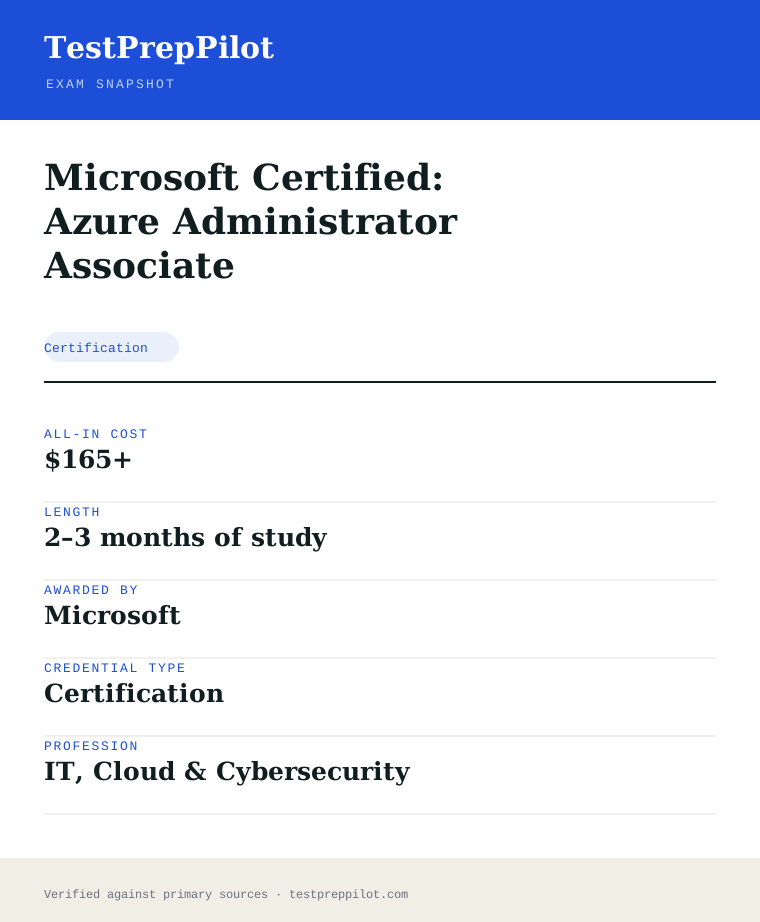
Microsoft Certified: Azure Administrator Associate is a certification credential; awarded by Microsoft; the exam fee is $165 USD; typical preparation is 2–3 months of study; holders typically earn $80,000 – $120,000.
| Credential | Microsoft Certified: Azure Administrator Associate |
|---|---|
| Abbreviation | AZ-104 |
| Type | Certification |
| Profession | IT, Cloud & Cybersecurity |
| Specialty | Microsoft |
| Awarded by | Microsoft |
| Difficulty | Moderate |
| Typical prep time | 2–3 months of study |
| All-in cost | $165+ |
| Typical salary range | $80,000 – $120,000 |
| Credential | Microsoft Certified: Azure Administrator Associate |
| Exam code | AZ-104 |
| Level | Associate (intermediate) |
| Exam length | 40–60 questions · 120 minutes |
| Passing score | 700 / 1000 |
| Exam fee | $165 USD |
| Delivery | Pearson VUE test center or online proctoring |
| Validity | 12 months (free annual renewal) |
| Scope | National / Multi-state |
| Also known as | AZ-104 |
Real questions
Frequently asked questions about the Microsoft Certified: Azure Administrator Associate
Is AZ-104 enough for a cloud job on its own?
It qualifies you for administrator and cloud-operations roles. Many engineers later pair it with AZ-305 (architect) or AZ-500 (security) to broaden their profile.
Does AZ-104 include labs?
Yes. Many Azure exams, including AZ-104, include live lab tasks where you perform actions in a real Azure environment, so hands-on practice is essential.
How long should I study for AZ-104?
Most candidates need 6–10 weeks of part-time study with real lab work. Plan extra time if you are new to PowerShell, Azure CLI, or networking.
How much does AZ-104 cost and does it expire?
The exam fee is $165 USD. The certification is valid for 12 months and renews for free through an online assessment on Microsoft Learn.
Do I need AZ-900 first?
Not formally, but AZ-900 is the recommended on-ramp if you are new to Azure. AZ-104 assumes general Azure familiarity.
Can I take a Microsoft exam online from home?
Yes. Exams are delivered by Pearson VUE with two options: an in-person test center or OnVUE online proctoring from a private space with a webcam. The fee is identical for both.
Do Microsoft certifications expire?
Most role-based, specialty, and fundamentals certifications are valid for 12 months. You renew for free by passing a shorter online assessment on Microsoft Learn before the expiry date.
What happens if my certification is retired?
You keep the credential until its current expiry date, but you can no longer earn or renew it. Microsoft typically points candidates to the active successor exam or certification.
In short
Is the Microsoft Certified: Azure Administrator Associate worth it?
- AZ-104 is the core Azure Administrator Associate exam covering identities, storage, compute, networking, and monitoring.
- Expect 40–60 questions plus live lab tasks in about 120 minutes; the passing scaled score is 700/1000.
- Microsoft's published weights are identities/governance 20–25%, storage 15–20%, compute 20–25%, networking 15–20%, and monitoring 10–15%.
- It costs $165 and renews for free every 12 months; it is the associate prerequisite for AZ-305.
Same awarding body
What other credentials does Microsoft award?
Worth comparing
How does the Microsoft Certified: Azure Administrator Associate compare with similar credentials?
Trust
Where does this information come from?
Everything above is taken from the awarding body's own published material. Fees, question counts and domain weights are revised regularly — check the official page before you pay.
- Microsoft Awarding body
- Official Microsoft Certified: Azure Administrator Associate exam page Exam page
- Microsoft certification programme Programme rules
Research confidence: high · Last reviewed 2026-08