IT, Cloud & Cybersecurity • Certification
Microsoft Certified: Azure Virtual Desktop Specialty
The Azure Virtual Desktop specialty that proves you can deliver and run AVD at scale.
Researched and maintained by TestPrepPilot Editorial BoardCloud, IT & cybersecurity certifications desk · Figures last verified August 2026
The short version
What is the Microsoft Certified: Azure Virtual Desktop Specialty and is it worth it?
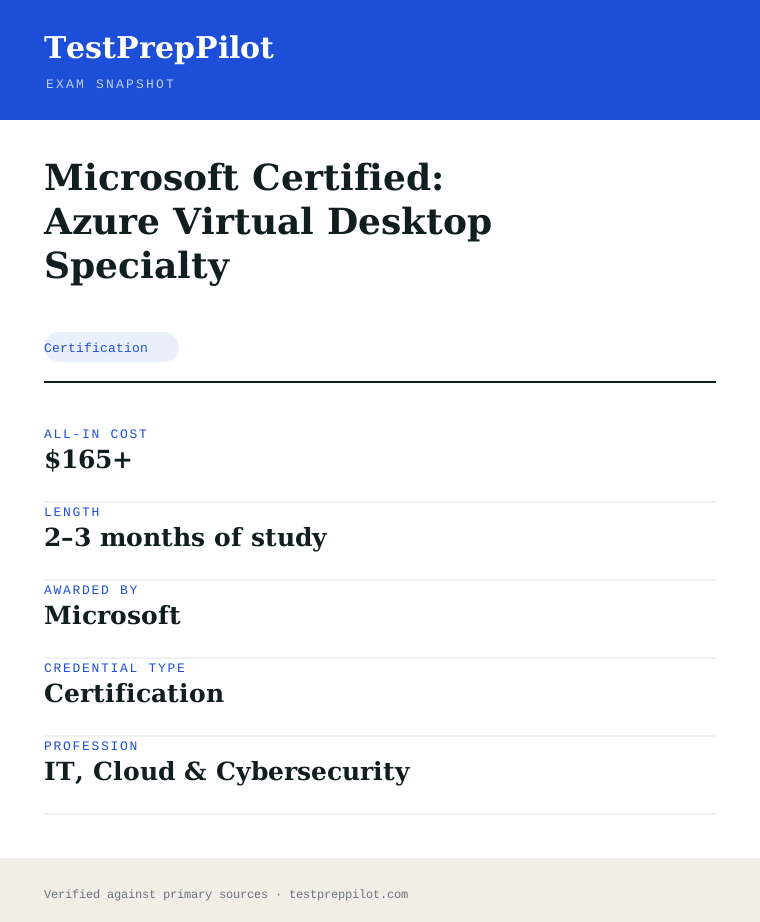
AZ-140 is the Azure Virtual Desktop Specialty exam. It costs $165, runs about 100 minutes, and requires a scaled score of 700/1000. Expect 40–60 questions plus labs. Microsoft recommends Azure Administrator-level experience; the cert renews yearly with a free assessment.
- Specialty credential for a high-demand VDI/EUC skill
- Centers on AVD infrastructure, FSLogix, and imaging
- Strong follow-on after AZ-104 for desktop admins
- Maps to AVD engineer and EUC specialist roles
- Renews for free every 12 months via Microsoft Learn
What is it?
What exactly is the Microsoft Certified: Azure Virtual Desktop Specialty?
The Azure Virtual Desktop specialty that proves you can deliver and run AVD at scale.
Microsoft Certified: Azure Virtual Desktop Specialty (AZ-140) is the specialty credential for server and desktop administrators who plan, implement, manage, and maintain Azure Virtual Desktop (AVD) experiences and remote apps for any device. Candidates work closely with Azure administrators, architects, Microsoft 365 administrators, and security engineers, and should have experience with Azure compute, networking, identity, storage, and resiliency, plus the ability to manage end-user desktop environments. The exam measures planning and implementing the AVD infrastructure, identity and security, user environments and apps, and monitoring and maintenance. Because AVD is the highest-weighted single domain, hands-on work with host pools, session hosts, FSLogix, and image management is essential. AZ-140 is ideal for VDI and EUC specialists and is a strong follow-on after AZ-104.
The path in brief
- Build AZ-104-level Azure admin experience
- Study the free AZ-140 Microsoft Learn paths
- Deploy and manage AVD in a sandbox subscription
- Schedule the $165 exam via Pearson VUE
- Pass with 700/1000 and renew yearly for free
Before you book
Who is eligible to sit the Microsoft Certified: Azure Virtual Desktop Specialty?
Open to all. Anyone may register and sit AZ-140; Microsoft recommends relevant experience but does not restrict eligibility.
Who it is for: VDI and EUC engineers, desktop administrators, and Azure admins running AVD.
The test itself
What is the format of the Microsoft Certified: Azure Virtual Desktop Specialty?
The Microsoft Certified: Azure Virtual Desktop Specialty is administered by Pearson VUE and runs 100 minutes, contains 40–60 (includes hands-on lab tasks) questions and requires 700 / 1000 (scaled) to pass.
| Administered by | Pearson VUE |
|---|---|
| Questions | 40–60 (includes hands-on lab tasks) |
| Time limit | 100 minutes |
| Pass mark | 700 / 1000 (scaled) |
| Exam fee | $165 USD |
| Format | Computer-based, multiple-choice, case studies, and labs |
Content outline
What topics are on the Microsoft Certified: Azure Virtual Desktop Specialty?
The Microsoft Certified: Azure Virtual Desktop Specialty is weighted across 4 domains; the largest are Plan and implement an Azure Virtual Desktop infrastructure (40–45%), Plan and implement user environments and apps (20–25%), Plan and implement identity and security (15–20%).
Weightings come from the official exam outline. Study time is best allocated in roughly these proportions rather than evenly across domains.
- Plan and implement an Azure Virtual Desktop infrastructure 40–45%
Networking, storage, host pools, session hosts, images, and scaling.
- Plan and implement identity and security 15–20%
Entra ID/AD DS integration, RBAC, Conditional Access, MFA, and Defender for Cloud.
- Plan and implement user environments and apps 20–25%
FSLogix profile containers, app delivery (MSIX app attach), and user settings.
- Monitor and maintain an Azure Virtual Desktop infrastructure 10–15%
Azure Monitor, AVD Insights, autoscale, updates, backup, and disaster recovery.
The path
How do you register for the Microsoft Certified: Azure Virtual Desktop Specialty?
- 1
Prepare with Microsoft Learn1–10 weeks depending on exam and experience
Work through the free official self-paced learning paths and, optionally, instructor-led courses for your exam. Microsoft Learn is the primary, no-cost study source and maps directly to the exam skills outline.
- 2
Schedule through Pearson VUEabout 15 minutes
Sign in with a personal Microsoft account (MSA) and schedule the exam on the Pearson VUE portal. Choose an in-person test center or online proctoring (OnVUE). Students and educators can use Certiport for Fundamentals exams.
Microsoft recommends a personal MSA account; a work or school account can lose exam records if you leave the organization.
- 3
Take the exam45–120 minutes depending on the exam
Arrive at the test center or launch the online proctoring session. Exams are computer-based and may include multiple-choice, drag-and-drop, case studies, and performance-based lab tasks in a live environment.
- 4
Receive results and badgescore at end; badge within a few days
You see a pass/fail result on screen immediately. A detailed score report is emailed within about 24 hours and posted to your Microsoft certification profile. On passing, your digital badge is issued via Credly.
- 5
Renew annuallyabout 45 minutes, once a year
Most Microsoft role-based, specialty, and fundamentals certifications expire after 12 months. Renew for free by passing a shorter online renewal assessment on Microsoft Learn before the expiry date — no need to retake the full exam.
The fine print
What are the retake and renewal rules for the Microsoft Certified: Azure Virtual Desktop Specialty?
- Proctoring & delivery
- Delivered by Pearson VUE. You can sit the exam at a Pearson VUE test center or take it online through OnVUE remote proctoring; the fee is the same for both. Online proctoring requires a quiet, private space, a working webcam, and a system check beforehand.
- Retake policy
- If you do not pass, you may retake the exam after 24 hours. A second failed attempt requires a 14-day waiting period, and any further attempts also require a 14-day wait between them, up to a maximum of five attempts in a 12-month period.
- Score reporting
- A pass/fail result is shown immediately after the exam. The official score report is emailed within about 24 hours and is also available in your Microsoft certification profile, with section-level feedback on how you performed.
- Recertification
- Microsoft role-based, specialty, and fundamentals certifications are valid for 12 months from the date earned. Renew at no cost by passing the shorter online renewal assessment on Microsoft Learn before the credential expires. Retired certifications cannot be renewed and must be re-earned through the active successor if one exists.
- Refunds & rescheduling
- Exam fees are generally non-refundable once a seat is purchased, but you can cancel or reschedule through Pearson VUE at no charge if you do so at least 24–48 hours before the appointment (exact window varies by region).
Context
Microsoft Azure / AI certifications compared
| Credential | Level | Focus | Exam fee | Validity | |
|---|---|---|---|---|---|
| AZ-900 Azure Fundamentals | Fundamentals | Cloud concepts | $99 | 1 year | |
| AI-900 Azure AI Fundamentals | Fundamentals | AI concepts | $99 | 1 year (retired Jun 30 2026) | |
| AI-901 Azure AI Fundamentals | Fundamentals | AI + Microsoft Foundry | $99 | 1 year | |
| AZ-104 Azure Administrator | Associate | Administer Azure | $165 | 1 year | |
| AZ-204 Azure Developer | Associate | Build cloud apps | $165 | 1 year (retired 2026) | |
| AZ-500 Azure Security Engineer | Associate | Security operations | $165 | 1 year (retires Aug 31 2026) | |
| AZ-700 Azure Network Engineer | Associate | Networking | $165 | 1 year | |
| AZ-140 Azure Virtual Desktop | Specialty | Virtual desktop (AVD) | $165 | 1 year | |
| AZ-305 Azure Solutions Architect | Expert | Solution design | $165 | 1 year |
What it pays
How much does this credential pay?
$96,800 median for network and computer systems administrators (BLS, May 2024) — but AZ-140 is a scarcity play, not a salary-band play
The honest framing for AZ-140 is different from every other exam on this site, and you should understand it before you spend fifty hours. The Bureau of Labor Statistics has no occupation called "virtual desktop engineer". The closest fit for the AZ-140 audience profile — which Microsoft describes as a server or desktop administrator who designs, implements, manages and maintains Azure Virtual Desktop experiences and remote apps — is Network and Computer Systems Administrators, SOC 15-1244, with a median annual wage of $96,800 as of May 2024. That occupation is projected to decline 3% between 2024 and 2034, which sounds alarming and mostly is not: BLS still projects roughly 19,900 openings a year from replacement need, and the projected decline is driven by exactly the trend AZ-140 sits on top of, which is workload moving from on-premises servers into cloud services. The person administering the cloud service is not the person the decline is describing. What makes AZ-140 economically interesting is not the median. It is scarcity. This is the narrowest credential in the Azure family by a wide margin — a specialty exam covering a single product, with a candidate population a fraction of AZ-104's. The organisations that need it are specific and identifiable: regulated industries that cannot let data leave a datacenter boundary, firms running seasonal or contractor workforces, healthcare and legal estates with heavy application dependencies, and anyone who ran Citrix or VMware Horizon for a decade and is now being asked to move. In those environments AVD competence is not a line on a CV, it is the reason you were hired, and consultancy and contract rates in that niche routinely exceed what a permanent systems administrator salary band suggests. Treat AZ-140 as a differentiator layered on top of general Azure competence rather than as a standalone earner — which is also why we recommend most candidates hold or match AZ-104 knowledge first. The Skillsoft self-reported figure below is included for completeness and, as always, is a worldwide survey average rather than a US government measurement.
| Measure | Figure | Source / note |
|---|---|---|
| Median annual wage — network and computer systems administrators (SOC 15-1244) | $96,800 | BLS Occupational Outlook Handbook, May 2024 wage data. The closest BLS occupation to the AZ-140 audience profile of a server or desktop administrator; BLS publishes no virtual-desktop-specific occupation. |
| Projected employment change, 2024-2034 | -3% (decline) | BLS OOH. The projected decline reflects on-premises server workloads moving to cloud services — the same shift AVD represents — so it describes the role AZ-140 moves you away from more than the one it moves you toward. |
| Projected annual openings, 2024-2034 | ~19,900 per year | BLS OOH. Openings persist through replacement need despite the projected decline in total employment. |
| Median annual wage — all computer and information technology occupations | $105,990 | BLS OOH, May 2024. Included as a sector-wide anchor because the single-SOC match is imperfect for a specialty product credential. |
| Median annual wage — computer network architects (SOC 15-1241) | $130,390 | BLS OOH, May 2024. Included as the realistic destination band for AVD specialists who move into wider infrastructure design roles, which is the common career path out of this credential. |
| Self-reported average, Azure Virtual Desktop Specialty holders | $89,951 | Skillsoft "top-paying Microsoft certifications" material from its IT Skills and Salary survey (2025) — worldwide, self-reported, NOT government data. Sits close to the BLS 15-1244 median, which is unusual among the Azure figures and probably reflects the credential's administrator-heavy population. |
Job growth.BLS projects a 3% decline for network and computer systems administrators (SOC 15-1244) through 2034 with ~19,900 annual openings; AVD-specific demand is concentrated in regulated, contractor-heavy and Citrix-migration environments rather than distributed across the occupation
Source: BLS Occupational Outlook Handbook — Network and Computer Systems Administrators
Your odds
What are the pass rates?
No published pass rate — and on the smallest candidate pool of any exam we cover, the unofficial numbers are worse than useless
Microsoft publishes no pass rate for AZ-140, releases no attempt counts and no score distributions, and has never done so for any exam in its certification programme. That is a deliberate policy position rather than an oversight, and it applies uniformly across Fundamentals, associate, expert and specialty exams. For AZ-140 specifically there is a second reason to discard any number you find. This is the narrowest exam on this site — one product, one specialty credential, and a candidate population that is a small fraction of AZ-104's. Where a percentage quoted for a high-volume exam might at least be aggregating a few thousand self-selected forum reports, a percentage quoted for AZ-140 is aggregating a few dozen, and self-selection bias runs hard in both directions: people post when they fail unexpectedly and when they pass easily, rarely when the result matched their expectations. Treat any AZ-140 pass rate you encounter as a training vendor's marketing copy. What is worth internalising instead is the scoring mechanism, because it is public and it is frequently misunderstood. The pass mark is 700 on a scale of 1 to 1,000, and Microsoft states plainly that this is a scaled score which may not equal 70% of the available points, since candidates receive question sets that differ in difficulty and the scale compensates. The AZ-140 blueprint is also more lopsided than most: planning and implementing an Azure Virtual Desktop infrastructure carries 40-45% on its own, with identity and security at 15-20%, user environments and apps at 20-25%, and monitoring and maintenance at 10-15%. That single dominant domain has a direct consequence for scoring. On an exam where nearly half the weight sits in one area, a real weakness there is close to unrecoverable regardless of how well you do elsewhere — there is simply not enough weight in the remaining three domains to carry you over 700. Your score report shows one overall number plus a bar chart of relative strength across the four areas, and Microsoft is explicit that those bars cannot be summed or converted into percentages.
Read this before quoting the number.No official pass rate exists for AZ-140 and none ever will. Microsoft does not publish pass rates, score distributions or attempt volumes for any exam, and for a specialty exam with this small a candidate pool the informal community figures are drawn from a sample too thin to mean anything. Plan against the published mechanics instead: 700 out of 1,000 scaled and explicitly not equal to 70% of the questions, no penalty for a wrong answer so nothing should ever be left blank, an unidentifiable subset of items on your form being unscored pilot content, a preliminary pass or fail displayed on screen within minutes of submitting, and a score report broken out across the four skill areas. Microsoft's certification page states you have 100 minutes to complete the assessment and warns that you may have interactive components to complete. The retake ladder is 24 hours after a first failure, 14 days between every attempt after that, a maximum of five attempts in the 12 months following your first sitting, and the full USD $165 is charged on every attempt. Verified against the AZ-140 study guide (skills measured as of 20 July 2026), the Azure Virtual Desktop Specialty certification page (Last Updated 07/20/2026), the exam scoring and score reports page and the exam retake policy, 2026-08-04.
Your schedule
How long should I study for it?
50-75 hours of focused study
AZ-140 is the exam on this site where the study plan has to be shaped by the blueprint's asymmetry rather than divided evenly across it. Planning and implementing an Azure Virtual Desktop infrastructure carries 40-45% — nearly half the exam in one domain — and everything else competes for the remainder. Any plan that gives four domains four equal blocks is mis-allocating a third of your effort. Budget 50 to 75 hours if you already have AZ-104-level Azure knowledge, and expect roughly half of that to sit inside host pools, session hosts, images and storage. The second shaping factor is that AZ-140 is not really an Azure exam. It is a Windows end-user computing exam that happens to run on Azure, and it draws on four separate bodies of knowledge that most candidates hold unevenly: Azure resource management, Windows client and multi-session behaviour, identity join models, and file storage performance. Candidates from a Citrix or VMware Horizon background usually find the desktop concepts trivial and the Azure plumbing hard; candidates from AZ-104 find the reverse. Diagnose which one you are in week zero, because the corrective work is completely different. The third factor is FSLogix. Profile containers are the single highest-yield topic on this exam relative to how little space they occupy on the blueprint, they sit across two domains at once, and in the real world they are the cause of most AVD incidents — which is exactly why the exam tests them so hard. Give FSLogix disproportionate time and, critically, build a working deployment rather than reading about one. One honest constraint on labs: Azure NetApp Files is examinable but effectively un-labbable for a self-funded candidate, because a capacity pool carries a substantial minimum provisioned size billed by the hour. Learn ANF conceptually — when its performance tiers justify the cost over Azure Files — and spend your lab budget on everything else. The official course, AZ-140T00, runs to roughly twelve hours across five learning paths, which is a much healthier ratio to exam depth than AZ-700 offers, but it still will not carry you alone.
- Week 0 — baseline and diagnosis4-6 hrs
Work out which half of this exam is your weak half before spending money on labs
- Take the free official Practice Assessment cold and read the bar chart across the four skill areas — this is a diagnostic, not a score
- Read the change log on the study guide: the current blueprint is "Skills measured as of July 20, 2026", with the audience profile revised and minor revisions to identity integration, security, FSLogix, user experience and client settings, and installing and configuring apps on a session host
- Decide honestly which background you have: Citrix/Horizon/RDS (desktop concepts easy, Azure plumbing hard) or AZ-104 (Azure easy, Windows multi-session and profile management hard). The rest of the plan bends around that answer
- Create a subscription with a spending limit and a budget alert. AVD labs are more expensive than most because session hosts are running VMs — plan to deallocate every evening
- Confirm you understand AVD licensing eligibility at a high level: which Windows and Microsoft 365 licences entitle you to run Windows multi-session, and what per-user access pricing covers for external users. This is examinable and almost nobody studies it
- Weeks 1-212-16 hrs/week
Plan and implement an Azure Virtual Desktop infrastructure (40-45%) — the dominant domain
- Build a pooled host pool and a personal host pool in the same subscription and keep both. Nearly every scenario question in this domain resolves on which one the requirement implies
- Understand the object hierarchy cold: host pool → session hosts → application groups (desktop and RemoteApp) → workspace → user assignment. Draw it from memory until it is automatic, because hot-area questions render pieces of it out of context
- Load balancing: breadth-first versus depth-first, what each optimises for, max session limit, and how the two interact. Then reason about the cost consequence of each, which is how the exam frames it
- Session host sizing and the Azure regions and availability options available to host pools; validation environments and why you would run one
- Build a golden image properly: a source VM, sysprep, capture into an Azure Compute Gallery, image versions and replication. Then do it again with Azure VM Image Builder or a custom image template
- Storage for profiles: Azure Files with the right performance tier and the right authentication method, and Azure NetApp Files as the conceptual alternative. Learn the ANF decision criteria without building one — the capacity pool minimum makes it impractical to lab
- FSLogix profile containers end to end: install, registry configuration or policy, VHDLocations, container sizing, and Cloud Cache and when it is justified
- Deliberately break FSLogix once — point it at a share with wrong permissions and watch a temporary profile appear. That failure mode is worth more than an hour of reading
- Week 310-13 hrs
Plan and implement identity and security (15-20%)
- Learn the three session host join models and their consequences: Active Directory Domain Services domain join, Microsoft Entra Domain Services, and Microsoft Entra ID join. This is the most consequential decision in an AVD design and the exam knows it
- Microsoft Entra Kerberos for Azure Files — how FSLogix profile containers work with Entra-joined session hosts and no line of sight to a domain controller. Flagged as a minor revision in the July 2026 change log and heavily tested
- Azure Files authentication options side by side: on-premises AD DS, Microsoft Entra Domain Services, Microsoft Entra Kerberos. Know which requires what
- RBAC for AVD: the built-in roles, who can assign users to application groups, and the separation between Azure control plane permissions and session-level permissions
- Conditional Access applied to AVD: targeting the right cloud apps, MFA behaviour, sign-in frequency, and why an over-broad policy locks out reconnection
- Session host security: Defender for Cloud coverage, Microsoft Defender for Endpoint on session hosts, Trusted Launch, disk encryption, and screen capture protection and watermarking
- RDP properties and device redirection: drive, clipboard, printer, USB, camera and microphone — how they are configured and which are security decisions
- Week 410-13 hrs
Plan and implement user environments and apps (20-25%)
- App attach: package format, staging and registration, and when it beats installing into the golden image. The July 2026 change log flags minor revisions to the app objectives, so read this against current documentation rather than a course recorded last year
- RemoteApp application groups versus desktop application groups, and the rule that a user assigned to both in the same host pool gets a specific experience — know it exactly
- Publishing applications: installing into the image, per-user installs and why they fight with pooled multi-session, and Microsoft 365 Apps configured for shared computer activation
- FSLogix again from the user-experience angle: Office containers versus profile containers, redirections.xml, and what actually roams
- Group Policy and Intune for session hosts: how each applies to pooled multi-session, and what changes when hosts are Entra ID joined
- Language packs, time zone redirection, and the client-side settings that generate helpdesk tickets — all of which are explicitly on the blueprint
- Install the Windows and web clients and connect as a real user. A surprising number of candidates have never seen the workspace subscription flow from the user side
- Week 58-11 hrs
Monitor and maintain an Azure Virtual Desktop infrastructure (10-15%)
- Azure Monitor Insights for Azure Virtual Desktop: wire up a Log Analytics workspace, enable the right diagnostic settings, and look at real data from your lab host pool
- Know which diagnostic categories exist and which question each answers — connections, errors, checkpoints, host registrations, feeds
- Autoscale and scaling plans: schedules, ramp-up and ramp-down, drain mode, and the difference between a scaling plan and simply deallocating VMs on a schedule
- Session host maintenance: drain mode, session host update, Azure Update Manager, and how you replace hosts built from a new image version without disrupting users
- Business continuity: what actually needs backing up in an AVD estate (profile data and images — not pooled session hosts), and how a multi-region design is structured
- Troubleshoot deliberately: force a host registration failure, a profile load failure and a connection failure, then find each one in the logs
- Week 68-12 hrs
Consolidation and format rehearsal
- Design a complete AVD estate on paper from a written requirement: host pool type, load balancing, image strategy, storage platform, join model, profile configuration, scaling plan and monitoring. Then do it again with one requirement changed and see what cascades
- Re-take the official Practice Assessment and compare with your Week 0 chart. Any remaining weakness in the 40-45% infrastructure domain gets all your remaining hours — weakness there is not recoverable elsewhere
- Re-read the AVD documentation sections behind every objective the July 2026 change log flagged as revised
- Run one session in the free exam sandbox at aka.ms/examdemo so that no item format is unfamiliar on the day
- Delete your lab resource groups. Session hosts left running are the most common surprise bill on this exam
Adjusting the pace
AZ-104 holder.The intended path and roughly six weeks is realistic. Your Azure resource-model knowledge transfers directly and your storage and networking foundations are already in place. Your gap is the desktop half: Windows multi-session behaviour, profile management, application delivery and the client experience. Spend proportionally more time in weeks 4 and on FSLogix, and less on the Azure plumbing in weeks 1-2.
Citrix, VMware Horizon or RDS administrator new to Azure.Add two to three weeks and spend them on Azure fundamentals rather than AVD. You already understand session brokering, profile containers, image management and application delivery — those concepts map over almost completely and FSLogix will feel familiar. What will not is Azure itself: resource groups, RBAC, virtual networks, storage account types, Log Analytics and the portal. Work through AZ-104 material for the infrastructure topics before starting week 1, or you will spend the exam recognising the desktop concept and failing on the Azure implementation detail.
Working full-time.Stretch to ten or twelve weeks at 5-6 hrs/week and protect the lab time above the reading time. The one block not to compress is weeks 1-2, because the 40-45% infrastructure domain rewards repetition in a real subscription more than any other part of this exam. A practical rhythm: read on weeknights, build at the weekend, deallocate everything before Monday.
No Azure background at all.AZ-140 is the wrong exam to start with and we would say so plainly. There is no formal prerequisite, but the audience profile assumes experience with Azure compute, networking, identity, storage and resiliency, and the exam tests all five. Take AZ-104 first — the six to eight weeks it costs you will be recovered in how much faster AZ-140 goes afterwards, and you will hold two credentials instead of failing one.
How to study
How do I prepare most effectively?
AZ-140 rewards building a working estate over reading about one, and it punishes candidates who study it as pure Azure. These strategies are ordered by what actually moves a score on a specialty exam with one dominant domain.
Build one complete host pool and then break it on purpose
The single highest-return activity for this exam is standing up a small pooled host pool with two session hosts, an Azure Files share, FSLogix profile containers, a desktop application group and a workspace — end to end, working, with a real user signing in. That is perhaps six hours. Then spend another two deliberately breaking it: revoke the storage permissions and watch a temporary profile appear, delete a DNS record and watch host registration fail, misconfigure the RDP properties and watch redirection stop. AVD questions are overwhelmingly troubleshooting-shaped — here is a symptom, what is the cause — and you cannot reason backwards from a symptom you have never seen. Candidates who have only read the documentation recognise the vocabulary in the answer options and choose the wrong one.
Treat FSLogix as its own subject with its own documentation set
FSLogix is not a subsection of the AVD documentation; it has a separate documentation set, its own registry and policy configuration, its own failure modes and its own version history. It also straddles two blueprint domains — it appears in infrastructure as a storage decision and in user environments as a profile decision — which means its effective weight on the exam is higher than any single objective suggests. Learn profile containers versus Office containers, VHD versus VHDX, container sizing and growth, redirections.xml, what happens on a failed mount, and Cloud Cache with a clear view of the cost it imposes. If you can explain to a colleague why a user got a temporary profile, you are ready for most of what this exam will ask.
Decide every host pool question on two axes: pooled or personal, breadth-first or depth-first
An enormous share of infrastructure-domain items reduce to those two choices, and the requirement in the prose always signals which. Personal host pools mean a dedicated desktop per user with persistent state — the signals are developer workstations, installed per-user software, or anything the prose describes as "their own machine". Pooled means shared multi-session and the signals are task workers, cost efficiency and standardised images. Then breadth-first spreads new sessions across hosts to optimise user experience, and depth-first fills one host before moving to the next to optimise cost by allowing more hosts to be deallocated. Write that 2x2 out, add max session limit as the lever that shapes both, and this becomes mechanical rather than judgement-based.
Know the three identity join models as a decision tree, not three facts
AD DS domain join, Microsoft Entra Domain Services, and Microsoft Entra ID join are not interchangeable and the exam builds scenarios where only one works. Learn what each requires — line of sight to a domain controller, a managed domain, or neither — and what each enables and forbids downstream, especially for Azure Files authentication and FSLogix profile storage. Microsoft Entra Kerberos is the piece candidates most often miss: it is how Entra ID joined session hosts authenticate to an Azure Files share for profile containers without a domain controller in the path. The July 2026 change log flags identity integration as revised, so read this against the current documentation and not against a course recorded eighteen months ago.
Study application delivery as a comparison, not a list
There are three ways to get an application to a user in AVD and the exam wants the trade-off: install it into the golden image, deliver it dynamically with app attach, or publish it as a RemoteApp. Each has a distinct signal in the question prose. Image installation suits universally needed apps and forces an image rebuild to update. App attach suits applications needed by a subset of users, or ones that must be updated independently of the image, at the cost of packaging effort. RemoteApp is about the delivery experience — a single seamless application rather than a full desktop — and is orthogonal to how the app got onto the host, which is a distinction candidates blur constantly. Build a table with the deciding requirement in each row.
Learn Azure NetApp Files conceptually because you cannot afford to lab it
ANF is examinable as the high-performance alternative to Azure Files for profile containers, but a capacity pool carries a substantial minimum provisioned size billed hourly, which puts it out of reach for a self-funded lab. Compensate deliberately rather than skipping it. Learn the service levels and what each targets, the relationship between provisioned capacity and throughput, and — most importantly — the decision criteria the exam actually uses: user count, IOPS demand, latency sensitivity, and whether the requirement mentions large-scale or performance-critical profile workloads. When a question describes thousands of concurrent users with a strict performance requirement, ANF is the hypothesis; when it describes cost sensitivity or a modest estate, Azure Files is.
Use the official learning paths as structure and the product docs as depth
The AZ-140T00 course content on Microsoft Learn runs to roughly twelve hours across five learning paths and fourteen modules — a far better ratio to exam depth than some Azure exams offer, and genuinely worth completing rather than skimming. But it is still structure rather than sufficiency. Work each path, then read the underlying Azure Virtual Desktop documentation for the same topic, and the separate FSLogix documentation on top. The exam's troubleshooting questions live at a level of detail the modules summarise rather than state.
Budget two or three Learn-panel lookups, and know in advance what for
AZ-140 is a specialty role-based exam, so the in-exam Microsoft Learn panel is available: the learn.microsoft.com domain minus Q&A, practice assessments and your signed-in profile, split-screen, clock running, no extra time granted. On this exam its highest-value use is looking up a specific configuration reference you knew existed but could not memorise — an FSLogix registry value, a diagnostic table name, an RBAC role definition. It is close to useless for a scenario question, because reading enough documentation to answer a design item will cost you more minutes than the item is worth. Decide before you sit that you will use it two or three times in 100 minutes, and rehearse the split-screen layout in the free sandbox first.
What to buy
Which study resources are worth paying for?
The AZ-140 market is the thinnest of any exam on this site, which is a direct consequence of the small candidate pool. There are fewer courses, fewer question banks and less community content than for AZ-104 or AZ-305 — but the official material is unusually good here, and the product documentation plus a real lab subscription will carry you further on this exam than paid video will.
| Resource | Price | Format | Best for |
|---|---|---|---|
| Microsoft Learn AZ-140T00 learning paths (official) | Free | 5 learning paths, 14 modules, ~11 hr 57 min total | The best-proportioned official content set of any Azure exam we cover — roughly twice what AZ-700 provides. Work all five paths properly rather than skimming, then go to the docs for depth. |
| Azure Virtual Desktop product documentation (official) | Free | Reference and how-to documentation | Where the troubleshooting-level detail lives: host registration, RDP properties, scaling plan behaviour, diagnostic tables. The single most important free resource for this exam. |
| FSLogix documentation (official, separate doc set) | Free | Reference documentation | Treat as a distinct subject. Profile versus Office containers, configuration reference, sizing, Cloud Cache and failure modes. Disproportionately high yield relative to its blueprint footprint. |
| Microsoft official Practice Assessment for AZ-140 | Free | Unlimited timed question bank on Microsoft Learn | Per-domain diagnostics across the four skill areas, and the only free question source aligned to the current blueprint. As with every Microsoft practice assessment it runs easier than the real exam — a strong score is necessary, not sufficient. |
| Azure subscription for labs | Pay per use; budget roughly $60-150 across six weeks if you deallocate nightly | Live environment | Non-negotiable for this exam. Session hosts are running VMs and are the main cost, so deallocate every evening and delete resource groups at the end. Azure NetApp Files is the one examinable component you should not attempt to lab — the capacity pool minimum makes it expensive quickly. |
| Azure Academy (YouTube) | Free | Video walkthroughs and deep dives | The best-known free video resource dedicated specifically to Azure Virtual Desktop, with strong hands-on build and FSLogix content. Not organised around the exam blueprint, so map it to the study guide yourself. |
| John Savill's Technical Training (YouTube) | Free | Long-form whiteboard video | Excellent free grounding in the underlying Azure identity, storage and networking that AZ-140 assumes. His exam-cram coverage varies by exam, so check the channel for current AZ-140-specific material rather than assuming it exists. |
| Udemy AZ-140 courses (various instructors) | ~$15-30 on sale, $90+ list | Video course, some with guided labs | A reasonable structured supplement, but this is the exam where third-party video ages worst — AVD changes fast and the blueprint moved on 20 July 2026. Check the last-updated date before buying and treat anything predating Microsoft Entra Kerberos coverage as unreliable on identity. |
| MeasureUp AZ-140 practice test (official Microsoft practice test partner) | ~$99-129 list, frequently discounted | Practice test in certification and study modes with explanations | Worth considering precisely because free question volume is scarce for this exam. The worked explanations are the value; verify the version is aligned to the current objectives before purchase. |
| Whizlabs AZ-140 practice tests | ~$20-30 | Question bank | A cheap volume supplement. Coverage of app attach and the newer identity material is the part most likely to lag — cross-check any explanation that surprises you against the documentation rather than trusting it. |
| Pluralsight / A Cloud Guru | ~$29-45/month | Video library plus hands-on sandboxes | The sandboxes matter more here than on most exams because AVD lab costs are dominated by running VMs. AVD-specific library depth is thinner than for mainstream Azure exams, so check the catalogue before subscribing for this exam alone. |
| AVD vendor technical blogs (e.g. Nerdio, ControlUp) | Free | Practitioner articles | Genuinely good real-world detail on FSLogix behaviour, scaling and image management. Not aligned to the blueprint and written to sell a management product, so use them to understand a mechanism, never as a coverage checklist. |
| Free exam sandbox (aka.ms/examdemo) | Free | Interactive demo of the exam interface | One session removes format surprise, including the split-screen Learn panel. Cheap insurance on a 100-minute exam that may include interactive components. |
Prices checked 2026-08-04 and expressed as USD list prices before regional adjustment, sales, employer discounts or student pricing. Udemy list prices are close to fictional; the sale price is the real price. We take no commission from any provider listed and the ordering reflects our editorial judgement of usefulness for this specific exam, not any commercial relationship.
Avoid these
What mistakes do candidates most often make?
AZ-140 failures cluster around three things: studying it as an Azure exam when half of it is Windows end-user computing, under-weighting a domain that carries 40-45% on its own, and never building a working host pool.
✕Studying AZ-140 as a pure Azure exam
✓It is a Windows end-user computing exam delivered on Azure infrastructure, and it draws on four bodies of knowledge at once: Azure resource management, Windows client and multi-session behaviour, identity join models, and file storage performance. Candidates who arrive from AZ-104 consistently underestimate the desktop half — profile management, application delivery, client settings, redirection — because none of it appears on any other Azure exam. Audit yourself against all four areas in week zero rather than assuming your Azure background covers the ground.
✕Spreading study time evenly across the four domains
✓The blueprint is deliberately lopsided: planning and implementing an Azure Virtual Desktop infrastructure is 40-45%, user environments and apps 20-25%, identity and security 15-20%, and monitoring and maintenance 10-15%. An even split over-invests roughly a third of your hours in domains that cannot rescue you. On an exam where one domain approaches half the weight, a genuine weakness there is close to unrecoverable no matter how strong the other three are, because there is not enough remaining weight to reach 700.
✕Assuming 700 out of 1,000 means 70% of the questions
✓It does not. Microsoft states that the score is scaled and may not equal 70% of the available points, because candidates receive forms of differing difficulty and the scale compensates. This is worth knowing before the exam rather than during it: on a 100-minute paper, minutes spent doing mental arithmetic about how many you think you have got right are minutes not spent on the questions in front of you.
✕Reading about FSLogix instead of deploying it
✓Profile containers are the most heavily tested mechanism on this exam relative to their footprint on the blueprint, they span two domains, and the questions are troubleshooting-shaped — a symptom is described and you identify the cause. You cannot reason backwards from a temporary profile you have never seen appear. Deploy FSLogix against an Azure Files share, confirm a container is created, then deliberately break the share permissions and watch the failure. That single exercise answers more exam questions than an hour of reading.
✕Not knowing the identity join models as a decision tree
✓AD DS domain join, Microsoft Entra Domain Services and Microsoft Entra ID join are not interchangeable, and the exam constructs scenarios where only one satisfies the constraints. The most commonly missed piece is Microsoft Entra Kerberos, which is how Entra ID joined session hosts authenticate to Azure Files for FSLogix profile containers with no domain controller in the path. Identity integration is flagged as revised in the 20 July 2026 change log, so verify what you know against the current documentation.
✕Confusing breadth-first and depth-first load balancing
✓Breadth-first distributes new sessions across available hosts, prioritising user experience. Depth-first fills one host up to the max session limit before using the next, prioritising cost because more hosts can be deallocated. Candidates memorise the definitions and then answer the wrong way round under time pressure, because the question never uses the words "breadth" or "depth" — it says "minimise cost" or "maximise performance". Map the requirement language to the algorithm, not the algorithm to its name.
✕Blurring the three application delivery methods
✓Installing into the golden image, delivering with app attach, and publishing as a RemoteApp solve different problems and the exam tests the trade-off. Image installation suits universally required apps and forces an image rebuild to update. App attach suits apps needed by a subset of users or requiring independent updates. RemoteApp is about the user-facing delivery experience and is independent of how the application reached the host — that last distinction is the one candidates most often get wrong. The app objectives were revised in July 2026, so check third-party material against current documentation.
✕Studying against material recorded before 20 July 2026
✓The current blueprint is "Skills measured as of July 20, 2026", and the certification page was last updated 07/20/2026. The change log flags a revised audience profile plus minor revisions to identity integration, security, FSLogix, user experience and client settings, and installing and configuring apps on a session host. AVD moves faster than most Azure services and third-party courses lag by months. Read the change log directly and cross-check every flagged objective against the live documentation.
✕Letting the specialty certification lapse
✓Azure Virtual Desktop Specialty has a 12-month renewal frequency, exactly like the associate and expert credentials — being a specialty does not exempt it. Renewal is free, unproctored and taken online on Microsoft Learn, and the window opens six months before expiry. Miss it and you re-sit the full proctored exam at USD $165. Set a calendar reminder at the ten-month mark on the day your badge arrives, and note that renewal assessments are drawn from the current objectives, so a lapse gap also means relearning whatever changed.
What you'll face
What question types will I see?
AZ-140 is a specialty role-based exam and Microsoft's certification page states two things worth planning around: you have 100 minutes to complete the assessment, and you may have interactive components to complete as part of it. Microsoft does not publish a question count, and it varies by form. The item library is the standard one — multiple choice and multiple response, drag-and-drop and build-list, hot area, active screen, repeated-scenario yes/no sets, mark for review and a review screen, with case studies and interactive labs appearing on some forms — but the character of the questions is distinctive in two ways. The first is that AZ-140 is the most troubleshooting-heavy exam in the Azure family. A very large share of items describe a symptom rather than a requirement: users receive temporary profiles, a session host will not register, an application does not appear in the workspace, reconnection prompts for MFA every few minutes. You are being asked to run a diagnostic tree, and the plausible-but-wrong options are typically real mechanisms that fix a different symptom. The second is a heavy reliance on configuration-surface items. Hot area questions rendering host pool settings, RDP properties, FSLogix configuration values, scaling plan schedules or Azure Files authentication options are common, and they reward candidates who have actually looked at those screens over candidates who have read about them. Because AZ-140 is a specialty role-based exam rather than Fundamentals, the in-exam Microsoft Learn panel is available — learn.microsoft.com minus Q&A, practice assessments and your signed-in profile, split-screen, clock running, no extra time — which is genuinely useful for looking up a configuration reference and near-useless for a design scenario. Every format can be rehearsed free at aka.ms/examdemo. Items cover generally available features; preview functionality appears only where it is in common use.
Usually a described symptom or a stated requirement with four mechanisms offered, two of which are genuinely plausible. The deciding detail is normally one constraint buried in the prose — the join model, the host pool type, or who the users are.
Select the components or configuration steps required for a scenario to work — for example everything needed before FSLogix will mount a container from an Azure Files share. Judge each option independently; partial credit is not published.
Rendered configuration surfaces — host pool properties, RDP property settings, FSLogix values, scaling plan ramp schedules, Azure Files authentication — completed with drop-downs. Familiarity with the actual screens converts directly into marks here, which is why lab time outperforms reading.
Order the steps to deploy a host pool, publish an application or capture and replicate an image, or match AVD objects to their place in the hierarchy. Distractor steps that belong to a different workflow are routinely included.
One AVD estate, three proposed remediations, each judged independently. Used heavily for troubleshooting scenarios where a change can be individually correct, individually useless, or a genuine prerequisite that still does not solve the stated problem. You cannot return to a statement once you move past it.
A multi-tab organisation with an existing estate, business requirements and technical constraints, followed by linked questions. Read the existing-environment tab closely — an already-chosen join model or an existing storage platform usually constrains several answers at once. No return once you move past it.
Tasks performed against a live environment, graded on end state rather than method. A form carrying interactive content is allocated more time than one without, and the launch screen tells you your duration before you begin.
Flag items and return to them within your current section. An unscheduled break taken through the exam interface terminates access to everything already seen, so on a 100-minute exam plan not to need one.
Try these
Q1A company is deploying a pooled Azure Virtual Desktop host pool for 1,200 concurrent users who run a latency-sensitive line-of-business application. FSLogix profile containers must be stored on a platform that can sustain high IOPS with consistently low latency, and the storage must support SMB with identity-based authentication. Cost is a secondary consideration to performance. Which storage platform should you recommend for the profile containers?
Answer:B
Three signals in the prose point the same direction: a large concurrent user count, an explicit latency-sensitive requirement, and cost demoted to secondary. That combination is the exam's standard construction for Azure NetApp Files, which offers service levels targeting high throughput and consistently low latency and supports SMB with identity-based authentication. A is the trap and is wrong on performance rather than on capability — a standard file share is backed by HDD-based storage and will not sustain the IOPS profile described; had the question emphasised cost control or a smaller estate, an Azure Files premium share would have been the right answer, which is why you must read for which constraint is prioritised rather than pattern-matching on "Azure Files". C defeats the entire purpose of profile containers in a pooled host pool: users land on a different session host at each sign-in, so a locally stored profile is not there when they return. D is not a supported configuration for FSLogix profile containers, which require an SMB share; the NFS protocol option exists on Blob Storage for other workloads entirely.
Q2Session hosts in a pooled host pool are Microsoft Entra ID joined. There is no on-premises Active Directory Domain Services environment and no Microsoft Entra Domain Services managed domain. FSLogix is configured with a VHDLocations value pointing at an Azure Files share, but users receive temporary profiles at sign-in and the FSLogix logs show that the container could not be mounted. What should you configure?
Answer:A
The scenario is precisely the one Microsoft Entra Kerberos exists to solve: Entra ID joined session hosts with no domain controller in the path needing to authenticate to an Azure Files share for FSLogix profile containers. Enabling Entra Kerberos on the storage account and assigning users a share-level role such as Storage File Data SMB Share Contributor completes the chain, and NTFS-level permissions on the share still need to be correct underneath it. B would work technically but is a disproportionate answer — deploying and paying for a managed domain and re-joining every host to solve an authentication problem that has a native solution is the kind of option the exam includes to test whether you know the native solution exists. C is wrong on two counts: FSLogix authenticates as the signed-in user, so a storage account key is not the mechanism, and embedding keys in configuration is a documented anti-pattern. D targets the wrong identity — with Entra Kerberos the user authenticates to the share, not the session host computer object, and this option is the most attractive distractor precisely because the role name is correct while the assignment target is not. When a Private-Link-style symptom appears in AVD — works in one place, fails in another — check what identity is actually presenting itself before you change the topology.
Q3An organisation runs a single pooled host pool serving all staff from one golden image. The finance team requires a specialist application that no other department uses. The application vendor releases updates roughly monthly, and the AVD team wants to avoid rebuilding and redistributing the golden image on that cadence. Finance users should continue to receive the same full desktop as everyone else. What should you recommend?
Answer:C
Three constraints have to be satisfied simultaneously and only one option satisfies all three: the app is needed by a subset of users, it must update independently of the image, and finance users keep the same full desktop experience. App attach delivers a packaged application dynamically at sign-in to assigned users, so the golden image stays untouched and a vendor update means republishing a package rather than rebuilding and redistributing an image. A satisfies the delivery but directly contradicts the stated requirement to avoid monthly image rebuilds, and it also pushes an application every other department will never open onto every session host. B solves it at absurd cost — a second host pool means a second image, second session hosts, second scaling plan and second maintenance cycle for one department's application, and the exam uses over-engineered-but-functional options to test proportionality. D is the most instructive wrong answer: RemoteApp is a delivery experience that presents a single seamless application instead of a desktop, and the requirement explicitly states finance users should keep the full desktop. It also does not address the update problem at all, because the application still has to be present on the session host somehow. Keep the two questions separate — how does the app get onto the host, and what does the user see.
Samples are written by our editors to illustrate the published AZ-140 skills outline (skills measured as of 20 July 2026). They are not real exam items, are not drawn from any question bank, and no live Microsoft exam content is reproduced anywhere on this page. Microsoft's free exam sandbox at aka.ms/examdemo is the authoritative place to rehearse the interface and item formats.
The big day
What should I expect on exam day?
AZ-140 is delivered by Pearson VUE either at a test centre or online through OnVUE, and either works well for this exam. Unlike AZ-700, where the whiteboard is close to essential for tracing topologies, AZ-140's questions are mostly troubleshooting and configuration items that you reason through rather than draw — so the test centre advantage is smaller here and the choice can come down to convenience. That said, a whiteboard still helps on the design-shaped items where you want to sketch the object hierarchy of host pool, session hosts, application groups and workspace, and test centres supply an erasable whiteboard or laminated sheet as standard. Under OnVUE you get nothing to write on unless a physical whiteboard has been explicitly approved on your booking, and the room scan means nothing else may be within reach; check what your specific booking permits rather than assuming, because the rules have tightened over the years. Plan around seat time rather than exam time. Microsoft's certification page states you have 100 minutes to complete the assessment and warns that you may have interactive components to complete as part of it — forms carrying interactive content are allocated additional time, and you are told your duration on the launch screen before the clock starts. Published seat time adds check-in, the NDA, instructions and the closing survey around the exam itself. Arrive at the centre or begin OnVUE check-in thirty minutes early; check-in alone can take twenty minutes at a busy hour and a late arrival forfeits the USD $165 with no refund. One AZ-140-specific piece of housekeeping: if you have been labbing, deallocate or delete your session hosts before exam day rather than after. Candidates have a habit of leaving a host pool running through a stressful fortnight.
Bring
- Government-issued photo ID whose name matches your Microsoft Learn certification profile exactly, including middle initials
- A second form of ID at a test centre if your primary is not a passport or driving licence — check the requirement in your Pearson VUE confirmation
- Your Pearson VUE confirmation and exam registration number
- At a test centre: nothing else. Everything goes into a locker and the whiteboard is waiting at the workstation
- For OnVUE: the phone you booked with, used for the check-in photo upload and then placed out of reach
- For OnVUE: a physical whiteboard and erasable marker only if explicitly permitted on your booking
Leave at home
- Phones, smartwatches, fitness trackers and earbuds — locker at a test centre, out of the room entirely for OnVUE
- All personal paper, notebooks, printed FSLogix cheat sheets and sticky notes; nothing handwritten may be visible in an OnVUE room
- Second monitors — OnVUE requires a single display, and an unplugged monitor still sitting on the desk is not acceptable
- Bags, coats, hats and non-religious headwear
- Food and drink unless covered by an approved accommodation
- Anyone else — an OnVUE proctor will end the session if another person is seen or heard in the room
How the day runs
Rules in the room
- The pass mark is 700 on a 1-1,000 scale and it is a scaled score — it does not correspond to 70% of the questions.
- There is no penalty for an incorrect answer, so never leave an item unanswered.
- Microsoft's certification page states you have 100 minutes to complete this assessment and that you may have interactive components to complete; forms with interactive content carry additional time and your duration is shown on the launch screen.
- The Microsoft Learn panel is available because AZ-140 is a specialty role-based exam rather than a Fundamentals exam. It covers learn.microsoft.com but excludes Q&A, practice assessments and your signed-in profile, blocks all other domains, and grants no extra time — useful for a configuration reference, a poor use of minutes on a scenario item.
- Ctrl+F (Command+F on Mac) searches only within the Learn panel page currently displayed; closing the panel resets your search history.
- You cannot return to a case study or a completed section once you have moved past it.
- An unscheduled break taken through the exam interface ends access to all previously seen questions.
- No personal scratch paper. Test centres provide and collect an erasable whiteboard or laminated sheet; OnVUE candidates have nothing to write on unless a physical whiteboard was explicitly approved on the booking.
- AZ-140 is offered in English, German, Spanish, French, Japanese, Brazilian Portuguese and Simplified Chinese — a noticeably shorter list than the mainstream Azure exams, so check availability before booking. If your preferred language is unavailable you may request an additional 30 minutes when booking.
- Accommodations for assistive devices or additional time must be requested and approved by Microsoft before you schedule the exam.
Afterwards.A preliminary pass or fail appears on screen within minutes of submitting, and the official result posts to your Microsoft Learn certification profile, usually within a few hours. The score report gives a single overall number measured against the 700 threshold plus a bar chart of relative performance across the four skill areas, and Microsoft states explicitly that those bars cannot be added together or read as percentages, because the areas contain different numbers of questions. On AZ-140 that chart is more informative than on most exams precisely because of the lopsided blueprint: if the infrastructure bar is low, that is where 40-45% of the exam lived and it is almost certainly the whole story, whereas a low monitoring bar costs you 10-15% at most and rarely decides the outcome on its own. If you passed, the Microsoft Certified: Azure Virtual Desktop Specialty certification appears in your dashboard with a 12-month validity — specialty credentials renew on the same annual cycle as associate and expert ones, with a free unproctored renewal assessment on Microsoft Learn and a window that opens six months before expiry. Set the reminder at ten months. If you failed, the retake ladder applies: 24 hours before a second attempt, 14 days between every attempt after that, five attempts maximum in the 12 months from your first sitting, and USD $165 charged each time. Aim the retake with the four-area chart, and if the infrastructure domain is the weak one, go back to the lab rather than back to the documentation — that domain fails candidates who have read about host pools rather than run them.
Reference
What are the key facts about the Microsoft Certified: Azure Virtual Desktop Specialty?
Microsoft Certified: Azure Virtual Desktop Specialty is a certification credential; awarded by Microsoft; the exam fee is $165 USD; typical preparation is 2–3 months of study; holders typically earn $95,000 – $135,000.
| Credential | Microsoft Certified: Azure Virtual Desktop Specialty |
|---|---|
| Abbreviation | AZ-140 |
| Type | Certification |
| Profession | IT, Cloud & Cybersecurity |
| Specialty | Microsoft |
| Awarded by | Microsoft |
| Difficulty | Hard |
| Typical prep time | 2–3 months of study |
| All-in cost | $165+ |
| Typical salary range | $95,000 – $135,000 |
| Credential | Microsoft Certified: Azure Virtual Desktop Specialty |
| Exam code | AZ-140 |
| Level | Specialty |
| Exam length | 40–60 questions · 100 minutes |
| Passing score | 700 / 1000 |
| Exam fee | $165 USD |
| Delivery | Pearson VUE test center or online proctoring |
| Validity | 12 months (free annual renewal) |
| Scope | National / Multi-state |
| Also known as | AZ-140 |
Real questions
Frequently asked questions about the Microsoft Certified: Azure Virtual Desktop Specialty
Does AZ-140 require coding?
Not traditional coding, but you must be comfortable with PowerShell, Azure CLI, ARM/Bicep templates, and the Azure portal for AVD deployment and automation.
Is AZ-140 harder than AZ-104?
It is more specialized. The AVD infrastructure domain alone is 40–45% of the exam, so deep, hands-on AVD experience matters more than breadth.
How long should I study for AZ-140?
Plan 4–8 weeks with real AVD labs; longer if you are newer to FSLogix, imaging, or Azure networking.
How much does AZ-140 cost and does it expire?
The exam fee is $165 USD. The certification is valid for 12 months and renews for free through an online assessment on Microsoft Learn.
What is the AZ-140 exam format?
It is delivered as 40–60 questions, including labs, in about 100 minutes, with a scaled pass mark of 700/1000.
Can I take a Microsoft exam online from home?
Yes. Exams are delivered by Pearson VUE with two options: an in-person test center or OnVUE online proctoring from a private space with a webcam. The fee is identical for both.
Do Microsoft certifications expire?
Most role-based, specialty, and fundamentals certifications are valid for 12 months. You renew for free by passing a shorter online assessment on Microsoft Learn before the expiry date.
What happens if my certification is retired?
You keep the credential until its current expiry date, but you can no longer earn or renew it. Microsoft typically points candidates to the active successor exam or certification.
In short
Is the Microsoft Certified: Azure Virtual Desktop Specialty worth it?
- AZ-140 is the Azure Virtual Desktop Specialty exam; the AVD infrastructure domain is 40–45% of the test.
- The exam is 40–60 questions (with labs) in about 100 minutes; the passing scaled score is 700/1000.
- Microsoft's published weights are AVD infrastructure 40–45%, identity/security 15–20%, user environments/apps 20–25%, and monitoring/maintenance 10–15%.
- It costs $165 and renews for free every 12 months via a Microsoft Learn assessment.
Same awarding body
What other credentials does Microsoft award?
Worth comparing
How does the Microsoft Certified: Azure Virtual Desktop Specialty compare with similar credentials?
Trust
Where does this information come from?
Everything above is taken from the awarding body's own published material. Fees, question counts and domain weights are revised regularly — check the official page before you pay.
- Microsoft Awarding body
- Official Microsoft Certified: Azure Virtual Desktop Specialty exam page Exam page
- Microsoft certification programme Programme rules
Research confidence: high · Last reviewed 2026-08