IT, Cloud & Cybersecurity • Certification
Microsoft Office Specialist: Excel Expert
Microsoft Office Specialist: Excel Expert — Technology credential from Microsoft
Researched and maintained by TestPrepPilot Editorial BoardOffice productivity & desktop-applications desk · Figures last verified August 2026
The short version
What is the Microsoft Office Specialist: Excel Expert and is it worth it?
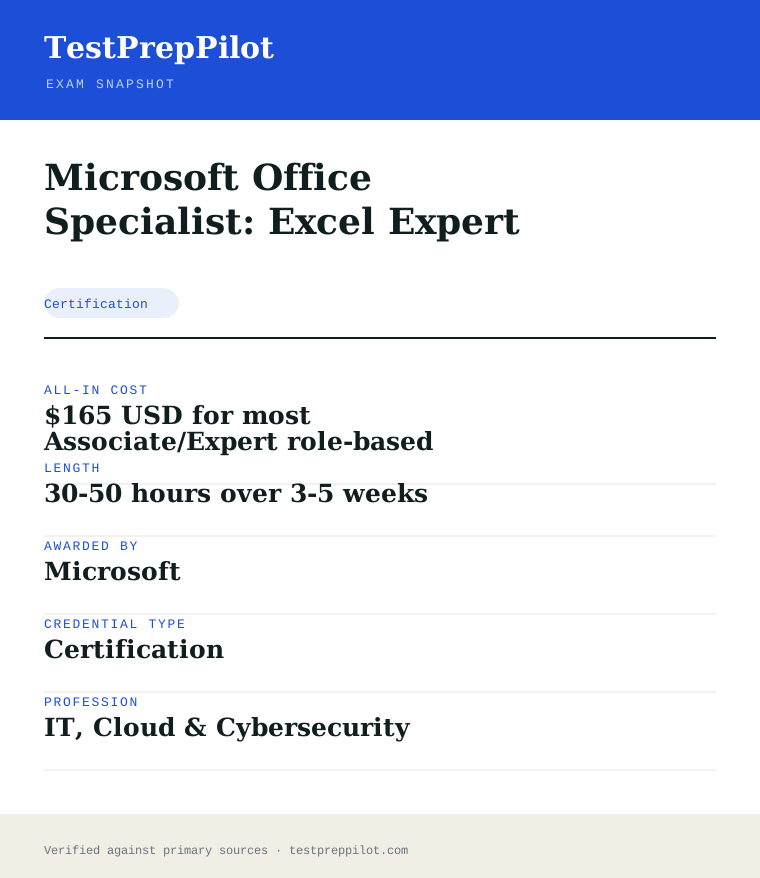
Microsoft Office Specialist: Excel Expert is a Microsoft credential in the Technology field. It validates job-ready competence and is used for career entry, advancement, or compliance. Exam fee: $165 USD for most Associate/Expert role-based exams; Fundamentals-tier exams (e.
- Recognized Microsoft credential
- Demonstrates verified Technology competence
- Supports career advancement and may satisfy employer or regulatory requirements
What is it?
What exactly is the Microsoft Office Specialist: Excel Expert?
Microsoft Office Specialist: Excel Expert — Technology credential from Microsoft
Expert-level Office Specialist exam covering advanced Excel formulas, data validation, PivotTables, macros and workbook collaboration options. Offered by Microsoft, it validates job-ready Technology competence. Exam fee: $165 USD for most Associate/Expert role-based exams; Fundamentals-tier exams (e. Review the official program page for eligibility, format, and scoring before registering.
The path in brief
- Confirm eligibility and any prerequisites
- Review the official exam guide and study materials
- Purchase and schedule the exam via Pearson VUE
- Take the exam (test center, online proctoring, or assessment)
- Receive results and your credential if passed
Before you book
Who is eligible to sit the Microsoft Office Specialist: Excel Expert?
Eligibility varies; many exams are open to all, while others require coursework, experience, or sponsorship.
Who it is for: Professionals and candidates seeking to validate Technology competence with a Microsoft credential.
The test itself
What is the format of the Microsoft Office Specialist: Excel Expert?
The Microsoft Office Specialist: Excel Expert is administered by Pearson VUE and runs 50 minutes.
| Administered by | Pearson VUE |
|---|---|
| Questions | Project-based (~50-60 tasks) |
| Time limit | 50 minutes |
| Pass mark | Passing score set by the awarding body; see the official score report |
| Exam fee | $165 USD for most Associate/Expert role-based exams; Fundamentals-tier exams (e.g., AZ-900) are $99 USD. Priced per attempt in USD, billed in local currency; regional tax may apply. |
| Format | Proctored, computer-based — Pearson VUE test center or online remote proctoring. Price is the same either way. |
Content outline
What topics are on the Microsoft Office Specialist: Excel Expert?
The Microsoft Office Specialist: Excel Expert covers 4 content domains.
Weightings come from the official exam outline. Study time is best allocated in roughly these proportions rather than evenly across domains.
- Cloud / platform fundamentals
Topic area for this credential; see the official blueprint for the detailed breakdown.
- Configuration & implementation
Topic area for this credential; see the official blueprint for the detailed breakdown.
- Security & compliance
Topic area for this credential; see the official blueprint for the detailed breakdown.
- Operations & troubleshooting
Topic area for this credential; see the official blueprint for the detailed breakdown.
The path
How do you register for the Microsoft Office Specialist: Excel Expert?
- 1
Prepare with Microsoft Learn1–10 weeks depending on exam and experience
Work through the free official self-paced learning paths and, optionally, instructor-led courses for your exam. Microsoft Learn is the primary, no-cost study source and maps directly to the exam skills outline.
- 2
Schedule through Pearson VUEabout 15 minutes
Sign in with a personal Microsoft account (MSA) and schedule the exam on the Pearson VUE portal. Choose an in-person test center or online proctoring (OnVUE). Students and educators can use Certiport for Fundamentals exams.
Microsoft recommends a personal MSA account; a work or school account can lose exam records if you leave the organization.
- 3
Take the exam45–120 minutes depending on the exam
Arrive at the test center or launch the online proctoring session. Exams are computer-based and may include multiple-choice, drag-and-drop, case studies, and performance-based lab tasks in a live environment.
- 4
Receive results and badgescore at end; badge within a few days
You see a pass/fail result on screen immediately. A detailed score report is emailed within about 24 hours and posted to your Microsoft certification profile. On passing, your digital badge is issued via Credly.
- 5
Renew annuallyabout 45 minutes, once a year
Most Microsoft role-based, specialty, and fundamentals certifications expire after 12 months. Renew for free by passing a shorter online renewal assessment on Microsoft Learn before the expiry date — no need to retake the full exam.
The fine print
What are the retake and renewal rules for the Microsoft Office Specialist: Excel Expert?
- Proctoring & delivery
- Delivered by Pearson VUE. You can sit the exam at a Pearson VUE test center or take it online through OnVUE remote proctoring; the fee is the same for both. Online proctoring requires a quiet, private space, a working webcam, and a system check beforehand.
- Retake policy
- If you do not pass, you may retake the exam after 24 hours. A second failed attempt requires a 14-day waiting period, and any further attempts also require a 14-day wait between them, up to a maximum of five attempts in a 12-month period.
- Score reporting
- A pass/fail result is shown immediately after the exam. The official score report is emailed within about 24 hours and is also available in your Microsoft certification profile, with section-level feedback on how you performed.
- Recertification
- Microsoft role-based, specialty, and fundamentals certifications are valid for 12 months from the date earned. Renew at no cost by passing the shorter online renewal assessment on Microsoft Learn before the credential expires. Retired certifications cannot be renewed and must be re-earned through the active successor if one exists.
- Refunds & rescheduling
- Exam fees are generally non-refundable once a seat is purchased, but you can cancel or reschedule through Pearson VUE at no charge if you do so at least 24–48 hours before the appointment (exact window varies by region).
Context
Microsoft Azure / AI certifications compared
| Credential | Level | Focus | Exam fee | Validity | |
|---|---|---|---|---|---|
| AZ-900 Azure Fundamentals | Fundamentals | Cloud concepts | $99 | 1 year | |
| AI-900 Azure AI Fundamentals | Fundamentals | AI concepts | $99 | 1 year (retired Jun 30 2026) | |
| AI-901 Azure AI Fundamentals | Fundamentals | AI + Microsoft Foundry | $99 | 1 year | |
| AZ-104 Azure Administrator | Associate | Administer Azure | $165 | 1 year | |
| AZ-204 Azure Developer | Associate | Build cloud apps | $165 | 1 year (retired 2026) | |
| AZ-500 Azure Security Engineer | Associate | Security operations | $165 | 1 year (retires Aug 31 2026) | |
| AZ-700 Azure Network Engineer | Associate | Networking | $165 | 1 year | |
| AZ-140 Azure Virtual Desktop | Specialty | Virtual desktop (AVD) | $165 | 1 year | |
| AZ-305 Azure Solutions Architect | Expert | Solution design | $165 | 1 year |
What it pays
How much does this credential pay?
MOS Excel Expert evidences advanced spreadsheet skill: computer support specialists earned a $61,550 median in May 2024 (BLS)
The Microsoft Office Specialist (MOS) Excel Expert certification evidences advanced, hands-on proficiency with Excel — complex formulas, macros, PivotTables, advanced charts, and in the current version data tools like Power Query and Power Pivot — which is among the most demanded software skill sets across office, analytical, finance and support occupations. It is a vendor certification, not a job licence, so no single BLS SOC code attaches to it; the salary story belongs to the office and support occupations that use Excel at this level. BLS reported that computer support specialists (SOC 15-1231), the reference occupation for office-skills roles that rely on spreadsheet proficiency, earned a median of $61,550 in May 2024, with 882,300 jobs; the office and administrative support group and the analyst-adjacent roles that list advanced Excel sit across the surrounding ranges, and Expert-level Excel is a common differentiator in hiring for analyst, coordinator and administrative roles. The structural point is that the certification is one of the most widely recognised software credentials, issued by Microsoft through Certiport, and it converts a self-reported skill — everyone claims Excel on a resume — into a tested, verifiable fact: the candidate demonstrated the tasks in a live Excel environment and met a published Microsoft standard. BLS classifies workers by occupation, not certifications, so no certificate maps to a specific wage, and the honest caveat is that the computer-support-occupation outlook is negative — BLS projects a 3 percent decline from 2024 to 2034 — though about 50,500 openings a year still arise from replacement need, so the credential’s value is the verifiable signal in a market where spreadsheet proficiency is a near-universal requirement. The exam is performance-based, costs about $100, and pairs with the other MOS exams toward the Expert certification.
| Measure | Figure | Source / note |
|---|---|---|
| Computer support specialists median, May 2024 | $61,550 | BLS OEWS, SOC 15-1231 |
| Computer support specialists employment, 2024 | 882,300 jobs | BLS OOH Quick Facts, 2024 |
| Projected change, 2024-34 | -3% (decline) | BLS OOH — ~50,500 openings/yr, all replacement need |
| All-occupation median, May 2024 | $49,500 | BLS OEWS |
| MOS exam delivery | Performance-based in Excel | Certiport/Microsoft |
Job growth.BLS projects a 3% decline for computer support specialists from 2024 to 2034, with about 50,500 replacement openings a year; verifiable spreadsheet skill remains a hiring differentiator across office and analyst roles.
Source: BLS Occupational Outlook Handbook — Computer Support Specialists
Your odds
What are the pass rates?
MOS Excel Expert requires a passing score of 700 on a 1000-point scale; Microsoft publishes no pass rates
Microsoft and Certiport do not publish pass rates for MOS exams, and no official figure exists, so treat online percentages as estimates rather than official outcomes. What Microsoft does publish is the assessment mechanics: the MOS Excel Expert exam (MO-201 for Excel and Excel 2019, MO-211 for Excel 365) is a performance-based test in which candidates complete tasks in the live Excel application while the exam software records their actions, with a time allowance of about 50 minutes and a passing score of 700 on a 1000-point scale. The exam covers Microsoft’s published objective groups for the Expert level: managing workbook options and settings, managing and formatting data, creating advanced formulas and macros, and managing advanced charts and tables, with the Excel 365 version adding data management using Power Query and Power Pivot. Because the exam is performance-based, candidates must know where features live and how to complete the required actions in the actual application — not just recall concepts — and the tasks are scored as completed actions, so finishing the projects beats perfecting one. The exam is delivered by Certiport through authorised testing centres and, in many regions, online with proctoring; it typically costs about $100, with schools and workforce programmes often offering discounted or free vouchers, and candidates who do not pass must wait 24 hours before a retake under the MOS retake policy. On the validity question, the current official position is that MOS certifications issued on or after September 23, 2025 are valid for five years from the date of certification, while certifications earned before that date do not expire — MOS does not follow the annual renewal model of Microsoft’s role-based certifications. The honest summary is that the passing bar is 700/1000 on a performance-based exam, and the published objectives document is the authoritative preparation blueprint.
Read this before quoting the number.Microsoft publishes no pass rates. The exam requires 700/1000 and is performance-based in Excel with about 50 minutes allowed. Validity: MOS certifications issued on or after September 23, 2025 are valid five years; earlier certifications do not expire — MOS does not use the 12-month renewal model of Microsoft role-based certifications.
Source: Microsoft Learn — MOS certifications and Certiport exam policies
Your schedule
How long should I study for it?
25-70 hours over 3-6 weeks depending on starting skill of focused study
A realistic MOS Excel Expert plan runs 25 to 50 hours over 3 to 6 weeks for someone who is already comfortable with Excel and has passed or mastered the Associate-level content, and 50 to 70 hours for a candidate coming from everyday Excel, because the exam is performance-based and preparation means completing tasks in the real application. Week one: take a baseline — work through the published objectives document and attempt a practice project to see where you stand; most candidates discover gaps in the advanced features they rarely use, such as nested formulas, custom number formats, macro recording and PivotTable calculated fields. Weeks two to four: work through the objectives with hands-on practice, creating practice workbooks that exercise each objective group using the free Microsoft Learn training modules and the published objectives as the checklist — the key is doing the actions, not reading about them. Week five: complete an official practice test under timed conditions — the Certiport GMetrix practice exams replicate the performance-based format — drill the exposed gaps, and take the real exam. The objective groups to work through: managing workbook options and settings (custom views, templates, data validation); managing and formatting data (advanced conditional formatting, custom formats, Flash Fill); creating advanced formulas and macros (nested functions, lookup functions, named ranges, macro recording — the heaviest group); and managing advanced charts and tables (PivotTables, calculated fields, advanced chart types, sparklines), with the Excel 365 version adding Power Query and Power Pivot. Candidates who pass Excel Expert can add the Word Expert and PowerPoint Associate exams toward the full MOS Expert certification.
- Week 16
Baseline and objectives
- Review the published MOS Excel Expert objectives document
- Attempt a practice project to find your gaps
- Identify the features you have never used (macros, Power Query, PivotTable calculated fields)
- Weeks 2-430
Hands-on objective practice
- Create practice workbooks per objective group
- Master nested and lookup formulas, custom formats, and macro recording
- Build PivotTables, calculated fields, advanced charts, and (for Excel 365) Power Query and Power Pivot skills
- Week 510
Practice test and real exam
- Take a GMetrix practice test under the 50-minute format
- Drill the exposed gaps
- Take the real exam at a Certiport centre or online
Adjusting the pace
Beginner path.Add 2-3 weeks of daily Excel practice before the formal plan if the baseline is weak — the Expert exam assumes Associate-level competence.
MOS Expert bundle.Pass Excel Expert with Word Expert and PowerPoint Associate to earn the full MOS Expert certification.
How to study
How do I prepare most effectively?
The most effective MOS Excel Expert strategies are hands-on and objective-driven. Strategy one: practise in the real Excel application exclusively, because the exam records your actions in the software and rewards knowing exactly where features live; candidates who study screenshots or videos without doing the actions underperform on the timed projects. Strategy two: use the published objectives document as the checklist — Microsoft publishes the objective groups with the specific skills tested, and every exam task maps to an objective — and work the list systematically rather than practising what you already know. Strategy three: master the advanced formula cluster, which is the heaviest group: nested functions, lookup functions such as XLOOKUP and INDEX/MATCH, custom number formats and named ranges, and macro recording — candidates who recognise functions but cannot build them from scratch lose the task. Strategy four: build PivotTable fluency, including calculated fields and grouping, because the advanced-chart-and-table group is a large share of the tasks. Strategy five: use the Certiport GMetrix practice tests for the final week, because they replicate the performance-based format and the timing and are the closest predictor of readiness. Finally, manage the 50-minute clock by skipping difficult tasks and returning to them, since the exam scores completed tasks — finishing the projects beats perfecting one.
Practise in the real app
The exam records your actions in Excel; interface fluency is the score. Complete tasks in the desktop application — candidates who only watch videos or use the web app are lost in the ribbon.
Work the objectives checklist
Every exam task maps to a published objective. Work the published objective groups systematically rather than practising what you already know — the obscure-but-tested features live in the objectives.
Master the advanced formulas
Nested functions, XLOOKUP and INDEX/MATCH, custom number formats, named ranges and macro recording form the heaviest group — build them from scratch, not just recognise them.
Build PivotTable fluency
Calculated fields, grouping, slicers and the advanced chart types are a large share of the tasks — practise building them end to end, not just reading about them.
Use GMetrix for the final week
The Certiport practice tests replicate the performance-based format and the 50-minute timing and are the closest predictor of readiness.
Manage the 50-minute clock
The exam scores completed tasks, so skip the difficult ones and return to them — finishing the projects beats perfecting one.
What to buy
Which study resources are worth paying for?
The MOS Excel Expert resource market has a clear official core and modest paid options. The Microsoft Learn training modules for the Expert exam are free and map to the objectives; Microsoft also publishes the free objectives document that is the exam blueprint. Hands-on practice requires only Excel — a Microsoft 365 subscription covers it, though the exam tests the desktop application, so candidates should practise in the desktop version rather than the web app. The Certiport practice tests (GMetrix) cost about $20 to $30 and are the closest match to the performance-based format; they are the standard paid purchase. Commercial MOS prep books ($20 to $40) and courses ($100 to $500) add structure and practice projects, and their value is practice volume rather than unique content. The exam fee itself is about $100, with frequent discounts through schools, libraries and workforce programmes — candidates should check for free or discounted vouchers before paying full price. The honest ranking: free Microsoft Learn modules and the objectives document, Excel practice, the GMetrix practice test, and a course only for structure. Prices here are current as of 2026-08 and change annually.
| Resource | Price | Format | Best for |
|---|---|---|---|
| Microsoft Learn MOS Excel Expert modules | Free | Online | Objectives-aligned instruction |
| Excel desktop practice | Subscription or existing | Desktop app | The practice surface — the exam uses the desktop application |
| Certiport GMetrix practice tests | ~$20-30 | Online | Performance-format rehearsal under the 50-minute timing |
| Commercial prep book/course | ~$20-500 | Print/online | Practice volume and structure |
Prices dated 2026-08; the MOS exam fee is about $100 with frequent school and workforce discounts. We do not rank by commission.
Avoid these
What mistakes do candidates most often make?
The most common MOS Excel Expert mistakes come from studying instead of doing. Mistake one: reading about Excel or watching videos without completing tasks in the application; the exam is performance-based, and candidates who cannot navigate the ribbon and dialog boxes quickly run out of time. Mistake two: skipping the published objectives; candidates who practise what they already know miss the obscure-but-tested features — macro recording, custom number formats, PivotTable calculated fields — that the objectives list. Mistake three: under-preparing the advanced formula cluster, the heaviest group, where candidates who recognise functions but cannot build them from scratch lose the task. Mistake four: ignoring the timing; the 50-minute clock with multiple projects rewards skipping and returning, and candidates who perfect the first project fail to finish. Mistake five: practising in the web app only, when the exam uses the desktop application and the feature locations differ. Finally, some candidates confuse the MOS validity with Microsoft’s role-based certification cycle — MOS is managed by Certiport, and the current policy is five years for certifications issued on or after September 2025, with no expiry for earlier ones — so a candidate planning around a 12-month renewal cycle is planning on a false model.
✕Studying without doing
✓Complete tasks in the real desktop app. The exam records your actions — interface fluency is the score, and video-watching does not build it.
✕Skipping the objectives
✓Work the published objective groups as a checklist — every task maps to an objective, and the obscure-but-tested features live there.
✕Under-preparing the advanced formulas
✓Nested functions, XLOOKUP and INDEX/MATCH, custom formats and macro recording are the heaviest group — build them from scratch daily, not just recognise them.
✕Ignoring the clock
✓The exam scores completed tasks. Skip the difficult ones and return to them — finishing the projects beats perfecting one under the 50-minute limit.
✕Practising in the web app
✓The exam uses the desktop application, and feature locations differ. Practise in the desktop version.
✕Planning around a 12-month renewal
✓MOS does not use the annual renewal model of Microsoft role-based certifications. Under the current Certiport policy, MOS certifications issued on or after September 23, 2025 are valid five years, and earlier ones do not expire.
What you'll face
What question types will I see?
The MOS Excel Expert exam (MO-201 for Excel and Excel 2019, MO-211 for Excel 365) is a performance-based test of about 50 minutes, in which candidates complete tasks in the live Excel application across multiple projects while the exam software records their actions; the passing score is 700/1000. The published objective groups are: managing workbook options and settings, managing and formatting data, creating advanced formulas and macros, and managing advanced charts and tables, with the Excel 365 version adding data management using Power Query and Power Pivot. Tasks include building nested and lookup formulas, recording and running macros, creating PivotTables with calculated fields, applying custom formats and advanced conditional formatting, and constructing advanced chart types. Because the exam is task-based, each item is an action to complete rather than a question to answer, and the skill is knowing where the feature lives and completing the action correctly. Samples below are editor-written illustrations of the published objectives, not live exam items.
Custom views, templates, data validation, and preparing workbooks for collaboration.
Advanced conditional formatting, custom number formats, Flash Fill, and custom format syntax.
Nested and lookup functions, named ranges, and macro recording and editing basics.
PivotTables, calculated fields, advanced chart types, trendlines, and sparklines.
Importing and transforming data, query merging, relationships and basic DAX formulas.
Try these
Q1A workbook contains sales data by region with a header row in A1:D1. A formula must sum the Sales column for only the East region rows. Which formula structure is correct?
Answer:A
A is correct — SUMIFS sums the Sales range where the matching Region cells equal "East", the standard multi-condition summing structure the Expert objectives test. B is wrong because a plain SUM totals all sales with no region filter. C and D are wrong because TOTALIF and ADD are not Excel functions. The task tests constructing the right function structure, which is the heart of the advanced-formula cluster.
Q2A user needs a repeating set of steps applied to a worksheet every week — formatting a header, setting column widths and applying filters. Which feature records and replays these steps?
Answer:A
A is correct — a recorded macro captures the sequence of actions (formatting, column widths, filters) and replays them, which is exactly the automation the Expert objectives test under the macros group. B is wrong because conditional formatting applies value-based formatting rules, not a sequence of actions. C is wrong because a custom view saves the current view settings but does not record and replay an action sequence on demand. D is wrong because Flash Fill automatically fills data patterns, not formatting and filtering steps.
Q3A PivotTable must show total sales by region and then by product within each region. What must the user do to create this two-level layout?
Answer:A
A is correct — adding Region and then Product as row fields, stacked one above the other, produces the nested two-level layout of region subtotals with products inside. B is wrong because adding fields to the Values area aggregates numbers rather than laying out dimensions. C produces a filter-and-column arrangement, not the nested row layout described. D is unnecessary — a single PivotTable with stacked row fields achieves it. The task tests PivotTable layout construction, a core part of the advanced-charts-and-tables group.
Samples are editor-written illustrations of the published objectives, not live exam items.
The big day
What should I expect on exam day?
The MOS Excel Expert exam is delivered by Certiport through authorised testing centres and, in many regions, online with proctoring. At a test centre, arrive 30 minutes early with a valid photo ID; the exam runs about 50 minutes on the centre’s computer with Excel installed, and candidates complete tasks in the actual application while the exam software records the actions. For online delivery, complete the Certiport system check ahead of time, use a quiet private room, and follow the proctor’s rules, with the required single monitor and no second devices. The passing score is 700/1000, and results appear on screen at the end. The exam fee is about $100 — check for school, library and workforce vouchers before paying full price — and the retake policy requires a 24-hour wait after a first failure. On the exam itself, work the projects in order but skip the difficult tasks and return to them, because the exam scores completed tasks and finishing the projects beats perfecting one. After passing, the certification is recorded in your Certiport profile with a badge, and under the current policy certifications issued on or after September 23, 2025 are valid five years, while earlier ones do not expire. Afterwards, add the badge to your resume and LinkedIn, keep the Certiport record for employer verification, and consider the Word Expert and PowerPoint Associate exams to complete the full MOS Expert certification.
Bring
- Valid photo ID
- Appointment confirmation
- Online: verified system and quiet room
- Voucher code if using a discounted voucher
Leave at home
- Phone, smartwatch, and personal electronics
- Notes or study materials
- Second monitors or devices for online delivery
How the day runs
Rules in the room
- Valid ID is mandatory; personal electronics are prohibited.
- The exam is performance-based in the desktop Excel application.
- The passing score is 700/1000 in about 50 minutes.
- The retake policy requires a 24-hour wait after a first failure.
- Validity: MOS issued on or after September 23, 2025 is valid five years; earlier certifications do not expire.
Afterwards.Add the badge to your resume and LinkedIn, keep the Certiport record for employer verification, and consider the Word Expert and PowerPoint Associate exams for the full MOS Expert certification. If you fell short of 700, use the objectives checklist to target the exposed gaps — the advanced-formula and PivotTable clusters are where most retake prep is won — wait out the 24-hour retake window and rebook once the practice scores clear the line.
Reference
What are the key facts about the Microsoft Office Specialist: Excel Expert?
Microsoft Office Specialist: Excel Expert is a certification credential; awarded by Microsoft; the exam fee is $165 USD for most Associate/Expert role-based exams; Fundamentals-tier exams (e.g., AZ-900) are $99 USD. Priced per attempt in USD, billed in local currency; regional tax may apply.; typical preparation is 30-50 hours over 3-5 weeks; holders typically earn $38,000-$70,000 (15-1231 median $61,550).
| Credential | Microsoft Office Specialist: Excel Expert |
|---|---|
| Abbreviation | MOS Excel Expert |
| Type | Certification |
| Profession | IT, Cloud & Cybersecurity |
| Specialty | Microsoft |
| Awarded by | Microsoft |
| Difficulty | Mixed |
| Typical prep time | 30-50 hours over 3-5 weeks |
| All-in cost | $165 USD for most Associate/Expert role-based exams; Fundamentals-tier exams (e |
| Typical salary range | $38,000-$70,000 (15-1231 median $61,550) |
| Credential | Microsoft Office Specialist: Excel Expert |
| Awarding body | Microsoft |
| Exam fee | $165 USD for most Associate/Expert role-based exams; Fundamentals-tier exams (e |
| Delivery | Proctored, computer-based — Pearson VUE test center or online remote proctoring. Price is the same either way. |
| Validity | Renewable annually via free online assessment |
| Scope | National / Multi-state |
| Also known as | MO-211 |
Real questions
Frequently asked questions about the Microsoft Office Specialist: Excel Expert
How much does the Microsoft Office Specialist: Excel Expert exam cost?
$165 USD for most Associate/Expert role-based exams; Fundamentals-tier exams (e.g., AZ-900) are $99 USD. Priced per attempt in USD, billed in local currency; regional tax may apply.
How do I register and schedule?
Register and schedule through Pearson VUE. Create an account, purchase the exam, and pick a date (test center, online proctoring, or assessment as applicable).
How long is the credential valid, and how do I renew?
Free online renewal assessment on Microsoft Learn (role-based and specialty certs renew this way; effectively no recurring fee).
What is the retake policy?
Full fee per attempt. First retake after 24 hours; subsequent retakes after a 14-day wait; maximum 5 attempts in 12 months.
Can I take a Microsoft exam online from home?
Yes. Exams are delivered by Pearson VUE with two options: an in-person test center or OnVUE online proctoring from a private space with a webcam. The fee is identical for both.
Do Microsoft certifications expire?
Most role-based, specialty, and fundamentals certifications are valid for 12 months. You renew for free by passing a shorter online assessment on Microsoft Learn before the expiry date.
What happens if my certification is retired?
You keep the credential until its current expiry date, but you can no longer earn or renew it. Microsoft typically points candidates to the active successor exam or certification.
In short
Is the Microsoft Office Specialist: Excel Expert worth it?
- Microsoft Office Specialist: Excel Expert is awarded by Microsoft.
- Validates Technology competence.
- Exam fee: $165 USD for most Associate/Expert role-based exams; Fundamentals-tier exams (e.
- Renewal: Free online renewal assessment on Microsoft Learn (role-based and specialty certs renew this way; effectively no recurring fee).
Same awarding body
What other credentials does Microsoft award?
Worth comparing
How does the Microsoft Office Specialist: Excel Expert compare with similar credentials?
Trust
Where does this information come from?
Everything above is taken from the awarding body's own published material. Fees, question counts and domain weights are revised regularly — check the official page before you pay.
- Microsoft Awarding body
- Microsoft certification programme Programme rules
Research confidence: medium · Last reviewed 2026-08