IT, Cloud & Cybersecurity • Certification
Cisco Certified Network Associate
The associate networking foundation
Researched and maintained by TestPrepPilot Editorial BoardCloud, IT & cybersecurity certifications desk · Figures last verified August 2026
The short version
What is the Cisco Certified Network Associate and is it worth it?
CCNA (200-301) is a single associate exam covering networking fundamentals, access, IP connectivity, IP services, security and programmability.
- Industry-standard associate cert
- Strong ROI
- Gateway to CCNP
What is it?
What exactly is the Cisco Certified Network Associate?
The associate networking foundation
The Cisco Certified Network Associate (CCNA) validates the knowledge and skills required to install, configure and operate small to medium enterprise networks, including IP services, security and automation basics.
Before you book
Who is eligible to sit the Cisco Certified Network Associate?
Who it is for: Entry-level network engineers
The test itself
What is the format of the Cisco Certified Network Associate?
The Cisco Certified Network Associate is administered by Pearson VUE and runs 120 minutes, contains 90–110 questions and requires ~825 of 1000 (score set per exam) to pass.
| Administered by | Pearson VUE |
|---|---|
| Questions | 90–110 |
| Time limit | 120 minutes |
| Pass mark | ~825 of 1000 (score set per exam) |
| Exam fee | $300 |
| Format | Multiple-choice and lab-style items |
Content outline
What topics are on the Cisco Certified Network Associate?
The Cisco Certified Network Associate is weighted across 6 domains; the largest are IP connectivity (25%), Network fundamentals (20%), Network access (20%).
Weightings come from the official exam outline. Study time is best allocated in roughly these proportions rather than evenly across domains.
- Network fundamentals 20%
- Network access 20%
- IP connectivity 25%
- IP services 10%
- Security fundamentals 15%
- Automation and programmability 10%
Money & time
How much does the Cisco Certified Network Associate cost?
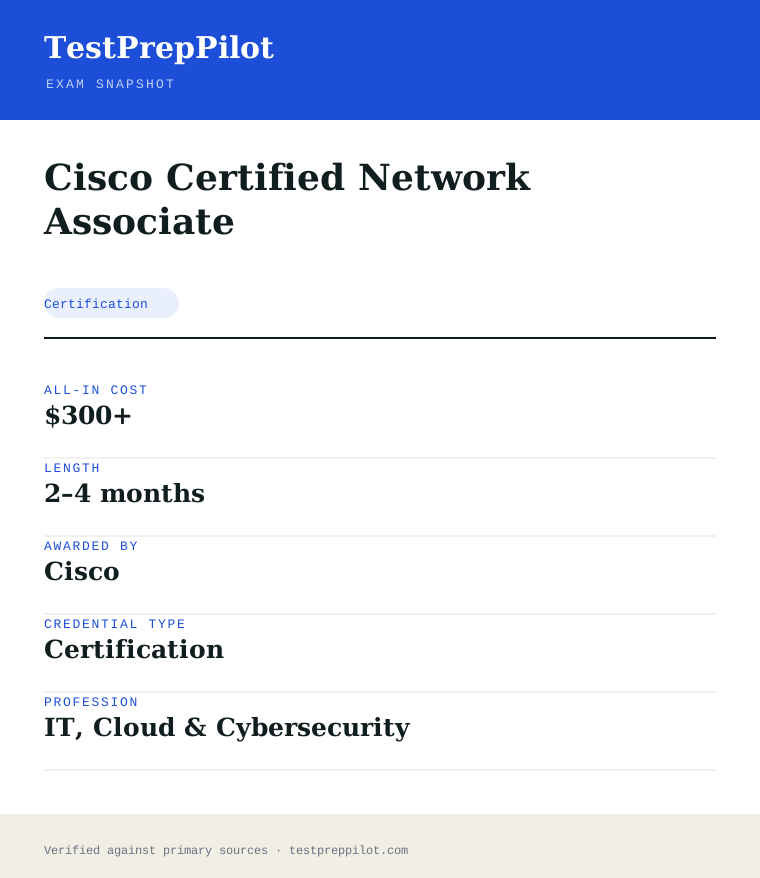
For the Cisco Certified Network Associate, the exam fee is $300; the all-in cost is typically $300+; most candidates spend 2–4 months preparing.
Cost breakdown
| Exam fee | $300 |
|---|---|
| Prep | $0–$300 |
| Typical total | $300+ |
Exam-only; training is separate.
Timeline
- Study + labs 8–12 weeks
- Sit 200-301 test day
- Earn CCNA immediate
Typical prep: 2–4 months
The path
How do you register for the Cisco Certified Network Associate?
- 1
Create a Cisco & testing account~15 minutes
Set up a free Cisco profile and a Pearson VUE (or Certiport for CCST) candidate profile to schedule and track exams.
- Register at the Cisco Certification Tracking System
- Create a Pearson VUE / Certiport candidate profile
- Confirm your ID documents meet testing requirements
- 2
Choose your certification & exam1-2 hours planning
Select the target credential and note the exact exam code (e.g., 100-160, 200-201, 350-701 + a concentration).
- Review the official exam blueprint and topic weights
- Decide self-study, Cisco U., or instructor-led training
- 3
Prepare with official trainingVaries (weeks-months)
Use Cisco Networking Academy, Cisco U. courses, official labs, and practice tests aligned to the blueprint.
- Complete the aligned Cisco U. / NetAcad course
- Hands-on labs and practice exams
- 4
Schedule the exam via Pearson VUE~10 minutes
Book a test-center slot or online OnVUE appointment; pay the exam fee (or redeem Cisco Learning Credits).
- Pick date, time, and location/time zone
- Pay fee (CCST $125; Associate $300; SCOR $400; concentration $300)
- 5
Take the proctored exam50-120 minutes
Arrive with valid government ID; complete the exam at a Pearson VUE center or via online proctoring.
- Check in and pass security/room scan (online)
- Complete the timed exam
- 6
Get results & digital badgeWithin 48 hours
Receive a pass/fail result (usually within 48 hours) and, on passing, a Credly digital badge plus certificate; track status in the Certification Tracking System.
- View section-level score report
- Accept Credly badge and share it
The fine print
What are the retake and renewal rules for the Cisco Certified Network Associate?
- Proctoring & delivery
- Delivered by Pearson VUE: at authorized test centers or online via OnVUE remote proctoring (CCST uses the Certiport/Pearson VUE platform). A government-issued photo ID is required; online tests include a room/environment scan.
- Retake policy
- If you fail, Cisco requires a waiting period of 5 calendar days before you may retake the same exam. Each attempt requires full payment of the exam fee. Cisco does not cap total attempts, but some exams limit attempts within a 12-month window.
- Score reporting
- Results are reported as pass/fail and made available online (Cisco Certification Tracking System) typically within 48 hours. A section-level performance breakdown is provided to help target further study; scaled scores use a 300-1000 range (CCNA/CCNP-style exams).
- Recertification
- All Cisco certifications are valid for 3 years from the date earned. Recertify before expiry by (a) passing a higher-or-equal level qualifying exam, (b) earning Continuing Education (CE) credits through eligible training/activities, or (c) a combination of exam + CE. For associate-level certs 30 CE credits are required; for professional-level 40 CE credits. Certificates can also be extended via the Cisco Continuing Education program.
- Refunds & rescheduling
- Exam fees are generally non-refundable once scheduled, but Pearson VUE allows rescheduling or cancellation up to 24-48 hours before the appointment without penalty; no-shows forfeit the fee. CCST/Certiport policies may differ by region.
Context
Cisco cybersecurity certifications compared
| Credential | Level | Focus | Exam | Validity | |
|---|---|---|---|---|---|
| CCST Cybersecurity | Foundational / Entry | Entry-level security concepts & support | 100-160 (1 exam, ~$125) | 3 years | |
| CCNA Cybersecurity | Associate | SOC analyst: monitoring, intrusion & incident analysis | 200-201 CBROPS (1 exam, $300) | 3 years | |
| CCNP Cybersecurity | Professional | Professional security core + concentration | SCOR 350-701 ($400) + 1 concentration ($300) | 3 years |
What it pays
How much does this credential pay?
$96,800 median for network and computer systems administrators (BLS, May 2024)
The Bureau of Labor Statistics does not track a job titled "CCNA" — no government wage series does — so any salary figure attributed to the certification itself is a job-board aggregate, not government data. The closest official occupation to the role a CCNA holder is hired into is Network and Computer Systems Administrators, SOC 15-1244, and we have used it deliberately because that is the occupational family the CCNA blueprint serves: routing, switching, IP connectivity, and network device administration. That occupation recorded a May 2024 median annual wage of $96,800, with the lowest 10 percent under $60,320 and the highest 10 percent over $150,320. The spread matters because the CCNA sits at an interesting point on it: it is an entry-to-mid level credential, so a first networking job lands you toward the lower end, typically as a network administrator or support engineer, while a CCNA holder who converts the automation and programmability objectives into real network-automation work climbs toward the top decile far faster than a peer who treats the cert as a checkbox. The occupational headline is a clear headwind and should be stated plainly. BLS projects a 4 percent decline for network and computer systems administrators from 2024 to 2034, with about 14,300 openings a year driven entirely by replacement need as incumbents retire or move on. The work that is shrinking is manual, per-device configuration and break-fix administration — which is exactly why the Automation and Programmability domain, and the IP Connectivity domain that underpins modern routing, are the parts of the CCNA most worth over-investing in. The Cisco Certified Network Associate is widely treated as the industry’s baseline networking credential, and employers still list it as a preferred or required qualification for network operations roles even as the occupation’s headcount shrinks.
| Measure | Figure | Source / note |
|---|---|---|
| Median annual wage, network and computer systems administrators | $96,800 | BLS Occupational Outlook Handbook, May 2024 ($46.54/hr) |
| Lowest 10 percent | less than $60,320 | BLS OOH Pay tab, May 2024 |
| Highest 10 percent | more than $150,320 | BLS OOH Pay tab, May 2024 |
| Employment, 2024 | 331,500 jobs | BLS OOH Quick Facts, 2024 |
| Projected annual openings | ~14,300 per year | BLS OOH Job Outlook, 2024-34 — all from replacement need |
Job growth.-4% projected change 2024-34 (decline), with ~14,300 replacement openings a year; automation, cloud and programmability skills are what move you off the shrinking side of this occupation
Source: BLS Occupational Outlook Handbook — Network and Computer Systems Administrators
Your odds
What are the pass rates?
Cisco publishes no pass rate and no passing score — only a scaled score range
Cisco does not publish a pass rate for the CCNA, and unlike CompTIA it also does not publish the passing score. The only scoring fact Cisco states for the 200-301 exam is that results use a scaled range of 300 to 1000, and that you must meet a passing threshold Cisco sets internally for each exam form. You will see "825 out of 1000" repeated across forums and bootcamp sites as the CCNA cut score; treat it as folklore, not a published figure. Cisco has never confirmed it, and the company’s own position is that the passing standard is determined per form and is not disclosed. Chasing a rumoured percentage is the wrong mental model anyway, because Cisco equates every exam form: a harder combination of items and simulations demands the same underlying ability as an easier one, so the raw-to-scaled conversion is not linear and cannot be reverse-engineered from practice-test percentages. What Cisco does publish, and what matters more than any pass rate, is the retake schedule. If you fail, you must wait five calendar days before sitting again. If you pass, you cannot retake the same exam code for 180 days — a rule that exists to stop score inflation, not to punish you. The score report you receive at the end is more useful than a pass rate would be: it breaks your performance down by the six domains, so a failed attempt produces an exact study plan rather than a guess. Note also that the CCNA is a forward-only exam — once you submit a question and move on, you cannot return to it — so you cannot "review and change" answers the way you can on a CompTIA exam, and that structural fact shapes how you should pace the 120 minutes far more than any rumoured cut score does.
Read this before quoting the number.No pass rate and no passing score are published by Cisco, by Pearson VUE, or by any accrediting body for the CCNA. We have deliberately left the pass-rate table empty. What is verifiable is the 300-1000 scaled score range, the five-day retake wait after a fail, and the 180-day wait after a pass, which the narrative above covers instead.
Your schedule
How long should I study for it?
100-130 hours of focused study
Start by confirming which CCNA you are studying for. The current exam is 200-301, version 1.1. Version 1.1 has a last day to test of 2 February 2027, and version 2.0 is scheduled to begin on 3 February 2027, at which point the existing 1.1 blueprint is retired and a new one takes its place. This is the single most expensive mistake available to a CCNA candidate: study material written for any earlier revision will leave real gaps, and a voucher bought for 1.1 is no use once 2.0 is live. The current 1.1 domain weightings are Network Fundamentals 20 percent, Network Access 20 percent, IP Connectivity 25 percent, IP Services 10 percent, Security Fundamentals 15 percent, and Automation and Programmability 10 percent. Read those weights as a time budget. IP Connectivity alone is a quarter of the paper and it is the domain most candidates underestimate, because it is where subnetting, OSPF, and static and dynamic routing either click or do not. Network Fundamentals and Network Access together are 40 percent and they are the foundation everything else builds on. The plan below runs ten weeks at roughly 10-12 hours a week and assumes you have a lab you can break — Packet Tracer is free and sufficient for most of the blueprint, but you should run at least some real device images if your machine can handle it. If you have never opened Packet Tracer, do that before Week 1; this exam is hands-on and a candidate who has only read about configuring a trunk port will not complete the simulations in the time allowed.
- Week 110-12 hrs
Network fundamentals and lab build
- Install Cisco Packet Tracer and build a small multi-switch, multi-router topology you can reuse all ten weeks
- OSI and TCP/IP models, encapsulation, and where each protocol lives
- IPv4 and IPv6 addressing and subnetting drills until you can derive a network range without a calculator
- MAC addresses, ARP, and the difference between a switch and a router at frame level
- Weeks 2-311-13 hrs/week
Domain 2 — Network Access (20%)
- VLANs and trunking: create VLANs, assign access ports, configure 802.1Q trunks and verify with show commands
- Spanning Tree Protocol: root bridge election, port states, and why a loop takes the network down
- EtherChannel and first-hop redundancy concepts
- Wireless LAN basics: AP modes, SSIDs, and the difference between a controller-based and autonomous AP
- Weeks 4-511-13 hrs/week
Domain 3 — IP Connectivity (25%)
- Routing fundamentals: the routing table, administrative distance, and longest-prefix match
- Static routing and default routes, and when each is appropriate
- OSPF: neighbour formation, router and network LSAs, and a single-area configuration from scratch
- Subnetting at speed under a clock — this domain is where timed practice separates passes from fails
- Week 610-12 hrs
Domain 4 — IP Services (10%)
- DHCP and DNS behaviour on a network, and how to verify them
- NAT: static, dynamic and PAT, and reading a translation table
- First-hop redundancy protocols and the role of SNMP, syslog and NetFlow as monitoring tools
- QoS concepts at a high level — know the vocabulary, the exam asks conceptually here
- Week 710-12 hrs
Domain 5 — Security Fundamentals (15%)
- The CIA triad and the difference between threats, vulnerabilities and exploits
- Device security: console and VTY lines, SSH, and why telnet is a fail
- ACLs: standard versus extended, numbered versus named, and where in the path they filter
- VPN concepts, wireless security (WPA versus WPA2/WPA3), and the basics of 802.1X
- Week 810-12 hrs
Domain 6 — Automation and Programmability (10%)
- The difference between traditional and controller-based network architectures
- REST APIs conceptually: methods, data encoding with JSON and XML, and what a call returns
- Configuration management and automation tools (Ansible, Puppet, Chef, Terraform) at a conceptual level
- Cisco DNA Center, SD-Access and the intent-based networking vocabulary — know the terms, not the CLI
- Week 911-13 hrs
Simulation and hands-on question rehearsal
- Timed Packet Tracer tasks with no reference open: configure a trunk, fix a broken OSPF adjacency, write an ACL
- Practise reading show and debug output fast — the simulations give you the CLI and nothing else
- Drill subnetting under a 60-second-per-question limit
- Time each task — simulations are the main reason candidates run out of the 120 minutes
- Week 1010-12 hrs
Timed full exams and gap closing
- Three full 120-minute practice exams weighted to the six current domains
- Rebuild every lab you missed rather than re-reading the explanation
- Final pass over OSPF neighbour requirements and ACL placement — the two highest-density sources of cheap points
- One quiet day before the exam
Adjusting the pace
Working in networking or help-desk already.Six to seven weeks. Your day job covers fundamentals and access; spend the recovered time on IP Connectivity and the Automation domain, which working administrators routinely under-practise because they configure by hand.
Career changer with no network experience.Fourteen to sixteen weeks at 8 hrs/week. Add three weeks before Week 1 purely on subnetting and the OSI model. The concepts are learnable quickly; the speed to apply them under a clock is not, and the simulations punish slow hands.
Coming from a CCNP or strong routing background.Three to four weeks. You already have the depth; what you lack is the 1.1 weighting and the breadth across wireless, security and automation. Skip Weeks 2-5 and work the lighter domains hard so they do not cost you points.
How to study
How do I prepare most effectively?
The CCNA rewards candidates who can configure and verify, not candidates who recognise the right answer in a list. The exam is heavy on hands-on simulations inside a real CLI, and a candidate who has only watched videos will freeze in front of a terminal with a running clock. Build the muscle memory before the theory outruns it.
Live-lab every protocol, do not just read about it
Spin up the topology in Packet Tracer and actually type the commands: create the VLAN, trunk it, break OSPF on purpose and watch the adjacency drop, then fix it. The simulations grade configuration and verification, and verification — reading show output to confirm what you did — is the skill most often missing from video-only learners.
Subnet at speed, on paper, under a clock
IP Connectivity is 25 percent of the paper and subnetting shows up inside simulations and multiple choice alike. Drill until you can derive a network range, broadcast address and usable host count in under a minute without a calculator. This is the single highest-leverage timed skill on the exam.
Learn to read show and debug output fast
The simulations give you the device CLI and nothing else — no browser, no documentation pane like a CompTIA PBQ. Being able to parse show ip ospf neighbor, show interfaces trunk and show access-lists quickly is what lets you diagnose and fix within the time budget. Practise with the reference closed from Week 7 onward.
Treat the exam as forward-only when you pace it
The CCNA does not let you return to a question once you move past it, so you cannot mark-and-review the way you can on a CompTIA exam. Answer in the order presented, commit to each one, and do not burn the clock hoping to come back. Spend the first pass clearing the multiple choice briskly so the simulations have time to breathe.
Do not over-invest in the automation domain too early
Automation and Programmability is only 10 percent and it is conceptual, not hands-on — you need the vocabulary (REST, JSON, infrastructure-as-code tools, controller-based architectures), not the ability to write code. Learn it last so it does not crowd out IP Connectivity and Network Access, which together are 45 percent of the paper.
Verify you are studying 200-301 v1.1, not an old revision
Confirm the version on the cover of any book or course. Material for superseded revisions covers different weightings and can omit current content; and remember the 1.1 last-day-to-test of 2 February 2027, after which 2.0 takes over. Booking a 1.1 voucher with no time to sit it before that date is a wasted purchase.
What to buy
Which study resources are worth paying for?
The buying decision is less about which author and more about which version and which lab. Packet Tracer is free and covers most of the blueprint, so a lab is not a cost you need to incur. What you should not cheap out on is current-edition material — anything not explicitly "200-301 v1.1" risks teaching retired content. Cisco’s own bundles add training and a discount versus buying pieces separately.
| Resource | Price | Format | Best for |
|---|---|---|---|
| Exam voucher (200-301) | $300 USD list | Pearson VUE, test centre or online | Required — the standard single-attempt voucher |
| Cisco Learning Network CCNA training | Free overview, paid courses via Cisco U. | eLearning and labs | Official content aligned to the current 1.1 blueprint |
| Cisco Packet Tracer | Free | Desktop simulator | The single most valuable hands-on resource for the simulations |
| Neil Anderson CCNA course (Udemy) | ~$15-30 during Udemy sales | Video with labs | A complete, affordable walkthrough with a bundled lab guide |
| David Bombal CCNA labs (Udemy / own site) | ~$15-40 | Video and Packet Tracer labs | Practice-heavy learners who want to type, not just watch |
| CCNA 200-301 Official Cert Guide (Odom, Cisco Press) | ~$45-60 per volume, ~$90 for both | Print + eBook with labs | The canonical reference — confirm the v1.1 edition |
| Boson ExSim practice exams | ~$99-179 for the full simulator | Simulated exam engine | The closest non-Cisco practice to the real simulation grading |
| Jeremy’s IT Lab (YouTube + free exams) | Free | Video and Anki flashcards | A zero-cost complete path, widely used by first-timers |
Prices checked 2026-08 in USD before tax; the $300 voucher price is Cisco’s US list and is the firm reference point, while Udemy and course prices swing with promotion. We do not rank by commission.
Avoid these
What mistakes do candidates most often make?
Most CCNA failures trace back to three things: studying an old blueprint, reading instead of labbing, and mismanaging a forward-only 120-minute clock against simulations that take real time to type. The version trap is the one that was not a mistake two years ago and now is.
✕Studying a superseded CCNA revision
✓The current exam is 200-301 v1.1, with a last day to test of 2 February 2027 and version 2.0 starting 3 February 2027. Old books, courses and question banks still sell and still rank well in search but cover different weightings. Confirm "200-301" and the v1.1 revision on the cover, and do not book a 1.1 voucher you cannot sit before the cutover date.
✕Preparing entirely with video and practice questions
✓The exam grades configuration and verification inside a real-device CLI. A candidate who scores well on a question bank but has never built an OSPF adjacency from scratch under a clock is not ready. Convert at least a third of your hours into typed, timed lab tasks in Packet Tracer.
✕Under-practising subnetting and IP Connectivity
✓IP Connectivity is 25 percent of the paper and subnetting threads through multiple domains. Candidates who can explain OSPF but cannot derive a subnet in under a minute lose points in both the simulations and the multiple choice. Drill subnetting daily from Week 1; it is the highest-leverage timed skill on the exam.
✕Treating the exam as reviewable like a CompTIA test
✓The CCNA is forward-only — once you submit a question and advance, you cannot return to it or change the answer. There is no mark-and-review pass. Answer in order, commit, and pace so the simulations get their share of the 120 minutes rather than being rushed at the end.
✕Neglecting verification commands
✓Many candidates configure correctly but cannot prove it, and the simulations expect both. Know show ip ospf neighbor, show interfaces trunk, show vlan brief, show access-lists and show ip nat translations cold. Being able to confirm your own work is what turns a partial task into full credit.
✕Forgetting the certification expires and the retake clock
✓The CCNA is valid for three years and renewed with 30 continuing-education credits (or by passing a higher certification). Also remember the retake rule: a fail needs a five-calendar-day wait, and a pass locks you out of the same code for 180 days. Diary the expiry the week you pass, and do not assume you can immediately resit a passed exam.
What you'll face
What question types will I see?
The 200-301 exam is delivered in English in a single 120-minute block and is scored on Cisco’s 300-to-1000 scaled range, with the passing threshold set internally per form and not disclosed. The paper mixes multiple-choice and multiple-response items with hands-on simulations inside a real device CLI, and Cisco’s own description puts the item count in the range of roughly 90 to 110 questions plus the simulations, though Cisco does not publish an exact fixed total. The simulations are the strategic heart of the exam: you are dropped into a terminal and asked to configure or verify something — a trunk, an OSPF adjacency, an ACL — and you are graded on the result, not on recognising the right line in a list. Crucially, the exam is forward-only: you cannot return to a question after you advance. That means the order you work in is fixed, and pacing is about holding a steady tempo across all items so the simulations are not rushed. The six current domains are Network Fundamentals (20%), Network Access (20%), IP Connectivity (25%), IP Services (10%), Security Fundamentals (15%) and Automation and Programmability (10%). Because Cisco equates forms, your scaled score is not a percentage of items correct and cannot meaningfully be converted into one, which is why we have not quoted a pass rate.
Concept and configuration recognition — protocol behaviour, show-output interpretation, "which command" items. Distractors are usually real commands or real outputs that do something adjacent, so partial familiarity is punished.
The stem states how many to select and scoring is all-or-nothing. Common where several steps together complete a configuration or a troubleshooting sequence.
A real device CLI in Packet Tracer-like or real IOS. Configure or verify a task; graded on the resulting state. No browser, no documentation pane — only the terminal.
Ordering steps or matching items to categories; common in the fundamentals and security domains.
Try these
Q1A network administrator needs to allow only traffic from the 192.168.10.0/24 subnet to reach a web server at 10.0.0.5 on TCP port 80, and deny all other traffic from that subnet. Which standard access-list configuration achieves this when applied inbound on the server-facing interface?
Answer:B
Filtering on both a source subnet and a destination address plus port requires an extended ACL (100-199), not a standard one, so A and D are out. B correctly places the source first (192.168.10.0 0.0.0.255), the destination host (host 10.0.0.5) and the port (eq 80), then ends with an explicit deny ip any any — which is the implicit behaviour anyway but should be stated. C reverses the source and destination order in the extended syntax, which is invalid for this topology: the source must come before the destination. Applied inbound on the server-facing interface, B permits exactly the intended flow and denies the rest.
Q2Two routers are configured for OSPF but the adjacency between them stays in a state other than FULL. The administrator issues show ip ospf neighbor and sees the peer in EXSTART. Which of the following is the most likely cause?
Answer:B
EXSTART is the state where masters and slaves are chosen and the initial database descriptor exchange begins; a mismatch in interface MTU causes the exchange to stall there, because the neighbour cannot acknowledge a DBD packet larger than its MTU, which is the classic EXSTART-stuck symptom. A is wrong: OSPF process IDs are local to each router and do not need to match for an adjacency. C confuses OSPF (an IGP, no AS concept in this sense) with BGP. D — a passive-interface on the link — would prevent hellos entirely and the neighbour would never appear in the neighbor table at all, rather than appearing stuck in EXSTART.
Q3Given the IPv4 address 172.16.34.137 with a /26 mask, which of the following is the correct network (subnet) address?
Answer:B
A /26 mask is 255.255.255.192, giving blocks of 64 addresses (0-63, 64-127, 128-191, 192-255) in the fourth octet. The host value 137 falls inside the 128-191 block, so the network address is 172.16.34.128 and the broadcast is 172.16.34.191. A is the start of the previous block, C is the host value rounded down incorrectly, and D is the next block’s start. Being able to do this in under a minute without a calculator is exactly the timed skill the IP Connectivity domain rewards.
Samples are editor-written illustrations of the published blueprint, not live exam items.
The big day
What should I expect on exam day?
One 120-minute block, delivered through Pearson VUE at a test centre or online with OnVUE proctoring, in English. The thing candidates most often get wrong about a Cisco exam day is the navigation model: this is a forward-only exam. You cannot skip a question and return to it, and you cannot review and change multiple-choice answers before submitting the way you can on a CompTIA exam. Once you advance, that item is locked. Build your pacing around that single fact — work in the presented order, commit to each answer, and hold a steady tempo so the hands-on simulations get the time they need. You do get a score report at the end showing performance by domain, available through your Cisco profile, but it is not printed on the spot the way a CompTIA result is; plan for the result to appear online, typically within 48 hours, rather than expecting it on screen the moment you finish. The administrative trap is identical across vendors: Cisco requires two forms of identification, one a government-issued photo ID, with the name matching your Cisco account exactly. Check the spelling the week before, because a mismatch costs you the seat and the voucher.
Bring
- Two forms of identification, both unexpired, with names matching your Cisco account exactly
- One must be a government-issued photo ID; the second must carry your name and signature (a credit card is usually accepted)
- Your Cisco ID or the exam appointment confirmation number, in case check-in cannot locate the booking
- For OnVUE: a phone for check-in photographs, a completely clear desk, and a private room with a door you can close
- For OnVUE: a webcam, microphone and connection already system-tested on the exact machine you will use
Leave at home
- Phones, smartwatches, fitness trackers and earbuds — locker at a centre, out of the room for OnVUE
- All notes, cheat sheets and printed command references
- Your own paper and pens; a test centre issues an erasable noteboard and OnVUE provides a digital whiteboard only
- Bags, coats, hats, food and drink beyond what the centre permits
- Second monitors, which must be unplugged and turned away for OnVUE, and any other person in the room
How the day runs
Rules in the room
- Forward-only navigation: you cannot return to a question or change an answer once you advance past it.
- Scored on a 300-1000 scaled range; the passing threshold is set per form and is NOT published by Cisco.
- Two forms of ID are required, one government-issued with photo, names matching your Cisco account exactly.
- No scheduled breaks in a 120-minute exam, and the clock does not stop if you leave.
- Erasable noteboard only at a test centre; OnVUE candidates get a digital whiteboard and no physical writing materials.
- Inside a simulation you have only the device CLI — no browser, no documentation pane.
- After a fail you must wait five calendar days to retake; after a pass you cannot retake the same code for 180 days.
Afterwards.You will not get a printed pass/fail on the spot the way a CompTIA candidate does; Cisco posts your result to your profile, usually within 48 hours, with a score report that breaks performance down by the six domains. On a pass, your CCNA is valid for three years from the date you pass and is managed through Cisco’s CE programme — renew it with 30 continuing-education credits or by passing a higher-level Cisco certification before it lapses. Log the expiry date the week you pass. On a fail, the domain breakdown is your roadmap: identify the one or two areas that dragged the scaled score down — usually IP Connectivity or Network Access — and spend two to three weeks labbing those specifically before using the five-day retake window. Do not book the immediate retake on the same weak knowledge; the report tells you precisely where to aim, and a second fail inside the 300-1000 range costs another $300 voucher with nothing to show for it.
Reference
What are the key facts about the Cisco Certified Network Associate?
Cisco Certified Network Associate is a certification credential; awarded by Cisco; the exam fee is $300; typical preparation is 2–4 months; holders typically earn $60,000 – $90,000.
| Credential | Cisco Certified Network Associate |
|---|---|
| Abbreviation | CCNA |
| Type | Certification |
| Profession | IT, Cloud & Cybersecurity |
| Specialty | Cisco |
| Awarded by | Cisco |
| Difficulty | Moderate |
| Typical prep time | 2–4 months |
| All-in cost | $300+ |
| Typical salary range | $60,000 – $90,000 |
| Exam code | 200-301 |
| Renewal | Every 3 years |
| Scope | National / Multi-state |
| Also known as | 200-301 |
Real questions
Frequently asked questions about the Cisco Certified Network Associate
Is CCNA worth it?
For networking careers it remains one of the most recognised associate certifications and a prerequisite for many CCNP paths.
How does it compare to Network+?
CCNA is deeper and Cisco-specific; Network+ is broader and vendor-neutral. Many learn Network+ first, then CCNA.
Does CCNA expire?
Yes, after three years; recertify via exam, continuing education or a higher cert.
How long is a Cisco certification valid, and how do I renew it?
Every Cisco certification is valid for 3 years. You can recertify by passing a qualifying exam at or above the current level, by earning Continuing Education credits, or by combining both before the expiry date.
Where do I take Cisco exams and what ID do I need?
Cisco exams are delivered by Pearson VUE at test centers or online via OnVUE (CCST via Certiport/Pearson VUE). You must present a valid government-issued photo ID; online exams also require a room/environment scan.
What happens if I fail a Cisco exam?
You must wait 5 calendar days before retaking the same exam, and each retake requires paying the full exam fee again. Your score report shows section-level feedback to guide further study.
In short
Is the Cisco Certified Network Associate worth it?
- CCNA is the flagship Cisco associate cert.
- It covers routing, switching, security and automation.
- It renews every three years.
Same awarding body
What other credentials does Cisco award?
Worth comparing
How does the Cisco Certified Network Associate compare with similar credentials?
Trust
Where does this information come from?
Everything above is taken from the awarding body's own published material. Fees, question counts and domain weights are revised regularly — check the official page before you pay.
- Cisco Awarding body
- Official Cisco Certified Network Associate exam page Exam page
- Cisco certification programme Programme rules
Research confidence: high · Last reviewed 2026-08