IT, Cloud & Cybersecurity • Certification
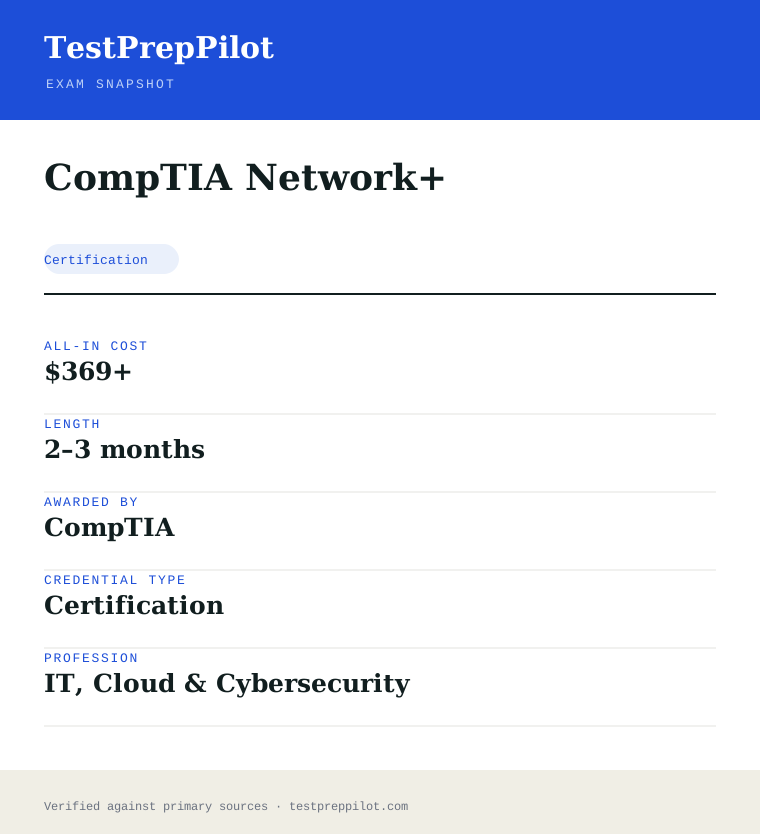
CompTIA Network+
Prove you can build and troubleshoot networks
Researched and maintained by TestPrepPilot Editorial BoardCloud, IT & cybersecurity certifications desk · Figures last verified August 2026
The short version
What is the CompTIA Network+ and is it worth it?
Network+ (N10-009) is a single, vendor-neutral exam covering networking concepts, implementations, operations, security and troubleshooting.
- Vendor-neutral
- Maps to DoD 8140
- Good step after A+
What is it?
What exactly is the CompTIA Network+?
Prove you can build and troubleshoot networks
CompTIA Network+ validates the skills needed to design, configure, manage and troubleshoot wired and wireless networks. It is vendor-neutral and assumes about nine months of networking experience.
Before you book
Who is eligible to sit the CompTIA Network+?
Who it is for: Junior network administrators and support staff
The test itself
What is the format of the CompTIA Network+?
The CompTIA Network+ is administered by Pearson VUE and runs 90 minutes, contains 90 questions and requires 720 of 900 to pass.
| Administered by | Pearson VUE |
|---|---|
| Questions | 90 |
| Time limit | 90 minutes |
| Pass mark | 720 of 900 |
| Exam fee | $369 |
| Format | Multiple-choice and performance-based |
Content outline
What topics are on the CompTIA Network+?
The CompTIA Network+ is weighted across 5 domains; the largest are Network troubleshooting (24%), Networking concepts (23%), Network implementations (20%).
Weightings come from the official exam outline. Study time is best allocated in roughly these proportions rather than evenly across domains.
- Networking concepts 23%
- Network implementations 20%
- Network operations 19%
- Network security 14%
- Network troubleshooting 24%
Money & time
How much does the CompTIA Network+ cost?
For the CompTIA Network+, the exam fee is $369; the all-in cost is typically $369+; most candidates spend 2–3 months preparing.
Cost breakdown
| Exam voucher | $369 |
|---|---|
| Prep | $0–$200 |
| Typical total | $369+ |
Academic pricing available.
Timeline
- Prepare (courses + labs) 8–10 weeks
- Sit N10-009 test day
- Earn credential immediate
Typical prep: 2–3 months
The path
How do you register for the CompTIA Network+?
- 1
Create your accounts10 minutes
Set up a free CompTIA account and a Pearson VUE account. Your CompTIA account is where the certification and CEUs are tracked; Pearson VUE handles scheduling and delivery.
Use a consistent email so your exam result links to your CompTIA record.
- 2
Purchase an exam voucher1 day
Buy the XK0-006 voucher from the CompTIA store (standard $390 USD). Optionally choose an exam+retake bundle or add CertMaster training.
- Select Linux+ (XK0-006) in the CompTIA store
- Choose voucher only, exam+retake bundle, or bundle with training
- Save the voucher code from your CompTIA account
- 3
Schedule your exam15 minutes
Go to Pearson VUE, enter your voucher code, and book a date. Choose a nearby test center or online proctoring (OnVUE).
- Pick test center or OnVUE online
- Run the OnVUE system check if testing at home
- Confirm date, time, and time zone
- 4
Prepare your ID and environmentTest-day prep
Bring a government-issued photo ID to a center. For online testing, prepare a quiet private room, clear your desk, and have your webcam ready for the check-in scan.
Accepted ID rules follow Pearson VUE policy (typically passport or driver's license matching your account name).
- 5
Take the exam90 minutes
Complete up to 90 questions in 90 minutes, including multiple-choice and performance-based items. You see a pass/fail result on screen immediately after finishing.
- 6
Claim and maintain your certificationA few days
Your certification appears in CompTIA CertCentral. Log in to download the e-certificate and start tracking the 50 CEUs needed to renew within 3 years.
The fine print
What are the retake and renewal rules for the CompTIA Network+?
- Proctoring & delivery
- Delivered by Pearson VUE with two options: an in-person proctored test center, or online proctoring via OnVUE with a live remote proctor (requires webcam, stable internet, and a private room).
- Retake policy
- If you do not pass, you may retake XK0-006 after a 14-day waiting period. Each attempt requires a new exam voucher; there is no limit on the number of retakes. CompTIA's standard candidate agreement governs retake rules.
- Score reporting
- A pass/fail result is shown on screen immediately after the exam. A detailed score report by domain is available in your Pearson VUE account and mirrored in your CompTIA CertCentral record.
- Recertification
- Linux+ is valid for 3 years from the certification date. Renew by earning 50 Continuing Education (CE) credits and paying the CE fee through CompTIA CertCentral, by earning a higher-level CompTIA certification, or by passing the current XK0-006 exam again.
- Refunds & rescheduling
- Exam vouchers are generally non-refundable but may be transferable or have a defined expiry; optional CertMaster training may be refundable within a limited window per CompTIA's terms. Review voucher terms at purchase.
Context
Linux certifications compared
| Credential | Vendor | Level | Exam | Validity | |
|---|---|---|---|---|---|
| CompTIA Linux+ | CompTIA | Vendor-neutral | Intermediate | 1 exam (XK0-006) | 3 years |
| LPIC-1 | Linux Professional Institute | Vendor-neutral | Entry | 2 exams (101 + 102) | 5 years |
| Red Hat RHCSA | Red Hat | Vendor-specific | Entry | 1 exam (performance lab) | 3 years |
What it pays
How much does this credential pay?
$96,800 median for network and computer systems administrators, SOC 15-1244 (BLS Occupational Outlook Handbook, May 2024)
The Bureau of Labor Statistics does not publish an occupation called "Network+ holder", and it does not track wages by certificate at all — it classifies workers by the duties they actually perform. That matters here more than it does for most credentials, because Network+ sits deliberately between two very different BLS occupations and your salary depends entirely on which side of the line your job description lands. The occupation we use as the anchor is Network and Computer Systems Administrators, SOC 15-1244, which had a median annual wage of $96,800 in May 2024 — $46.54 an hour — with the lowest 10 percent under $60,320 and the highest 10 percent above $150,320. That is the role CompTIA itself points Network+ at: the certification page names network operations specialist and system administrator among its mapped NICE and DoD 8140 work roles and recommends nine to twelve months of hands-on experience in a junior network administrator or network support technician job before you sit. Below that occupation sits the realistic first landing spot for most new Network+ holders. Computer Network Support Specialists, SOC 15-1231, had a May 2024 median of $73,340, with the lowest 10 percent under $46,010; Computer User Support Specialists, SOC 15-1232, sat at $60,340. Above it sits the destination: Computer Network Architects, SOC 15-1241, at a $130,390 median, though BLS notes that occupation typically expects five or more years of prior experience, so it is a five-year target rather than a next step. Read the trajectory rather than any single number. Network+ on its own moves you from the support tier into the administration tier; what moves you through the administration tier is automation, cloud networking and security, which is also where the occupational growth is.
| Measure | Figure | Source / note |
|---|---|---|
| Median annual wage, network and computer systems administrators (15-1244) | $96,800 | BLS Occupational Outlook Handbook, May 2024 ($46.54/hr) |
| Lowest 10 percent (15-1244) | less than $60,320 | BLS OOH Pay tab, May 2024 |
| Highest 10 percent (15-1244) | more than $150,320 | BLS OOH Pay tab, May 2024 |
| Employment, 2024 (15-1244) | 331,500 jobs | BLS OOH Quick Facts, 2024 |
| Typical entry role — computer network support specialists (15-1231) | $73,340 median | BLS OOH Pay tab, May 2024; lowest 10 percent under $46,010 |
| Five-year destination — computer network architects (15-1241) | $130,390 median | BLS OOH Pay tab, May 2024; BLS lists 5+ years related experience as typical |
| Best-paying industry for 15-1244 | $101,600 (management of companies and enterprises) | BLS OOH, May 2024; information $101,140, computer systems design $99,780 |
Job growth.-4% projected change 2024-34 for network and computer systems administrators (a decline of 13,800 jobs) with about 14,300 openings a year, all from replacement need; by contrast BLS projects +12% for computer network architects with about 11,200 openings a year
Source: BLS Occupational Outlook Handbook — Network and Computer Systems Administrators (15-1244)
Your odds
What are the pass rates?
CompTIA publishes no pass rate for Network+ — it does publish the cut score: 720 out of 900
No pass-rate figure exists for Network+ from any authoritative source. CompTIA has never released pass statistics for any of its certifications, Pearson VUE does not publish them on CompTIA’s behalf, and the ANAB accreditation the certification carries does not require disclosure. Any site quoting "the Network+ pass rate is X percent" has either invented it or reproduced someone else’s invention, and we are not going to add another number to that pile. What CompTIA does publish is more useful anyway. N10-009 is scored on a scale of 100 to 900 and the passing score is 720. That is not 80 percent of the questions right, and treating it as a percentage target is the most common misreading of the scoring model. CompTIA equates every exam form statistically so that a harder set of items requires the same underlying ability as an easier set, and performance-based questions carry more weight than an individual multiple-choice item, which means the raw-to-scaled conversion is non-linear and cannot be reverse-engineered from practice tests. The retake rules are published in the CompTIA Candidate Agreement and are worth planning around. If you fail your first attempt there is no mandatory waiting period before the second; before a third attempt or any attempt after that, you must wait at least 14 calendar days from your previous sitting. Every attempt is paid at full price — CompTIA states explicitly that it offers no free re-tests and no retake discounts — unless you bought a voucher with Retake Assurance up front. One more published fact beats a rumoured pass rate: you receive your scaled score on screen the moment you submit, plus a score report showing relative performance across the five domains, which turns a failure into a targeted study plan rather than a guess.
Read this before quoting the number.No pass rate is published by CompTIA, by Pearson VUE, or by the accrediting body. We have deliberately left the pass-rate figure blank rather than estimating one. The verifiable numbers are the 720/900 cut score, the maximum of 90 questions in 90 minutes, and the retake schedule described above.
Your schedule
How long should I study for it?
90-120 hours of focused study
Confirm the exam code before you buy anything. The current exam is N10-009, the V9 release, which launched on 20 June 2024; CompTIA states that its exams usually retire about three years after launch and gives an estimated 2027 retirement for this one. N10-008 material is still on sale and still ranks in search results, and it is written to a different set of domain names and weightings. The N10-009 blueprint has five domains: Networking Concepts 23 percent, Network Implementation 20 percent, Network Operations 19 percent, Network Security 14 percent, and Network Troubleshooting 24 percent. Read those weights carefully, because they are not what most candidates assume. Troubleshooting is the single largest domain on the paper and Security is the smallest — the opposite of the emphasis in a lot of older prep material. Troubleshooting is also not separate content; it is the other four domains presented as symptoms, which is why it sits at the end of this plan rather than the middle. CompTIA recommends A+ plus nine to twelve months of hands-on experience in a junior network administrator or network support role, and the plan below assumes something close to that. If you have none, add three weeks at the front for basic PC and OS networking. Eight weeks at 11 to 14 hours a week is a realistic schedule for someone working full time. Two things get their own block deliberately: subnetting, which is the highest-value single skill on the exam and cannot be crammed, and performance-based question rehearsal, because PBQs are where the 90-minute clock disappears.
- Week 111-13 hrs
Orientation, lab build and the OSI model
- Download the official N10-009 objectives PDF from CompTIA and print it — it is the syllabus and the revision checklist
- Install Cisco Packet Tracer or GNS3 and build a two-switch, one-router topology you can break and rebuild
- The seven OSI layers cold, in both directions, with a device and a protocol attached to each layer
- Encapsulation and de-encapsulation: what a frame, a packet and a segment each carry, and which layer adds what
- Week 212-14 hrs
Domain 1 — Networking Concepts, part one (23%)
- Networking appliances: routers, switches, firewalls, IDS/IPS, load balancers, proxies, NAS and SAN — what each does and at which layer
- Ports and protocols to recall on sight: FTP 20/21, SFTP and SSH 22, Telnet 23, SMTP 25, DNS 53, DHCP 67/68, HTTP 80, HTTPS 443, SNMP 161/162, LDAP 389, LDAPS 636, RDP 3389, SIP 5060/5061
- Transmission media and connectors: single-mode versus multimode fibre, SC/LC/ST/MPO, RJ11 and RJ45, coaxial and DAC
- Topologies — star, mesh, hybrid, point-to-point, three-tier, collapsed core and spine-and-leaf — and where each is actually used
- Week 312-14 hrs
IPv4 addressing and subnetting until it is automatic
- Classes A-E, RFC1918 private ranges, APIPA, loopback, and public versus private addressing
- CIDR and VLSM: convert between prefix length, subnet mask, network address, broadcast address and usable host count without a calculator
- Twenty subnetting problems a day, timed, for the whole week — target under 30 seconds each
- Cloud concepts in the same domain: NFV, VPC, network security groups, cloud gateways, and the public/private/hybrid and IaaS/PaaS/SaaS models
- Week 412-14 hrs
Domain 2 — Network Implementation (20%)
- Routing: static versus dynamic, the difference between OSPF, EIGRP and BGP, route selection, NAT and PAT, FHRP and VIPs
- Switching: VLAN creation and assignment, trunking, spanning tree behaviour, MTU and jumbo frames
- Wireless: 2.4 versus 5 versus 6 GHz, non-overlapping channels, SSID and guest networks, WPA2/WPA3 and enterprise authentication, antenna types and AP placement
- Configure all of the above in Packet Tracer rather than reading about it
- Week 511-13 hrs
Domain 3 — Network Operations (19%)
- Documentation: physical versus logical diagrams, rack and cable maps, IPAM, asset inventory, SLAs and wireless surveys
- Life-cycle and change management: EOL versus EOS, decommissioning, and the change-request process CompTIA expects you to describe
- Monitoring: SNMP, flow data, packet capture, port mirroring, log aggregation and what a baseline is for
- Disaster recovery arithmetic: RPO, RTO, MTTR, MTBF, cold/warm/hot sites, active-active versus active-passive
- Week 611-13 hrs
Domain 4 — Network Security (14%)
- Authentication and access: RADIUS, TACACS+, LDAP, SAML, SSO, MFA, least privilege, role-based access control and geofencing
- Attacks you must recognise from a description: DoS/DDoS, VLAN hopping, MAC flooding, ARP poisoning, DNS poisoning, rogue DHCP, evil twin, on-path, and the social-engineering set
- Defences: device hardening, NAC, ACLs, content filtering, screened subnets, trusted versus untrusted zones, honeypots and honeynets
- Segmentation for IoT, IIoT, SCADA, ICS, OT, guest and BYOD — the exam asks about these by name
- Week 712-14 hrs
Domain 5 — Network Troubleshooting (24%)
- Memorise CompTIA’s troubleshooting methodology in order and be able to name the step from a description of the action
- Cabling and physical layer: wrong cable type, signal degradation, improper termination, TX/RX transposed, PoE budget, transceiver mismatch, interface counters
- Service-layer faults: STP issues, wrong VLAN assignment, ACL blocks, missing default route, DHCP pool exhaustion, wrong gateway or mask
- Tools: what ping, traceroute, ipconfig/ifconfig, nslookup/dig, netstat, arp, a cable tester, a Wi-Fi analyser and a protocol analyser each prove — and what they do not
- Week 812-14 hrs
Performance-based question rehearsal and timed full exams
- Practise the PBQ formats: drag-and-drop matching, configuring a device interface, reading command output, and placing devices in a topology
- Three full 90-minute timed exams weighted to the five N10-009 domains
- Re-lab every miss in Packet Tracer instead of re-reading the explanation
- Final passes over subnetting, the port list and the troubleshooting methodology — the three cheapest sources of marks — then one quiet day
Adjusting the pace
Working help desk with A+ already.Six weeks. You have the Week 1 material and much of Operations from the job. Do not skip Week 3 — subnetting is the one thing a help-desk role rarely builds — and give Implementation a full two weeks, because configuring VLANs and routing is exactly what your current role does not let you touch.
Career changer with no IT background.Fourteen to sixteen weeks at 8 hrs/week. Add three weeks before Week 1 on PC hardware, operating systems and basic TCP/IP, and consider taking A+ first, which is CompTIA’s own recommendation. Budget double time for Week 3; subnetting is where self-taught candidates stall.
Holds CCNA or equivalent vendor training.Three to four weeks. Your routing, switching and troubleshooting are stronger than the exam requires. What you will lose marks on is the vendor-neutral operations vocabulary — SLAs, IPAM, change management, RPO/RTO, life-cycle terms — and the security terminology in Domain 4. Work Weeks 5 and 6 hard and skim the rest.
How to study
How do I prepare most effectively?
Network+ rewards two things that are not the same as understanding networking: instant recall of a defined vocabulary, and the ability to work a fault methodically under a clock. Candidates who have run a network for a year often fail on the first of those, and candidates who have read three books fail on the second. Build both deliberately, and build them against the N10-009 domain weights rather than against your own interests — Troubleshooting is 24 percent and Security is 14 percent, and study time should follow those numbers rather than the order the chapters happen to appear in.
Get subnetting to reflex speed, then keep it there
Subnetting appears inside Domain 1 and again in troubleshooting scenarios where a wrong mask is the cause. It is the highest-yield single skill on the exam and the only one that decays if you stop practising. Do twenty timed problems a day during Week 3 and five a day every day after that until exam morning. Target 30 seconds per question with no calculator, converting freely between prefix length, mask, network address, broadcast and usable host count.
Learn ports as protocol behaviour, not as a number list
Flashcards that pair 636 with LDAPS will get you the straightforward item and lose you the scenario that describes encrypted directory queries without naming the protocol. For every port on the objectives, be able to say what the protocol does, whether it is TCP or UDP, and what its plaintext or encrypted counterpart is — 21 and 22, 80 and 443, 389 and 636, 23 and 22. The exam prefers the pairs.
Memorise CompTIA’s troubleshooting methodology verbatim
Identify the problem, establish a theory of probable cause, test the theory, establish a plan of action, implement the solution or escalate, verify full system functionality and implement preventive measures, then document findings, actions and outcomes. The exam asks which step comes next, and it asks you to classify an action as a step. This is free marks in the largest domain on the paper, and it takes an evening to lock in.
Build the topology instead of reading about it
Cisco Packet Tracer and GNS3 are free and cover almost everything in Domain 2. Configure VLANs and a trunk, watch spanning tree elect a root bridge, break a default route and observe what fails, exhaust a DHCP scope on purpose. Performance-based questions put you in front of configuration output and topology diagrams, and candidates who have only read about trunking cannot tell a native-VLAN mismatch from an ACL block when the symptoms are in front of them.
Skip the performance-based questions on the first pass
CompTIA presents PBQs early and permits you to skip them and return, and you can review and change multiple-choice answers before you submit. Use that. Mark every PBQ, clear the multiple-choice items at a brisk tempo, then divide the time you have left by the number of tasks outstanding. Candidates who answer in presented order routinely burn thirty-five minutes on the first three PBQs and then rush eighty questions.
Check every resource for N10-009 before you buy it
N10-009 launched on 20 June 2024 and CompTIA estimates retirement around 2027. N10-008 books, video courses and question banks are still sold and still rank well, and they are built on different domain names and weightings — most importantly a different balance between Security and Troubleshooting. Look for "N10-009" or "V9" on the cover, and if a course cannot tell you which exam code it targets, that is the answer.
What to buy
Which study resources are worth paying for?
The Network+ market is unusually well served at the free end, which changes the calculus. A complete, current video course exists at no cost, the best lab software is free, and subnetting drills are free, so the money you spend should go to two things only: the voucher, and a question bank good enough to tell you honestly whether you are ready. Everything else is optional. The one decision worth real thought is whether to buy a voucher with Retake Assurance, which costs roughly a hundred dollars more than a bare voucher and covers one eligible retake — worth it if your practice scores are still moving, poor value if they have been stable for two weeks. CompTIA’s own CertMaster line is comprehensive and priced accordingly; its value is highest for candidates with no lab, no employer training budget and no self-study discipline, and lowest for anyone who will actually build the Packet Tracer topologies. CompTIA publishes estimated study durations for those products — 30 to 60 hours for CertMaster Perform, 25 to 40 for Learn, 15 to 25 for Labs and 10 to 20 for Practice — which is a useful sanity check against the 90 to 120 hours this plan assumes overall. Two warnings about pricing. First, CompTIA voucher prices move: US list pricing was reported at $399 following a 2026 revision, and authorised resellers regularly list the same voucher lower, so the spread between the worst and best price you can pay is meaningful. Second, prices below were checked at review time and CompTIA’s own store was not reachable for direct verification on the day, so treat every figure here as a starting point and confirm at the source before you pay.
| Resource | Price | Format | Best for |
|---|---|---|---|
| Exam voucher (N10-009) | ~$399 US list reported for 2026; authorised resellers commonly $328-385 | Pearson VUE, test centre or OnVUE online | Required. Buy the bare voucher if your practice scores are already stable |
| Voucher with Retake Assurance | Roughly $100-120 above a single voucher | Voucher plus one eligible retake | Candidates whose practice scores are still climbing — cheaper than two full vouchers |
| Professor Messer N10-009 course | Free video course; optional paid course notes and practice exams | YouTube video series plus paid PDF/practice add-ons | The default free spine of a Network+ study plan — confirm you are watching the N10-009 playlist, not N10-008 |
| Cisco Packet Tracer / GNS3 | Free | Network simulation and emulation | Domain 2 implementation practice and the topology reading that PBQs demand |
| CompTIA CertMaster Learn / Perform / Practice / Labs | Sold individually or in bundles at the CompTIA store; confirm current pricing | eLearning, simulated and live labs, adaptive practice tests | Candidates with no lab and no structure; CompTIA estimates 25-60 hrs for Learn/Perform, 10-20 for Practice |
| CompTIA Network+ Study Guide (Sybex), N10-009 edition | ~$50-60 list | Print and eBook with an online test bank | A single ordered reference — check the edition matches N10-009 |
| Jason Dion practice tests (Udemy) | ~$15-30 during Udemy’s frequent sales | Timed practice exams with explanations | Cheap readiness checks; stronger on multiple choice than on PBQ simulation |
| Free subnetting drill sites and the official objectives PDF | Free | Browser drills and a printable syllabus | Daily subnetting reps and a revision checklist you tick off objective by objective |
Prices checked 2026-08 in USD before tax. CompTIA’s own pricing page returned an access block at the time of review, so voucher figures are drawn from current reseller listings and reported US list pricing — confirm at the CompTIA store for your testing country before buying. Udemy list prices are close to meaningless outside a sale. We do not rank by commission and take no affiliate payment for placement.
Avoid these
What mistakes do candidates most often make?
The failure modes on Network+ are unusually consistent, and only one of them is about not knowing enough networking. The rest are version errors, recall gaps in a defined vocabulary, and clock mismanagement against performance-based questions. Each of the six below costs a specific, identifiable number of marks, and five of them can be fixed in a week.
✕Studying N10-008 material for an N10-009 exam
✓N10-009 launched on 20 June 2024 and is the only Network+ version now sold, but N10-008 books, courses and question banks remain widely available and rank well in search. The domains were renamed and reweighted — the current split is Networking Concepts 23%, Network Implementation 20%, Network Operations 19%, Network Security 14%, Network Troubleshooting 24% — so an N10-008 study plan will over-invest in security and under-invest in troubleshooting. Check the exam code on the cover, and download the official N10-009 objectives PDF to use as your checklist.
✕Treating subnetting as something to revise the week before
✓Subnetting is tested directly in Domain 1 and indirectly throughout Domain 5, where a wrong mask or a wrong gateway is the root cause. It is a motor skill, not a fact, and it decays without daily reps. Give it a dedicated week early, then five timed problems a day until the exam. Candidates who can subnet in their heads finish the paper with time for the PBQs; candidates who cannot lose both the direct marks and the clock.
✕Learning port numbers as a list without the protocol behaviour
✓The exam rarely asks "what port is LDAPS" in isolation. It describes a requirement — encrypted directory lookups, secure file transfer over an existing SSH service, remote graphical administration of a Windows server — and expects you to name the protocol and its port. Study the plaintext/encrypted pairs together (21/22, 23/22, 80/443, 389/636) and be able to state TCP versus UDP, because that discrimination appears in the distractors.
✕Paraphrasing the troubleshooting methodology instead of memorising it
✓Troubleshooting is the largest domain at 24 percent, and a predictable share of it is the methodology itself: which step comes next, and which step a described action belongs to. The order is fixed and CompTIA tests it as a sequence. Learn it word for word — identify, theorise, test, plan, implement or escalate, verify and prevent, document — and you convert several scenario questions into recall questions.
✕Working the exam in the order it is presented
✓CompTIA front-loads performance-based questions but explicitly allows you to skip them and come back, and to review multiple-choice answers before submitting. Skip every PBQ on the first pass, sweep the multiple choice, then return with a known time budget divided across the tasks you left. A partially completed PBQ can still earn credit; an untouched one cannot. This single tactic is the difference between finishing and not finishing a 90-question, 90-minute paper.
✕Passing and then letting the certification lapse
✓Network+ is a CompTIA CE certification valid for three years. Renewing through continuing education requires 30 CEUs plus $150 in CE fees across the three-year cycle, payable any time before the expiry date rather than annually. Three routes avoid the CE fee entirely: pass the latest release of the exam, complete CompTIA CertMaster CE, or earn a higher-level CompTIA certification — Security+ fully renews Network+, which makes the renewal deadline a reason to move up rather than a chore. Diary the expiry date the week you pass.
What you'll face
What question types will I see?
N10-009 is a maximum of 90 questions in 90 minutes, delivered in English, German, Japanese, Portuguese or Spanish, scored on a 100-900 scale with a 720 cut. The paper mixes multiple-choice items — single answer and multiple response — with performance-based questions that put you in a simulated interface or in front of configuration output and ask you to complete a task. PBQs are presented early and carry more weight than an individual multiple-choice item, but you may skip them and return, which makes the presented order irrelevant to how you should actually work. Because CompTIA equates forms statistically, your scaled score is not a percentage of items answered correctly and cannot be converted into one; a practice-test target of "80 percent" is a heuristic that does not map onto the scoring model. The five domains are Networking Concepts 23%, Network Implementation 20%, Network Operations 19%, Network Security 14% and Network Troubleshooting 24%. The pacing arithmetic follows from that: if PBQs can take four to six minutes each, the multiple-choice items have to average well under a minute for the time to exist. Distractors on this exam are almost always real protocols, real ports or real technologies that do something adjacent to the right answer — partial familiarity is punished specifically, and guessing between two plausible protocols is how a borderline candidate ends up on the wrong side of 720.
Drag-and-drop matching, placing devices in a topology, configuring an interface or firewall rule, or reading command output to identify a fault. Presented early, skippable, and returnable — treat them as a separate timed block at the end of the paper.
Ports and protocols, subnetting arithmetic, standards, connector and media types, and terminology discrimination. Distractors are real technologies that do something similar, so recognition without understanding fails here.
The stem tells you how many to select and scoring is all-or-nothing. Common where two or three configuration steps together satisfy a requirement, or where a defence-in-depth answer needs more than one control.
A described symptom, sometimes with output or a diagram, asking for the most likely cause or the next diagnostic step. These reward a fixed methodology over pattern-matching to a fault you have seen before.
Try these
Q1A network administrator must divide 192.168.20.0/24 into as many subnets as possible while ensuring each subnet supports at least 25 usable host addresses. Which subnet mask should be used?
Answer:B
A /27 leaves five host bits, giving 32 addresses per subnet and 30 usable after the network and broadcast addresses are removed — the smallest subnet that still satisfies the 25-host requirement, and therefore the one that yields the most subnets (eight) from a /24. A /26 also meets the host requirement with 62 usable addresses but produces only four subnets, so it fails the "as many subnets as possible" condition; it is the most commonly chosen wrong answer because candidates stop at the first mask that works. A /28 gives 14 usable hosts and D gives 6, both short of 25. The exam frequently pairs a host-count constraint with a maximise-subnets constraint precisely to catch candidates who solve only half the question.
Q2Users on VLAN 30 report that their workstations cannot obtain an IP address and are self-assigning 169.254.x.x. Devices configured with static addresses on VLAN 30 communicate normally, and clients on VLAN 10 and VLAN 20 are receiving DHCP leases from the same central DHCP server, which resides on VLAN 10. What is the most likely cause?
Answer:A
The 169.254.x.x addresses are APIPA, which means the clients broadcast DHCPDISCOVER and received nothing. DHCP discovery is a broadcast and does not cross a router, so a DHCP server on a different VLAN needs a relay agent — an IP helper address on the VLAN 30 gateway interface — to forward the request as a unicast. That configuration is per-interface, which is exactly why VLAN 10 and VLAN 20 work and VLAN 30 does not. B is wrong because a blocked uplink would break all traffic on that VLAN, yet statically addressed hosts communicate normally. C would cause errors, retransmissions and poor performance rather than a clean, total failure of DHCP only. D is the strongest distractor and does produce APIPA, but scope exhaustion typically affects clients progressively as leases run out rather than every client on the VLAN from the outset, and the question gives no indication that any VLAN 30 client has ever received a lease.
Q3A security policy requires that all directory lookups between application servers and the domain controllers be encrypted in transit. Which port must be permitted through the firewall between those hosts?
Answer:B
LDAPS — LDAP wrapped in TLS — uses TCP 636, and that is the encrypted directory-query port the policy requires. A, TCP 389, is standard LDAP, which carries queries and in simple binds the credentials themselves in cleartext; it is the correct port for the protocol family but the wrong port for the stated requirement, which makes it the intended trap. C, TCP 443, is HTTPS: encrypted, but it is web traffic, not directory traffic, and permitting it would not allow the LDAP conversation at all. D, TCP 3389, is RDP for remote graphical administration and has nothing to do with directory lookups. Network+ tests the plaintext/encrypted pairs — 389 and 636, 21 and 22, 80 and 443, 23 and 22 — far more often than it tests isolated port numbers, so learn them together.
Samples are editor-written illustrations of the published blueprint, not live exam items.
The big day
What should I expect on exam day?
Ninety minutes, a maximum of 90 questions, delivered through Pearson VUE at a test centre or online with OnVUE proctoring. Two features of a CompTIA exam day work in your favour and should shape your plan. First, navigation is permitted: performance-based questions appear early and you may skip them and return, and you may review and change multiple-choice answers before you submit. Build your pacing around that — mark every PBQ, sweep the multiple choice at a brisk tempo, then divide the remaining minutes across the tasks you left. Second, the result is immediate. Your pass or fail and your scaled score appear on screen the moment you submit, and you receive a score report showing relative performance across the five N10-009 domains, which is genuinely diagnostic if you have to return. The thing that most often goes wrong has nothing to do with networking. CompTIA requires two forms of identification, one of them a valid government-issued photo ID carrying your signature, and the names must match your CompTIA account exactly. Check the spelling in your account the week before, because it cannot be corrected at the desk and a mismatch costs you the seat and the voucher. For OnVUE, run the system test on the exact machine and network you will use, and clear the room completely — a second monitor, a phone on the desk or another person walking in ends the session.
Bring
- Two forms of identification, both unexpired, with names matching your CompTIA account exactly
- One must be a government-issued photo ID with a signature; the second must carry your name and signature (a credit or debit card is normally accepted)
- Your CompTIA ID, in case check-in cannot locate the booking
- For OnVUE: a phone for the check-in photographs, a completely clear desk, and a private room with a door you can close
- For OnVUE: a webcam, microphone and connection already system-tested on the exact machine you will use
Leave at home
- Phones, smartwatches, fitness trackers and earbuds — locker at a centre, out of the room for OnVUE
- All notes, printed subnetting tables and port cheat sheets
- Your own paper and pens; a test centre issues an erasable noteboard and OnVUE provides a digital whiteboard only
- Bags, coats, hats, food and drink beyond what the centre permits
- Second monitors, which must be unplugged and turned away for OnVUE, and any other person in the room
How the day runs
Rules in the room
- Navigation is permitted: you may skip performance-based questions and return, and review multiple-choice answers before submitting.
- Passing score is 720 on a 100-900 scale; it is not a percentage of items answered correctly.
- Two forms of ID are required, one government-issued with photo and signature, names matching your CompTIA account exactly.
- No scheduled break in a 90-minute exam, and the clock does not stop if you leave the room.
- Erasable noteboard only at a test centre; OnVUE candidates get a digital whiteboard and no physical writing materials.
- The exam is offered in English, German, Japanese, Portuguese and Spanish.
- Retakes: no waiting period between the first and second attempt; at least 14 calendar days between every attempt from the third onward. Every attempt is paid at full price — CompTIA offers no free re-tests or retake discounts — unless you purchased Retake Assurance.
Afterwards.Your result and scaled score appear on screen the instant you submit, and you leave a test centre with a printed score report showing relative performance across the five domains. Read that report properly rather than filing it; it is the most useful artefact the exam produces. On a pass, the certification posts to your CompTIA account within a few days, where you can claim the digital badge and download the certificate. Network+ is valid for three years under the CompTIA Continuing Education programme. Renewing through CEUs requires 30 continuing education units plus $150 in CE fees across the three-year cycle — the fees are due by the expiry date rather than annually — while three alternatives skip the CE fee entirely: pass the latest release of the exam, complete CompTIA CertMaster CE, or earn a higher-level CompTIA certification. Security+ fully renews Network+, so the renewal deadline is best treated as a prompt to move up the stack. Diary the expiry the week you pass and bank CEUs from real work as you go, because scrambling in month 34 is how people let a valid credential lapse and end up re-sitting the current exam at full price. On a fail, resist the immediate retake that the no-waiting-period rule makes possible. Take the domain breakdown, identify the one or two areas that pulled the scaled score down, and spend a fortnight on those specifically. The score report tells you exactly where to aim; ignoring it and re-sitting on the same knowledge is how a $399 voucher becomes an $798 one.
Reference
What are the key facts about the CompTIA Network+?
CompTIA Network+ is a certification credential; awarded by CompTIA; the exam fee is $369; typical preparation is 2–3 months; holders typically earn $50,000 – $75,000.
| Credential | CompTIA Network+ |
|---|---|
| Abbreviation | Network+ |
| Type | Certification |
| Profession | IT, Cloud & Cybersecurity |
| Specialty | CompTIA |
| Awarded by | CompTIA |
| Difficulty | Moderate |
| Typical prep time | 2–3 months |
| All-in cost | $369+ |
| Typical salary range | $50,000 – $75,000 |
| Exam code | N10-009 |
| Renewal | Every 3 years |
| Scope | National / Multi-state |
| Also known as | N10-009 |
Real questions
Frequently asked questions about the CompTIA Network+
Is Network+ harder than A+?
Most candidates find it more conceptual than A+; it assumes comfort with TCP/IP, subnetting and device configuration.
Does Network+ expire?
Yes, after three years, renewed through CE credits or a higher certification.
How does it compare to CCNA?
Network+ is broader and vendor-neutral; CCNA is deeper and Cisco-specific. Many use Network+ as a stepping stone to CCNA.
Who issues the Linux+ certification?
CompTIA (the Computing Technology Industry Association), a vendor-neutral certifying body. The exam is delivered through Pearson VUE and the credential is ANSI-accredited to ISO/IEC 17024.
How do I renew a CompTIA certification?
Through CompTIA CertCentral: accumulate the required Continuing Education (CE) credits (50 for Linux+) and pay the CE fee, earn a higher CompTIA cert, or retake the current exam. Most CompTIA certs follow the 3-year renewal cycle.
Are CompTIA exam vouchers refundable?
Vouchers are typically non-refundable but may be transferable and carry an expiry date. Optional training products may have a limited refund window. Always review the terms shown at purchase in the CompTIA store.
In short
Is the CompTIA Network+ worth it?
- Network+ is a single vendor-neutral networking exam.
- It covers concepts, implementation, operations, security and troubleshooting.
- It is a common bridge from A+ toward CCNA.
Same awarding body
What other credentials does CompTIA award?
Worth comparing
How does the CompTIA Network+ compare with similar credentials?
Trust
Where does this information come from?
Everything above is taken from the awarding body's own published material. Fees, question counts and domain weights are revised regularly — check the official page before you pay.
- CompTIA Awarding body
- Official CompTIA Network+ exam page Exam page
- CompTIA certification programme Programme rules
Research confidence: high · Last reviewed 2026-08