IT, Cloud & Cybersecurity • Certification
CompTIA Server+
Show you can run physical and virtual servers
Researched and maintained by TestPrepPilot Editorial BoardCloud, IT & cybersecurity certifications desk · Figures last verified August 2026
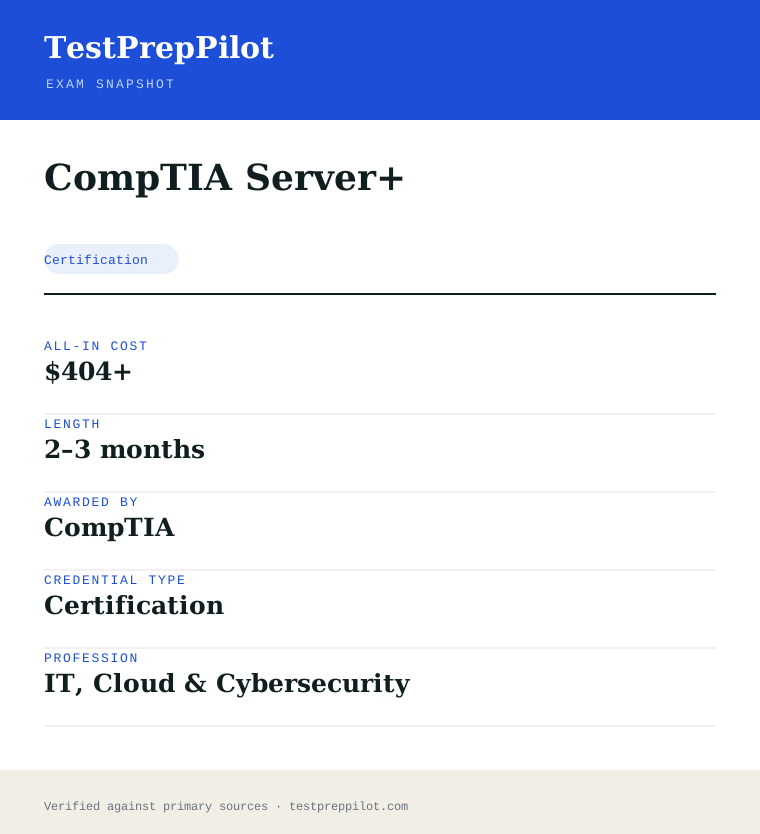
The short version
What is the CompTIA Server+ and is it worth it?
Server+ (SK0-005) is a single exam covering server hardware, administration, storage, security and troubleshooting for data-center and hybrid environments.
- Vendor-neutral
- Good for data-center roles
- Renews every 3 years
What is it?
What exactly is the CompTIA Server+?
Show you can run physical and virtual servers
CompTIA Server+ validates the skills to install, manage and troubleshoot on-premises and hybrid server hardware and software, including virtualization and disaster recovery.
Before you book
Who is eligible to sit the CompTIA Server+?
Who it is for: Server and data-center technicians
The test itself
What is the format of the CompTIA Server+?
The CompTIA Server+ is administered by Pearson VUE and runs 90 minutes, contains 90 questions and requires 750 of 900 to pass.
| Administered by | Pearson VUE |
|---|---|
| Questions | 90 |
| Time limit | 90 minutes |
| Pass mark | 750 of 900 |
| Exam fee | $404 |
| Format | Multiple-choice and performance-based |
Content outline
What topics are on the CompTIA Server+?
The CompTIA Server+ is weighted across 5 domains; the largest are Server administration (24%), Security and disaster recovery (24%), Troubleshooting (21%).
Weightings come from the official exam outline. Study time is best allocated in roughly these proportions rather than evenly across domains.
- Server hardware 15%
- Server administration 24%
- Storage 16%
- Security and disaster recovery 24%
- Troubleshooting 21%
Money & time
How much does the CompTIA Server+ cost?
For the CompTIA Server+, the exam fee is $404; the all-in cost is typically $404+; most candidates spend 2–3 months preparing.
Cost breakdown
| Exam voucher | $404 |
|---|---|
| Typical total | $404+ |
Academic pricing available.
Timeline
- Study + lab 6–10 weeks
- Sit SK0-005 test day
Typical prep: 2–3 months
The path
How do you register for the CompTIA Server+?
- 1
Create your accounts10 minutes
Set up a free CompTIA account and a Pearson VUE account. Your CompTIA account is where the certification and CEUs are tracked; Pearson VUE handles scheduling and delivery.
Use a consistent email so your exam result links to your CompTIA record.
- 2
Purchase an exam voucher1 day
Buy the XK0-006 voucher from the CompTIA store (standard $390 USD). Optionally choose an exam+retake bundle or add CertMaster training.
- Select Linux+ (XK0-006) in the CompTIA store
- Choose voucher only, exam+retake bundle, or bundle with training
- Save the voucher code from your CompTIA account
- 3
Schedule your exam15 minutes
Go to Pearson VUE, enter your voucher code, and book a date. Choose a nearby test center or online proctoring (OnVUE).
- Pick test center or OnVUE online
- Run the OnVUE system check if testing at home
- Confirm date, time, and time zone
- 4
Prepare your ID and environmentTest-day prep
Bring a government-issued photo ID to a center. For online testing, prepare a quiet private room, clear your desk, and have your webcam ready for the check-in scan.
Accepted ID rules follow Pearson VUE policy (typically passport or driver's license matching your account name).
- 5
Take the exam90 minutes
Complete up to 90 questions in 90 minutes, including multiple-choice and performance-based items. You see a pass/fail result on screen immediately after finishing.
- 6
Claim and maintain your certificationA few days
Your certification appears in CompTIA CertCentral. Log in to download the e-certificate and start tracking the 50 CEUs needed to renew within 3 years.
The fine print
What are the retake and renewal rules for the CompTIA Server+?
- Proctoring & delivery
- Delivered by Pearson VUE with two options: an in-person proctored test center, or online proctoring via OnVUE with a live remote proctor (requires webcam, stable internet, and a private room).
- Retake policy
- If you do not pass, you may retake XK0-006 after a 14-day waiting period. Each attempt requires a new exam voucher; there is no limit on the number of retakes. CompTIA's standard candidate agreement governs retake rules.
- Score reporting
- A pass/fail result is shown on screen immediately after the exam. A detailed score report by domain is available in your Pearson VUE account and mirrored in your CompTIA CertCentral record.
- Recertification
- Linux+ is valid for 3 years from the certification date. Renew by earning 50 Continuing Education (CE) credits and paying the CE fee through CompTIA CertCentral, by earning a higher-level CompTIA certification, or by passing the current XK0-006 exam again.
- Refunds & rescheduling
- Exam vouchers are generally non-refundable but may be transferable or have a defined expiry; optional CertMaster training may be refundable within a limited window per CompTIA's terms. Review voucher terms at purchase.
Context
Linux certifications compared
| Credential | Vendor | Level | Exam | Validity | |
|---|---|---|---|---|---|
| CompTIA Linux+ | CompTIA | Vendor-neutral | Intermediate | 1 exam (XK0-006) | 3 years |
| LPIC-1 | Linux Professional Institute | Vendor-neutral | Entry | 2 exams (101 + 102) | 5 years |
| Red Hat RHCSA | Red Hat | Vendor-specific | Entry | 1 exam (performance lab) | 3 years |
What it pays
How much does this credential pay?
$96,900 median for network and computer systems administrators (BLS, May 2024)
There is no Bureau of Labor Statistics occupation called "Server+" — the CompTIA Server+ certification validates server administration skill, and the wage question belongs to the role you perform with it. The closest official BLS occupation is Network and Computer Systems Administrators, SOC 15-1244, which had a May 2024 median wage of $96,900, with the lowest 10 percent under $56,190 and the highest 10 percent above $157,420. The fit is deliberate: Server+ holders work as server administrators, systems administrators and infrastructure technicians who install, configure, manage and troubleshoot servers — squarely inside this occupation. BLS counted 217,500 network and computer systems administrator jobs in 2024 and projects 1 percent growth from 2024 to 2034, with about 15,100 openings a year; the modest headline growth reflects infrastructure work shifting toward cloud and virtualised platforms, which the Server+ curriculum covers. The limitation to state plainly: the BLS median covers the whole occupation at all levels, credentialed or not, and the certification's value is as a vendor-neutral signal of server administration competency. Read the number as the relevant market benchmark for the occupation.
| Measure | Figure | Source / note |
|---|---|---|
| Median annual wage, network and computer systems administrators | $96,900 | BLS OOH, SOC 15-1244, May 2024 |
| Lowest 10 percent | Under $56,190 | BLS OOH, SOC 15-1244, May 2024 |
| Highest 10 percent | Above $157,420 | BLS OOH, SOC 15-1244, May 2024 |
| Median, computer support specialists (entry track) | $61,550 | BLS OOH, SOC 15-1231, May 2024 |
Job growth.BLS projects 1 percent growth for network and computer systems administrators from 2024 to 2034, about 15,100 openings per year.
Source: BLS Occupational Outlook Handbook - Network and Computer Systems Administrators
Your odds
What are the pass rates?
CompTIA publishes no pass rate — it publishes the passing score: 750 of 900, with a 100-question, 90-minute exam
CompTIA does not publish cohort pass rates for its certification exams, and third-party surveys are not official data, so we do not treat them as authoritative. What CompTIA does publish is the format and the passing standard: the Server+ exam (SK0-005) has a maximum of 100 questions, a 90-minute time limit, and a passing score of 750 on the 100-900 scale. The exam is delivered at Pearson VUE centres or through online proctoring, and the certification is valid for three years, renewable through CompTIA's continuing education program. The exam content follows the published exam objectives: server hardware; server administration; storage; security; networking; and disaster recovery. The absence of a published pass rate is not an absence of standards: the 750 line on a 100-900 scale is a meaningful bar, and the exam rewards practical knowledge of physical and virtual server environments. The practical reading: target well above 750 on practice — 80 percent-plus — and use CompTIA's official exam objectives and CertMaster practice materials, the closest thing to the real item style.
Read this before quoting the number.CompTIA publishes the passing score and format but no pass rate; any percentage circulating online is a third-party estimate.
Source: CompTIA - Server+ certification
Your schedule
How long should I study for it?
80-120 hours over 6-8 weeks of focused study
The Server+ exam (SK0-005) is a 100-question, 90-minute exam with a 750/900 passing score, built on the published exam objectives: server hardware; server administration; storage; security; networking; and disaster recovery. The exam is vendor-neutral, covering physical and virtual servers, and rewards practical administration knowledge rather than product-specific recall. A defensible plan runs 80 to 120 hours over 6 to 8 weeks. Weeks 1-2 cover hardware: server form factors, components, and the build and upgrade process. Weeks 3-4 cover administration: operating system installation, configuration, the boot process, and routine administration tasks. Week 5 covers storage: RAID levels, storage types and provisioning. Weeks 6-7 cover security, networking and disaster recovery: hardening, network services, and backup and recovery planning. Week 8 adds question-bank drilling and a full timed practice exam at the real format. The plan is practical because the exam rewards hands-on administration knowledge; working with a real or virtual server environment at any scale accelerates every phase.
- Weeks 1-225
Server hardware
- Form factors, components and the build process
- Upgrade and hardware troubleshooting
- Hands-on or virtual server work
- Weeks 3-430
Server administration
- OS installation, configuration and the boot process
- Routine administration tasks and tools
- User and resource management
- Week 515
Storage
- RAID levels and storage types
- Storage provisioning and management
- Weeks 6-730
Security, networking, DR
- Server hardening and access control
- Network services and troubleshooting
- Backup and disaster recovery planning
- Week 815
Drill and simulate
- Question-bank drilling in volume
- One full timed practice exam
- Review weak objectives
Adjusting the pace
Working in IT support.Compress the hardware phase; spend the extra time on storage, security and DR scenarios.
Career-changer.Add 2 weeks of IT fundamentals; the exam assumes basic server familiarity.
How to study
How do I prepare most effectively?
The Server+ exam rewards practical administration knowledge, so the dominant strategy is hands-on work: install, configure and troubleshoot a server — even a virtual one — because the exam items test what an administrator does. Second, master the exam objectives as the scope map: CompTIA publishes them for free, and they are the authoritative list of what can appear; use them to audit every study resource. Third, drill storage and disaster recovery deliberately: RAID levels, storage types and backup strategies are a distinct block, and candidates with no storage background routinely under-prepare it. Fourth, use CompTIA's official CertMaster practice products, the closest thing to the real item style, and hold yourself to 80 percent-plus on practice because the 750 line leaves no margin. Fifth, take at least one full timed practice exam; 100 questions in 90 minutes is under a minute per item, and the pacing matters. Finally, remember the certification is valid for three years with continuing education — plan the renewal cycle from the start.
Work a real or virtual server
Install, configure and troubleshoot; the exam tests what an administrator does.
Audit against the objectives
The free official objectives are the scope map; use them to audit resources.
Drill storage and DR
RAID, storage types and backup planning are a distinct block.
Hold to 80%+ on practice
The 750/900 line leaves no margin.
Plan the three-year renewal
The certification uses CompTIA CE; log credits as you earn them.
What to buy
Which study resources are worth paying for?
Server+ prep spans official CompTIA resources and third-party courses. CompTIA's own products — the exam objectives (free), CertMaster Learn and CertMaster Practice — are the authoritative source; CertMaster bundles typically run $200-$500 depending on the combination. Third-party providers sell Server+ courses and question banks from roughly $50 to $500; the market is smaller than for A+ or Security+, so prices and quality vary more. Hands-on practice can be done at no cost with a virtual machine. A realistic total budget is $350 to $900 including the exam fee (about $369). Prices below are list prices as of mid-2026 and change frequently; we rank nothing by commission.
| Resource | Price | Format | Best for |
|---|---|---|---|
| CompTIA exam objectives | Free | Official PDF | The authoritative scope; audit every resource against it |
| CertMaster Learn + Practice | $200-$500 | Online learning + practice | The official learning path |
| Third-party courses | $100-$500 | Video courses and labs | Structured walkthrough of the objectives |
| Question banks | $50-$150 | Online practice items | Volume drilling before the exam |
| Virtual machines | $0 | Hands-on environment | Practical server administration practice |
List prices as of mid-2026, subject to change; the SK0-005 exam fee is about $369; no commission or affiliate ranking is implied.
Avoid these
What mistakes do candidates most often make?
The most common Server+ mistake is studying without hands-on work: candidates who read about server administration but never install or configure a server find the practical items hard to answer confidently. The fix is virtual-machine practice from the start. The second mistake is under-preparing storage and disaster recovery, a distinct block that candidates with no storage background routinely lose. Third, candidates ignore the free official objectives and rely on a single course, missing the exact scope; audit every resource against the objectives. Fourth, many candidates misjudge the pace — 100 questions in 90 minutes is under a minute per item, so a timed simulation is essential. Fifth, some candidates treat the exam as "the easy CompTIA exam" and under-study; the 750 line is a meaningful bar and the breadth is real. Finally, ignoring the three-year CE renewal cycle is a quiet mistake; plan it from the start.
✕Studying without hands-on work
✓Install and configure a server in a VM; the exam tests practice.
✕Under-preparing storage and DR
✓RAID, storage types and backup planning are a distinct block; drill them.
✕Relying on one course
✓Audit every resource against the free official objectives.
✕Misjudging the pace
✓100 questions in 90 minutes; run a timed simulation.
✕Ignoring the renewal cycle
✓The certification is valid three years with CE; plan it early.
What you'll face
What question types will I see?
The Server+ exam (SK0-005) has up to 100 questions in 90 minutes, with multiple-choice and performance-based items. The items are practical: a described server situation — a boot failure, a storage problem, a security issue, an administration task — followed by the correct diagnostic step, tool, configuration or practice. The exam covers server hardware, administration, storage, security, networking and disaster recovery across the published objectives. Samples below are editor-written illustrations of the published exam objectives, not live exam items; they show the practical administration style of the real items.
Concept, configuration and troubleshooting items across the objectives.
Interactive tasks on configurations and diagnostics.
Try these
Q1A server fails to boot and displays an error that no boot device was found. The most likely cause is:
Answer:A
A "no boot device" error points to the boot configuration — device order, cabling or a failed boot disk. Monitor, time-zone and UPS issues do not prevent the system from finding a boot device.
Q2Which RAID level provides mirroring without parity for fault tolerance with the fewest disks?
Answer:A
RAID 1 mirrors data across two disks, providing fault tolerance without parity using the fewest disks. RAID 0 has no redundancy, and RAID 5/6 require parity with three or more disks.
Q3An administrator must harden a new web server before production. The most appropriate first step is:
Answer:A
Hardening begins with reducing the attack surface — removing unneeded services and applying patches — before connecting to production. Immediate connection, disabled firewalls and public admin accounts each increase exposure.
Samples are editor-written illustrations of the published exam objectives, not live exam items.
The big day
What should I expect on exam day?
The Server+ exam is a 100-question, 90-minute computer-based exam at a Pearson VUE centre or through online proctoring. Bring a valid government-issued photo ID matching your registration name and your appointment confirmation; personal items go in the locker. Arrive 30 minutes early; late arrivals forfeit the appointment and the fee. Pace at under a minute per item, flag uncertain items for review, and budget extra time for the performance-based items. You receive your score on screen immediately, with the official result and score report following; CompTIA reports your scaled score against the 750 line. If you fail, CompTIA allows retakes after a waiting period. On a pass, the certification is valid for three years, renewable through continuing education units (CEUs) or by retaking. The afterwards matters: log your CEUs as you earn them, because CompTIA audits renewals, and record the expiration date.
Bring
- Valid government-issued photo ID matching your registration name
- Appointment confirmation
Leave at home
- Phone, smartwatch and all electronics
- Notes and study materials
- Personal bags beyond what the centre allows
How the day runs
Rules in the room
- No personal electronics in the testing room
- 90 minutes for up to 100 questions; the clock does not pause
- Retake rules and waiting periods apply after a fail
Afterwards.On a pass, your Server+ is valid for three years; earn CEUs (or retake) to renew. On a fail, retake after additional objectives-focused study.
Reference
What are the key facts about the CompTIA Server+?
CompTIA Server+ is a certification credential; awarded by CompTIA; the exam fee is $404; typical preparation is 2–3 months; holders typically earn $55,000 – $85,000.
| Credential | CompTIA Server+ |
|---|---|
| Abbreviation | Server+ |
| Type | Certification |
| Profession | IT, Cloud & Cybersecurity |
| Specialty | CompTIA |
| Awarded by | CompTIA |
| Difficulty | Moderate |
| Typical prep time | 2–3 months |
| All-in cost | $404+ |
| Typical salary range | $55,000 – $85,000 |
| Exam code | SK0-005 |
| Scope | National / Multi-state |
| Also known as | SK0-005 |
Real questions
Frequently asked questions about the CompTIA Server+
Is Server+ cloud-related?
It covers on-prem and hybrid server administration, including virtualization, so it complements but does not replace a cloud cert.
Does it expire?
Yes, after three years via CE credits or a higher cert.
How do I register for comptia-server-plus?
You register and schedule comptia-server-plus through Pearson VUE. Pick a test-centre appointment or online proctoring, then sit the exam on your booked date.
What is the comptia-server-plus exam format?
The exam is delivered as Multiple-choice and performance-based, with about 90 items, in 90 minutes. The published pass mark is 750 of 900.
How long is the comptia-server-plus certification valid?
Most CompTIA certifications are valid for three years and renewed via Continuing Education (CE) credits, a higher cert, or a single renew-by-exam.
How much does comptia-server-plus cost?
The exam fee is $404. Optional study materials and retakes are priced separately.
Who issues the Linux+ certification?
CompTIA (the Computing Technology Industry Association), a vendor-neutral certifying body. The exam is delivered through Pearson VUE and the credential is ANSI-accredited to ISO/IEC 17024.
How do I renew a CompTIA certification?
Through CompTIA CertCentral: accumulate the required Continuing Education (CE) credits (50 for Linux+) and pay the CE fee, earn a higher CompTIA cert, or retake the current exam. Most CompTIA certs follow the 3-year renewal cycle.
Are CompTIA exam vouchers refundable?
Vouchers are typically non-refundable but may be transferable and carry an expiry date. Optional training products may have a limited refund window. Always review the terms shown at purchase in the CompTIA store.
In short
Is the CompTIA Server+ worth it?
- Server+ covers server hardware, admin, storage and DR.
- It is vendor-neutral and performance-based.
- It renews every three years.
Same awarding body
What other credentials does CompTIA award?
Worth comparing
How does the CompTIA Server+ compare with similar credentials?
Trust
Where does this information come from?
Everything above is taken from the awarding body's own published material. Fees, question counts and domain weights are revised regularly — check the official page before you pay.
- CompTIA Awarding body
- Official CompTIA Server+ exam page Exam page
- CompTIA certification programme Programme rules
Research confidence: high · Last reviewed 2026-08