IT, Cloud & Cybersecurity • Certification
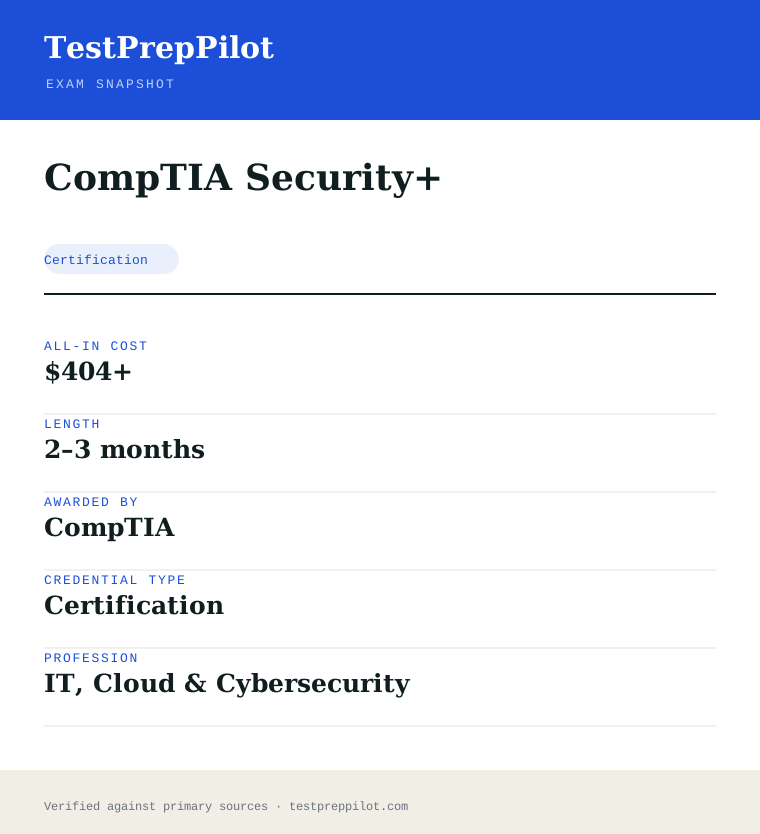
CompTIA Security+
The baseline cybersecurity certification
Researched and maintained by TestPrepPilot Editorial BoardCloud, IT & cybersecurity certifications desk · Figures last verified August 2026
The short version
What is the CompTIA Security+ and is it worth it?
Security+ (SY0-701) is a single exam that certifies baseline cybersecurity skills across threats, architecture, operations and governance.
- DoD 8140 approved
- Vendor-neutral
- Springboard to CySA+ and CISSP
What is it?
What exactly is the CompTIA Security+?
The baseline cybersecurity certification
CompTIA Security+ is the foundational, vendor-neutral security certification covering threat assessment, cryptography, identity, architecture and incident response. It is an approved baseline for U.S. Department of Defense 8140 roles.
Before you book
Who is eligible to sit the CompTIA Security+?
Who it is for: Entry-level security analysts and administrators
The test itself
What is the format of the CompTIA Security+?
The CompTIA Security+ is administered by Pearson VUE and runs 90 minutes, contains 90 questions and requires 750 of 900 to pass.
| Administered by | Pearson VUE |
|---|---|
| Questions | 90 |
| Time limit | 90 minutes |
| Pass mark | 750 of 900 |
| Exam fee | $404 |
| Format | Multiple-choice and performance-based |
Content outline
What topics are on the CompTIA Security+?
The CompTIA Security+ is weighted across 5 domains; the largest are Security operations (28%), Threats, vulnerabilities and mitigations (22%), Security program management (20%).
Weightings come from the official exam outline. Study time is best allocated in roughly these proportions rather than evenly across domains.
- General security concepts 12%
- Threats, vulnerabilities and mitigations 22%
- Security architecture 18%
- Security operations 28%
- Security program management 20%
Money & time
How much does the CompTIA Security+ cost?
For the CompTIA Security+, the exam fee is $404; the all-in cost is typically $404+; most candidates spend 2–3 months preparing.
Cost breakdown
| Exam voucher | $404 |
|---|---|
| Prep | $0–$200 |
| Typical total | $404+ |
Academic pricing available.
Timeline
- Study (courses + labs) 6–10 weeks
- Sit SY0-701 test day
- Earn credential immediate
Typical prep: 2–3 months
The path
How do you register for the CompTIA Security+?
- 1
Create your accounts10 minutes
Set up a free CompTIA account and a Pearson VUE account. Your CompTIA account is where the certification and CEUs are tracked; Pearson VUE handles scheduling and delivery.
Use a consistent email so your exam result links to your CompTIA record.
- 2
Purchase an exam voucher1 day
Buy the XK0-006 voucher from the CompTIA store (standard $390 USD). Optionally choose an exam+retake bundle or add CertMaster training.
- Select Linux+ (XK0-006) in the CompTIA store
- Choose voucher only, exam+retake bundle, or bundle with training
- Save the voucher code from your CompTIA account
- 3
Schedule your exam15 minutes
Go to Pearson VUE, enter your voucher code, and book a date. Choose a nearby test center or online proctoring (OnVUE).
- Pick test center or OnVUE online
- Run the OnVUE system check if testing at home
- Confirm date, time, and time zone
- 4
Prepare your ID and environmentTest-day prep
Bring a government-issued photo ID to a center. For online testing, prepare a quiet private room, clear your desk, and have your webcam ready for the check-in scan.
Accepted ID rules follow Pearson VUE policy (typically passport or driver's license matching your account name).
- 5
Take the exam90 minutes
Complete up to 90 questions in 90 minutes, including multiple-choice and performance-based items. You see a pass/fail result on screen immediately after finishing.
- 6
Claim and maintain your certificationA few days
Your certification appears in CompTIA CertCentral. Log in to download the e-certificate and start tracking the 50 CEUs needed to renew within 3 years.
The fine print
What are the retake and renewal rules for the CompTIA Security+?
- Proctoring & delivery
- Delivered by Pearson VUE with two options: an in-person proctored test center, or online proctoring via OnVUE with a live remote proctor (requires webcam, stable internet, and a private room).
- Retake policy
- If you do not pass, you may retake XK0-006 after a 14-day waiting period. Each attempt requires a new exam voucher; there is no limit on the number of retakes. CompTIA's standard candidate agreement governs retake rules.
- Score reporting
- A pass/fail result is shown on screen immediately after the exam. A detailed score report by domain is available in your Pearson VUE account and mirrored in your CompTIA CertCentral record.
- Recertification
- Linux+ is valid for 3 years from the certification date. Renew by earning 50 Continuing Education (CE) credits and paying the CE fee through CompTIA CertCentral, by earning a higher-level CompTIA certification, or by passing the current XK0-006 exam again.
- Refunds & rescheduling
- Exam vouchers are generally non-refundable but may be transferable or have a defined expiry; optional CertMaster training may be refundable within a limited window per CompTIA's terms. Review voucher terms at purchase.
Context
Linux certifications compared
| Credential | Vendor | Level | Exam | Validity | |
|---|---|---|---|---|---|
| CompTIA Linux+ | CompTIA | Vendor-neutral | Intermediate | 1 exam (XK0-006) | 3 years |
| LPIC-1 | Linux Professional Institute | Vendor-neutral | Entry | 2 exams (101 + 102) | 5 years |
| Red Hat RHCSA | Red Hat | Vendor-specific | Entry | 1 exam (performance lab) | 3 years |
What it pays
How much does this credential pay?
$124,910 median for information security analysts (BLS, May 2024)
The Bureau of Labor Statistics has no occupation literally called "Security+ holder", and no government wage series tracks a certificate, so any salary page that attributes a figure to the certification itself is quoting a job-board aggregate rather than official data. The closest official occupation to the role Security+ prepares you for is Information Security Analysts, SOC 15-1212, and we have used it deliberately: Security+ is the baseline DoD 8570 compliance credential for many security roles, and the analyst occupation is where its holders most often land. That occupation had a May 2024 median annual wage of $124,910, with the lowest 10 percent under $69,660 and the highest 10 percent over $186,420. The spread is worth reading because Security+ sits at the entry of a steep curve: a first analyst or compliance role lands toward the lower end, while the same credential paired with a few years of operations experience and a higher cert moves you decisively toward the top decile. The occupational tailwind here is the strongest of any exam covered on this site and should be stated plainly. BLS projects 29 percent growth for information security analysts from 2024 to 2034 — far faster than the average for all occupations — with about 16,000 openings a year arising from both growth and replacement. The driver is not abstract: every organisation that stores data and faces a regulatory regime now carries a security headcount, and the federal 8570 / 8140 directive that names Security+ as an approved baseline for many contractor and military roles keeps demand structurally high. What the median does not capture is geography and clearance: a cleared analyst in a high-cost region sits well above the national median, and Security+ is frequently the gate to those cleared roles. We have not quoted a job-board aggregate here because it does not isolate Security+ holders and would not be comparable to the BLS figure.
| Measure | Figure | Source / note |
|---|---|---|
| Median annual wage, information security analysts | $124,910 | BLS Occupational Outlook Handbook, May 2024 ($60.05/hr) |
| Lowest 10 percent | less than $69,660 | BLS OOH Pay tab, May 2024 |
| Highest 10 percent | more than $186,420 | BLS OOH Pay tab, May 2024 |
| Employment, 2024 | 182,800 jobs | BLS OOH Quick Facts, 2024 |
| Projected annual openings | ~16,000 per year | BLS OOH Job Outlook, 2024-34 — growth plus replacement |
Job growth.+29% projected change 2024-34 (much faster than average), with ~16,000 openings a year; DoD 8570/8140 baseline compliance keeps structural demand high
Source: BLS Occupational Outlook Handbook — Information Security Analysts
Your odds
What are the pass rates?
CompTIA publishes no pass rate — but it does publish the passing score: 750 out of 900
CompTIA does not release pass-rate statistics for Security+ or any of its certifications, and it never has. Unlike Cisco, however, it does publish the cut score, and understanding what that number means is more useful than any rumoured pass rate. SY0-701 is scored on a scale of 100 to 900 and you need 750. That is not 83 percent of the questions. CompTIA equates every exam form so that a harder set of items demands the same underlying ability as an easier one, and performance-based questions carry more weight than a single multiple-choice item, so the raw-to-scaled conversion is not linear and cannot be reverse-engineered. Candidates who aim for "83 percent on practice tests" are using a heuristic that does not map onto the scoring model; aim instead to be able to complete every performance-based task type unaided. Two documented policies matter more than a pass rate. First, retakes: CompTIA imposes no waiting period between your first and second attempt, so a narrow fail can be re-sat almost immediately, but from the third attempt onward you must wait 14 calendar days between sittings, and every attempt is paid at full price unless you bought a retake bundle. Second, the score report: unlike Cisco, CompTIA gives you the outcome and your scaled score on screen the moment you finish, plus a printed report showing relative performance by domain, which is genuinely diagnostic. That report turns a failed attempt into an actionable study plan rather than guesswork, and it is the single biggest administrative advantage Security+ has over the Cisco exams on this site.
Read this before quoting the number.No pass rate is published by CompTIA, by Pearson VUE, or by the accreditation that Security+ carries. We have deliberately left the pass-rate table empty. What is published and verifiable is the 750/900 cut score and the retake schedule, which is what the narrative above covers instead.
Source: CompTIA — Security+ exam scoring and retake policies
Your schedule
How long should I study for it?
80-110 hours of focused study
The first thing to establish is which exam you are actually studying for. The current version is SY0-701, the seventh iteration of Security+, which launched on 7 November 2023. CompTIA typically retires an exam version about three years after launch, so SY0-701 is expected to be retired around late 2026; a next version (widely referred to as SY0-801) was in development as of our review, but its exact preview and general-availability dates were not finalised and should be confirmed at the CompTIA site before you commit to a study window. Do not buy material for an older version — and note that SY0-601 was retired earlier and any SY0-601 book still on sale is now superseded. The current SY0-701 domain weightings are General Security Concepts 12 percent, Threats, Vulnerabilities and Mitigations 22 percent, Security Architecture 18 percent, Security Operations 28 percent, and Security Program Management and Oversight 20 percent. Notice that Security Operations and Program Management together are 48 percent of the paper — this is an operations and governance exam more than a hacker exam, and candidates who over-index on offensive tooling misread it. The plan below runs eight weeks at roughly 10-12 hours a week and assumes you have a way to run a couple of virtual machines so the performance-based items are not your first taste of a real tool. If you have never touched a hypervisor, sort that out before Week 1; Security+ has performance-based questions that put you in front of a tool, and reading about a port scan is not the same as running one.
- Week 110-12 hrs
Domain 1 — General Security Concepts (12%)
- CIA triad, non-repudiation, and the difference between confidentiality, integrity and availability in practice
- Authentication, authorisation and accounting; the factor types and what makes a strong MFA design
- Security frameworks and control types — prevent, detect, respond, and the difference between a control and a framework
- Zero trust, supply-chain and the vocabulary CompTIA expects you to use precisely
- Weeks 2-311-13 hrs/week
Domain 2 — Threats, Vulnerabilities and Mitigations (22%)
- Threat actors and their motivations, attack vectors, and the kill chain / MITRE ATT&CK framing
- Common vulnerabilities — injection, XSS, overflows — at a conceptual level, and how each is mitigated
- Malware categories and social-engineering types, and the controls that counter each
- Vulnerability scanning versus penetration testing, and the basics of a risk assessment
- Week 410-12 hrs
Domain 3 — Security Architecture (18%)
- Security architectures for networks, cloud and on-prem, and the differences between IaaS, PaaS and SaaS responsibilities
- Key management, PKI, certificates and the trust models behind them
- Secure application development concepts and the secure-by-design vocabulary
- Physical security controls and the human-side controls around them
- Weeks 5-611-13 hrs/week
Domain 4 — Security Operations (28%)
- Monitoring with logs, SIEM, SOAR and the difference between them
- Incident response: the lifecycle from identification through eradication and lessons learned
- Digital forensics basics and evidence handling
- Vulnerability management and the hands-on tools — run an actual scan and read the output in your lab
- Week 710-12 hrs
Domain 5 — Security Program Management & Oversight (20%)
- Governance, risk and compliance: policies, standards, laws and regulations
- Third-party risk, vendor assessment and the shared-responsibility model
- Security awareness training and the human element as a control
- Business continuity, disaster recovery and the difference between the two plans
- Week 810-12 hrs
Performance-based rehearsal and timed exams
- Timed tasks with real tools: read a PCAP, configure a firewall rule, match a control to a framework
- Three full 90-minute practice exams weighted to the five current domains
- Re-lab every miss rather than re-reading the explanation
- Final pass over the operations and program-management domains, which together are 48 percent of the paper
Adjusting the pace
Working in IT or help-desk already.Five to six weeks. Your operations background covers much of Domain 4; spend the recovered time on governance and architecture, which working technicians routinely under-read because they live in the operations layer.
Career changer with no IT background.Ten to twelve weeks at 8 hrs/week. Add two weeks before Week 1 on pure terminology — the exam assumes you know what a port and a protocol are. The concepts are learnable; the vocabulary density is the early wall.
Holding an older Security+ (SY0-501/601).Three to four weeks, mainly a delta read. The newer versions reweighted toward operations and governance and added zero-trust and supply-chain material. Skip the fundamentals and work the changed weighting hard.
How to study
How do I prepare most effectively?
Security+ is broader than it is deep, and the mistake most candidates make is treating it like a technical deep-dive. It is a compliance and operations vocabulary exam with a performance-based layer, not an offensive-security practical. Study the words the way the exam uses them, and practise the handful of tools it actually puts in front of you.
Learn the vocabulary at exam precision
Security+ lives or dies on control types, framework names and the exact meaning of terms like non-repudiation, least privilege and defense in depth. Distractors in the multiple choice are usually real terms used in the wrong place, so fuzzy definitions cost points. Build a one-page glossary from the objectives and drill it weekly.
Weight your time to Operations and Program Management
Domains 4 and 5 together are 48 percent of SY0-701. Candidates who spend weeks on offensive tooling misread the exam — it is an operations and governance test. Give incident response, monitoring, GRC and continuity planning the largest share of your hours, not the hacking lab.
Get hands-on with the few tools it actually tests
The performance-based questions put you in front of a real tool — a scanner, a firewall interface, a packet capture. Run an actual vulnerability scan in your lab, open a PCAP in Wireshark, and configure a rule in a firewall. Reading about these is not the same as doing them under a clock, and PBQs carry more weight than a single multiple-choice item.
Practise with man pages and the tool only
The performance-based environment gives you the tool and its built-in help — no browser, no search. For the last two weeks, ban search engines while doing the PBQ-style tasks and force yourself through the tool’s own interface. You will be slower for a week and much faster on exam day.
Do the PBQs last, and know that you can
CompTIA front-loads performance-based questions but lets you skip them and return — the opposite of the Cisco exams. Mark every PBQ, clear the multiple choice at a fast tempo, then come back with the remaining time divided by the number of tasks. Candidates who work in presented order burn forty minutes on the first two PBQs and rush the rest.
Confirm you are on SY0-701 before buying anything
SY0-601 material is retired and still on sale; a SY0-701 book with the right revision is what you need. And watch the clock: SY0-701 is expected to retire around three years after its November 2023 launch, with a successor in development, so do not start a long study plan on a version you cannot sit before it retires.
What to buy
Which study resources are worth paying for?
The buying decision is which version, then whether to pay for CompTIA’s own bundles that add labs and a retake to the voucher. SY0-601 material is still widely listed and still ranks in search; anything you buy must say SY0-701. The voucher price is the firm reference point — about $439 at the US list in 2026, with a retake-assurance bundle around $579 — and resellers and sales move the effective price.
| Resource | Price | Format | Best for |
|---|---|---|---|
| Exam voucher (SY0-701) | ~$439 US list; resellers and promotions vary | Pearson VUE, test centre or online | Required — buy the voucher alone if you already have a lab |
| CompTIA CertMaster bundles (Perform + Practice) | Bundle pricing at the CompTIA Store; includes voucher and often a retake | eLearning with labs plus adaptive practice | Candidates with no lab of their own and no employer training budget |
| Your own VMs — a scanner and a firewall in VirtualBox | Free | Self-built lab | The most valuable resource for the performance-based items |
| Jason Dion Security+ course and tests (Udemy) | ~$15-30 during Udemy sales | Video plus timed practice exams | A complete, affordable path with readiness checks |
| CompTIA Security+ Study Guide (Sybex) | ~$50-60 list | Print + eBook with online test bank | A single ordered reference — confirm the SY0-701 edition |
| Professor Messer SY0-701 videos and notes | Free videos; low-cost notes and practice | Video with downloadable notes | A zero-cost complete path, widely used by first-timers |
| TryHackMe / CyberDefenders labs | Free tier plus paid plans | Browser-based hands-on labs | Real tool practice for the PBQ layer |
Prices checked 2026-08 in USD before tax; the ~$439 voucher is CompTIA’s US list and the firm reference, while Udemy and bundle prices swing with promotion. We do not rank by commission.
Avoid these
What mistakes do candidates most often make?
Most Security+ failures come from misreading the exam as a technical deep-dive, studying a retired version, or mismanaging a 90-minute clock against performance-based tasks. The version trap here is live: SY0-601 is retired and SY0-701 has a retirement window on the horizon.
✕Studying SY0-601 or older material for an SY0-701 exam
✓SY0-701 launched 7 November 2023 with reweighted domains — Operations at 28 percent and Program Management at 20 percent are the heaviest — and added zero-trust and supply-chain emphasis. SY0-601 books are retired and still on sale. Check for "SY0-701" on the cover, and remember the version is expected to retire around three years after launch, so plan your sitting before that window.
✕Over-investing in offensive tooling
✓Security+ is an operations and governance exam, not a pentest practical. Domains 4 and 5 are 48 percent of the paper. Candidates who spend weeks in a hacking lab and skim GRC and incident response lose more points than they gain. Balance your hours toward operations and oversight.
✕Preparing only with multiple-choice practice tests
✓The performance-based questions put you in front of a real tool and carry more weight than a single multiple-choice item. A candidate who scores 90 percent on a question bank but has never opened a PCAP or configured a firewall rule under a clock is not ready. Convert study time into real-tool tasks.
✕Using fuzzy definitions of security terms
✓The multiple choice punishes imprecise vocabulary: a real control name used in the wrong category is the standard distractor. Know the exact differences between prevention, detection and response controls, between a framework and a control, and between the CIA properties. A tight glossary beats re-reading chapters.
✕Spending the first forty minutes on the performance-based questions
✓CompTIA presents PBQs early but allows you to skip and return — unlike the Cisco exams. Skip them on the first pass, clear the multiple choice quickly, then allocate the remaining time across the PBQs. Candidates who work in presented order run out of clock on the bulk of the paper.
✕Forgetting the certification expires and the retake clock
✓Security+ is a CompTIA CE certification, valid for three years, renewed with 50 continuing-education units plus the annual CE fee (about $150 over the cycle). Also remember the retake rule: no wait between attempts one and two, but a 14-day wait from the third attempt, each paid unless you bought a retake bundle. Diary the expiry the week you pass.
What you'll face
What question types will I see?
A maximum of 90 questions in 90 minutes, in English, scored on a 100-900 scale with a 750 cut. The paper mixes multiple choice — single-answer and multiple-response — with performance-based questions that put you in front of a tool or a simulated environment and ask you to complete a task. PBQs are typically presented at the start and weighted more heavily than individual multiple-choice items, but you may skip them and return, so the presented order is not the order you should work in. The five current domains are General Security Concepts (12%), Threats, Vulnerabilities and Mitigations (22%), Security Architecture (18%), Security Operations (28%) and Security Program Management and Oversight (20%). Because CompTIA equates forms, your scaled score is not a percentage of items correct and cannot be converted into one — which is why we have not quoted a pass rate. The practical implication for pacing is simple: multiple-choice items should average well under a minute so the PBQs, which can consume several minutes each, have time to breathe.
A simulated tool or environment with a task to complete — match a control to a framework, configure a firewall rule, read a packet capture. Only the tool and built-in help are available. Skippable and returnable, the key tactical difference from a Cisco exam.
Concept discrimination and vocabulary precision. Distractors are usually real terms used in the wrong place, so fuzzy definitions are punished.
The stem states how many to select and scoring is all-or-nothing. Common where several controls together meet a requirement.
A described incident or governance situation asking for the next step or the correct control. These reward knowing the lifecycle and frameworks rather than pattern-matching.
Try these
Q1An organisation wants to ensure that a message received over an untrusted network can be proven to have originated from the claimed sender and has not been altered in transit. Which security property does a digital signature primarily provide?
Answer:B
A digital signature is created with the sender’s private key and verified with the public key, which proves the sender possessed the private key (non-repudiation — the sender cannot later deny having signed it) and, because the signature is over a hash of the message, that the content was not altered (integrity). A is wrong: confidentiality comes from encryption with the recipient’s key, not a signature. C is availability, which a signature does nothing for. D is not a security property in this sense. The exam repeatedly tests whether you can separate these CIA-adjacent properties precisely.
Q2During an incident, an analyst discovers a workstation exhibiting strange outbound traffic. According to a standard incident-response lifecycle, what is the correct first action after the incident has been detected and confirmed?
Answer:B
A standard incident-response lifecycle runs identification, containment, eradication, recovery, and lessons learned (with the NIST framing adding analysis). Once an incident is confirmed, the immediate priority is containment — isolating the affected system to stop spread — before eradication and recovery. A jumps to eradication before the blast radius is controlled. C is the final phase, not the first. D is actively harmful: destroying logs destroys evidence and is the opposite of sound response. The exam rewards knowing the sequence, not just the terms.
Q3A company is moving from an on-premises email server to a cloud service where the provider manages the mail application, operating system and infrastructure, while the company manages its own mailboxes, users and data. Which cloud service model best describes this?
Answer:C
In SaaS the provider runs the application and the customer simply consumes it and manages its own data and users — exactly the shared-responsibility split described. A (IaaS) would leave the customer managing the OS and application too. B (PaaS) gives the customer a runtime to deploy code into, not a finished application. D is a serverless subset of PaaS. The shared-responsibility model and these three acronyms are tested heavily in the Architecture domain, and the exam expects you to place each party’s obligations precisely.
Samples are editor-written illustrations of the published blueprint, not live exam items.
The big day
What should I expect on exam day?
Ninety minutes, up to 90 questions, delivered through Pearson VUE either at a test centre or online with OnVUE proctoring. Two things about a CompTIA exam day differ sharply from the Cisco exams and both are in your favour. First, you can navigate: performance-based questions are presented early and you are permitted to skip them and return, and you can review and change multiple-choice answers before submitting. Build your pacing around that — mark every PBQ, sweep the multiple choice at a brisk tempo, then divide what remains across the outstanding tasks. Second, you get your result immediately. The scaled score appears on screen the moment you submit, and you receive a score report showing relative performance by domain, which is genuinely diagnostic if you have to come back. The administrative trap is identical across vendors: CompTIA requires two forms of identification, one a government-issued photo ID, with the name matching your CompTIA account exactly. Check your account spelling the week before, because correcting it on the day is not possible and the seat is lost.
Bring
- Two forms of identification, both unexpired, with names matching your CompTIA account exactly
- One must be a government-issued photo ID; the second must carry your name and signature (a credit card or bank card is usually accepted)
- Your CompTIA ID, in case check-in cannot locate the booking
- For OnVUE: a phone for check-in photographs, a completely clear desk, and a private room with a door you can close
- For OnVUE: a webcam, microphone and connection already system-tested on the exact machine you will use
Leave at home
- Phones, smartwatches, fitness trackers and earbuds — locker at a centre, out of the room for OnVUE
- All notes, cheat sheets and printed reference cards
- Your own paper and pens; a test centre issues an erasable noteboard and OnVUE provides a digital whiteboard only
- Bags, coats, hats, food and drink beyond what the centre permits
- Second monitors, which must be unplugged and turned away for OnVUE, and any other person in the room
How the day runs
Rules in the room
- Navigation is permitted: you may skip performance-based questions and return, and review multiple-choice answers before submitting.
- Passing score is 750 on a 100-900 scale; it is not a percentage of items correct.
- Two forms of ID are required, one government-issued with photo, names matching your CompTIA account exactly.
- No scheduled breaks in a 90-minute exam, and the clock does not stop if you leave.
- Erasable noteboard only at a test centre; OnVUE candidates get a digital whiteboard and no physical writing materials.
- Inside a PBQ you have only the tool and its on-system help — no browser, no external reference.
- No waiting period between your first and second attempt; from the third attempt onward you must wait 14 calendar days, and each attempt is paid unless you bought a retake bundle.
Afterwards.Your pass or fail and your scaled score appear on screen the instant you submit, and you leave a test centre with a printed score report showing how you performed relative to each of the five domains. That report is the most useful artefact any of these exams produces, so read it properly rather than filing it. On a pass, your certification appears in your CompTIA account within a few days and you can claim the digital badge and download the certificate; Security+ is valid for three years under the CompTIA Continuing Education programme, renewed with 50 CEUs plus the CE fee (about $150 over the cycle), or automatically by passing a higher-level CompTIA or approved certification. Log the expiry date immediately. On a fail, resist booking the immediate retake the no-waiting-period policy makes possible. Take the domain breakdown, identify the one or two areas that dragged the scaled score down — usually Operations or Program Management — and spend a fortnight on those specifically. The score report tells you precisely where to aim, which is a luxury a Cisco candidate does not get, and wasting it by re-sitting on the same knowledge is how a $439 voucher becomes an $878 one.
Reference
What are the key facts about the CompTIA Security+?
CompTIA Security+ is a certification credential; awarded by CompTIA; the exam fee is $404; typical preparation is 2–3 months; holders typically earn $60,000 – $95,000.
| Credential | CompTIA Security+ |
|---|---|
| Abbreviation | Security+ |
| Type | Certification |
| Profession | IT, Cloud & Cybersecurity |
| Specialty | CompTIA |
| Awarded by | CompTIA |
| Difficulty | Moderate |
| Typical prep time | 2–3 months |
| All-in cost | $404+ |
| Typical salary range | $60,000 – $95,000 |
| Exam code | SY0-701 |
| Renewal | Every 3 years |
| Scope | National / Multi-state |
| Also known as | SY0-701 |
Real questions
Frequently asked questions about the CompTIA Security+
Is Security+ enough to get a security job?
It qualifies you for many analyst and administrator roles and is explicitly required for numerous DoD 8140 positions; hands-on experience still matters.
What comes after Security+?
CySA+ for defensive analysis, PenTest+ for offensive testing, or CISSP once you have the required experience.
How do I renew it?
Through 50 CE credits over three years, a higher security cert, or a renew-by-exam.
Who issues the Linux+ certification?
CompTIA (the Computing Technology Industry Association), a vendor-neutral certifying body. The exam is delivered through Pearson VUE and the credential is ANSI-accredited to ISO/IEC 17024.
How do I renew a CompTIA certification?
Through CompTIA CertCentral: accumulate the required Continuing Education (CE) credits (50 for Linux+) and pay the CE fee, earn a higher CompTIA cert, or retake the current exam. Most CompTIA certs follow the 3-year renewal cycle.
Are CompTIA exam vouchers refundable?
Vouchers are typically non-refundable but may be transferable and carry an expiry date. Optional training products may have a limited refund window. Always review the terms shown at purchase in the CompTIA store.
In short
Is the CompTIA Security+ worth it?
- Security+ is the baseline vendor-neutral security cert.
- It is required for many DoD 8140 roles.
- It leads toward CySA+, PenTest+ and CISSP.
Same awarding body
What other credentials does CompTIA award?
Worth comparing
How does the CompTIA Security+ compare with similar credentials?
Trust
Where does this information come from?
Everything above is taken from the awarding body's own published material. Fees, question counts and domain weights are revised regularly — check the official page before you pay.
- CompTIA Awarding body
- Official CompTIA Security+ exam page Exam page
- CompTIA certification programme Programme rules
Research confidence: high · Last reviewed 2026-08