IT, Cloud & Cybersecurity • Certification
Cisco Certified Support Technician Cybersecurity
Cisco's entry-level cybersecurity credential that proves foundational security knowledge for students and career starters.
Researched and maintained by TestPrepPilot Editorial BoardCloud, IT & cybersecurity certifications desk · Figures last verified August 2026
The short version
What is the Cisco Certified Support Technician Cybersecurity and is it worth it?
CCST Cybersecurity (exam 100-160) is Cisco's foundational cybersecurity certification. It is a short, 50-minute, ~50-question exam costing US$125, delivered by Pearson VUE/Certiport, with no prerequisites - ideal as a first step into a security career.
- Low-cost, low-barrier entry into cybersecurity (US$125, no experience required)
- Recognized Cisco credential that builds confidence before pricier exams
- Aligned to free Cisco Networking Academy introductory courses
- Clear stepping stone toward CyberOps Associate / CCNA Cybersecurity
- Available in many languages and online or at test centers
What is it?
What exactly is the Cisco Certified Support Technician Cybersecurity?
Cisco's entry-level cybersecurity credential that proves foundational security knowledge for students and career starters.
The Cisco Certified Support Technician (CCST) Cybersecurity - exam 100-160 - is Cisco's foundational, entry-level security certification, sitting below the Associate (CCNA/CyberOps) tier. It validates basic but practical cybersecurity concepts: essential security principles, network and endpoint security, vulnerability assessment/risk management, and incident handling. It is designed for students, career changers, and help-desk/IT-support staff with no prior experience, and it is explicitly positioned by Cisco as a first step toward the Cybersecurity Associate (CyberOps) certification. Passing it supports entry-level roles such as cybersecurity technician, Tier-1 help-desk support, and junior security analyst.
The path in brief
- Confirm no prerequisites and review the 100-160 blueprint
- Complete Cisco NetAcad 'Introduction to Cybersecurity' or 'Cybersecurity Essentials'
- Practice with free labs and the Junior Cybersecurity Analyst career path
- Schedule the 100-160 exam via Pearson VUE/Certiport
- Pass the exam and claim your digital badge
- Continue toward CyberOps Associate / CCNA Cybersecurity
Before you book
Who is eligible to sit the Cisco Certified Support Technician Cybersecurity?
Open to all; the exam is intended for students, career changers, and entry-level IT staff. A Certiport candidate profile is required to schedule (separate from a Cisco profile).
Who it is for: High-school and community-college students, career changers with no IT background, help-desk/IT-support technicians transitioning into security, and anyone validating foundational security knowledge.
The test itself
What is the format of the Cisco Certified Support Technician Cybersecurity?
The Cisco Certified Support Technician Cybersecurity is administered by Pearson VUE / Certiport and runs 50 minutes and requires Cisco does not publish a fixed numeric passing score; candidates receive a pass/fail result. Prep providers commonly estimate a ~70% scaled threshold, but this is not an official Cisco figure. to pass.
| Administered by | Pearson VUE / Certiport |
|---|---|
| Questions | Approximately 50 multiple-choice and multi-select questions (some with short case-based context) |
| Time limit | 50 minutes |
| Pass mark | Cisco does not publish a fixed numeric passing score; candidates receive a pass/fail result. Prep providers commonly estimate a ~70% scaled threshold, but this is not an official Cisco figure. |
| Exam fee | US$125 (plus applicable tax; regional pricing may differ). |
| Format | Proctored, computer-based - Pearson VUE/Certiport test center or online proctoring |
Content outline
What topics are on the Cisco Certified Support Technician Cybersecurity?
The Cisco Certified Support Technician Cybersecurity is weighted across 5 domains; the largest are Essential Security Principles (22%), Vulnerability Assessment and Risk Management (22%), Basic Network Security Concepts (20%).
Weightings come from the official exam outline. Study time is best allocated in roughly these proportions rather than evenly across domains.
- Essential Security Principles 22%
CIA triad, threats/vulnerabilities/risks, access management (AAA, MFA), encryption basics, ethics.
- Basic Network Security Concepts 20%
TCP/IP weaknesses, network addressing/segmentation, infrastructure (IDS/IPS, proxy, DMZ), secure wireless, ACL/firewall/VPN/NAC.
- Endpoint Security Concepts 19%
OS security (Windows/macOS/Linux), endpoint assessment tools, policy compliance, updates/patching, malware removal.
- Vulnerability Assessment and Risk Management 22%
Vulnerability management, threat intelligence (CVEs, TI feeds), risk formulas, frameworks (NIST RMF).
- Incident Handling 17%
NIST SP 800-61 IR lifecycle, evidence/chain-of-custody, order of volatility, SIEM/log review basics.
The path
How do you register for the Cisco Certified Support Technician Cybersecurity?
- 1
Create a Cisco & testing account~15 minutes
Set up a free Cisco profile and a Pearson VUE (or Certiport for CCST) candidate profile to schedule and track exams.
- Register at the Cisco Certification Tracking System
- Create a Pearson VUE / Certiport candidate profile
- Confirm your ID documents meet testing requirements
- 2
Choose your certification & exam1-2 hours planning
Select the target credential and note the exact exam code (e.g., 100-160, 200-201, 350-701 + a concentration).
- Review the official exam blueprint and topic weights
- Decide self-study, Cisco U., or instructor-led training
- 3
Prepare with official trainingVaries (weeks-months)
Use Cisco Networking Academy, Cisco U. courses, official labs, and practice tests aligned to the blueprint.
- Complete the aligned Cisco U. / NetAcad course
- Hands-on labs and practice exams
- 4
Schedule the exam via Pearson VUE~10 minutes
Book a test-center slot or online OnVUE appointment; pay the exam fee (or redeem Cisco Learning Credits).
- Pick date, time, and location/time zone
- Pay fee (CCST $125; Associate $300; SCOR $400; concentration $300)
- 5
Take the proctored exam50-120 minutes
Arrive with valid government ID; complete the exam at a Pearson VUE center or via online proctoring.
- Check in and pass security/room scan (online)
- Complete the timed exam
- 6
Get results & digital badgeWithin 48 hours
Receive a pass/fail result (usually within 48 hours) and, on passing, a Credly digital badge plus certificate; track status in the Certification Tracking System.
- View section-level score report
- Accept Credly badge and share it
The fine print
What are the retake and renewal rules for the Cisco Certified Support Technician Cybersecurity?
- Proctoring & delivery
- Delivered by Pearson VUE: at authorized test centers or online via OnVUE remote proctoring (CCST uses the Certiport/Pearson VUE platform). A government-issued photo ID is required; online tests include a room/environment scan.
- Retake policy
- If you fail, Cisco requires a waiting period of 5 calendar days before you may retake the same exam. Each attempt requires full payment of the exam fee. Cisco does not cap total attempts, but some exams limit attempts within a 12-month window.
- Score reporting
- Results are reported as pass/fail and made available online (Cisco Certification Tracking System) typically within 48 hours. A section-level performance breakdown is provided to help target further study; scaled scores use a 300-1000 range (CCNA/CCNP-style exams).
- Recertification
- All Cisco certifications are valid for 3 years from the date earned. Recertify before expiry by (a) passing a higher-or-equal level qualifying exam, (b) earning Continuing Education (CE) credits through eligible training/activities, or (c) a combination of exam + CE. For associate-level certs 30 CE credits are required; for professional-level 40 CE credits. Certificates can also be extended via the Cisco Continuing Education program.
- Refunds & rescheduling
- Exam fees are generally non-refundable once scheduled, but Pearson VUE allows rescheduling or cancellation up to 24-48 hours before the appointment without penalty; no-shows forfeit the fee. CCST/Certiport policies may differ by region.
Context
Cisco cybersecurity certifications compared
| Credential | Level | Focus | Exam | Validity | |
|---|---|---|---|---|---|
| CCST Cybersecurity | Foundational / Entry | Entry-level security concepts & support | 100-160 (1 exam, ~$125) | 3 years | |
| CCNA Cybersecurity | Associate | SOC analyst: monitoring, intrusion & incident analysis | 200-201 CBROPS (1 exam, $300) | 3 years | |
| CCNP Cybersecurity | Professional | Professional security core + concentration | SCOR 350-701 ($400) + 1 concentration ($300) | 3 years |
What it pays
How much does this credential pay?
$61,550 median for computer support specialists (BLS, May 2024)
CCST Cybersecurity is an entry credential, and the honest salary framing is that it does not have its own wage series — no US government body tracks pay by Cisco entry certification, and no credible employer survey isolates CCST holders in a large enough sample to publish an average. What it does map to is a job family. The roles that actually list 100-160 in the "preferred" line are help desk, desktop support, junior NOC, and IT technician posts, plus the security-adjacent tier-zero work where someone triages phishing reports and runs endpoint scans before an analyst sees the ticket. The Bureau of Labor Statistics groups those under Computer Support Specialists, and that occupation is where a newly certified CCST holder realistically lands. Two things matter about that group. First, it splits sharply: computer network support specialists earn a median of $73,340 while computer user support specialists — the classic help desk seat — earn $60,340, a gap of roughly $13,000 for work that starts out looking similar on a job board. Getting to the network side is the pay lever, and that is exactly why CCST is framed by Cisco as a stepping stone rather than a destination. Second, BLS explicitly notes that candidates may qualify for these roles with a high school diploma plus relevant IT certifications, which is the single most useful sentence in the whole occupational profile for a CCST candidate without a degree. The occupation is projected to decline 3 percent from 2024 to 2034, yet about 50,500 openings are still projected each year, all from replacement need — churn, not growth, is what will hire you.
| Measure | Figure | Source / note |
|---|---|---|
| Median annual wage, computer support specialists | $61,550 | BLS Occupational Outlook Handbook, May 2024 median pay ($29.59/hr) |
| Computer network support specialists (median) | $73,340 | BLS OOH Pay tab, May 2024 — the higher-paying half of the occupation |
| Computer user support specialists (median) | $60,340 | BLS OOH Pay tab, May 2024 — the typical help-desk seat |
| Employment, 2024 | 882,300 jobs | BLS OOH Quick Facts, 2024 |
| Projected annual openings | ~50,500 per year | BLS OOH Job Outlook, 2024-34 — all from replacement need, not growth |
Job growth.-3% projected change 2024-34 (decline), offset by ~50,500 replacement openings a year
Source: BLS Occupational Outlook Handbook — Computer Support Specialists
Your odds
What are the pass rates?
Cisco publishes no pass rate for 100-160 — and no passing score either
Cisco does not release pass-rate statistics for any exam in its portfolio, and 100-160 is no exception. It also does not publish the cut score. Both facts are deliberate: Cisco scores its exams on a scaled system rather than a raw percentage, the cut score is set by psychometric standard-setting against the item pool in use, and it can move when the item pool is refreshed. That means any "you need 80 percent" figure you see on a forum or a practice-test vendor site is a guess dressed up as a fact. The scaled score you receive is not a percentage of questions answered correctly and cannot be converted into one. What Cisco does publish, and what is genuinely useful, is the retake policy. Fail an entry-level exam and you must wait five calendar days, beginning the day after the failed attempt, before you can sit 100-160 again, and you pay the full $125 again. There is no free second attempt on CCST — the Exam Safeguard product Cisco sells is tied to CCNA, not to the entry tier. Numbers that do circulate come from individual training programs rather than Cisco: community colleges and Networking Academy cohorts with instructor-led labs commonly report first-attempt success in the 80-90 percent band, while self-study candidates on forums report lower. Treat those as marketing or anecdote, not measurement — the samples are small, self-selected, and unaudited. Plan on passing first time by over-preparing on the two weakest domains, and budget for a second voucher rather than assuming a published rate protects you.
Read this before quoting the number.No pass rate is published by Cisco for 100-160, and none is published by Pearson VUE or Certiport either. Any percentage you find online is unsourced. We have deliberately left the pass-rate table empty rather than repeat a number we cannot attribute.
Source: Cisco Exam, Testing, and Certification Policies (retake and scoring policy)
Your schedule
How long should I study for it?
55-75 hours of focused study
This is a 50-minute, roughly 40-50 item, concept-recognition exam with no configuration simulations, which changes the shape of the study plan completely. You are not building muscle memory in a CLI; you are building fast, unambiguous recall of vocabulary and the ability to pick the right control for a described situation. That favours short, frequent sessions over long weekend blocks. The plan below assumes you are starting with basic computer literacy and a rough idea of what a router does, but no security background and no prior Cisco study. If you already hold Security+ or ITF+, compress it to three weeks and spend the saved time on the Cisco-flavoured endpoint tooling in Domain 3, which is where vendor-neutral prep leaves the biggest gap. Cisco publishes the five domains for 100-160 without percentage weightings, so you cannot triage by weight the way CCNA candidates do — allocate time evenly and let your practice-question results, not a published percentage, tell you where the hole is.
- Week 110-12 hrs
Domain 1 — Essential Security Principles
- Work through the free Cisco Networking Academy "Introduction to Cybersecurity" course end to end
- Build a one-page sheet: CIA triad, defence in depth, hardening, threat vs vulnerability vs risk vs exploit
- Memorise the AAA split and be able to say which of the three RADIUS handles for a given scenario
- Learn the social-engineering family cold: phishing, spear phishing, vishing, smishing, tailgating, pretexting
- Week 210-12 hrs
Domain 1 continued (crypto) + Domain 2 — Basic Network Security
- Encryption: symmetric vs asymmetric, hashing vs encryption, certificates and PKI, and the three states of data
- Map each state of data (at rest, in transit, in use) to the control that protects it
- TCP/IP protocol weaknesses: ARP spoofing, DHCP starvation, DNS poisoning, ICMP abuse
- Draw a small-office topology by hand and label DMZ, proxy, IDS, IPS, NAT boundary
- Week 310-12 hrs
Domain 2 finished — wireless, ACLs, VPN, NAC
- Order the wireless standards by strength and know why WEP and WPA are dead and WPA3 is the answer
- Actually configure a home router: change the SSID, set WPA3 or WPA2-AES, enable MAC filtering, then disable it and explain why it is weak
- Compare ACL, firewall, VPN and NAC by the question "what does this stop, and where does it sit?"
- CIDR notation and private vs public address ranges — enough to read an address and say which side of the boundary it is on
- Week 410-12 hrs
Domain 3 — Endpoint Security
- Spin up a Windows VM and a Linux VM; find the host firewall, Defender status, and the local audit policy on each
- Run netstat, nslookup and tcpdump until you can say what each output line means without hesitating
- Read Windows Event Viewer and Linux syslog for a real login failure you generate yourself
- Learn file and directory permissions and what privilege escalation looks like in a log
- Week 510-12 hrs
Domain 4 — Vulnerability Assessment and Risk Management, plus Domain 5 — Incident Handling
- Look up three real CVEs in the NVD and read the CVSS vector, not just the score
- Separate vulnerability scanning from penetration testing in one sentence each, then learn active vs passive reconnaissance
- Learn the incident response lifecycle as an ordered list and practise being asked "what happens next?"
- Order of volatility and chain of custody — these produce short, high-certainty exam points
- Week 68-10 hrs
Mixed-domain drilling and timing
- Take timed 50-minute practice sets that shuffle all five domains — never single-domain sets at this stage
- Rebuild the flashcard deck from every question you miss, phrasing the card as the exam phrased it
- Do two full dry runs at the same time of day you booked the real exam
- Re-read your one-page sheets the night before, then stop
Adjusting the pace
Full-time student in a Networking Academy course.The classroom hours already cover Weeks 1-4. Use the six-week plan as a revision checklist in the final month of the semester and spend your own time on Domain 3 endpoint tooling, which classroom courses tend to cover at slide depth only.
Career changer working full time.Stretch to ten weeks at 5-6 hrs/week. Keep Week 6 intact and un-stretched — the timed mixed-domain drilling is what protects you against the 50-minute clock, and splitting it across a month loses the effect.
Already hold CompTIA Security+ or ITF+.Three weeks is enough. Skim Domains 1, 4 and 5, which overlap heavily with Security+, and concentrate on Domain 2 wireless SoHo setup and Domain 3 endpoint tools, where the CCST blueprint names specific utilities that Security+ leaves generic.
How to study
How do I prepare most effectively?
The thing that trips up CCST candidates is not difficulty — it is density and pace. Fifty minutes for roughly 40-50 items means about a minute per question, and Cisco writes stems that stack three or four acronyms into a single sentence. If you have to stop and translate NAC or PKI or MFA in your head, you lose the time you needed for the two genuinely tricky scenario items. Everything below is aimed at making recall automatic rather than making you smarter about security.
Make the acronyms free
Build a deck of every acronym in the published exam topics — AAA, PKI, MFA, NAC, ACL, DMZ, IDS, IPS, NAT, CIDR, BYOD, APT, PCI DSS, HIPAA, GDPR — and drill it until expansion is instant. This is not busywork. Cisco uses acronyms as shorthand so it can pack a cross-domain scenario into three lines, and every second you spend decoding is a second not spent reasoning. Aim for zero hesitation before you start doing full practice sets.
Learn controls by what they stop, not by what they are
A large share of CCST items describe a situation and ask which control belongs. Definitions alone will not get you there because two options will both be real security controls. Rewrite your notes as "problem to control" pairs: rogue device plugging into a wall port to NAC, employee laptop on hotel Wi-Fi to VPN, unpatched web server exposed to the internet to DMZ plus patching, attacker sniffing the SoHo wireless to WPA3. Drill in that direction and the distractors stop being tempting.
Get hands on the three named endpoint tools
The blueprint names netstat, nslookup and tcpdump explicitly. That specificity is unusual for an entry exam and it means items can quote output. Open a terminal, run each one, break something on purpose and run them again. Know that netstat shows you connections and listening ports, nslookup resolves and lets you query a specific server, and tcpdump captures on the wire. Recognising an output snippet is worth more than any amount of reading about them.
Do not study by domain after week four
CCST jumps between policy, Wi-Fi hardening, cloud threats and log reading with no transitions. Candidates who drill one domain at a time build the wrong reflex and then burn seconds re-orienting on every question. From the moment you have covered all five domains, only ever practise on shuffled sets. If your practice tool lets you filter by domain, turn the filter off.
Use the free Cisco material before you buy anything
Cisco Networking Academy publishes free self-paced courses that map onto this blueprint, and Cisco U. has a free membership tier. For a $125 exam it is entirely reasonable to spend nothing on training and put your money into one good practice-question source and a spare voucher fund. Buy the Official Cert Guide if you want a single ordered reference; skip the boot camps.
Treat every practice miss as a vocabulary bug first
When you get a question wrong, ask whether you actually did not know the security concept or whether you misread a term. In our cohorts the split is roughly even, and the two failures need different fixes: a concept gap sends you back to the course, a vocabulary gap sends you back to the deck. Logging which type each miss was for a week will tell you where your remaining hours should go.
What to buy
Which study resources are worth paying for?
CCST is the cheapest credible security certification Cisco sells, and the resource market reflects that. There is far less third-party material than for CCNA, the big video subscription providers cover 100-160 thinly if at all, and a good deal of what is marketed as CCST prep is repackaged Security+ content with the Cisco logo on the thumbnail. That sounds like a problem and mostly is not, because the free Cisco-authored material genuinely covers this blueprint end to end — the Networking Academy courses were built for exactly this audience. What paid resources buy you on this exam is question banks and structure, not coverage. Our recommended shape for a $125 exam is to spend nothing on training, work the free courses, build the two VMs, and put whatever budget you have into practice questions with real explanations plus a reserve for a second voucher. Be sceptical of anything priced like a boot camp: at entry level the gap between a $0 study path and a $2,000 one is almost entirely accountability, and you can buy that with a calendar. One caveat on the table below — verify that any practice-question product actually has a 100-160 title rather than selling you a generic security bank, and check that it explains why each wrong option is wrong, since distractor reasoning is what this exam rewards.
| Resource | Price | Format | Best for |
|---|---|---|---|
| Cisco Networking Academy — Introduction to Cybersecurity | Free | Self-paced online course + badge | Absolute beginners with no IT background |
| Cisco U. (free membership tier) | Free tier; paid subscriptions extra | Video, assessments, some hands-on labs | Cisco-authored framing of the same blueprint |
| CCST Cybersecurity 100-160 Official Cert Guide (Cisco Press) | ~$50-60 list | Print + eBook with practice engine | One ordered reference that follows the blueprint |
| Home lab: two VMs in VirtualBox (Windows + Linux) | Free | Self-built | Domain 3 endpoint tools and log reading |
| Your own home router | Already owned | Physical | Domain 2 secure SoHo wireless objectives |
| TryHackMe Pre Security path | Free tier; premium subscription extra | Browser-based guided labs | Turning read concepts into something you have touched |
| Exam voucher (100-160) | $125 USD | Pearson VUE / Certiport | Required — and budget for a second one |
Prices checked 2026-08 and shown as list price in USD before tax; vendors discount and Udemy-style pricing swings constantly, so verify at the source before buying. We do not rank by commission.
Avoid these
What mistakes do candidates most often make?
Most CCST failures are not knowledge failures. They are planning failures — people either treat the exam as trivial because it is entry level, or treat it as a CCNA and over-study the wrong things.
✕Assuming CCST counts as a prerequisite or partial credit toward CCNA or CCNP
✓It does not. CCST is a standalone entry credential; Cisco has no prerequisites for CCNA, CCNA Cybersecurity or CCNP Security, and passing 100-160 gives you no exemption, no discount and no partial credit on any of them. It is a resume line and a structured on-ramp, nothing more. If your only goal is CCNA and you already have networking fundamentals, skip CCST and put the $125 toward the CCNA voucher.
✕Believing the certification never expires
✓That was true, and is still repeated all over the web, but only for people who certified before 15 July 2025. Earn CCST on or after that date and it is valid for five years. Worse, CE credits do not count toward CCST recertification — the only way to renew is to pass a current CCST exam or any current associate, professional core, concentration, CCDE written or CCIE lab exam. Plan to ladder up within five years rather than assuming a lifetime badge.
✕Studying only the concepts and never opening a terminal
✓The blueprint names netstat, nslookup and tcpdump, and expects you to interpret Event Viewer, audit logs and syslog. Those objectives are written in verbs like "demonstrate familiarity" and "interpret", not "define". Spend at least eight hours in a Windows VM and a Linux VM generating and reading real log entries. Candidates who skip this consistently lose Domain 3 points they could have banked cheaply.
✕Chasing a published domain weighting that does not exist
✓Cisco lists the five CCST domains without percentages. Several third-party sites publish confident-looking weightings — and they contradict each other, which tells you they are inferred. Do not allocate study time on the basis of any of them. Cover all five evenly, then let your own mixed practice results redirect your last two weeks.
✕Using brain dumps because "it is only an entry exam"
✓Cisco's exam policy treats dump use as a violation regardless of exam level, and sanctions run up to permanent decertification and a lifetime ban from all future Cisco exams. That is a catastrophic price for a $125 credential you are taking precisely because you want a Cisco career. Use vendor practice engines that write original items against the blueprint, and check that any question bank tells you why the wrong answers are wrong.
✕Running out of clock in the last ten questions
✓Fifty minutes for 40-50 items is roughly a minute each, and Cisco exams do not let you go back to a question once you move on. Set an internal checkpoint — if you are not past item 20 at the 20-minute mark you are reading too slowly. Practise under a real timer, not an untimed question bank, from week five onward.
What you'll face
What question types will I see?
CCST Cybersecurity is a concept-recognition exam. There are no lab simulations and no CLI configuration items — you will not be asked to write a firewall rule, only to recognise when one belongs and what it would do. Expect multiple choice with a single correct answer, multiple-response items where the stem tells you how many to pick, and drag-and-drop matching where you place terms against definitions or order the steps of a process. Roughly a third of the paper wraps the question in a short scenario: a log line, an odd ping result, a described small-office topology. Cisco exams present questions one at a time and do not allow you to navigate backwards, so there is no "flag it and come back" strategy available — commit and move.
Short stem, three to five options, one right answer. Distractors are usually real security controls that solve a different problem, so definitional recall alone is not enough — you have to match the control to the stated threat.
The stem states how many options to select ("Choose two"). These are scored as a unit in Cisco exams, so a partially correct selection earns nothing. Read the count before you read the options.
Match terms to definitions, controls to layers, or place the incident-response phases in order. These reward the ordered-list memorisation that pure multiple-choice practice tends to skip.
Two to four lines describing a situation — a technician sees X, what should happen next. No simulation, but you have to hold the topology or the sequence in your head. Sketching on the noteboard helps.
Try these
Q1A technician is setting up the wireless network for a three-person office using a consumer-grade router purchased this year. The office handles client financial records. Which wireless security configuration should the technician select?
Answer:B
WPA3-Personal replaces the WPA2 pre-shared key handshake with SAE, which prevents an attacker who captures the handshake from grinding the passphrase offline — exactly the risk for a small office with a human-chosen password. A is the tempting distractor because WPA2 is still widely deployed and "compatibility" sounds like a real constraint, but TKIP is deprecated and the WPA2-PSK handshake is capturable. C is wrong twice over: WEP is broken, and a hidden SSID is not a security control since the SSID is still present in client probe requests. D is wrong because an open network encrypts nothing, and MAC addresses are trivially spoofed once observed.
Q2A company requires employees to enter a password and then approve a push notification on a registered phone. The security team also needs a record of which files each employee opened after logging in, for later audit. Which component of AAA provides that record?
Answer:C
Accounting is the AAA component that logs what an authenticated principal actually did — session start and stop, resources touched, data transferred — which is what an audit trail requires. Authentication (A) is the step that proved who the user was, and the password-plus-push combination described is MFA, which sits entirely within authentication; that overlap is what makes A the common wrong pick. Authorization (B) decided what the user was permitted to open, but it grants or denies rather than records. Attestation (D) is not one of the three As.
Q3A workstation is confirmed to be beaconing to a known command-and-control address. The incident responder has documented the alert and verified the compromise. According to the incident response lifecycle, what should happen next?
Answer:B
Detection and analysis is complete, so the next phase is containment, and containment means limiting the damage without destroying evidence — network isolation while the host stays powered up preserves memory, running processes and network state, which are the most volatile evidence. A jumps straight to eradication and recovery and destroys everything a forensic examiner would want; that is the most tempting distractor because reimaging feels decisive. C is the final phase and cannot precede containment. D addresses one indicator without removing the compromised host from the network, so the beaconing continues.
Samples are editor-written illustrations of the published blueprint, not live exam items.
The big day
What should I expect on exam day?
CCST Cybersecurity is delivered through Pearson VUE, in a test centre or online with OnVUE proctoring, and through Certiport in academic and Networking Academy settings. The whole appointment is short — 50 minutes of exam plus check-in, agreement screens and an optional tutorial — so most candidates are in and out inside 90 minutes at a centre. The short clock is the thing to plan around: there are no scheduled breaks in a 50-minute exam, and stepping away stops nothing, so deal with coffee and bathroom before check-in rather than after. Whichever channel you use, the name on your registration must match your ID exactly, including middle names and hyphens; a mismatch is the single most common reason candidates are turned away at the door, and the seat is forfeited. If you are testing online, run the OnVUE system test on the actual machine and network you will use, not a different laptop, and do it at least a day ahead so you have time to fix a webcam or firewall problem.
Bring
- A valid, unexpired government-issued photo ID with your signature, with the name matching your registration exactly
- A second form of ID bearing your name and signature — many centres require two, so bring both rather than arguing at the desk
- Your Cisco ID / Pearson VUE username, in case check-in cannot find your booking
- For OnVUE: a phone for the check-in photos, a clear desk, and a private room you can lock
- For OnVUE: a working webcam, microphone and a wired or strong wireless connection, already system-tested
Leave at home
- Phones, smartwatches, fitness trackers and earbuds — locker only at a test centre, out of the room entirely for OnVUE
- Your own scratch paper, pens and notes — a test centre issues an erasable noteboard and marker, and OnVUE gives you a digital whiteboard only
- Bags, coats, hats and food — stored outside the testing room
- Study material of any kind, including anything visible on a wall or desk during the OnVUE room scan
- Anyone else in the room, including family — an OnVUE session is terminated if another person appears on camera
How the day runs
Rules in the room
- Cisco exams do not allow backward navigation: once you submit a question you cannot review or change it.
- Scoring is scaled and pass/fail; Cisco does not publish the cut score for 100-160.
- No scheduled breaks are given on a 50-minute exam, and leaving the room does not pause the clock.
- The erasable noteboard is provided and collected; taking any part of it out of the room is grounds for score cancellation.
- You accept a non-disclosure agreement on screen before the first question — reproducing or discussing live items violates it.
- Fail and you must wait five calendar days, beginning the day after your attempt, before retesting, and pay the $125 again.
Afterwards.Cisco grades 100-160 pass/fail and posts the outcome to your Cisco certification record. Check the Cisco Certification Tracking System (CertMetrics) rather than expecting a detailed analytics breakdown — Cisco score reporting is far less granular than CompTIA's, and you should not count on a domain-by-domain percentage to guide a retake. If you pass, your digital badge is issued through Credly and the credential is valid for five years if you certified on or after 15 July 2025; Continuing Education credits cannot renew it, so your renewal route is passing a current CCST exam or moving up to any associate, professional core, concentration or expert exam. If you fail, write down every topic you can remember struggling with as soon as you are out of the building — not the questions, which you are contractually barred from recording, but the subject areas — and use that list to target the five-day wait rather than re-reading the whole blueprint.
Reference
What are the key facts about the Cisco Certified Support Technician Cybersecurity?
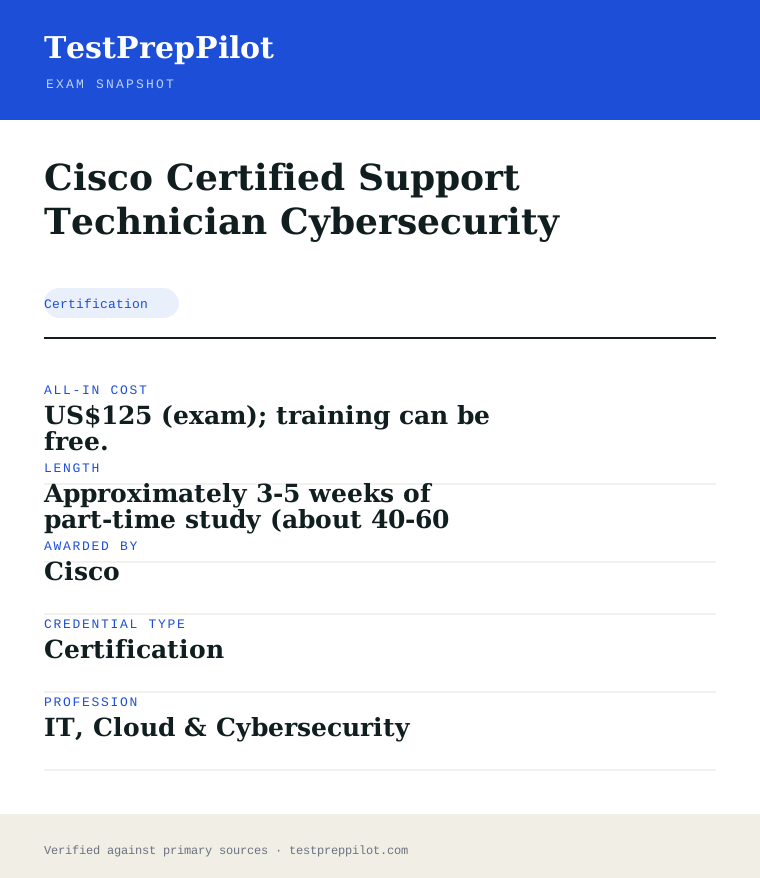
Cisco Certified Support Technician Cybersecurity is a certification credential; awarded by Cisco; the exam fee is US$125 (plus applicable tax; regional pricing may differ).; typical preparation is Approximately 3-5 weeks of part-time study (about 40-60 hours).; holders typically earn $45,000 – $65,000.
| Credential | Cisco Certified Support Technician Cybersecurity |
|---|---|
| Abbreviation | CCST Cybersecurity |
| Type | Certification |
| Profession | IT, Cloud & Cybersecurity |
| Specialty | Cisco |
| Awarded by | Cisco |
| Difficulty | Easy |
| Typical prep time | Approximately 3-5 weeks of part-time study (about 40-60 hours). |
| All-in cost | US$125 (exam); training can be free. |
| Typical salary range | $45,000 – $65,000 |
| Credential | Cisco Certified Support Technician (CCST) Cybersecurity |
| Exam code | 100-160 CCST Cybersecurity |
| Level | Foundational / Entry (below Associate) |
| Duration / Questions | 50 minutes / ~50 questions |
| Exam fee | US$125 |
| Validity | 3 years |
| Scope | National / Multi-state |
| Also known as | CCST Cybersecurity |
Real questions
Frequently asked questions about the Cisco Certified Support Technician Cybersecurity
Do I need any experience or other certifications to take CCST Cybersecurity?
No. There are no formal prerequisites. Cisco suggests around 150 hours of related instruction or practice, but beginners with no IT background can sit the 100-160 exam.
How long is the exam and what does it cost?
The 100-160 exam is 50 minutes with about 50 questions and costs US$125. It is delivered online or at a Pearson VUE/Certiport test center in multiple languages.
What score do I need to pass, and does Cisco publish it?
Cisco does not publish a fixed numeric passing score; you receive a pass/fail result. Independent prep providers often cite roughly 70%, but that is an estimate, not an official Cisco cut score.
How does CCST Cybersecurity relate to CyberOps Associate / CCNA Cybersecurity?
Cisco positions CCST Cybersecurity as the first step toward the Cybersecurity Associate (CyberOps) credential. It covers the same foundational themes at an introductory level before the deeper SOC-analyst content of the associate exam.
What jobs can CCST Cybersecurity help me get?
It supports entry-level roles such as cybersecurity technician, Tier-1 help-desk support, junior security analyst, NOC analyst, and cybersecurity apprentice positions.
How long is a Cisco certification valid, and how do I renew it?
Every Cisco certification is valid for 3 years. You can recertify by passing a qualifying exam at or above the current level, by earning Continuing Education credits, or by combining both before the expiry date.
Where do I take Cisco exams and what ID do I need?
Cisco exams are delivered by Pearson VUE at test centers or online via OnVUE (CCST via Certiport/Pearson VUE). You must present a valid government-issued photo ID; online exams also require a room/environment scan.
What happens if I fail a Cisco exam?
You must wait 5 calendar days before retaking the same exam, and each retake requires paying the full exam fee again. Your score report shows section-level feedback to guide further study.
In short
Is the Cisco Certified Support Technician Cybersecurity worth it?
- Foundational, no-prerequisite Cisco security cert (exam 100-160), 50 minutes, ~50 questions, US$125.
- Five domains; Essential Security Principles and Vulnerability/Risk are the heaviest at 22% each.
- Designed as the on-ramp to CyberOps Associate / CCNA Cybersecurity.
- Valid 3 years; free aligned Cisco Networking Academy training available.
Same awarding body
What other credentials does Cisco award?
Worth comparing
How does the Cisco Certified Support Technician Cybersecurity compare with similar credentials?
Trust
Where does this information come from?
Everything above is taken from the awarding body's own published material. Fees, question counts and domain weights are revised regularly — check the official page before you pay.
- Cisco Awarding body
- Official Cisco Certified Support Technician Cybersecurity exam page Exam page
- Cisco certification programme Programme rules
Research confidence: medium · Last reviewed 2026-08