IT, Cloud & Cybersecurity • Training
Google IT Support Professional Certificate
Launch an IT support career with Google
Researched and maintained by TestPrepPilot Editorial BoardCloud, IT & cybersecurity certifications desk · Figures last verified August 2026
The short version
What is the Google IT Support Professional Certificate and is it worth it?
The Google IT Support Professional Certificate is a beginner IT training program (typically on Coursera) covering hardware, OS, networking, sysadmin, security and support skills. It is a course completion certificate, not a proctored exam, and is a common on-ramp to IT careers and A+.
- Zero experience required
- Widely recognised beginner cred
- Strong path into IT jobs
- Prepares for A+
What is it?
What exactly is the Google IT Support Professional Certificate?
Launch an IT support career with Google
The Google IT Support Professional Certificate is a beginner-friendly program (commonly delivered via Coursera) that teaches the fundamentals of IT support: hardware, operating systems, networking, system administration, security and customer service. It is a training certificate rather than a proctored exam, and is frequently used as a stepping stone into IT roles and toward CompTIA A+.
Before you book
Who is eligible to sit the Google IT Support Professional Certificate?
Open to all learners.
Who it is for: Career starters in IT
The test itself
What is the format of the Google IT Support Professional Certificate?
The Google IT Support Professional Certificate is administered by Coursera / Google and runs Self-paced (≈3–6 months).
| Administered by | Coursera / Google |
|---|---|
| Questions | Course assessments (not a single proctored exam) |
| Time limit | Self-paced (≈3–6 months) |
| Pass mark | Pass course modules |
| Exam fee | Coursera subscription (free trial available) |
| Format | Quizzes and hands-on labs |
Content outline
What topics are on the Google IT Support Professional Certificate?
The Google IT Support Professional Certificate covers 4 content domains.
Weightings come from the official exam outline. Study time is best allocated in roughly these proportions rather than evenly across domains.
- Hardware and operating systems
Devices, Windows/Linux/macOS
- Networking and system admin
TCP/IP, Active Directory, CLI
- IT security fundamentals
Threats, encryption, policies
- Customer support and troubleshooting
Tickets, communication
Money & time
How much does the Google IT Support Professional Certificate cost?
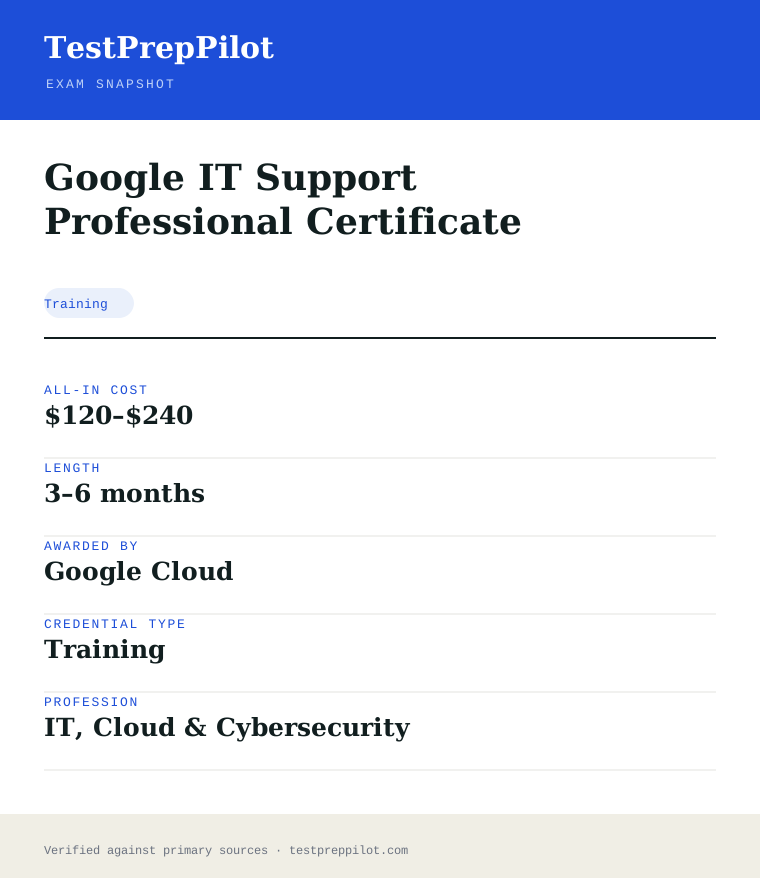
For the Google IT Support Professional Certificate, the exam fee is Coursera subscription (free trial available); the all-in cost is typically $120–$240; most candidates spend 3–6 months preparing.
Cost breakdown
| Coursera subscription | ~$39/month |
|---|---|
| Typical total | $120–$240 |
Financial aid and free trials are available.
Timeline
- Complete course modules 3–6 months
- Apply skills / pursue A+ ongoing
Typical prep: 3–6 months
The path
How do you register for the Google IT Support Professional Certificate?
- 1
Create a certification account10 minutes
Sign in to Google Cloud Skills Boost (Webassessor) and confirm your profile and eligible language.
- 2
Register and pay15 minutes
Select the exam, pay the fee, and choose a delivery method. A no-show forfeits the fee.
- 3
Schedule the exam15 minutes
Book an online-proctored slot or a seat at a testing center. Identity verification is required at check-in.
- 4
Sit and passtest day
Complete the multiple-choice / multiple-select items. Most exams report Pass/Fail immediately; the Associate Cloud Engineer shows a scaled 700/1000.
- 5
Maintainper cycle
Foundational and Associate certs are valid 3 years; Professional certs 2 years. Recertify by retaking during the 60-day window before expiry — certified individuals get a 50% renewal discount.
The fine print
What are the retake and renewal rules for the Google IT Support Professional Certificate?
- Proctoring & delivery
- Delivered online with remote proctoring from a private room, or in person at a testing center. A government-issued ID and a room/desk scan (online) are required.
- Retake policy
- After a fail you may retake after 14 days; a second fail requires a 60-day wait; a third fail requires a 12-month wait. The full exam fee is charged on every attempt.
- Score reporting
- Most exams report Pass/Fail with no published numeric cut score. The Associate Cloud Engineer reports a scaled score out of 1000 (pass mark 700). A digital badge and certificate are issued on pass.
- Recertification
- Cloud Digital Leader and Associate Cloud Engineer are valid 3 years; all Professional Cloud certifications are valid 2 years. Recertification is done by retaking and passing the exam during the eligibility window (starting 60 days before expiry). A 50% discount code is issued to certified individuals.
- Refunds & rescheduling
- Fees are paid at booking; a no-show forfeits the fee. Rescheduling and cancellation follow the exam provider’s window and may forfeit the fee if done late.
Context
Google Cloud certification tiers
| Tier | Typical fee | Validity | Audience | |
|---|---|---|---|---|
| Foundational | $99 | 3 years | Business / non-engineering | |
| Associate | $125 | 3 years | Hands-on operators | |
| Professional | $200 | 2 years | Experienced specialists |
What it pays
How much does this credential pay?
$61,550 median for computer support specialists (BLS, May 2024)
The Google IT Support Professional Certificate is explicitly designed to feed the computer support workforce, so the directly relevant occupation is Computer Support Specialists, SOC 15-1231. That occupation had a May 2024 median annual wage of $61,550, with the two detailed components splitting the difference: computer user support specialists (the role this certificate most directly targets) earned a median of $60,340, while computer network support specialists earned $73,340. The lowest 10 percent of the occupation earned under about $33,000 and the highest 10 percent over $99,000, a wide spread driven by employer type and by whether the worker has moved up from desk-side support into network or infrastructure roles. BLS counted 882,300 computer support specialists in 2024 and projects a 3 percent employment decline from 2024 to 2034 — the cloud and automation headwind is real — yet still expects about 50,500 openings a year, almost entirely from replacement need as workers retire or move up. The honest reading for a certificate holder is that this credential is an entry ramp, not a career ceiling: it is well matched to the user-support tier where employers list "IT certification or equivalent experience" as acceptable, and its value compounds when you stack it toward higher tiers — the same programme's alumni data and employer-consortium partnerships are the marketing claim, but the structural point stands that support roles are the on-ramp into network administration ($96,800 median) and information security ($124,910) over a few years. Treat the certificate as the first rung and budget your next move accordingly.
| Measure | Figure | Source / note |
|---|---|---|
| Median annual wage, computer support specialists | $61,550 | BLS Occupational Outlook Handbook, May 2024 |
| Median, computer user support specialists | $60,340 | BLS OOH Pay tab, May 2024 (the tier this certificate most directly targets) |
| Median, computer network support specialists | $73,340 | BLS OOH Pay tab, May 2024 |
| Employment, 2024 | 882,300 jobs | BLS OOH Quick Facts, 2024 |
| Projected annual openings | ~50,500 per year | BLS OOH Job Outlook, 2024-34 — almost all replacement need |
Job growth.-3% projected change 2024-34 (decline driven by cloud/automation), with ~50,500 replacement openings a year. The certificate is an entry ramp; network admin ($96,800) and infosec ($124,910) medians are the growth path above it.
Source: BLS Occupational Outlook Handbook — Computer Support Specialists
Your odds
What are the pass rates?
No exam, no pass rate — this is a completion-based programme
The Google IT Support Professional Certificate is not a proctored exam and has no pass rate, no cut score and no retake policy in the traditional sense — it is a sequence of six courses on Coursera, each assessed by graded quizzes and a final graded assessment, and you earn the certificate by completing the courses. We state this plainly because it changes what "passing" means: there is no single high-stakes sitting to fail, and there is no published statistic on what share of enrolled learners finish. Google reports aggregate claims about the programme (for example, that a large share of certificate graduates are from groups underrepresented in tech and that the certificate is accepted by a consortium of employers as meeting a job-qualification threshold), and the alumni-outcomes numbers Google publishes come from its own graduate surveys rather than from an independent audit — treat them as marketing-grade figures, not verified statistics. What is verifiable is the structure: roughly 120-150 hours of self-paced content across six courses (Technical Support Fundamentals; Bits and Bytes of Computer Networking; Operating Systems and You; System Administration and IT Infrastructure Services; IT Security: Defense Against the Digital Dark Arts; plus an applied final project in the capstone-style wrap-up), each ending in graded assessments that require a passing score per course, typically 80 percent or the course's stated threshold, with unlimited retakes of individual quizzes. The practical implication is that the "exam strategy" here is schedule and consistency, not cramming: the failure mode is dropping out mid-programme, not failing a sitting.
Read this before quoting the number.This is a completion-based certificate with no proctored exam, so no pass rate exists. Individual courses require a passing score on graded assessments (typically ~80%), with unlimited quiz retakes; Google's published graduate-outcome figures come from its own surveys, not an independent audit.
Source: Google — IT Support Professional Certificate (Coursera)
Your schedule
How long should I study for it?
120-150 hours of focused study
Because the certificate is a sequence of graded courses rather than a single exam, the plan is about sequencing and scheduling, not cramming. The full programme is roughly 120-150 hours of self-paced content spread across six courses, and most learners complete it in three to six months at 5-10 hours a week — the Coursera estimate is around six months at under 10 hours a week. The courses build in a deliberate order: Technical Support Fundamentals first (the help-desk core), then networking, operating systems, system administration and infrastructure, and security last — and the security course leans on concepts introduced earlier, so skipping around costs you. The plan below runs ten weeks at roughly 8-10 hours a week for someone in no particular hurry, with the first three weeks on the first two courses, the middle four weeks on the operating-systems and system-administration courses, and the final three weeks on security plus the hands-on capstone-style project. The single most important structural fact is that the final course requires you to apply everything — you configure systems, work through troubleshooting scenarios and complete an applied project — so it cannot be rushed the week before. If you are also preparing for the CompTIA A+ exams, the overlap is substantial and deliberate: Google's curriculum was designed to align with the A+ skill domains, and many candidates sit A+ Core 1 and Core 2 after finishing this programme, using it as the structured course component they would otherwise pay for.
- Weeks 1-28-10 hrs/week
Course 1 — Technical Support Fundamentals
- Work the help-desk core: binary and hardware basics, operating systems overview, troubleshooting methodology
- Complete the graded module assessments as you go rather than batching them
- Practise the customer-service and documentation skills — the course grades them explicitly
- Set a weekly cadence now; consistency is what completes this programme
- Week 39-11 hrs
Course 2 — Bits and Bytes of Computer Networking
- TCP/IP model, DNS, DHCP, NAT, VPNs and the OSI stack at the level the course teaches
- Do the hands-on labs (using tools like ping, traceroute, nslookup) rather than only watching videos
- Take the graded assessments promptly after each module
- This is the densest course for most learners — budget extra time if networking is new to you
- Weeks 4-58-10 hrs/week
Course 3 — Operating Systems and You
- Windows and Linux administration basics: filesystems, processes, users, command-line tools
- Complete the Linux and Windows labs hands-on; the commands are assessed
- Practise the troubleshooting scenarios the course presents
- Keep a command cheat-sheet you build yourself — the labs reward recall
- Weeks 6-78-10 hrs/week
Course 4 — System Administration and IT Infrastructure Services
- Directory services, virtualization, backup/recovery, and infrastructure best practices
- Complete the system-administration labs and the applied configuration work
- Start thinking about the capstone-style project you will apply everything to later
- Take the course assessments on time
- Weeks 8-98-10 hrs/week
Course 5 — IT Security: Defense Against the Digital Dark Arts
- CIA triad, encryption, authentication, network security and security best practices
- Relate each topic back to the earlier courses — the security course assumes that base
- Complete the graded assessments; the lab scenarios are the highest-value practice
- If you plan to sit CompTIA A+ afterward, note which domains overlap so you can reuse this study
- Week 108-10 hrs
Capstone-style wrap-up and certificate
- Complete the applied project course element that synthesizes the six courses
- Troubleshoot real scenarios end to end: identify, research, fix, document
- Finish any outstanding assessments and claim the certificate
- Update your resume and LinkedIn with the credential and the skills it certifies
Adjusting the pace
Full-time job-seeker, 15-20 hrs/week.Six to eight weeks. Compress the schedule but keep the course order; the networking and security courses still cannot be rushed safely.
Working professional, 5-6 hrs/week.Four to six months at the Coursera estimate. The risk is dropout, not difficulty — protect the weekly cadence and finish one course before starting the next.
Stacking toward CompTIA A+.Add four weeks before sitting A+ Core 1/Core 2. The Google curriculum aligns with the A+ domains, so treat the programme as the structured course component and then drill A+ question style specifically.
How to study
How do I prepare most effectively?
The success levers for this programme are scheduling, hands-on practice and sequencing — not test-prep tactics, because there is no single high-stakes exam. The strategies below are ordered by what actually completes the certificate and converts it into a job qualification.
Protect the weekly cadence above all
The certificate has no deadline pressure and no single failing point, so the dominant failure mode is dropout, not failure. Learners who schedule a fixed weekly block (the same hours, every week) finish; learners who wait for motivation stall around course three. Treat the weekly block as non-negotiable and you will complete the programme almost automatically.
Do the labs hands-on, never just watch
The courses include real exercises — command-line work, networking tools, OS configuration, troubleshooting scenarios — and the graded assessments test what you did, not what you watched. Set up a practice environment (a spare machine, a VM, or the course's sandbox) and reproduce every lab. Passive video watching produces a certificate without the skill, and employers interview the skill.
Finish one course before starting the next
The courses build on each other: the security course assumes the networking and OS base, and the capstone applies everything. Bouncing between courses fragments the learning and leaves gaps that the later labs expose. Complete each course's assessments before moving on — partial completion across four courses is how the programme stalls.
Build your own troubleshooting playbook
The certificate teaches a structured troubleshooting methodology (identify, research, hypothesize, test, document). Keep a running playbook of the scenarios you practise — what the symptom was, what tool you used, what fixed it. That playbook is both the study aid and the interview material: support-interview questions are scenario questions.
Stack it deliberately toward the next credential
The certificate is an entry credential with real but limited standalone weight; its value compounds when stacked toward CompTIA A+ (the domains overlap by design) and then toward network or security roles. Decide your next step while completing the programme so the momentum carries into the next credential rather than ending at the certificate.
Verify the current course count and fee before enrolling
Google revises the programme structure periodically — course count, names and pricing have changed since launch — so confirm the current course list and the monthly Coursera subscription fee (the certificate is typically earned within one to two months of paid subscription at the recommended pace) on the official page before budgeting.
What to buy
Which study resources are worth paying for?
The resource decision here is simpler than for most credentials: the certificate itself is the curriculum, delivered on Coursera under a monthly subscription, and the programme includes all required course materials, labs and assessments. The real decisions are (1) whether to pay the subscription for several months versus binge-finishing within one billing cycle, and (2) which free or low-cost supplements close the hands-on gap.
| Resource | Price | Format | Best for |
|---|---|---|---|
| Google IT Support Certificate on Coursera | ~$49/month subscription (one month covers ~10 hrs/week pace; typically 1-3 billing cycles) | Self-paced video, labs and graded assessments | Required — the full curriculum, materials and certificate |
| Coursera financial aid | Free for approved applicants | Same course access, application required | Learners who cannot afford the subscription |
| Practice environment (VM or spare machine) | Free | Hands-on lab space for OS and networking exercises | Reproducing every lab hands-on — the highest-yield supplement |
| CompTIA A+ study materials (for the stack) | ~$50-270 depending on resource | Books, video courses, practice exams | Candidates stacking the certificate toward the A+ credential |
| Networking simulator / packet tools (Wireshark etc.) | Free to low-cost | Software tools | Deepening the course's networking labs |
Prices checked 2026-08 in USD before promotions; the Coursera subscription and programme structure change periodically, so confirm the current fee and course list on the official page. We do not rank by commission.
Avoid these
What mistakes do candidates most often make?
Because this credential fails by attrition rather than by a single exam, the mistakes that matter are behavioural: dropping out mid-programme, watching instead of doing, and treating the certificate as a terminal credential. The six traps below are the recurring ones in learner post-mortems.
✕Starting all six courses at once
✓The courses build on each other, and the later ones assume the base. Enroll one course at a time and complete its assessments before moving on. Bouncing between courses is how learners end up with four half-finished courses and no certificate.
✕Watching the videos without doing the labs
✓The graded assessments test hands-on work — command lines, networking tools, OS configuration — not video recall. Reproduce every lab in a practice environment. A certificate earned by watching alone will not survive a support-interview scenario question.
✕Batching the graded assessments at the end of a course
✓Take each module's assessment promptly after its content. Batching them at the end means you discover gaps after the content has gone cold, and the unlimited retakes make it tempting to guess your way through — which teaches nothing.
✕Treating the certificate as a career end-point
✓The credential is an entry ramp, and its market value compounds when stacked — toward CompTIA A+ by design, then toward network administration or security roles. Decide the next credential while finishing this one so the momentum carries forward.
✕Quoting Google's outcome statistics as verified facts
✓Google's graduate-outcome figures come from its own surveys and marketing materials, not from an independent audit. In interviews and resumes, describe what you actually did in the labs and the certificate's employer-consortium acceptance, not unaudited percentage claims.
✕Ignoring the troubleshooting methodology
✓The course teaches a structured troubleshooting process and grades it. Candidates who skip it lose the single most transferable skill of the whole programme — the step-by-step approach that support interviews test directly. Practise it until it is your default response to any symptom.
What you'll face
What question types will I see?
There is no single proctored exam, so "question types" here means the graded assessment formats across the six courses: module quizzes (multiple choice, true/false and matching), hands-on labs with pass/fail grading, and course-final graded assessments. Individual quizzes allow retakes, but the course-final assessments are the gate — each course requires a passing score (typically 80 percent or the stated threshold) to progress. The hands-on components are the distinctive part: you work in a real or simulated environment — issuing commands, configuring a system, using a networking tool, working through a troubleshooting scenario — and are graded on completing the task correctly rather than on selecting an answer. The final capstone-style project synthesises the courses: you take a scenario, apply the troubleshooting methodology, execute the fix in a practice environment, and document the work. Because the grading is completion-based with retakes, the "tactics" that matter are doing the labs for real and keeping the sequence intact, not test-day strategy.
Multiple choice, true/false and matching on the module's content. Retakeable; used to reinforce rather than gate.
Real or simulated environments where you execute commands, configure systems or use tools; graded on completing the task correctly.
The gate for each course; requires a passing score (typically ~80%) covering the whole course.
An applied scenario that synthesises the six courses: troubleshoot, fix in a practice environment, document the work.
Try these
Q1A user reports that a website loads on their phone but not on their desktop browser, and other sites load fine on the desktop. Following the structured troubleshooting methodology, which is the most appropriate FIRST step?
Answer:B
The course's troubleshooting methodology begins with identifying and reproducing the problem and gathering information — the symptom (one site failing on one device) points to a device- or browser-specific cause, not a network-wide one (B). A and C jump to fixes without diagnosis and are unlikely to address a single-site, single-device failure. D is a broad, disruptive change that should come last, if at all, after isolating the cause. The discipline the certificate grades is diagnose first, fix second, document always.
Q2Which protocol is used by a client to obtain an IP address automatically on a TCP/IP network?
Answer:B
DHCP (Dynamic Host Configuration Protocol) automatically assigns IP addresses and configuration to clients on a network (B). DNS (A) resolves hostnames to IP addresses. NAT (C) translates private and public addresses at the network edge. HTTP (D) is the application protocol for web traffic. The networking course covers these as distinct services, and the discriminator is which one hands out addresses on request.
Q3A technician needs to see the route that packets take to a remote host. Which command-line tool shows each intermediate hop?
Answer:B
traceroute (tracert on Windows) displays each intermediate router hop between the local host and the destination (B). ping (A) tests reachability and latency but does not show the path. nslookup (C) queries DNS records. ipconfig (D) shows local network configuration. This is the kind of tool-level recall the graded labs and assessments test directly.
Samples are editor-written illustrations of the programme's assessment style, not actual graded items.
The big day
What should I expect on exam day?
There is no single exam day for this certificate — the "day" is the schedule you keep across the programme and the moment you complete the final course element. Practically, that means the equivalents of exam-day preparation are: (1) protecting the final capstone-style project week, because it applies everything and cannot be rushed; (2) making sure you have a working practice environment before the graded labs, since the hands-on components require you to execute real commands and configurations; and (3) confirming your Coursera account and billing are in order so the certificate issues cleanly when you finish. The common pitfalls on "completion day" are administrative: an expired subscription that pauses your access mid-course, or a missed course-final assessment that blocks progression. On the day you complete the final element, the certificate is issued on Coursera and appears in your profile; you can share it to LinkedIn and download it for your resume. Unlike a proctored exam, there is no score report and no retake policy — if a course assessment falls short, you simply review the relevant modules and retake it. The certification is earned entirely through the platform; there is no separate exam centre, no ID check beyond your Coursera identity, and no expiry — it is a lifetime credential as long as you keep access to the record.
Bring
- A reliable computer with an internet connection and, ideally, a practice environment (VM or spare machine) for the labs
- Your Coursera account credentials and an active subscription
- A notetaking system for the troubleshooting playbook you build through the courses
- A fixed weekly schedule — the real "exam-day" discipline for a completion-based certificate
Leave at home
- The mindset that you can binge the final course in one weekend — the capstone applies everything and needs a week
- Unfinished module assessments — they block the course-final gate
- The temptation to skip the hands-on labs and rely on the videos
How the day runs
Rules in the room
- Completion-based: no proctored exam, no cut score, no retake policy — each course requires passing its graded assessments.
- Course-final assessments are the gate; module quizzes are retakeable and reinforce rather than gate.
- The hands-on labs are graded on completing the task correctly, not on selecting an answer.
- An active Coursera subscription is required to keep access; an expired subscription pauses your progress.
- The certificate is lifetime once issued; there is no renewal or continuing-education requirement.
Afterwards.When you complete the final course element, the certificate is issued on Coursera and appears in your profile, ready to share to LinkedIn and attach to applications. There is no score report because there is no exam — your evidence is the completed programme and, more importantly, the hands-on work you can describe in interviews. The credential has no expiry and no renewal, which is both a convenience and a caution: nothing forces you to keep the skills fresh, so the next step matters. The strongest moves after completion are to stack toward CompTIA A+ (whose domains this programme was designed to cover), to build a portfolio of documented troubleshooting scenarios from your labs, and to target support roles at employers in Google's employer consortium plus the wider market. In interviews, describe what you did — the scenarios you troubleshot, the tools you used, the methodology you applied — rather than reciting the certificate. If you aimed the programme at a specific support job, the follow-up is to use the certificate to clear the application filter, then let the hands-on skill you actually built carry the interview.
Reference
What are the key facts about the Google IT Support Professional Certificate?
Google IT Support Professional Certificate is a training credential; awarded by Google Cloud; the exam fee is Coursera subscription (free trial available); typical preparation is 3–6 months; holders typically earn $40,000–$60,000 (entry IT).
| Credential | Google IT Support Professional Certificate |
|---|---|
| Abbreviation | Google IT Support |
| Type | Training |
| Profession | IT, Cloud & Cybersecurity |
| Specialty | Google Cloud & Google |
| Awarded by | Google Cloud |
| Difficulty | Easy |
| Typical prep time | 3–6 months |
| All-in cost | $120–$240 |
| Typical salary range | $40,000–$60,000 (entry IT) |
| Delivery | Coursera (online, self-paced) |
| Type | Professional certificate (course) |
| Proctored exam | No |
| Next step | CompTIA A+ |
| Scope | National / Multi-state |
| Also known as | Google IT Support Certificate |
Real questions
Frequently asked questions about the Google IT Support Professional Certificate
Is this a proctored certification exam?
No. It is a course-completion professional certificate delivered on Coursera through graded modules and labs, not a single supervised exam like the Google Cloud certifications.
What will I learn?
Core IT support skills: computer hardware, operating systems (Windows, Linux, macOS), networking, system administration, security fundamentals and customer-service troubleshooting.
Does it help get a job?
It is a recognised entry credential that many employers accept as evidence of foundational IT support knowledge, and it maps well to help-desk and technical-support roles.
What should I do next?
Many learners move on to CompTIA A+ for a vendor-neutral, exam-based IT support certification to strengthen their resume.
Do Google Cloud certifications expire?
Yes. Cloud Digital Leader and Associate Cloud Engineer are valid for three years; Professional certifications are valid for two years. You recertify by retaking the exam, and certified individuals receive a 50% discount on the renewal attempt.
What score do I need to pass?
Most Google Cloud exams are reported as Pass/Fail with no published numeric cut score; the Associate Cloud Engineer uses a scaled 700/1000. A common, unofficial study target is around 70%.
In short
Is the Google IT Support Professional Certificate worth it?
- Beginner IT support training certificate (Coursera).
- Covers hardware, OS, networking, security and support.
- Not a proctored exam; self-paced course.
- Common on-ramp to A+ and IT careers.
Same awarding body
What other credentials does Google Cloud award?
Worth comparing
How does the Google IT Support Professional Certificate compare with similar credentials?
Trust
Where does this information come from?
Everything above is taken from the awarding body's own published material. Fees, question counts and domain weights are revised regularly — check the official page before you pay.
- Google Cloud Awarding body
- Official Google IT Support Professional Certificate exam page Exam page
Research confidence: medium · Last reviewed 2026-08