Teaching & Education • Certification
Google Certified Educator Level 2
Google Certified Educator Level 2 — Education & Teaching credential from Google for Education
Researched and maintained by TestPrepPilot Editorial BoardTeacher certification & education technology desk · Figures last verified August 2026
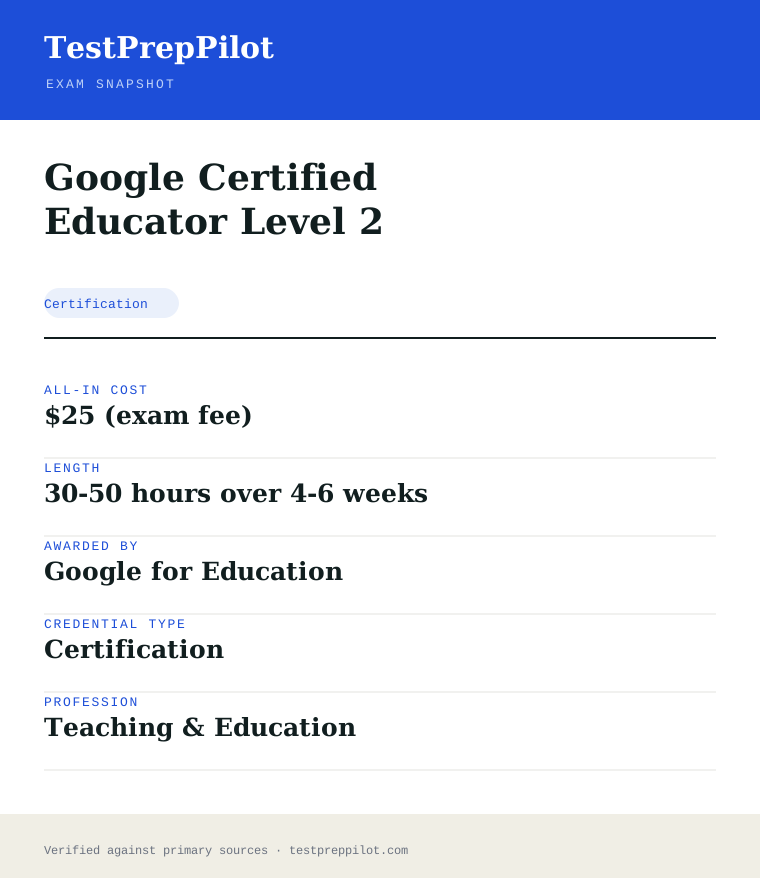
The short version
What is the Google Certified Educator Level 2 and is it worth it?
Google Certified Educator Level 2 is a professional credential administered by Google for Education. It validates job-ready knowledge and skills in the Education & Teaching field and is used for career entry, advancement, or compliance.
- Recognized credential from Google for Education
- Demonstrates verified competence in Education & Teaching
- Supports career advancement and may satisfy licensing or employer requirements
What is it?
What exactly is the Google Certified Educator Level 2?
Google Certified Educator Level 2 — Education & Teaching credential from Google for Education
Advanced certification on integrating Google tools for differentiation, data analysis, multimedia projects and student collaboration. Offered by Google for Education, it is designed for candidates who need to demonstrate verified competence in the Education & Teaching field. The credential is commonly used for career entry, advancement, regulatory compliance, or employer requirements. Candidates should review the official handbook for eligibility, exam format, and scoring before registering.
The path in brief
- Confirm you meet any eligibility or prerequisites
- Review the official handbook and study materials
- Register and pay through the awarding body or authorized provider
- Schedule and take the exam (test center or online proctoring)
- Receive your score and, if passed, your credential
Before you book
Who is eligible to sit the Google Certified Educator Level 2?
Eligibility varies; many credentials are open to all, while others require coursework, work experience, or sponsorship.
Who it is for: Professionals and candidates seeking to validate Education & Teaching competence.
The test itself
What is the format of the Google Certified Educator Level 2?
The Google Certified Educator Level 2 is administered by Google for Education and runs 180 minutes.
| Administered by | Google for Education |
|---|---|
| Questions | ~35 performance tasks |
| Time limit | 180 minutes |
| Pass mark | Passing score set by the awarding body; see the official score report |
| Exam fee | $25 |
| Format | Proctored, computer-based (test center or online remote proctoring) |
Content outline
What topics are on the Google Certified Educator Level 2?
The Google Certified Educator Level 2 covers 4 content domains.
Weightings come from the official exam outline. Study time is best allocated in roughly these proportions rather than evenly across domains.
- Subject content
Topic area tested on the exam; see the official blueprint for the detailed breakdown.
- Instruction & pedagogy
Topic area tested on the exam; see the official blueprint for the detailed breakdown.
- Assessment
Topic area tested on the exam; see the official blueprint for the detailed breakdown.
- Classroom management
Topic area tested on the exam; see the official blueprint for the detailed breakdown.
The path
How do you register for the Google Certified Educator Level 2?
- 1
Visit the awarding body’s official website and create an account
- 2
Select the credential and review its specific requirements
- 3
Complete any required eligibility (education, experience, or training)
- 4
Pay the registration fee
- 5
Schedule the exam at a test center or online
- 6
Take the exam and receive your results
The fine print
What are the retake and renewal rules for the Google Certified Educator Level 2?
- Proctoring & delivery
- Proctored, computer-based delivery (test center or remote online proctoring), varying by exam.
- Retake policy
- Varies by credential — most bodies permit retakes after a waiting period and full or partial fee.
- Score reporting
- Scores are reported per the body’s timeline, typically electronically after the exam.
- Recertification
- Varies; many credentials require renewal every 2–3 years via continuing education or a recertification exam.
What it pays
How much does this credential pay?
No direct occupation — Google Certified Educator is a skills credential for teachers, and the reference pay is the classroom-teacher median of $62,340 (elementary, BLS May 2024) or $64,580 (high school)
The direct answer is that the Google Certified Educator Level 2 certification has no BLS occupation of its own — it is a performance-based credential for educators who already hold teaching positions — so the salary story is the pay of the classroom role it supports, plus the small but real signalling value of the badge for specialist roles such as instructional coach or edtech integration lead. The relevant reference points from BLS, all May 2024: kindergarten and elementary school teachers, except special education, earned a median of $62,340; high school teachers earned a median of $64,580; and school and career counselors earned $65,140. Teacher pay in the United States is overwhelmingly driven by district salary schedules that reward years of service and education level, not by certificates, so the credential’s financial effect is indirect: it strengthens applications for specialist positions and for the edtech-lead and instructional-coach roles that sit above classroom pay scales, and it is frequently a prerequisite or strong preference when districts staff Google Workspace rollouts. The certification costs little — the Level 2 exam is $25, and was free through June 1, 2026 — and requires no tuition, which makes the cost-benefit case unusually clean for a professional credential: the downside is capped at the exam fee and your study time, and the upside is eligibility for roles that move an educator onto a different pay lane. The honest framing is that this is a low-cost, low-risk signalling credential rather than a wage-ticket: it will not move the median pay line by itself, but it is cheap enough that the expected value is almost always positive for a classroom teacher already using Google tools daily.
| Measure | Figure | Source / note |
|---|---|---|
| Reference: elementary school teachers, except special education | $62,340 | BLS OOH, SOC 25-2021, May 2024 |
| Reference: high school teachers | $64,580 | BLS OOH, SOC 25-2031, May 2024 |
| Reference: school and career counselors and advisors | $65,140 | BLS OOH, SOC 21-1012, May 2024 |
| The certification itself | No direct occupation | A performance-based skills credential for educators; BLS classifies by job duties, not by certificate |
Job growth.BLS projects a 2% decline in kindergarten and elementary teacher employment and a 2% decline for high school teachers from 2024 to 2034, with openings driven almost entirely by replacement need.
Source: BLS Occupational Outlook Handbook — Kindergarten and Elementary School Teachers
Your odds
What are the pass rates?
Google publishes no pass rate — what it publishes is the passing mechanism: a pass/fail result within 3 business days, with cut scores set by SMEs during exam development
Google does not publish pass-rate statistics for the Certified Educator Level 1 or Level 2 exams, and it never has — there is no annual report, no first-time pass-rate figure, and no historical series to compare against. What Google does publish is the passing mechanism, and it is worth understanding because it is more informative than a percentage would be. The Level 2 exam is performance-based: it consists of two sections — multiple-choice questions and three lab-based scenarios in which you actually perform tasks inside Google Workspace for Education tools — and the cut score is set by subject-matter experts during the exam development process, after beta testing establishes how items perform. You receive a pass or fail result by email within three business days of completing the exam, which means there is no long waiting window and no scaled score to interpret. The certification is valid for 36 months, and the retake policy is concrete: 14 days between the first and second attempt, then 60 days after a second failure, then one year after a third failure, with the exam fee paid each time. Two practical consequences follow from the absence of a published pass rate. First, the only reliable readiness signal is performance on the three lab-based scenarios under the same conditions as the real exam — using Chrome, without help, completing tasks in a live or simulated Workspace environment. Second, because labs are graded on whether you complete the required steps, partial completion earns partial credit at best, so the skill that predicts a pass is the ability to execute the task, not the ability to recognise a description of the task.
Read this before quoting the number.Google publishes no pass-rate data for the Certified Educator exams. The published facts are the exam’s format (multiple choice plus three lab-based scenarios), the 3-business-day result window, the 36-month validity, and the retake schedule. Treat any claimed pass-rate percentage as unsourced.
Source: Google for Education — Certified Educator Level 1 and Level 2 certification FAQ
Your schedule
How long should I study for it?
20-60 hours depending on existing Workspace fluency of focused study
Plan for 3 to 6 weeks and 20 to 40 hours of study for an educator who already uses Google Workspace daily, or 6 to 8 weeks and 40 to 60 hours if you do not — and the single biggest determinant of that range is your hands-on fluency with the tools, because the Level 2 exam is performance-based and the three lab-based scenarios are where passes are actually earned. The exam has two sections: multiple-choice questions and three lab scenarios in which you perform real tasks in Google Workspace for Education, in one sitting of up to three hours with no pausing, proctored via webcam and run in Chrome. Week 1 is the baseline: work through Google’s free Intermediate-level Workspace for Education Fundamentals course and the Level 2 task cards, and note which tools you can execute cold versus which you only recognise. Weeks 2-3 cover the toolset the exam actually stresses at Level 2: Classroom, Drive, Docs, Sheets, Slides, Forms, Gmail, Calendar, Sites, and the more advanced workflows — creating a site for classroom resources, building a Google Form with branching and then analysing responses in Sheets, using advanced search, managing Drive sharing and permissions, and setting up Classroom with co-teachers and gradebook features. Weeks 4-5 are the highest-yield phase: timed lab rehearsal. Google provides Level 2 task cards and practice resources that mimic the lab format; execute them start-to-finish in Chrome without help, timing yourself, because the exam’s labs are graded on completed steps and the webcam is recording. Week 6 is a full rehearsal of the whole exam structure: the multiple-choice section and three labs in one timed sitting, then review what you could not complete. The retake policy shapes the plan too — 14 days between the first and second attempt — so a narrow fail is cheap to correct, but a poor lab performance signals a gap that practice, not an immediate resit, will fix.
- Week 15-8 hrs
Baseline and tool audit
- Complete Google’s free Intermediate-level Workspace for Education Fundamentals course
- Work the Level 2 task cards to audit which tools you can execute cold
- Log the tools you only recognise versus those you can perform
- Weeks 2-38-10 hrs/week
Level 2 toolset mastery
- Build and share a Classroom site for a class; manage co-teachers and gradebook features
- Create a Form with branching, then analyse responses in Sheets
- Drill Drive sharing, permissions, advanced search and document workflows
- Weeks 4-58-10 hrs/week
Timed lab rehearsal
- Execute Level 2 task cards end-to-end in Chrome without help
- Time each scenario and grade yourself on completed steps
- Re-run any scenario you could not finish until it is routine
- Week 66-8 hrs
Full exam rehearsal and logistics
- Sit the multiple-choice section plus three labs in one timed session
- Confirm Chrome, webcam, room and registration details for the real exam
- Rehearse the incognito or remote-session lab launch you will use on the day
Adjusting the pace
Heavy daily Workspace user.Two to three weeks. Your day job covers most of the toolset; spend the time on lab rehearsal and the Level 2-specific workflows you rarely touch, like Sites and advanced Forms analysis.
New to Workspace for Education.Six to eight weeks. Add two weeks of structured tool training before the Level 2 content, and accept that the labs are the gate — reading about Google Sites will not survive a lab scenario.
Level 1 holder preparing for Level 2.Three to four weeks. Level 1 establishes the tool basics; Level 2 adds the advanced workflows and the three-lab performance section, so weight your time toward the labs, not the multiple-choice review.
How to study
How do I prepare most effectively?
The strategy that reliably passes the Level 2 exam is “practise the labs under real conditions, not under tutorial conditions,” because the exam is performance-based and the three lab-based scenarios are graded on whether you complete the required steps in the live tool, with a webcam watching. The single biggest error is studying by reading and watching — recognising a feature in a video is not the same as executing it in Chrome with the clock running, and the labs punish recognition-only preparation specifically. A second proven approach is to use Google’s own free resources as the syllabus: the Intermediate-level course, the Level 2 task cards, and the knowledge checks map directly onto what the exam tests, and there is no better-aligned material. Third, rehearse the lab environment itself: the exam asks you to launch labs in an incognito window or a remote browser session, and if your school district’s IT policies block the login flow, you need to know the remote-session option before the day, not during it. Fourth, time every rehearsal — the whole exam runs up to three hours in one sitting, and the labs consume the real time; candidates who only time the multiple-choice section routinely run out of clock on the third scenario. Finally, treat the three-lab structure as the pass gate: if you can complete all three scenarios unaided under a clock, the multiple-choice section is almost always safe, and if you cannot complete a scenario type, that gap is the only thing worth studying.
Practise the labs, not just the reading
The Level 2 exam is performance-based: three lab-based scenarios where you perform tasks in Google Workspace for Education. Execute the Level 2 task cards in Chrome without help until each scenario type is routine — recognition from a video will not survive a live lab.
Use Google’s free resources as the syllabus
The Intermediate-level Workspace for Education Fundamentals course, the Level 2 task cards and the in-lesson knowledge checks are the official preparation path and map directly to the exam’s content. There is no better-aligned paid alternative.
Rehearse the lab launch environment
Labs are launched in an incognito window or a remote browser session. If district IT blocks the login flow, learn the remote-session option during prep — discovering it on exam day costs you lab time and points.
Time the whole exam, not just the questions
Up to three hours in one sitting, with the three labs consuming the real time. Run at least one full rehearsal that includes all three scenarios under the clock; partial completion in a lab earns partial credit at best.
Treat the three labs as the pass gate
Candidates who complete all three scenarios unaided are virtually always safe on the multiple-choice section. If a scenario type is slow or incomplete in rehearsal, that single gap is the highest-value thing you can study.
Control the test environment on the day
The exam requires the latest Chrome, a working webcam, and a distraction-free room with no other people. Verify all three during prep, in the same conditions you will use on exam day, because there is no pausing once the exam starts.
What to buy
Which study resources are worth paying for?
Google Certified Educator Level 2 preparation is dominated by free official resources — Google’s Intermediate-level course, the Level 2 task cards, the exam FAQ, and the free practice material embedded in the training — and the certification itself is inexpensive: $25, and free through June 1, 2026, with the Level 2 exam delivered online through the Kryterion platform. The comparison below separates official and third-party resources, with prices current to this review. The buying rule is simple: exhaust the free official path first, because it is both free and perfectly aligned; paid prep courses add structure and convenience but rarely add content you cannot get from Google’s own materials. The main real cost for most candidates is not money but time — hands-on practice in Chrome, which no paid course can replace.
| Resource | Price | Format | Best for |
|---|---|---|---|
| Intermediate-level Workspace for Education Fundamentals course | Free | Online self-paced course with knowledge checks | The official content path for Level 2 |
| Level 2 task cards and certification FAQ | Free | Official task lists and exam documentation | Lab rehearsal and logistics — the closest thing to the real scenarios |
| Educator Level 2 exam registration | $25 (free through June 1, 2026) | Online, proctored via webcam, up to 3 hours in one sitting | The certification exam itself |
| Third-party prep courses (e.g. Udemy, edtech PD sites) | ~$20-60, often on sale | Video walkthroughs and practice task sets | Structure and pace for candidates who want a guided path |
| Community study groups and checklists | Free | Public documents and discussion forums | A second perspective on which tools the exam stresses |
Prices checked 2026-08 in USD. Google may extend the free-exam period, so confirm current pricing on the Google certification page before registering. We do not rank by commission.
Avoid these
What mistakes do candidates most often make?
The most common Level 2 mistakes are all consequences of preparing for a knowledge exam while the real exam is a performance exam: reading instead of executing, leaving lab rehearsal for the final days, and assuming that recognising a feature in a video means you can perform it in Chrome under a webcam. The rest are logistics and scope errors — failing to verify the Chrome and webcam requirements, ignoring the incognito or remote-session launch flow, not timing the three-hour sitting, and assuming the certification is permanent when it is valid for only 36 months.
✕Preparing by reading and watching instead of executing
✓The three lab-based scenarios are graded on completing real tasks in Workspace. Spend at least half your prep hours performing tasks in Chrome without help — creating a Site, building a branching Form and analysing it in Sheets, configuring Classroom — rather than consuming videos about them.
✕Leaving lab rehearsal for the last days
✓Lab skill does not compress. Start executing the Level 2 task cards in week one and time full three-scenario rehearsals in the final week; a candidate who has never completed a scenario under a clock is guessing at readiness.
✕Skipping the environment and logistics checks
✓The exam requires the latest Chrome, a working webcam, a cleared room and no other people. Districts often block lab logins, so learn the incognito and remote-browser-session options during prep — not while the clock is running.
✕Timing only the multiple-choice section
✓The whole exam runs up to three hours in one sitting with no pausing, and the labs consume the real time. Run at least one full rehearsal including all three scenarios under the clock.
✕Assuming the certification never expires
✓Google Certified Educator Level 2 is valid for 36 months. Diary the expiry the week you pass, and plan the recertification around your school year rather than discovering the lapse at renewal time.
✕Ignoring the retake schedule in the study plan
✓There is a 14-day wait between the first and second attempt, then 60 days, then one year. A narrow fail can be corrected quickly, but plan the retake around the calendar — and fix the lab gap that caused the fail before resitting.
What you'll face
What question types will I see?
The Google Certified Educator Level 2 exam is a single sitting of up to three hours with two sections: a multiple-choice section and three lab-based scenarios in which you perform real tasks inside Google Workspace for Education. The exam is delivered online through the Kryterion platform, proctored via webcam, and you receive a pass or fail result within three business days. The labs are the defining feature — each places you in a live or simulated Workspace environment and asks you to complete a concrete workflow, and grading is based on whether the required steps are completed, so partial completion earns partial credit at best. The multiple-choice section tests knowledge of tool capabilities and best practices, and the exam’s content follows Google’s published objectives for the Intermediate level of Workspace for Education use. Because Google publishes no pass rate, the practical guidance is to treat the three labs as the pass gate and the multiple-choice section as the margin. The samples below are editor-written illustrations of the published task and question styles, not live exam items.
You perform a real workflow in Google Workspace for Education — for example, building a class resource site, creating a branching Form and analysing responses, or configuring Classroom sharing and gradebook features. Graded on completing the required steps; partial completion earns partial credit.
Knowledge and best-practice questions on tool capabilities, workflows and when to use which tool. These test recognition and judgment rather than recall of trivia.
A classroom or workflow situation is described and you choose the best tool or best practice. Distractors are usually real tools that are merely second-best for the stated goal.
Try these
Q1A teacher wants to collect student responses, show each student only the responses relevant to them, and prevent students from seeing one another’s submissions. Which Google tool and setting combination should the teacher use?
Answer:B
Google Forms with “Limit to one response” prevents a student from submitting twice, and distributing individual submissions back to each student keeps responses private from classmates while still returning feedback — the workflow the scenario describes. A breaks privacy by making the response Sheet public. C does not collect responses into analysable data and leaks who has access. D is not a response-collection mechanism and every reply is visible to the whole thread.
Q2A teacher needs to share a folder of lesson materials so that students can view and comment on documents but cannot edit the originals, and so that the materials remain accessible only to the class. Which sharing approach is correct?
Answer:B
Sharing the folder with the class group at Viewer/Commenter level gives every enrolled student access to view and comment while blocking outside access and preserving the originals — the exact combination the scenario requires. A and D make the materials public, which violates the class-only requirement. C grants edit rights to every student, which the scenario explicitly rules out.
Q3After collecting responses to a Google Form, a teacher wants to identify which class period submitted the most responses above a certain score. What is the most efficient way to analyse this in Google Sheets?
Answer:C
Form responses land in a Sheet, and COUNTIF (or a pivot table) is the direct way to count responses above a threshold by class period. A and D are manual, error-prone and wasteful when the data already exists in a Sheet. B is descriptive, not analytic — the summary charts show distributions but not the period-versus-threshold comparison the scenario asks for. Sheets is the analysis engine for Form data, and using its functions is the intended workflow.
Samples are editor-written illustrations of the published lab and question styles; they are not live exam items.
The big day
What should I expect on exam day?
The Level 2 exam is delivered online through the Kryterion platform, in a single sitting of up to three hours, with no pausing — you must complete the multiple-choice section and three lab-based scenarios in one run, proctored via webcam, in the latest version of Chrome. The day starts before the exam: confirm your Chrome version, test your webcam and microphone, and set up a quiet, cleared room with no other people and no second monitor active, because the proctor checks the environment. When you launch, you will take a picture of yourself and your government-issued photo ID for the automated proctoring system, then complete the NDA screens before the timer starts. The practical pacing plan is to move through the multiple-choice section briskly and reserve the real time for the labs, because the labs are graded on completing required steps and partial completion earns partial credit at best; candidates who time only the questions routinely run out of clock on the third scenario. If your school district’s IT policies block logging into the lab’s Google account in your own browser, use the remote browser session option the exam provides — a full VM-based browser where you can perform the lab steps — and know which option you will use before the day. Your result arrives as a pass or fail by email within three business days of completion, sent from the Google for Education or credentialing address, so check your spam folder, and if you pass, your certificate and badge link arrive in the same channel with your 36-month validity period attached.
Bring
- A government-issued photo ID — you will photograph it for the automated proctoring system
- The latest version of Chrome installed and updated
- A working webcam and microphone, tested on the same machine you will use
- A quiet, cleared room with no other people and no second monitor
- Your registered Google account credentials and the exam link from your confirmation email
Leave at home
- Phones and smartwatches — out of reach, not just silenced
- Notes and study materials — the exam is closed-book and the proctor watches the environment
- Other people in the room — the room must be clear during the session
- A second monitor — it must be unplugged or turned away
- Any browser extensions or tabs that could interfere with the secured exam session
How the day runs
Rules in the room
- One sitting of up to 3 hours with no pausing and no resuming later.
- Delivered online through Kryterion; the latest version of Chrome is required.
- Webcam proctoring throughout, with identity and photo-ID photographs at launch.
- Closed-book: no notes, no other people, no second monitor, no outside applications.
- Labs run in an incognito window or a remote browser session if the lab login is blocked.
- A pass or fail result is emailed within 3 business days; no scaled score is issued.
- The certification is valid for 36 months from the date of passing.
Afterwards.Your result arrives by email within three business days — a pass or fail with no scaled score — and on a pass, the certificate and badge link arrive in the same channel; Google’s certification pages note that results are sent from Google for Education or the credentialing provider’s addresses, so check all inbox folders and spam before assuming anything is missing. The certification is valid for 36 months, so the first administrative action is to diary the expiry and note the Level 2 credential’s place in Google’s ecosystem: it is a prerequisite for the Certified Trainer and Certified Innovator programs, and it signals the advanced integration skills that districts look for in edtech-lead and instructional-coach roles. On a fail, the retake schedule governs the next move — 14 days after the first attempt, then 60 days, then one year, with the exam fee each time — and because the result gives you no diagnostic breakdown, the correct response is to re-run the Level 2 task cards and time a full three-scenario rehearsal to identify which lab type you could not complete, since lab performance is the component that actually gates a pass. The exam is cheap enough that cost is rarely the constraint; the constraint is lab fluency, so treat the retake window as a practice project, not a waiting period.
Reference
What are the key facts about the Google Certified Educator Level 2?
Google Certified Educator Level 2 is a certification credential; awarded by Google for Education; the exam fee is $25; typical preparation is 30-50 hours over 4-6 weeks; holders typically earn Teacher salaries by district (25-2021/25-2031).
| Credential | Google Certified Educator Level 2 |
|---|---|
| Type | Certification |
| Profession | Teaching & Education |
| Specialty | TESOL, Language & Education Technology |
| Awarded by | Google for Education |
| Difficulty | Mixed |
| Typical prep time | 30-50 hours over 4-6 weeks |
| All-in cost | $25 (exam fee) |
| Typical salary range | Teacher salaries by district (25-2021/25-2031) |
| Credential | Google Certified Educator Level 2 |
| Awarding body | Google for Education |
| Exam format | Proctored, computer-based |
| Validity | Valid 36 months (renewal) |
| Languages | Varies — see awarding body |
| Scope | National / Multi-state |
| Also known as | GCE Level 2 |
Real questions
Frequently asked questions about the Google Certified Educator Level 2
How do I register for the Google Certified Educator Level 2 exam?
Register through Google for Education's official portal or an authorized test provider (e.g., Pearson VUE or Prometric where applicable). Create an account, select the exam, pay the fee, and schedule a date.
How much does the exam cost?
Fees vary by location and currency. Confirm the current fee on the official registration page before scheduling.
How long is the credential valid, and how do I renew?
Validity varies by credential (commonly 2–3 years). Renewal usually requires continuing education or a recertification exam — see Google for Education's policy.
What if I do not pass?
Most bodies allow retakes after a waiting period and payment of the full or partial fee. Check Google for Education's retake policy before rescheduling.
How do I register for a Google for Education credential?
Register through the official website, select your exam, pay the fee, and schedule a date.
How do I renew a credential?
Renewal policies vary by credential; check the specific program page for requirements and cycles.
In short
Is the Google Certified Educator Level 2 worth it?
- Google Certified Educator Level 2 is awarded by Google for Education.
- Validates job-ready competence in Education & Teaching.
- Registration is through the awarding body or an authorized test provider.
- Renewal and retake policies vary — confirm before scheduling.
Same awarding body
What other credentials does Google for Education award?
Worth comparing
How does the Google Certified Educator Level 2 compare with similar credentials?
Trust
Where does this information come from?
Everything above is taken from the awarding body's own published material. Fees, question counts and domain weights are revised regularly — check the official page before you pay.
Research confidence: low · Last reviewed 2026-08