Teaching & Education • Certification
Google Certified Educator Level 1
Google Certified Educator Level 1 — Education & Teaching credential from Google for Education
Researched and maintained by TestPrepPilot Editorial BoardEdTech & teacher-certification desk · Figures last verified August 2026
The short version
What is the Google Certified Educator Level 1 and is it worth it?
Google Certified Educator Level 1 is a professional credential administered by Google for Education. It validates job-ready knowledge and skills in the Education & Teaching field and is used for career entry, advancement, or compliance.
- Recognized credential from Google for Education
- Demonstrates verified competence in Education & Teaching
- Supports career advancement and may satisfy licensing or employer requirements
What is it?
What exactly is the Google Certified Educator Level 1?
Google Certified Educator Level 1 — Education & Teaching credential from Google for Education
Entry certification covering the use of Google Workspace for Education tools such as Classroom, Docs, Drive and Meet in teaching. Offered by Google for Education, it is designed for candidates who need to demonstrate verified competence in the Education & Teaching field. The credential is commonly used for career entry, advancement, regulatory compliance, or employer requirements. Candidates should review the official handbook for eligibility, exam format, and scoring before registering.
The path in brief
- Confirm you meet any eligibility or prerequisites
- Review the official handbook and study materials
- Register and pay through the awarding body or authorized provider
- Schedule and take the exam (test center or online proctoring)
- Receive your score and, if passed, your credential
Before you book
Who is eligible to sit the Google Certified Educator Level 1?
None (educators)
Who it is for: Professionals and candidates seeking to validate Education & Teaching competence.
The test itself
What is the format of the Google Certified Educator Level 1?
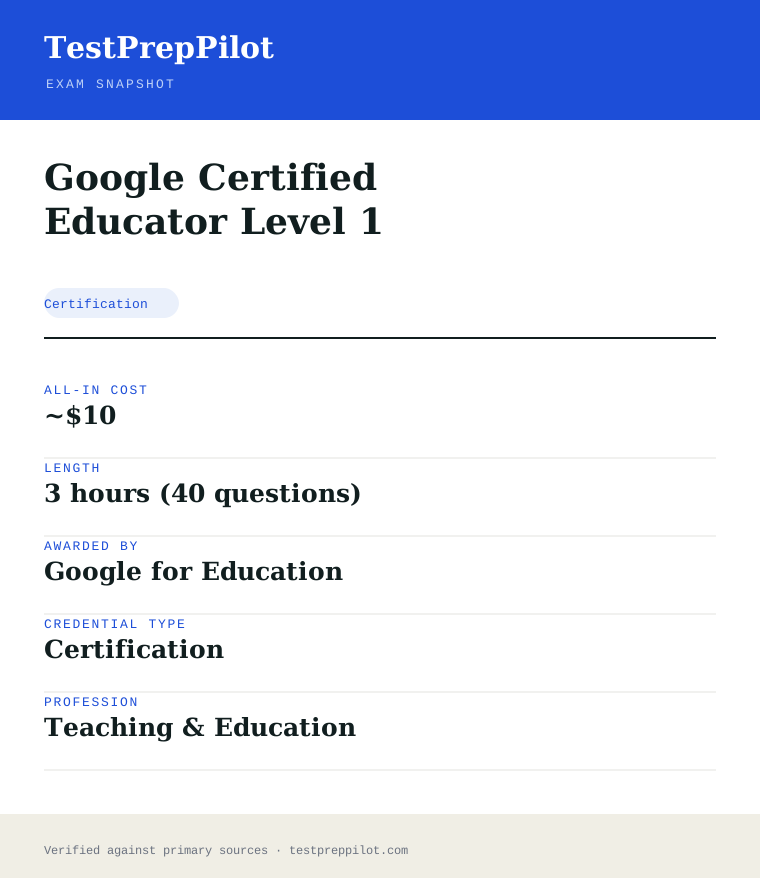
The Google Certified Educator Level 1 is administered by Google for Education and runs ~3 hours and contains 40 (80% passing) questions.
| Administered by | Google for Education |
|---|---|
| Questions | 40 (80% passing) |
| Time limit | ~3 hours |
| Pass mark | Passing score set by the awarding body; see the official score report |
| Exam fee | ~$10 |
| Format | Proctored, computer-based (test center or online remote proctoring) |
Content outline
What topics are on the Google Certified Educator Level 1?
The Google Certified Educator Level 1 covers 4 content domains.
Weightings come from the official exam outline. Study time is best allocated in roughly these proportions rather than evenly across domains.
- Subject content
Topic area tested on the exam; see the official blueprint for the detailed breakdown.
- Instruction & pedagogy
Topic area tested on the exam; see the official blueprint for the detailed breakdown.
- Assessment
Topic area tested on the exam; see the official blueprint for the detailed breakdown.
- Classroom management
Topic area tested on the exam; see the official blueprint for the detailed breakdown.
The path
How do you register for the Google Certified Educator Level 1?
- 1
Visit the awarding body’s official website and create an account
- 2
Select the credential and review its specific requirements
- 3
Complete any required eligibility (education, experience, or training)
- 4
Pay the registration fee
- 5
Schedule the exam at a test center or online
- 6
Take the exam and receive your results
The fine print
What are the retake and renewal rules for the Google Certified Educator Level 1?
- Proctoring & delivery
- Proctored, computer-based delivery (test center or remote online proctoring), varying by exam.
- Retake policy
- Varies by credential — most bodies permit retakes after a waiting period and full or partial fee.
- Score reporting
- Scores are reported per the body’s timeline, typically electronically after the exam.
- Recertification
- Varies; many credentials require renewal every 2–3 years via continuing education or a recertification exam.
What it pays
How much does this credential pay?
The Level 1 certification evidences classroom tech skill: kindergarten and elementary teachers earned a $62,340 median in May 2024 (BLS)
The Google Certified Educator Level 1 certification evidences a teacher’s ability to use Google for Education tools (Google Classroom, Drive, Docs, Sheets, Slides, Gmail, Calendar, and Chrome) to improve teaching and learning. It is a professional-development credential, not a teaching license, so no BLS SOC code attaches to it; the salary story belongs to the teaching profession it serves. BLS reported that kindergarten and elementary school teachers (SOC 25-2021) earned a median of $62,340 in May 2024, and high school teachers (25-2031) about $64,580; teacher pay is set by district salary schedules driven by education and experience, not by certificates, which is the honest structural point. The value of the Google certification is therefore not a direct pay bump but professional positioning: many districts and schools run Google Workspace environments, value staff who can lead classroom-tech integration, and consider such credentials in hiring, curriculum leadership and professional-development roles; the certification also supports teachers applying for Google for Education Trainer status and for edtech-focused positions such as instructional technology coaches, where district pay schedules and stipends can reward specialized roles. BLS classifies workers by occupation, not certifications, so no certificate maps to a specific wage; the value is the professional-development signal in a field where districts weigh skills and leadership potential. The certification is exam-based (the Level 1 exam is about 3 hours with 40 questions), costs about $10 (as of recent pricing, with occasional changes), and is valid for 36 months.
| Measure | Figure | Source / note |
|---|---|---|
| Kindergarten and elementary teachers median, May 2024 | $62,340 | BLS OEWS, SOC 25-2021 |
| High school teachers median, May 2024 | $64,580 | BLS OEWS, SOC 25-2031 |
| All-occupation median, May 2024 | $49,500 | BLS OEWS |
| Certification validity | 36 months | Google for Education |
Job growth.Teacher employment is projected to grow about 1-2 percent from 2024 to 2034 with large replacement demand; edtech skill is a differentiator in hiring and leadership roles.
Source: BLS Occupational Outlook Handbook - Kindergarten and Elementary School Teachers
Your odds
What are the pass rates?
The Level 1 exam requires a passing score of 80 percent on 40 questions (about 3 hours); Google publishes no pass rates
Google does not publish pass-rate statistics for the Google Certified Educator exams, but the assessment mechanics are public. The Level 1 exam consists of 40 questions delivered through the Google for Education testing platform (Webassessor), with a time allowance of about 3 hours; the passing score is 80 percent, meaning at least 32 of 40 correct. The exam is performance-based in style: it includes scenario questions and, in some items, tasks set in the actual Google apps (the platform embeds tasks in the tools), so candidates must be able to use the applications, not just recall facts about them. The exam is proctored online, and the fee is approximately $10 (Google has historically priced the Level 1 exam at $10; verify the current fee on the Google for Education site, as pricing has occasionally changed). Candidates who do not pass can retake, and Google applies a waiting period before retakes. The certification is valid for 36 months; renewal requires passing the current Level 1 exam again (or completing the renewal pathway Google offers, which is the exam in most cases). The exam covers the Google for Education fundamentals: using Classroom, Drive and the Google Workspace apps, organizing workflow, communicating with students and families, and managing digital classrooms. The honest summary is that the passing bar is 32 of 40, the exam is performance-based in the apps themselves, and the certificate’s value is the verifiable signal of classroom-tech proficiency.
Read this before quoting the number.Google publishes no pass rates; the Level 1 exam requires 80% (32/40) with a 36-month validity. Verify the current fee on the Google for Education site.
Your schedule
How long should I study for it?
20-40 hours over 2-6 weeks of focused study
A realistic Google Certified Educator Level 1 plan runs 20-40 hours over 2-6 weeks, depending on prior familiarity with Google Workspace. The exam is performance-based, so preparation is about using the tools, not reading about them. Week 1: take the official Google for Education training course (the free "Fundamentals Training" on the Google for Education Teacher Center), which walks through every tool and skill the exam covers, and take a baseline assessment of your hands-on skill. Weeks 2-4: work through the Fundamentals Training units with hands-on practice - set up a Google Classroom, create and organize Drive files, build a Slides presentation with collaboration, create a Sheet with formulas, and practice the communication tools (Gmail, Calendar, Meet) - because the exam includes tasks in the actual apps. Week 5: complete the official practice exam and the sample questions Google provides, and drill the areas the practice exam exposes. Week 6: take the real exam in a quiet, stable environment. The exam content clusters around: classroom management (Classroom setup, assignments, grading workflows), communication and collaboration (Drive sharing, Docs/Sheets/Slides collaboration, Gmail), organization and workflow (Drive structure, Calendar, task management), and digital citizenship and safety (Chrome settings, safe searching). Candidates with daily Workspace experience can compress the plan to 2-3 weeks; newcomers should budget the full path.
- Week 16
Fundamentals Training start
- Start the free Teacher Center training
- Hands-on baseline in the apps
- Weeks 2-420
Hands-on tool practice
- Classroom, Drive, Docs, Sheets, Slides
- Communication and collaboration tools
- Week 56
Practice exam
- Official practice exam
- Drill exposed gaps
- Week 64
Real exam
- Take the proctored exam (80% passing)
Adjusting the pace
Level 2 and Trainer path.Level 1 is the prerequisite for Level 2 and for the Google for Education Trainer certification; plan the ladder if relevant.
Experienced users.Teachers who use Workspace daily can compress the plan and focus on the practice exam.
How to study
How do I prepare most effectively?
The most effective Level 1 strategies are hands-on. Strategy one: practice in the actual tools rather than reading about them, because the exam includes tasks embedded in the apps and rewards knowing where features live - set up a practice classroom, build documents and slides, and use the sharing and commenting features until they are automatic. Strategy two: complete the official Fundamentals Training, because it is written to the exam’s scope and is the free, authoritative study path. Strategy three: master the classroom workflow - creating assignments, attaching materials, grading, and returning work in Google Classroom - because classroom-management items form a large share of the exam. Strategy four: learn the sharing and collaboration mechanics precisely (viewer/commenter/editor roles, link sharing, version history), because scenario items test the correct sharing choice. Strategy five: review the organizational skills (Drive structure, Calendar, task management) and digital citizenship (safe searching, Chrome settings), which round out the skills measured. Strategy six: take the official practice exam under timed conditions before the real one, and use the performance breakdown to target the final days. Finally, schedule the exam for a quiet, stable window, because the proctored online format punishes interruptions.
Practice in the tools
The exam embeds tasks in the actual apps.
Complete Fundamentals Training
The free official path is written to the exam scope.
Master the Classroom workflow
Assignments, grading and returning work are heavily tested.
Learn sharing mechanics precisely
Roles, link sharing and version history drive scenario items.
What to buy
Which study resources are worth paying for?
The Level 1 resource market is anchored by Google’s free official content, which is unusually complete. The Google for Education Teacher Center provides the free Fundamentals Training (the official study path), the official practice exam, and sample questions - all free. The exam fee itself is about $10 (verify the current fee on the site, as pricing has occasionally changed). Hands-on practice requires a Google account with access to the Workspace apps, which is free. Third-party prep courses and question banks ($20-$200) exist and add practice volume, but the honest value ranking is low: the official training and practice exam cover the scope, the exam is performance-based (which only hands-on practice addresses), and third-party material can lag tool updates. Some districts provide training and reimburse the exam fee as part of professional development. The honest ranking: the free Teacher Center training, the official practice exam, hands-on practice in the tools, and nothing else for most candidates. Prices here are current as of 2025-26 and change annually.
| Resource | Price | Format | Best for |
|---|---|---|---|
| Google Fundamentals Training | Free | Online | The official study path |
| Official practice exam | Free | Online | Format and gap identification |
| Google Workspace apps | Free | Web | Hands-on practice surface |
| Third-party prep courses | $20-$200 | Online | Optional practice volume |
Prices dated 2025-26; the Level 1 exam fee is ~$10 (verify current pricing). No commission-based ranking.
Avoid these
What mistakes do candidates most often make?
The most common Level 1 mistakes come from studying instead of practicing. Mistake one: reading about the tools without using them; the exam includes tasks in the actual apps, and candidates who know the concepts but not the interface lose the performance items. Mistake two: skipping the official Fundamentals Training and relying on third-party summaries; the training is written to the exam scope, and third-party material lags tool updates. Mistake three: neglecting the Classroom workflow; classroom-management items form a large share of the exam, and candidates who use Classroom rarely are surprised by the assignment-and-grading questions. Mistake four: guessing on sharing-role items; the viewer/commenter/editor distinctions and link-sharing behaviors are precise, and scenario items test the correct choice. Mistake five: ignoring the timing; the 3-hour window with 40 performance-based questions requires pacing, and candidates who spend too long on early items run out of time. Mistake six: letting the 36-month validity lapse; renewal requires passing the current exam again, and a lapsed certification disappears from the verifiable profile. Finally, candidates should take the practice exam before the real one, because the proctored format and the embedded tasks are best experienced in a rehearsal.
✕Studying without practicing
✓Use the apps daily; the exam is performance-based.
✕Skipping Fundamentals Training
✓The free official path is written to the scope.
✕Neglecting Classroom workflows
✓Practice assignments, grading and returning.
✕Guessing on sharing roles
✓Learn the exact viewer/commenter/editor behaviors.
✕Letting the validity lapse
✓Renew within 36 months by passing the current exam.
What you'll face
What question types will I see?
The Google Certified Educator Level 1 exam consists of 40 performance-based questions delivered online with about 3 hours allowed, passing at 80 percent (32 of 40). The exam is proctored online through the Webassessor platform, and many items embed tasks in the actual Google apps (Classroom, Drive, Docs, Sheets, Slides, Gmail, Calendar, Meet, Chrome), requiring candidates to perform actions or answer scenario questions about them. Content clusters: classroom management (Classroom setup, assignments, grading), communication and collaboration (sharing, commenting, Meet), organization and workflow (Drive, Calendar, tasks), and digital citizenship and safety (Chrome, safe search). Samples below are editor-written illustrations of the published exam scope, not live exam items.
Classroom setup, assignments, grading workflows.
Sharing roles, Docs/Sheets/Slides collaboration, Meet.
Drive structure, Calendar, task management.
Chrome settings, safe searching.
Try these
Q1A teacher wants to share a Google Doc with a student so the student can edit it, but only that student should have access. Which sharing approach is most appropriate?
Answer:B
Sharing with the specific student restricts access to that account; "Anyone with the link" opens it more broadly, publishing exposes it publicly, and emailing an attachment loses the live collaboration.
Q2In Google Classroom, where does a teacher create and manage an assignment for a class?
Answer:A
Assignments are created and managed in the Classwork tab; the People tab manages rosters and the Grades tab views grading, while Calendar shows the class calendar.
Q3A teacher needs to collect responses from 30 students in a structured form and view them in a spreadsheet. Which tool is most appropriate?
Answer:A
Google Forms collects structured responses and links them to a Google Sheet for analysis; a shared doc, email chain or slides deck does not structure the collection.
Samples are editor-written illustrations of the published exam scope, not live exam items.
The big day
What should I expect on exam day?
The Level 1 exam is delivered online through the Google for Education certification platform (Webassessor) with a proctor. Candidates register through the Google for Education Teacher Center, pay the fee (about $10, verify current pricing), and schedule the exam window. On the day, complete the system check ahead of time, use a quiet private room with a stable connection, and follow the proctor’s rules (no notes, no second monitors, no assistance); the exam runs about 3 hours for 40 questions and is performance-based in the Google apps, so the candidate’s Google account access is part of the environment. After passing at 80 percent, the certification is issued with a badge and is valid 36 months; the verifiable record appears on the Google for Education site. Afterwards, add the badge to your resume and district professional-development records, set the 36-month renewal reminder, and consider the Level 2 exam and the Google for Education Trainer certification for the next step.
Bring
- Google account sign-in
- Verified system and quiet room for proctoring
- Appointment confirmation
- Stable internet connection
Leave at home
- Notes or study materials (prohibited)
- Second monitors or devices
- Distractions - the exam is proctored
How the day runs
Rules in the room
- The exam is online, proctored, and performance-based in the Google apps.
- The passing score is 80% on 40 questions.
- No notes, second monitors, or assistance are permitted.
- The certification is valid 36 months with renewal by exam.
Afterwards.Add the badge to your resume and district records, set the renewal reminder, and plan the Level 2 or Trainer certification for the next step.
Reference
What are the key facts about the Google Certified Educator Level 1?
Google Certified Educator Level 1 is a certification credential; awarded by Google for Education; the exam fee is ~$10; typical preparation is 3 hours (40 questions); holders typically earn $45,000-$80,000 (K-12 teachers).
| Credential | Google Certified Educator Level 1 |
|---|---|
| Type | Certification |
| Profession | Teaching & Education |
| Specialty | TESOL, Language & Education Technology |
| Awarded by | Google for Education |
| Difficulty | Mixed |
| Typical prep time | 3 hours (40 questions) |
| All-in cost | ~$10 |
| Typical salary range | $45,000-$80,000 (K-12 teachers) |
| Credential | Google Certified Educator Level 1 |
| Awarding body | Google for Education |
| Exam format | Proctored, computer-based |
| Validity | Varies by credential (commonly 2–3 years) |
| Languages | Varies — see awarding body |
| Scope | National / Multi-state |
| Also known as | GCE Level 1 |
Real questions
Frequently asked questions about the Google Certified Educator Level 1
How do I register for the Google Certified Educator Level 1 exam?
Register through Google for Education's official portal or an authorized test provider (e.g., Pearson VUE or Prometric where applicable). Create an account, select the exam, pay the fee, and schedule a date.
How much does the exam cost?
Fees vary by location and currency. Confirm the current fee on the official registration page before scheduling.
How long is the credential valid, and how do I renew?
The Level 1 exam is performance-based in the Google Workspace tools and passes at 80% (32 of 40); the certification is valid 36 months.
What if I do not pass?
Most bodies allow retakes after a waiting period and payment of the full or partial fee. Check Google for Education's retake policy before rescheduling.
How do I register for a Google for Education credential?
Register through the official website, select your exam, pay the fee, and schedule a date.
How do I renew a credential?
Renewal policies vary by credential; check the specific program page for requirements and cycles.
In short
Is the Google Certified Educator Level 1 worth it?
- Google Certified Educator Level 1 is awarded by Google for Education.
- Validates job-ready competence in Education & Teaching.
- Registration is through the awarding body or an authorized test provider.
- Renewal and retake policies vary — confirm before scheduling.
Same awarding body
What other credentials does Google for Education award?
Worth comparing
How does the Google Certified Educator Level 1 compare with similar credentials?
Trust
Where does this information come from?
Everything above is taken from the awarding body's own published material. Fees, question counts and domain weights are revised regularly — check the official page before you pay.
Research confidence: low · Last reviewed 2026-08